CVS Specialty
- 1.21K
- 3.6
- Installs
- 500.00K
- Price
- Free

Screenshots


Analysis by Reviewed
When it comes to managing specialty medications, CVS Specialty is a name that often pops up in conversations. You might be wondering why this app stands out in a sea of healthcare applications. Well, I took it upon myself to download and explore this app, and here's what I discovered.
The First Impression
Downloading the CVS Specialty app was a breeze. Available for both Android and iOS, the installation was quick, and before I knew it, I was diving into its features. The app's interface is clean and straightforward - something I appreciate in healthcare apps, where ease of navigation is crucial.
User-Friendly Interface
Upon opening the app, you're greeted with a dashboard that neatly organizes all the essential tools and information. Whether you need to manage prescriptions, track your medication delivery, or contact customer support, everything is just a tap away. The app’s seamless navigation makes managing your health less of a chore and more of a straightforward task.
Managing Medications
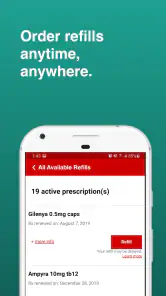
One of the standout features of the app is its medication management capabilities. You can easily refill prescriptions, view your medication history, and even set up reminders so you never miss a dose. This is particularly helpful for individuals juggling multiple medications. The app also allows you to track the delivery of your medications, ensuring you’re never caught off guard.
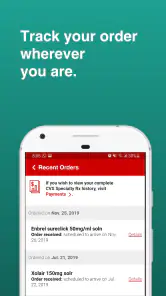
Another cool aspect is the ability to check your order status and get updates on when your meds will arrive. It’s like having a personal assistant who’s always on top of your healthcare needs!
Support and Resources
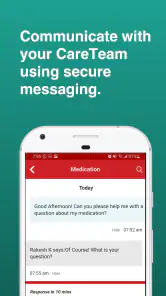
Accessing support and resources is another area where the app shines. It offers a plethora of educational materials and videos that help users understand their medications better. If you have questions or need assistance, the app provides direct access to pharmacists who can offer expert advice. It’s reassuring to know that help is just a click away.
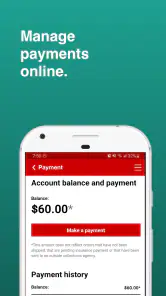
Additionally, the app integrates with your health insurance, making it easier to manage costs and understand your benefits. This integration is seamless and ensures that you’re always informed about your healthcare expenses.
My Takeaway
All in all, the CVS Specialty app is a comprehensive tool for anyone managing specialty medications. Its intuitive design and robust features make it a must-have for patients who need to keep track of complex medication schedules. While no app is perfect, this one comes pretty close to meeting the needs of its users.
If you're looking for a way to simplify your medication management and have all your healthcare needs at your fingertips, I'd recommend giving this app a shot. It's like having a mini pharmacy and health consultant right in your pocket!
Pros
- Easy prescription management
- User-friendly interface
- Secure data handling
- Wide range of medications
- Efficient refill system
Cons
- Limited customer support
- Occasional app crashes
- Slow loading times
- No offline access
- Complex navigation for new users

- Category
- Medical
- Version
- 2.78