Perplexity - Ask Anything
- 14.60K
- 4.6
- Installs
- 100.00M
- Price
- Free

Screenshots

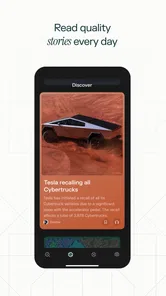
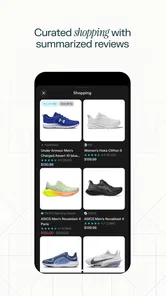
Analysis by Reviewed
I find the most useful way to approach Perplexity - Ask Anything is as a reading and research companion, not a machine that should make decisions for me. Its answers can help me get oriented quickly, but I still check important details before acting. That distinction matters especially when a question touches health, money, safety, or a time-sensitive rule: a confident explanation is a starting point, not a substitute for a qualified person or an authoritative source.
Making answers easier to follow
For everyday questions, I like being able to begin in plain language rather than guessing the perfect search keywords. A broad prompt can establish the basics; a follow-up can narrow the answer to the part I actually need. I get better results when I state my goal and constraints, such as asking for a short explanation, a comparison, or steps suitable for a beginner. That is a practical advantage over a conventional search results page, where I have to open several pages and assemble the explanation myself.
The trade-off is that a fluent answer can make it easy to skim past qualifications. I slow down when the subject has exceptions, and I ask a second, more specific question if the first response feels too general. For study, I might request an explanation of a concept and then ask for a simple example; for planning, I might ask what factors I should compare rather than treating one recommendation as final. This makes the app more useful as a way to structure reading than as a shortcut around reading altogether.
Using it across different situations
Voice input can help when typing is awkward, but it is not automatically the best option in every setting. In a quiet place, speaking a question may be convenient; in a shared room, on public transport, or somewhere private, typing is likely more discreet. If speech recognition misunderstands a name or a technical term, I would correct the wording before relying on the answer. Someone who prefers visual information or has difficulty reading long passages may also want to break a question into smaller parts and request a more focused explanation.
A realistic example is planning a weekend meal around ingredients already at home. I can ask for ideas, then add constraints such as limited time or a dietary preference and use the reply to create a shortlist. I would still check ingredient labels and adapt the suggestion to the people eating. That small workflow shows both the convenience and the boundary: the app can help me think through options, while I remain responsible for checking whether they suit my circumstances.
What is Perplexity - Ask Anything?
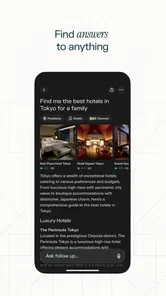
Perplexity - Ask Anything is an app designed to answer any query you might have, no matter how obscure. Whether it’s a random trivia question, a complex math problem, or just something you’re curious about, this app has got you covered. It’s like having a personal encyclopedia that’s always up-to-date and ready to go!
Features That Make It Stand Out
One of the most impressive things about this app is its user-friendly interface. You don’t need a tech degree to figure it out. Just type in your question, hit enter, and voilà! You get a detailed, accurate answer almost instantly. Plus, it supports voice input, which is super handy when you’re on the go.
More From Our News Desk

Weather by Xiaomi Review: Clear at a Glance, Less Clear Up Close

X Under Pressure: Can It Recover When Posting Goes Wrong?

Clash of Clans Is Won Between the Battles

Android Auto Makes the Case for Quieter Car Software

MobiOffice: Transforming Mobile Productivity with Seamless Integration

EA SPORTS FC™ Mobile Soccer: Redefining Mobile Sports Gaming
Another feature I love is the app’s ability to provide contextual answers. It doesn’t just give you a one-liner; it offers a comprehensive explanation that helps you understand the topic better. This is particularly useful for students or anyone looking to learn something new.
Choosing the right tool for the task
Perplexity is a free productivity app from PerplexityAI. It has a 4.6 average from around 1.6 million ratings and over 50 million installs. I’d consider it when I want a synthesized explanation rather than a page of links; a traditional search engine may be better when I need to inspect original documents, compare several publishers, or locate a specific page. The app is rated Teen, runs on Android 8.0 or later, and version 2.61.0 is the current version. It includes in-app purchases priced from $4.99 to $199.99 per item, so I would check the purchase details before choosing anything paid.
For a useful answer, I try a two-step workflow: ask the main question, then follow up with the missing angle—such as “what would change this recommendation?” or “which details should I verify?” That often reveals assumptions a broad first prompt leaves hidden. I also avoid entering private personal details when a general description will do. If I need a calculation that must be exact, a dedicated calculator is still the safer check; if I need a source for a formal assignment, I read and cite the underlying material rather than citing an assistant’s wording.
Making research manageable
One way I get more practical value from a reply is to ask it to separate what is known from what depends on my situation. For example, when comparing two ways to travel, I can request the main factors—time, cost, convenience, and likely trade-offs—then decide which ones matter most to me. This is more useful than asking for a winner before explaining my priorities. It also makes the next step clear: I can use the answer to frame a targeted search for a timetable, official policy, or current price rather than treating the generated comparison as the final word.
For a student, I would use the conversation to find the point of confusion, not to produce work to hand in. Asking for a term in simpler language, then requesting an example and a counterexample, can expose whether the basic idea has clicked. I would still check the course material, because an explanation that is broadly sensible may not match a teacher’s terminology or a particular syllabus. That distinction makes the app a helpful study partner for orientation, but not a replacement for assigned reading or independent work.
Everyday access, with practical limits
The conversational layout can reduce the effort of deciding which search words to try, especially when I know what I want to understand but not the vocabulary for it. That can be useful for someone who benefits from asking a complete question in their own words. Still, readability is not only about a simple interface: a long answer can be tiring, and a compact summary may leave out caveats. I recommend asking for a shorter explanation or one point at a time when a response feels dense, then expanding only the part that matters.
Motor and sensory needs vary, so I would treat voice input as an option rather than a universal accessibility solution. Speaking may reduce typing, but background noise, speech recognition errors, privacy, or a preference not to talk aloud can make it a poor fit. Typing gives me more control over exact spelling and wording, particularly for names or technical terms. If either input method creates friction, keeping the question short and checking the wording before sending it is a simple way to reduce avoidable misunderstandings.
A useful stop on a busy day
Imagine I am helping a family member understand a confusing letter while getting ready to leave. I could describe the general issue without including names, account numbers, or other sensitive details, and ask what terms I should look up or what questions to ask the sender. That gives me a starting checklist without exposing more personal information than necessary. I would not rely on the app to interpret a legal obligation or decide what action to take; for that, the letter’s issuer or a qualified adviser is the better source.
This sort of use also shows when a conversational answer saves time and when it does not. If I need a broad explanation, a short exchange may be quicker than opening several pages. If I already know the exact document, product, or passage I need, a search engine or the source’s own site is more direct. I see the app as a bridge from uncertainty to a better next question, not as a universal replacement for browsing, reference books, or specialist help.
Why You Should Try It
If you’re like me and constantly find yourself curious about the world, Perplexity - Ask Anything is a must-have. It’s perfect for settling debates with friends, helping kids with their homework, or just satisfying your own curiosity. And let’s be honest, who doesn’t love being the person with all the answers?
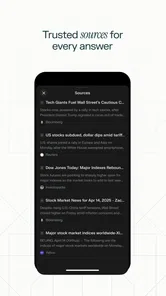
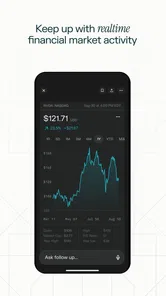
Moreover, the app’s ability to stay updated with the latest information is a game-changer. Unlike traditional search engines, it doesn’t just regurgitate information from outdated sources. Instead, it ensures that the information you’re getting is relevant and current.
Who will get the most from it
I think it suits curious readers, students who want a first explanation, and busy people who need to turn a vague question into a clearer next step. It is less suitable for anyone who needs every answer to be independently verified, wants to browse primary sources from the outset, or finds long written responses tiring. In those cases, a focused reference source, a human expert, or a conventional search may be a better fit. I would also treat “current” information carefully: when dates, local rules, or changing circumstances matter, I check the latest authoritative source instead of relying on a general answer alone.
Where I would draw the line
The main limitation is not that the app cannot produce a useful explanation; it is that a polished explanation can conceal uncertainty or missing context. If a question is personal, high-stakes, or dependent on a local rule, I would use the answer to identify what to ask next and then verify the answer with a responsible source. For a precise calculation, a calculator is less ambiguous. For a document that must be quoted or cited, reading the original is essential. Choosing the right tool is part of using this one well.
I would also skip it as my main option if my task is simply to locate a known webpage, browse a range of independent viewpoints, or work through a lengthy source document. A traditional search gives me more direct control over which pages I open; a reference work may offer a more settled account of established facts; a specialist can account for personal circumstances in a way a general response cannot. Perplexity earns its place when I need a readable first pass and a conversation that helps me refine the question.
Final Thoughts
In a world where information is power, having a reliable source of answers at your fingertips is invaluable. Perplexity - Ask Anything is more than just an app; it’s a tool for learning and growing. So, if you haven’t tried it yet, what are you waiting for? Download it today and start exploring the endless possibilities of knowledge!
My recommendation is to use it as a quick first stop: ask clearly, refine the question, and verify what matters. That habit makes its conversational format genuinely handy without confusing a neat answer with certainty. If that balance works for you, it is an approachable way to explore questions throughout the day; if you need a guaranteed answer or direct access to original evidence every time, another tool or a knowledgeable person should lead.
Perplexity - Ask Anything Frequently Asked Questions
Does Perplexity - Ask Anything need an internet connection?
Perplexity is built around asking questions and receiving answers, so you should plan to use it while connected to the internet. That makes it more suitable for looking things up on the go when you have Wi-Fi or mobile data than as an offline reference tool. If you expect to use it while traveling, consider your connection and data access before opening the app.
Can I ask follow-up questions in Perplexity - Ask Anything?
The app is designed for conversational questions, which makes it a natural fit for exploring a topic beyond a single search. You can ask about a subject, then continue with related questions when you want a clearer explanation or more detail. This approach can feel more direct than navigating menus, though it is still sensible to check important information carefully.
What kind of questions can I ask Perplexity - Ask Anything?
Perplexity - Ask Anything is intended for a broad range of everyday queries, from quick facts to topics that benefit from a more detailed explanation. It may be useful when you want to explore a subject, get help understanding a concept, or find information for a discussion. The app’s conversational format lets you phrase questions naturally rather than search through traditional menus.
Can Perplexity - Ask Anything replace a search engine or reference app?
Perplexity offers a conversational way to look for information, so it can be a handy alternative when you would rather ask a question than browse through menus. It is best treated as another information tool rather than a complete replacement for every search or reference need. For decisions where accuracy matters, compare the answer with trusted sources and use your judgment.
What devices can run Perplexity - Ask Anything?
Perplexity - Ask Anything is available for mobile devices, and the Android version requires Android 8.0 or later. If you are using an iPhone or another supported device, check that the app is compatible with your operating system before downloading. Keeping your device’s software current can also help you get the best experience with the app.
Pros
- Fast and accurate responses.
- User-friendly interface.
- Wide range of topics covered.
- Supports multiple languages.
- Free to use without ads.
Cons
- Requires internet connection.
- Limited offline capabilities.
- Occasional inaccurate answers.
- No voice input feature.
- Limited integration with other apps.











