Camera for Android: HD Camera
- 1.83K
- 4.7
- Installs
- 5.00M
- Price
- Free

Screenshots
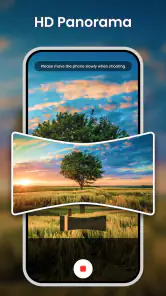
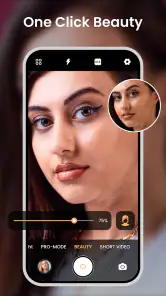
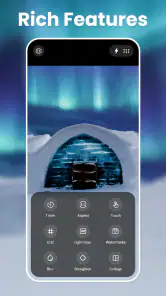
Analysis by Reviewed
I usually notice a camera app’s value before I notice its filter collection. When a moment appears, I want to open the camera, frame the subject, capture something clear, and move the result somewhere useful without turning a simple photo into a project. That is the starting point for my experience with Camera for Android: HD Camera, a free photography app from Mobile Minds Dev that focuses on a quicker camera experience, HD photos, selfies, videos, and live filters.
That straightforward purpose is important. This is not an app I would choose because I want a full editing studio, a social network, or a replacement for every advanced camera control on a modern phone. I see it more as an alternative camera interface for people who find their built-in camera slow, cluttered, or less convenient for casual shooting. It is available to everyone, supports Android 6.0 and later, and its current version is 2.2.7.
After spending time with it, my opinion is positive but practical: it can make everyday shooting feel more direct, especially for quick selfies and filtered clips, yet it does not remove the limitations of the phone’s own camera hardware. The app is free to install, and optional purchases range from $2.99 to $9.99 per item, so the sensible approach is to test the basic workflow first rather than assume every extra is necessary.
From a missed moment to a usable photo
When I miss a quick shot, I want to know whether a different camera workflow can help me recover the moment without adding extra steps. In this section, I look at how I would move from opening the app to framing a usable image, including a simple way to avoid committing too early to a filter. That practical starting point leads into what the shooting flow is best suited for.
The starting condition: when the default camera feels like too much
My most realistic use case is an ordinary one. I am outside with friends, someone notices an interesting shopfront, and there is only a short window to take a picture before the group moves on. In that situation, I do not need a long settings panel. I need a camera that opens into a familiar shooting view, lets me compose quickly, and gets out of the way.
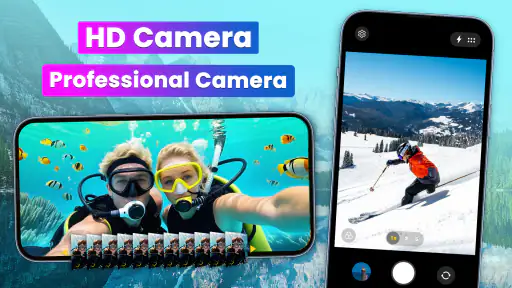
This app is aimed at that kind of moment. Its store summary centers on a simple, faster HD camera, with live-photo filters, HD selfies, and video capture. In practice, that positioning makes more sense for casual users than for photographers who want to control every technical detail. The app’s appeal is the shorter path between deciding to shoot and having an image ready to share.
I also found the selfie angle useful for a different reason. A front-facing camera session often involves more hesitation than a regular snapshot: I check the framing, decide whether a filter suits the lighting, and take several attempts. Having a camera app built around quick access to selfie shooting and filters can make that process less awkward. It is especially handy when I want a playful result immediately instead of editing a plain image later.
More From Our News Desk

Weather by Xiaomi Review: Clear at a Glance, Less Clear Up Close

X Under Pressure: Can It Recover When Posting Goes Wrong?

Clash of Clans Is Won Between the Battles

Android Auto Makes the Case for Quieter Car Software

MobiOffice: Transforming Mobile Productivity with Seamless Integration

EA SPORTS FC™ Mobile Soccer: Redefining Mobile Sports Gaming
That does not mean the app will magically make a weak phone camera produce professional results. Sharpness, low-light performance, focus behavior, and stabilization still depend heavily on the device. The app can offer a more convenient route to the camera, but it cannot turn a basic sensor into a premium one. That distinction is worth keeping in mind before replacing the phone’s original camera.
A step-by-step flow that stays focused
I approach the app in four stages: open the camera, choose the kind of capture I need, frame the subject, and decide what happens to the result. The first stage is where the app’s simplicity matters most. A camera tool becomes frustrating when the user must pass through unrelated screens before reaching the viewfinder. Here, the intended experience is much more direct.
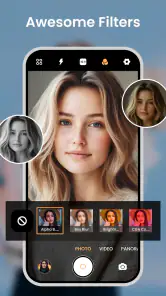
For a normal photo, I would begin without a filter and check the scene as it really looks. That gives me a useful reference before adding a visual effect. For a selfie or a short social clip, I would then try a live filter while composing, rather than capturing first and guessing how the effect will look afterward. This is one of the app’s practical strengths: the creative decision can happen before the shutter moment.
My advice is to treat filters as part of composition, not as a rescue tool. A strong effect can hide skin detail or shift the mood of a scene, but it cannot fix a badly framed subject, harsh backlighting, or motion blur. I get better results by finding soft light first, keeping the phone steady, and using the filter only after the basic image already works.
For selfies, I would also leave a little extra space around the face. Filters and front-camera framing can make the edges feel tighter than expected, and extra room gives more flexibility if the image will later be cropped for a profile picture or message. This is a small workflow change, but it prevents the common problem of cutting off hair, shoulders, or the top of a hat.
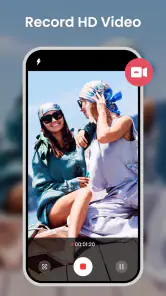
Video requires a slightly different mindset. Before recording, I would decide whether the filter actually helps the scene and whether the phone is stable enough for the movement involved. A filtered video can look fun in a static setting, while the same effect may distract when the subject is walking or the background is busy. The app makes the creative choice accessible, but the user still has to make the editorial choice.
The first handoff: from camera view to the phone’s gallery
Taking a picture is only half the job. The result has to move from the camera screen into the rest of my phone workflow: the gallery, a messaging app, a social platform, or cloud storage. That handoff is where a camera app can either feel natural or become an extra layer of friction.
With this app, I would judge the handoff by a simple question: can I find the finished photo quickly after capture? For a casual user, the ideal outcome is not a complicated project file. It is a recognizable image that can be reviewed, selected, and shared using the phone’s normal tools. That makes the app suitable for quick personal photos, informal event snapshots, and short creative posts.
There is also a useful separation between capture and editing. If I take a filtered selfie, I can decide later whether it belongs in a private message, a public post, or nowhere at all. I do not have to commit to sharing just because I used a live effect. That keeps the process flexible and avoids treating every image as finished the moment the shutter is pressed.
For a small business owner or a student documenting work, the same handoff can be practical. I might photograph a product on a table, record a quick demonstration, or capture a whiteboard before leaving a room. In those situations, a fast camera is valuable because the image is evidence or communication, not an artistic final piece. I would use the plain capture mode for records and reserve filters for content where mood matters.
What the result looks like in everyday use
The strongest result is convenience. I can use the app when I want a camera-focused tool rather than a larger phone ecosystem full of unrelated features. Its emphasis on HD capture, selfies, video, and live filters covers the most common casual photography tasks without asking me to learn a complex control system.
The app has also built a substantial audience: it has passed five million installs, with an average rating of 4.7 from around fifty-three thousand ratings and roughly 1.8 thousand written reviews. Those figures do not guarantee that it will suit every phone, but they do suggest that its simple camera concept has worked for many Android users.
I would describe the image result as dependent on two layers. The first is the phone itself: lens quality, sensor size, processing, and lighting. The second is the app’s capture and filter workflow. The second layer can make shooting more pleasant and can change the look of a photo, but the first layer remains decisive when the scene is dark, the subject is moving, or fine detail matters.
That is why I prefer it for social snapshots, quick portraits, casual videos, and moments where speed matters more than technical control. If I were photographing a once-only event in difficult light, I would compare the output with the built-in camera before trusting one app exclusively. A good workflow includes a short test, especially when the result cannot be recreated.
How it compares with the usual alternatives
The obvious alternative is the camera that already comes with the phone. That default option usually has the advantage of being deeply integrated with the device, and it may offer specialized modes or processing tuned to that specific hardware. If the built-in camera opens quickly, produces reliable images, and already handles selfies and video well, switching may not bring enough benefit.
Where this app makes a stronger case is for users who want a more focused experience or a filter-led shooting process. Instead of taking a plain picture and searching for an effect later, I can make the visual choice while framing the shot. That is helpful when the filter is part of the idea rather than a correction added at the end.
It also sits below dedicated manual-camera apps in terms of the type of control I would expect from a serious photography tool. A manual alternative is better when I need deliberate exposure decisions, specialized focus behavior, or a carefully repeatable setup. This app is better when I want less preparation and a faster route to a shareable image.
Compared with a full photo editor, the difference is even clearer. An editor gives me more time and precision after capture, while this camera app puts more emphasis on the moment of capture. I would choose the editor for retouching, detailed color work, or preparing a polished image. I would choose this app when the filter should be visible before I press the shutter and when speed is part of the goal.
Where the flow breaks down
The first possible break is hardware dependence. If the phone struggles with focus, produces noisy night images, or has a weak front camera, the app cannot fully solve those problems. Users expecting a dramatic quality upgrade should set their expectations carefully. The word HD describes the app’s intended capture experience, not a guarantee that every device will deliver the same visual quality.
The second break is the boundary between simplicity and control. A clean camera interface is comfortable for quick shooting, but it can feel restrictive to someone who wants a detailed technical setup. I would skip this app if my main reason for installing a camera application were manual experimentation or consistent professional-style control.
The third issue is the free-to-use model. The app costs nothing to install, but optional purchases are available between $2.99 and $9.99 per item. That is not automatically a problem, although it means I would inspect what is available before building my workflow around a particular extra. The free experience should be judged on its own, and purchases should be treated as optional enhancements rather than part of the basic promise.
There is also a creative limitation to live filters: they can encourage me to choose an effect too quickly. Once a filter is visible, it is easy to judge the whole scene through that look and overlook ordinary issues such as uneven lighting or distracting objects behind the subject. My workaround is simple: capture one clean version first when the moment matters, then experiment with the filtered version if time allows.
For video, I would be even more cautious. A filter can make a short clip more distinctive, but it may also make the result harder to reuse in a different context. If I am recording something that might later be needed for a presentation, a record, or an edit, a clean capture is usually the safer handoff. Filtered video is best when I already know the intended audience and mood.
Who should install it, and who should pass
I think it is a good fit for Android users who want a simple camera app for everyday photos, quick selfies, casual videos, and effects visible during composition. It is also a reasonable option for someone using an older compatible phone who wants to try a different camera workflow without paying upfront. The Everyone content rating makes it approachable for a broad audience.
I would recommend testing it when the default camera feels inconvenient, when selfie filters are central to how you shoot, or when you want a lightweight path from idea to shareable image. The developer, Mobile Minds Dev, has kept the product focused on the camera use case rather than turning it into a general-purpose social platform, and that focus is part of its appeal.
I would skip it if I need advanced manual controls, dependable low-light performance from the app alone, extensive post-processing, or a carefully managed professional photo pipeline. In those cases, the built-in camera may be better integrated, while a dedicated manual camera or editor may offer more control. The right choice depends on whether I value speed and live effects more than technical flexibility.
My final workflow verdict
After following the complete path from opening the camera to passing a finished image into the rest of the phone, I see Camera for Android: HD Camera as a practical convenience tool rather than a universal replacement. Its best quality is that it keeps the distance between intention and capture short. I can move from “take a quick photo” to a usable result without making the process feel like a production.
The most useful habit is to separate three decisions: capture quality, visual style, and sharing destination. I would check the light and framing first, choose a filter only when it supports the subject, and keep a clean version when the image may have more than one future use. That approach lets the app’s live effects add value without allowing them to control the entire result.
For a free photography app with a clear focus on fast HD shooting, selfies, videos, and filters, it earns a place on my shortlist for casual Android use. I would install it, test it beside the phone’s original camera in daylight and indoors, and keep the one that produces the smoother routine for my device. If that routine is quick portraits, playful clips, and immediate sharing, this app is easy to recommend. If the goal is serious control, I would look elsewhere.
Camera for Android: HD Camera Frequently Asked Questions
Can Camera for Android: HD Camera take selfies and record videos?
Yes. Camera for Android: HD Camera is described as offering HD selfies and video capture, alongside photo-taking tools. It may be useful if you want a straightforward way to switch between capturing photos and recording clips. The results and available controls can still depend on your phone’s camera hardware and software, so check how it behaves on your device before relying on it for an important shoot.
Does Camera for Android: HD Camera include filters or Live photo features?
The app is presented as offering filters for Live photos, giving you options beyond a basic camera interface. These features can add a different look or feel to captured images, though the available effects and how they appear may depend on the app version and your Android device. If filters are important to your workflow, explore the options in the app and compare the results with your usual camera app.
Is Camera for Android: HD Camera free to download?
Yes, Camera for Android: HD Camera is free to download. It also offers in-app purchases, with items priced from $2.99 to $9.99. You can start with the free app and decide whether its features suit your needs before considering any optional purchases. Check the purchase details in Google Play before confirming a transaction.
Who makes Camera for Android: HD Camera, and is it suitable for all ages?
Camera for Android: HD Camera is developed by Mobile Minds Dev and is listed for Everyone. It is a photography app intended for capturing photos and videos, so its basic purpose is straightforward. As with any app, it is sensible to review its permissions and available purchase options before installing, particularly if a child will use the device.
What is Camera for Android: HD Camera?
Camera for Android: HD Camera is a photography app designed to provide a more direct and feature-focused shooting experience on compatible Android devices. It typically offers quick access to photo and video capture, front and rear camera switching, flash controls, zoom, exposure adjustments, and other practical tools. The exact features and appearance may vary depending on your phone model and Android version.
Pros
- Simple interface makes it easy to capture photos quickly.
- Supports front and rear cameras for flexible shooting.
- Includes useful timer and flash controls.
- Offers basic photo settings without overwhelming beginners.
- Lightweight design should work well on older Android devices.
Cons
- Image quality depends heavily on your phone’s camera hardware.
- Advanced manual controls may be limited or unavailable.
- Some features may vary between Android devices.
- The free version may include advertisements.
- Editing tools are basic compared with dedicated photo editors.
- Category
- Photography
- Version
- 2.2.7












