BandLab – Music Making Studio
- 52.20K
- 4.6
- Installs
- 100.00M
- Price
- Free

Screenshots
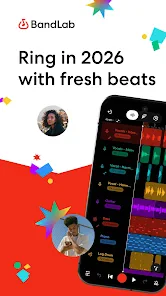
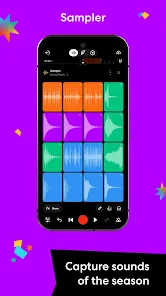
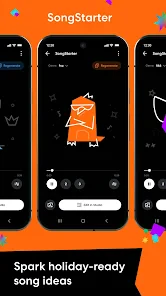
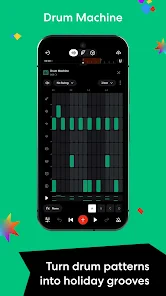
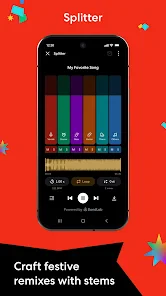
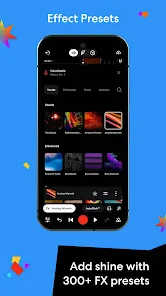
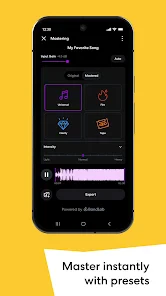
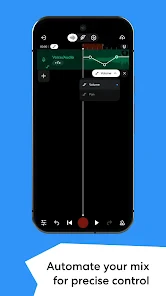
Analysis by Reviewed
Have you ever dreamed of having a full-fledged music studio right in your pocket? Well, let me introduce you to BandLab – Music Making Studio. As someone who loves to dabble in music creation, I was thrilled to try out this app, and let me tell you, it's a game changer!
Why the first sessions feel inviting
What gives BandLab an easy first-week appeal is that it lets me move from an idea to a rough musical sketch without first setting up a traditional recording space. It is a free music and audio app from BandLab Technologies, and its core attraction is the ability to work on music from a phone. I would recommend it to someone who wants to try recording or arranging before buying dedicated software, or to a musician who needs a place to capture an idea while away from a computer.
The early fun is real, but I would separate experimentation from finishing a polished track. A phone is convenient for recording a melody, testing a rhythm, or arranging a short idea; it is less comfortable for long sessions that depend on careful editing and repeated listening. Touch controls are useful when speed matters, but small controls can make detailed work feel slower than it would with a larger screen and a mouse.
A practical first project is deliberately modest: record a short vocal or instrument phrase, build a simple backing, and save the result as a sketch rather than trying to make a complete release in one sitting. That approach helps me learn the workflow without getting lost in options. It also makes the app useful even if I only have a few minutes and no quiet, fully equipped recording room.
Getting Started with BandLab
First things first, the installation process is as smooth as a well-composed symphony. Available for both Android and iOS, downloading BandLab is a breeze. Once you’ve got it, setting up your account is straightforward. You'll be welcomed with a clean and intuitive interface that makes you feel right at home, even if you’re new to music production.
BandLab has been available since June 8, 2015, and its scale suggests it has become a familiar destination for mobile music-making: it has over 100 million installs and an average rating of 4.6 from around 769,000 ratings. Those numbers are useful context, not a promise that every musician will like the workflow. I would treat the first project as a chance to see whether its phone-first approach suits the way I think and work.
One habit that helps is deciding what a session is for before opening the editor. If I am collecting an idea, I focus on getting a clean, usable sketch; if I am arranging, I avoid spending the whole session auditioning sounds. A small goal makes it easier to return later, because I can tell what still needs attention instead of reopening a project and starting from scratch.
More From Our News Desk

Weather by Xiaomi Review: Clear at a Glance, Less Clear Up Close

X Under Pressure: Can It Recover When Posting Goes Wrong?

Clash of Clans Is Won Between the Battles

Android Auto Makes the Case for Quieter Car Software

MobiOffice: Transforming Mobile Productivity with Seamless Integration

EA SPORTS FC™ Mobile Soccer: Redefining Mobile Sports Gaming
Making music that survives the first week
I judge a music app by whether it helps me return to an unfinished idea, not just by how exciting its first session feels. This section looks at the practical choices that can turn a quick experiment into a repeatable creative habit, including how I keep a phone-made sketch easy to pick up again. From there, I consider what gives the workflow lasting value.
Features that Hit the Right Notes
What sets BandLab apart from other music apps is its rich array of features. Whether you're a seasoned musician or just getting started, there’s something for everyone. The Mix Editor lets you record, edit, and remix your music effortlessly. With a plethora of loops and samples, creativity feels limitless. Oh, and did I mention the virtual MIDI instruments? They’re just perfect for creating that killer track.
The most useful way to approach a large sound palette is to set a boundary. I might choose one loop as a rhythmic starting point, then record a part that gives the track a personal identity, rather than layering sample after sample because each one sounds appealing in isolation. That keeps an early arrangement readable and makes it easier to hear whether the idea itself works.
For someone learning production, loops can teach arrangement by making it easy to compare how a repeated pattern feels under different parts. But they can also make a draft sound more finished than it is. I try to listen for whether the melody, rhythm, and changes belong together, not merely whether the individual sounds are polished. This is a useful distinction if the aim is to develop a recognizable musical voice rather than assemble a quick demo.
Virtual MIDI instruments add another route when recording a physical instrument is inconvenient. I can use them to try out a harmonic or melodic idea without needing to set up a microphone, then decide whether the part deserves more attention. That is especially handy for songwriting on the move, though a screen-based performance may not feel as expressive as playing a real instrument or using a keyboard designed for music.
The app also offers a social aspect, which I absolutely love. You can share your creations with a vibrant community of music enthusiasts, collaborate with other artists, and even join contests. It’s like having your own musical social network!
That community can make a solo routine feel less isolated, but sharing is not essential to getting value from the editor. I would use it when I want another person to hear a draft or when collaboration is part of the goal, and keep private sketches focused on the work itself. The trade-off is that a social layer can invite distraction: browsing other projects may be inspiring, but it can also replace the time I meant to spend finishing my own.
How it fits beside other music tools
Compared with a simple voice recorder, BandLab gives me room to build an arrangement rather than just preserve a single take. Compared with a desktop digital audio workstation, it is easier to reach for when an idea arrives away from a desk, but a phone is not the most comfortable place for detailed editing over a long stretch. I see it as a practical middle ground: more involved than a basic recorder, more portable than a computer-based studio, and best when convenience and experimentation matter more than a large-screen workflow.
If I already have a recording setup that I know well and need precise control over a complex project, I would stay with that setup rather than force every task onto a phone. If I want to try songwriting, build a quick demo, or collect material for later, BandLab makes more sense. That difference matters more than choosing a tool because it has the longest feature list: the right choice is the one that helps me keep making music.
Performance and Usability
Now, let’s talk about performance. BandLab runs smoothly on most devices, and I didn’t experience any hiccups during my sessions. The app is quite resource-efficient, so you don’t need the latest gadget to make it work. The user interface is intuitive, and within a few taps, you’re in the midst of creating your next masterpiece.
Even with a straightforward interface, a phone session can be interrupted by ordinary life. I find it useful to make a clear stopping point: save the project when a section is in a state I can recognize, and leave myself a note about the next musical decision. That is a better return-to-work strategy than relying on memory after a busy day, especially when an idea has several possible directions.
For a realistic everyday use, imagine a tune arriving during a commute or a break. I could capture the basic phrase, test a backing idea, and leave the more demanding arrangement work for a quieter time. The value is not that every part of a production becomes effortless on a phone; it is that the initial idea has somewhere to go before it disappears.
Sound quality is top-notch, which is crucial when you’re trying to perfect every beat and note. Plus, the app supports high-quality exports, so your tracks will sound just as good off the app as they do on it.
For careful listening, I would still check a mix on more than one playback setup rather than trusting a single phone speaker. A balance that seems clear on headphones may feel different elsewhere, so a final listen is worth the extra step. That is general good practice for music production, and it matters here because the convenience of making a track on a phone can tempt me to treat the first export as the finished version.
Keeping a useful creative habit
The long-term question is whether I keep opening the app after the novelty of trying loops and instruments wears off. For me, it earns a place when it has a recurring job: capturing song ideas, drafting arrangements, or making a demo to share. It is less compelling if I install it only to browse sounds without a project in mind. A small, repeatable routine—a short session to record or revise one part—can turn the app from a one-week experiment into a practical notebook for music.
Maintenance is mostly about keeping projects understandable. I would give sketches clear names and avoid treating every test as a finished track. When I return after a gap, that little bit of organization helps me identify the promising idea quickly. The trade-off is that a growing collection of half-finished experiments can become clutter, so occasionally choosing which ideas to continue is part of using any creative tool well.
Another source of fatigue is choice. A broad collection of loops and instruments invites exploration, but endless auditioning can make a short session feel busy without moving a song forward. I get more from the app when I decide what the track needs—perhaps a rhythm, a bass part, or a vocal sketch—before I start browsing. This is not a restriction on creativity; it is a way to keep the tools serving the song rather than becoming the whole activity.
Who should keep it—and who may not
I think BandLab is a strong fit for beginners who want to experiment without paying upfront, songwriters who need a mobile place for drafts, and musicians who enjoy building ideas with loops, instruments, and collaboration. Its Teen content rating is worth noting for families deciding whether it is suitable for a younger user. The app is free to use, while in-app purchases range from $2 to $350 per item, so I would review any purchase choice carefully rather than assume every paid option is necessary.
It may be the wrong choice for someone who wants a minimal recorder with no creative extras, dislikes account-based social experiences, or expects a phone interface to replace every part of a dedicated studio. It also may not suit a musician whose priority is spending long sessions on precise edits using a large display and physical controls. In those cases, a simpler recording app or a desktop production tool may be more comfortable.
The current version is 11.12.2 and the stated minimum operating system is 8.1. I would check that a device meets the requirement before planning a project around it. The app’s broad reach does not remove the usual practical questions of screen comfort, available time, or whether its workflow matches the way I prefer to create.
Why You Should Try BandLab
If you’re passionate about music, giving BandLab a try is a no-brainer. It’s a versatile platform that accommodates both amateurs and professionals alike. The fact that it’s free is just the cherry on top. You get access to professional-grade tools without spending a dime, which is rare in today’s app market.
My recommendation comes with one qualification: try it with a real musical task, not just a tour of the features. Record a phrase you want to remember, shape a small arrangement, or prepare a demo for someone else to hear. If that process feels natural, the app can become part of a regular creative habit. If you keep fighting the small-screen workflow or drifting into browsing, there is no need to make it your main studio.
In conclusion, BandLab – Music Making Studio is more than just an app; it’s a community and a tool that empowers you to bring your musical ideas to life. Whether you’re composing in your bedroom or on the go, BandLab has got you covered. So, what are you waiting for? Dive into the world of music creation and let your creativity flow!
BandLab – Music Making Studio Frequently Asked Questions
Can BandLab be used without an internet connection?
BandLab is built around making music on a mobile device, but some app features may depend on an internet connection, particularly those involving sharing or collaboration. If you expect to work somewhere with limited connectivity, check that the specific tools and project access you need are available before you go offline. Keeping your work saved as you create can also help protect your ideas.
Do I need musical experience or special equipment to start using BandLab?
You can start exploring BandLab without being an experienced musician or owning studio equipment. The app is designed for creating, recording, mixing, and producing music from your phone, so it offers a way to begin with the device you already have. Beginners may need time to get comfortable with the tools, and tutorials and the help center can provide guidance as you learn.
What devices and operating system does BandLab support?
BandLab is a mobile music-making app for Android and iOS, so you can work on projects from a compatible phone or tablet. Check that your device meets the app’s minimum operating-system requirement before downloading, and make sure you have enough space for the app and your projects. Its mobile format is useful for capturing ideas when you are away from a computer.
What is BandLab and what does it offer to music creators?
BandLab is a comprehensive music creation platform that allows users to create, edit, and share their music projects. It offers a wide range of features including a multi-track editor, a variety of virtual instruments, and effects to enhance sound quality. Additionally, it provides a social platform for collaboration with other musicians, making it suitable for both beginners and professionals.
Is BandLab free to use, or are there any subscription fees involved?
BandLab is free to use, and users can enjoy its core music-making features without a subscription. Optional in-app purchases are available, so take a moment to review any purchase details shown in the app before deciding whether to buy anything. You can begin making music without paying, which makes it accessible to people who want to try recording and creating before spending money.
Pros
- User-friendly interface for beginners.
- Wide range of sound effects available.
- Collaboration feature enhances creativity.
- Supports multi-track editing.
- Offers royalty-free music loops.
Cons
- Limited advanced features for professionals.
- Requires internet for most features.
- Occasional app crashes reported.
- Ads can be intrusive at times.
- Some features are behind paywall.
- Category
- Music & Audio
- Version
- 11.12.2











