AR Drawing: Paint & Sketch Art
- 280.00
- 4.4
- Installs
- 5.00M
- Price
- Free
Screenshots
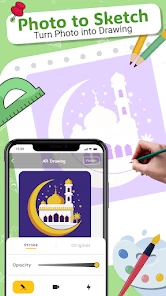
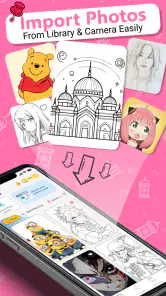
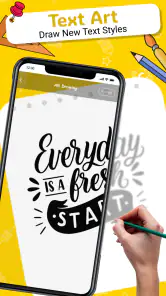
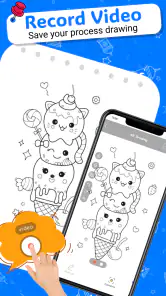
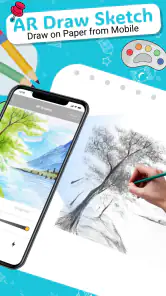
Analysis by Reviewed
AR Drawing: Paint & Sketch Art is a creative app that combines the magic of augmented reality with the timeless art of drawing and sketching. It’s designed for both beginners and seasoned artists looking to explore new dimensions of creativity using their mobile devices. This app transforms your living room or any space into a virtual canvas, allowing you to draw and sketch with precision and ease. Let’s dive into the features and experience of using this innovative app.
Bringing Art to Life with Augmented Reality
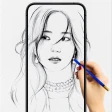
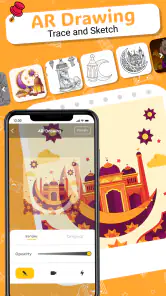
Imagine standing in your room and, with a swipe of your finger, transforming the air in front of you into a vibrant canvas. That's exactly what AR Drawing: Paint & Sketch Art offers. This app uses your phone's camera to overlay drawings onto the real world, creating a seamless blend of digital and physical art. Whether you’re tracing a photo or freehand sketching, the app provides a realistic drawing experience enhanced by the magic of AR.
Easy to Use Interface
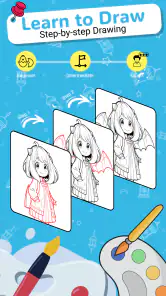
One of the standout features of the app is its user-friendly interface. AR Drawing: Paint & Sketch Art caters to all skill levels with its intuitive design. You don’t need to be a tech wizard to navigate through the app. It offers a straightforward menu that lets you choose from a variety of brushes, colors, and drawing tools. Plus, the app includes tutorials and guided sketches that help you get started, making it perfect for both newbies and experienced artists looking to refine their skills.
Features that Spark Creativity
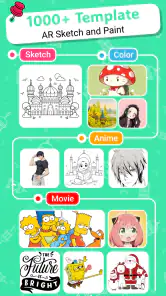
The app is packed with features that inspire creativity. You can import images from your gallery to trace or use as references, making it easy to start a project. The app also allows you to save and share your creations directly on social media, which is perfect for showing off your latest masterpiece to friends and family. Additionally, the layering feature lets you work on different parts of your drawing separately, much like professional digital art software, giving you more control over your work.
Real-World Applications
Beyond personal use, AR Drawing: Paint & Sketch Art has educational applications as well. Teachers can use it to make art classes more interactive and engaging, while art therapists might find it useful for helping clients express themselves in a new medium. The app turns any space into an art studio, providing endless opportunities for creative expression.
In conclusion, AR Drawing: Paint & Sketch Art is more than just an app; it’s a gateway to a new world of artistic possibilities. With its blend of technology and creativity, it opens up a realm where art is not confined to paper or screens but can exist in the space around us. Whether you're looking to try something new or enhance your artistic skills, this app is definitely worth exploring. Give it a try and watch your imagination come to life, quite literally, before your eyes!
You May Like

Clash of Clans Is Won Between the Battles

Android Auto Makes the Case for Quieter Car Software

MobiOffice: Transforming Mobile Productivity with Seamless Integration

EA SPORTS FC™ Mobile Soccer: Redefining Mobile Sports Gaming

How Microsoft OneDrive Became a Mobile Productivity Giant

How Google Translate Breaks Language Barriers Effortlessly
AR Drawing: Paint & Sketch Art Frequently Asked Questions
What is AR Drawing: Paint & Sketch Art and how does it work?
AR Drawing: Paint & Sketch Art is an innovative application that allows users to draw and sketch using augmented reality technology. By overlaying digital images on real-world views through your device's camera, it provides a unique way to create art. Users can choose from various templates or create freehand sketches, making it an exciting tool for both amateurs and professional artists.
Is AR Drawing: Paint & Sketch Art suitable for beginners in art?
Yes, AR Drawing: Paint & Sketch Art is designed to be user-friendly, making it suitable for beginners. The app offers a variety of templates and guides that help new users learn and practice drawing techniques. With step-by-step instructions and an intuitive interface, even those with no prior art experience can start creating impressive sketches and artworks.
What devices are compatible with AR Drawing: Paint & Sketch Art?
AR Drawing: Paint & Sketch Art is compatible with most modern Android and iOS devices that support augmented reality features. To ensure the best performance, it is recommended to use the app on devices with updated operating systems and cameras capable of AR functionality. Check the app store listing for specific device compatibility requirements before downloading.
Does AR Drawing: Paint & Sketch Art require an internet connection?
While AR Drawing: Paint & Sketch Art can be used offline for drawing and sketching, some features may require an internet connection. For instance, downloading new templates or accessing cloud storage to save your artwork might need connectivity. It's advisable to check which features are available offline to avoid any inconvenience while using the app without internet access.
Are there any in-app purchases or subscriptions in AR Drawing: Paint & Sketch Art?
Yes, AR Drawing: Paint & Sketch Art offers in-app purchases and subscription options. Users can access a basic set of features for free, but additional content such as premium templates, advanced tools, and ad-free experiences might require purchases. Subscriptions could offer ongoing access to new content and exclusive features, enhancing the overall drawing experience.
Pros
- Enhances creativity with AR tools
- User-friendly interface for all ages
- Wide variety of drawing tools
- Real-time 3D drawing experience
- Supports both beginners and pros
Cons
- Requires a device with AR support
- Consumes battery quickly
- Limited features in free version
- May lag on older devices
- In-app purchases can be pricey

- Category
- Art & Design
- Version
- 51.0













