Prank Call - Fake Call Video
- 160.00
- 4.2
- Installs
- 10.00M
- Price
- Free

Screenshots


Analysis by Reviewed
Have you ever found yourself stuck in an awkward situation, needing a quick escape plan? Or maybe you're just looking to add a little spice and laughter to your gatherings? Well, folks, let me introduce you to Prank Call - Fake Call Video, your new best friend in the world of digital mischief. This app is all about adding a dash of hilarity to your day-to-day life through cleverly timed fake calls and videos. Let’s dive right into what makes this app a must-have on your smartphone.
Setting Up the Prank
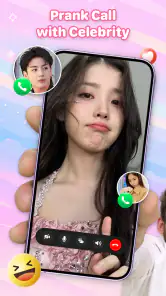
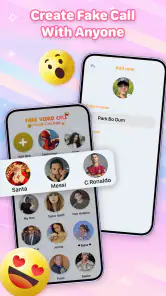
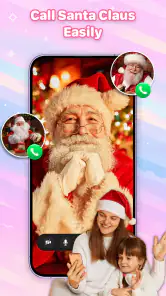
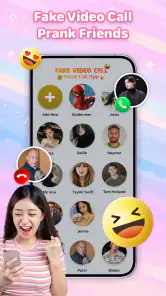
First things first, getting started with Prank Call - Fake Call Video is a breeze. Once you download the app, you’re greeted with a user-friendly interface that even your grandma could navigate. The app lets you set up a fake call from anyone you can imagine! Want a call from the President? Or maybe your favorite celebrity? No worries, just tap a few buttons, and you’re good to go. The customization options are pretty impressive, allowing you to set the caller's name, number, and even their photo.
The Fun of Customization
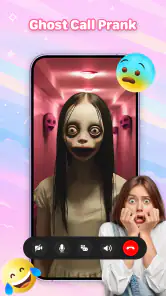
What I really enjoy about this app is the level of personalization it offers. You can schedule calls for specific times, ensuring that your prank hits right on cue. Plus, it’s not just about voice calls; you can create fake video calls too! Imagine the surprise on your friends’ faces when they see a video call from a famous personality. The app includes a library of pre-recorded voices and video clips, but you can also upload your own for that extra personal touch.
And let’s not forget the reaction recording feature. Yes, you heard it right! You can capture the priceless reactions of your friends and share them directly from the app. It’s all about creating those unforgettable moments that you can look back on and laugh.
Why You’ll Love It
Whether you’re looking to prank your friends or just want a creative way to get out of uncomfortable situations, this app has got your back. The developers clearly understand the importance of a seamless user experience, with minimal ads to interrupt your fun. The app works smoothly on both Android and iOS, ensuring everyone can join in on the fun. It’s lightweight, so it doesn’t hog your phone’s resources, keeping your device running smoothly.
Now, I know what you might be thinking: "Is it all just fun and games?" Well, yes, but remember to use it responsibly. The app isn’t meant for malicious pranks or to trick people into dangerous scenarios. Always keep in mind the golden rule of pranking: it should be fun for everyone involved.
In conclusion, Prank Call - Fake Call Video is a delightful app that adds a sprinkle of joy and laughter to your life. It’s perfect for those who love a good prank or need a clever way to navigate social situations. So go ahead, download it, and let the fun begin!
More From Our News Desk

Clash of Clans Is Won Between the Battles

Android Auto Makes the Case for Quieter Car Software

MobiOffice: Transforming Mobile Productivity with Seamless Integration

EA SPORTS FC™ Mobile Soccer: Redefining Mobile Sports Gaming

How Microsoft OneDrive Became a Mobile Productivity Giant

How Google Translate Breaks Language Barriers Effortlessly
Prank Call - Fake Call Video Frequently Asked Questions
What is Prank Call - Fake Call Video and how does it work?
Prank Call - Fake Call Video is an entertainment app designed to simulate incoming calls and video calls on your phone. Users can set up fake calls with custom names, numbers, and even a personalized ringtone. The app is perfect for light-hearted pranks on friends or for getting out of awkward situations by feigning an important call. It works by allowing users to schedule calls or trigger them instantly, making the prank appear as realistic as possible.
Is Prank Call - Fake Call Video safe to use?
Yes, Prank Call - Fake Call Video is safe to use as it does not collect personal information or require unnecessary permissions. However, users should be mindful of the ethical implications of pranking others, ensuring that their actions do not cause distress or harm. The app is designed purely for entertainment purposes and should be used responsibly.
Can I customize the caller ID and ringtone in Prank Call - Fake Call Video?
Absolutely! Prank Call - Fake Call Video offers extensive customization options, allowing users to personalize the caller ID with names and numbers of their choice. Additionally, users can select from a variety of ringtones or import their own to make the fake call more convincing. These features enhance the realism of the prank, adding to the overall fun experience.
Does Prank Call - Fake Call Video require an internet connection to work?
No, Prank Call - Fake Call Video does not require an active internet connection to function. The app is designed to work offline, making it convenient for users to set up and execute pranks anytime and anywhere without worrying about connectivity issues. This ensures that the app is readily available for use at any moment.
Is Prank Call - Fake Call Video free to download and use?
Prank Call - Fake Call Video is available as a free download on both Android and iOS platforms. While the basic features are free to use, the app may offer in-app purchases for additional features or to remove ads. Users can enjoy the core functionalities without any payment, but may choose to enhance their experience through optional purchases.
Pros
- User-friendly interface for easy navigation.
- Realistic call simulation features.
- Wide range of customizable prank call options.
- No personal data required for use.
- Regular updates with new features.
Cons
- Contains in-app advertisements.
- Limited free features without purchase.
- Requires internet connection for some features.
- Some features may be confusing for beginners.
- Audio quality may vary during calls.
- Category
- Entertainment
- Version
- 66.0