Apple Music
- 52.27K
- 4.6
- Installs
- 100.00M
- Price
- Free

Screenshots

Analysis by Reviewed
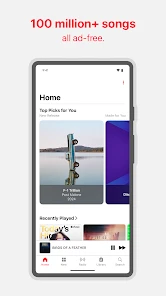
When I first open Apple Music, I want one simple thing: to find something I enjoy without turning setup into a project. The app is Apple’s music and audio service, and its basic promise is straightforward: a large catalogue for listening without ads. In practice, the best first step is not to browse everything at once. I’d start with a familiar artist or album, then use that as a launching point to explore.
Getting comfortable with the first screen
Apple Music is free to download, but listening access is tied to in-app purchases, which range from $5.99 to $199.99 per item. That distinction matters if you’re expecting the download itself to mean you can stream the full catalogue at no cost. Apple is the developer, and the app is rated Teen. If you’re helping a younger listener get started, it’s worth checking the family’s expectations around listening and purchases before handing over the phone.
On a first visit, I’d take a minute to search for a few artists I already like instead of trying to make a perfect profile. Choose a mix of familiar and less familiar names: that gives recommendations a more useful starting point than one narrow obsession. Then save an album or playlist you can return to. This small setup step makes the next session easier, especially when you’re in a hurry and don’t want to search from scratch.
The Latest on Apple Music
Make the first listening session count
A useful first win is putting on a playlist for a specific part of your day: a quiet commute, cooking dinner, or a walk where you want a steady mood rather than constant track changes. If a song catches your attention, open the lyrics and follow along; if you already know you’ll be offline later, download music while you have a connection. I find it helps to prepare a small queue before leaving home, rather than assume I’ll have time to make choices on the move.
Apple Music has a 4.6 average from around 687,000 ratings, and it has been downloaded over 100 million times. Those figures suggest it has broad appeal, but they don’t tell you whether its listening style suits you. The real test is whether you enjoy its recommendations and find it easy to get back to the music you meant to hear.
Where it fits into everyday listening
Hey there, music lovers! If you’re anything like me, you probably can’t get through a day without your favorite tunes. Today, I’m diving into the world of Apple Music to see what it’s all about and whether it’s worth hitting that download button. Spoiler alert: it just might be!
The Ultimate Jukebox
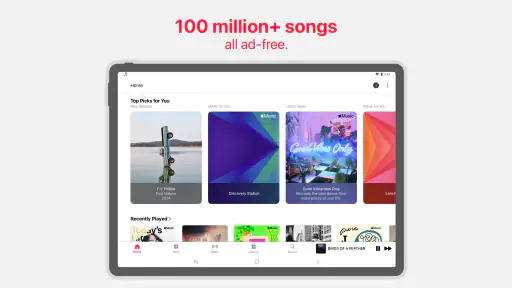
First things first, let’s talk about the sheer volume of content available on Apple Music. With over 75 million songs at your fingertips, it’s like having a gigantic jukebox in your pocket. Whether you’re into classic rock, hip-hop, pop, or even those obscure indie bands, there’s something for everyone. And the best part? It’s all ad-free! Now, I don’t know about you, but uninterrupted music is music to my ears.
More From Our News Desk

Clash of Clans Is Won Between the Battles

Android Auto Makes the Case for Quieter Car Software

MobiOffice: Transforming Mobile Productivity with Seamless Integration

EA SPORTS FC™ Mobile Soccer: Redefining Mobile Sports Gaming

How Microsoft OneDrive Became a Mobile Productivity Giant

How Google Translate Breaks Language Barriers Effortlessly
Curated Playlists & Personalized Recommendations
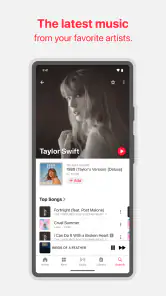
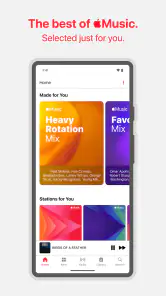
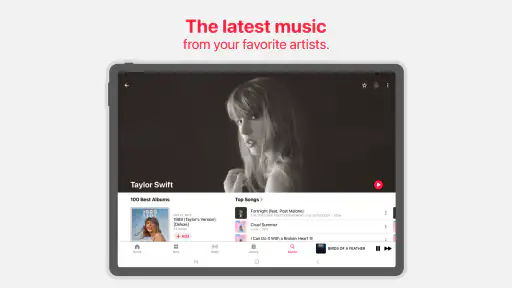
One of the features I absolutely love is the curated playlists. These are handpicked by music experts who just get it. And if you’re someone who can never decide what to listen to, the personalized recommendations are a lifesaver. It’s like having your own personal DJ who just knows your vibe. Plus, the playlists are constantly updated, so you’re always in the loop with the freshest tracks.
Offline Listening & More
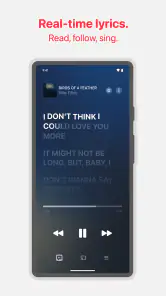
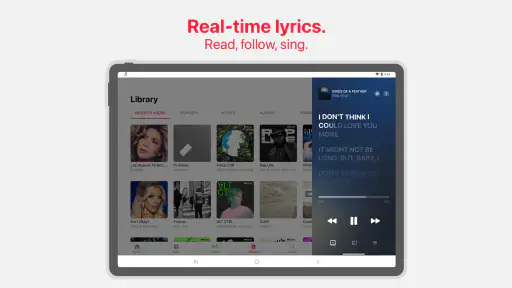
Let’s talk about those times when you’re off the grid – maybe on a flight or a road trip through the middle of nowhere. With Apple Music, you can download your favorite tracks and listen offline. No internet? No problem! And for those of us who like to belt out the lyrics (even if we’re a bit off-key), there’s a handy lyrics feature that lets you sing along to your heart’s content.
Cross-Device Magic
If you’re already in the Apple ecosystem, you’re in for a treat. Apple Music seamlessly integrates across all your devices. Start a playlist on your iPhone, and pick up right where you left off on your Mac or iPad. It’s all about that seamless experience, and Apple nails it.
However, it’s not all sunshine and rainbows. While the app is sleek and user-friendly, it can be a bit overwhelming at first with its vast array of features. But hey, a little exploring never hurt anyone, right?
In conclusion, if you’re on the hunt for a comprehensive music streaming service with a massive library, personalized touches, and offline capabilities, Apple Music has got you covered. It might just be the perfect addition to your daily routine. So, go ahead and give it a spin – your ears will thank you!
Finding a routine that works
After that first session, I’d keep two listening habits separate: music I deliberately choose and music I want the app to suggest. Saving albums and playlists makes the first easy; exploring recommendations gives the second room to surprise me. This is a practical way to avoid endlessly scrolling when I only have a few minutes. It also lets me notice whether the service is learning my tastes or simply repeating the same familiar artists.
For a realistic weekday, I might start a saved playlist while making breakfast, switch to a downloaded selection before heading somewhere with unreliable reception, then resume browsing when I’m back online. That workflow makes offline listening useful rather than an emergency fix. I’d download only what I expect to play, too: keeping a short travel selection is easier to manage than saving music indiscriminately.
How it compares with other music apps
Compared with the usual streaming alternatives, Apple Music’s strongest appeal is the combination of an ad-free listening experience, recommendations, lyrics, and convenient use across Apple devices. If you already use an iPhone, iPad, or Mac, moving between them can feel natural. A different service may suit you better if your household is already organized around its playlists, social features, or existing subscriptions; switching is less appealing when it means rebuilding a music library and habits you already like.
The catalogue’s breadth can also be a mixed blessing. It gives me plenty to explore, but a huge choice is not the same as a perfect match for every listener. I’d judge recommendations over several sessions rather than expect the first screen to understand me immediately. Searching for a specific album is often more satisfying when I know what I want; playlists are better when I want the app to make the choice.
Small habits that prevent frustration
One detail that makes a noticeable difference is preparing offline music before travel, while I still have a reliable connection. I’d also keep lyrics as an occasional discovery tool: following a verse can make a familiar song feel new, but it’s not a reason to leave autoplay running when I want quiet or a carefully chosen sequence. For workouts or focused work, a playlist made for that activity is often more practical than repeatedly skipping tracks to shape a mood on the fly.
The main trade-off is choice and navigation. A first-time listener can find the range of sections and suggestions busy, and it takes a little experimentation to learn which path gets to music quickly. If you prefer a very minimal player or want a service whose recommendations already reflect a shared household’s long listening history, another option may feel easier at first. I’d also compare the available purchase choices with what you actually need before committing, rather than assuming every feature or listening arrangement is included simply because the app is free to install.
Who I’d recommend it to
I’d recommend Apple Music to someone who wants an ad-free way to explore artists, enjoys curated suggestions, and may listen across Apple devices. It’s also a sensible fit for people who plan ahead for commutes or trips and will use downloaded music. I’d hesitate to recommend it to someone who only wants a free, no-commitment streaming experience, dislikes browsing a large catalogue, or is already happy with another service’s playlists and routines. In those cases, the most useful choice may be to stay with the app that already makes listening effortless.
Apple Music has a 4.6 average from around 687,000 ratings, and it has been downloaded over 100 million times. Those figures suggest it has broad appeal, but they don’t tell you whether its listening style suits you. The real test is whether you enjoy its recommendations and find it easy to get back to the music you meant to hear.
A low-pressure way to decide
If you’re unsure whether the app will suit you, I’d treat the first few sessions as a practical trial rather than a test of how quickly you can master every screen. Search for a favorite album, save it, and make one playlist for a routine you already have. Then notice whether you naturally return to those choices or keep wishing you could get to music with fewer steps. That tells you more than browsing the catalogue for an hour without a listening purpose.
It is also worth thinking about how you listen with other people. If you often pass a phone around to choose songs, or rely on a household’s shared playlists in another service, the convenience of starting fresh may not outweigh the effort of rebuilding those habits. By contrast, someone who mostly listens alone and enjoys finding a new artist from a playlist may feel at home quickly. The deciding question is less about which service has the most choices and more about which one fits the way you actually press play.
What to expect from the first week
I wouldn’t judge recommendations by one session. A few deliberate searches and saves give the app a more informative picture than leaving a single playlist running in the background. When suggestions feel repetitive, I’d switch between a known favorite and a different genre rather than keep tapping through nearly identical choices. That makes exploration feel intentional and helps me distinguish a temporary mismatch from a service that simply isn’t offering the listening experience I want.
For offline use, the useful question is not just whether a download is possible but whether you remembered to prepare before losing a connection. I’d make a compact travel selection and check that it is ready while online, then rely on it for a commute or flight. If you rarely plan ahead and usually have dependable access, downloads may matter less to you than quick search and recommendations. That difference can help you decide which parts of the app deserve your attention.
My final take
For a first-time listener, the clearest path is simple: find a few artists, save something you already know you like, and use one playlist to make a real part of your day easier. From there, explore suggestions at your own pace and prepare downloads when a trip calls for them. I like that this approach turns a large music service into a manageable personal routine instead of another app that demands constant browsing.
Apple Music is a strong choice if ad-free listening, a broad range of music, lyrics, and use across Apple devices match your priorities. It is less convincing if your main requirement is a free, no-commitment stream or if another service already holds the playlists and listening patterns you depend on. I’d give it a try when the fit seems promising, but I wouldn’t switch just because a large catalogue sounds impressive. The right service is the one that gets you to the music you want with the least friction.
Apple Music Frequently Asked Questions
Is Apple Music free to download, and what might I pay for?
Apple Music is free to download, but listening through its streaming service may involve a subscription. The app also lists in-app purchases ranging from $5.99 to $199.99 per item, so it is worth checking the purchase details shown in the app before confirming anything. Downloading the app itself does not mean every listening option is free.
Who makes Apple Music, and what kind of app is it?
Apple Music is made by Apple and belongs to the music and audio category. It is designed for finding and listening to music through a streaming service, with an ad-free song offering. The app has a Teen content rating, so families can take that into account when deciding whether it suits a younger listener.
How widely used is Apple Music?
Apple Music has more than 100 million installs and an average rating of 4.6 from around 687,000 ratings. Those figures suggest that it is widely used and that many users have rated their experience. Ratings are only one consideration, though; it is still sensible to check whether its subscription model and listening features match what you want.
Can I listen to Apple Music on more than one kind of device?
Apple Music is available on iOS, Android, and desktops, so you can use it across different kinds of devices. That can be useful if you switch between a phone and a computer or use devices from more than one ecosystem. The app is a music and audio service from Apple, with streaming and offline listening features.
What is Apple Music and how does it work?
Apple Music is a subscription-based streaming service that gives users access to over 100 million songs. Users can listen to music online or download it for offline listening. The service also provides curated playlists, radio shows, and exclusive content. It's available on iOS, Android, and desktops, and integrates seamlessly with your existing music library.
Pros
- High-quality music streaming
- Extensive music library
- Seamless integration with Apple devices
- Offline listening available
- Curated playlists and radio
Cons
- Subscription cost
- Limited free version
- Occasional app bugs
- No lyrics for every song
- iOS-first design
- Category
- Music & Audio
- Version
- Varies with device













