All Video Downloader - V
- 11.25K
- 4.7
- Installs
- 100.00M
- Price
- Free

Screenshots
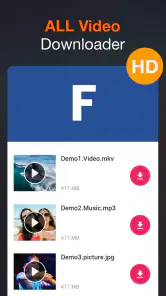

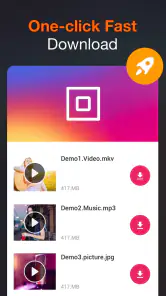
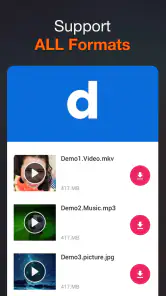
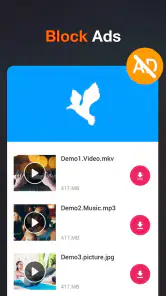
Analysis by Reviewed
My usual reason for saving a video is practical: I’m about to leave home, I know the connection will be unreliable, and I want a clip ready without having to search for it again. All Video Downloader - V is a free Android app from InShot Inc. built around that link-to-offline-viewing routine. It belongs to the video player and editor category, although its role is much narrower than a typical editing app: it helps with downloading clips and playing saved videos.
When an offline copy is useful
The app makes most sense when you already have a particular video in mind and want to watch it later without depending on a network connection. That might be a permitted tutorial you plan to revisit, a clip for a journey, or a short video you want available while waiting somewhere with poor reception. Its copy-and-paste approach is easy to understand, even if you don’t usually change media settings.
It is a less natural fit if your main goal is editing footage, adding captions, or assembling a finished post. A dedicated editor is better for those tasks, and an official streaming app’s offline option may be more convenient when it is available and allowed. A downloader should not be treated as a way around creator rights or platform rules; I’d save only material I’m permitted to keep.
First Impressions
From the get-go, All Video Downloader - V is incredibly straightforward to use. You’re greeted with a sleek and minimalist interface that doesn’t overwhelm you with unnecessary features. Trust me, I’ve seen apps that try to do too much, and it ends up being a mess. But not here! The app’s simplicity is its charm, making it super easy for anyone, even the less tech-savvy among us, to navigate through.
Starting with a link
The basic routine is familiar: copy a video’s address, paste it into the app, and start a download. That sounds simple, but the useful question is whether the particular link leads to a video the app can handle. A page containing a clip is not always the same thing as a direct video file, and sites can change how their content is delivered. I’d treat compatibility as something to test with the source I actually care about, rather than assume every social page will behave alike.
For an everyday example, imagine finding a cooking demonstration while planning dinner, then realizing you’ll be somewhere with weak reception when you want to follow it. I’d copy the link at home, try one download, and play the saved clip before leaving. If it works, I can put my phone aside and follow the steps later without repeatedly buffering or trying to relocate the page. If it doesn’t, I still have time to use another permitted route rather than discovering the problem in the middle of cooking.
Downloading Made Easy
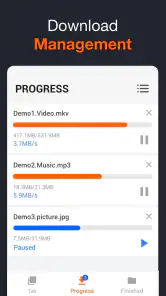
So, how does it work? It’s as simple as copying the URL of the video you want, pasting it into the app, and hitting download. The app supports a wide range of formats, so whether it’s an MP4, AVI, or FLV, you’re covered. I tried downloading videos from various platforms, and each time, the process was smooth as butter. The download speed? Lightning fast! You won’t be left twiddling your thumbs waiting for your video to save.
More From Our News Desk

Clash of Clans Is Won Between the Battles

Android Auto Makes the Case for Quieter Car Software

MobiOffice: Transforming Mobile Productivity with Seamless Integration

EA SPORTS FC™ Mobile Soccer: Redefining Mobile Sports Gaming

How Microsoft OneDrive Became a Mobile Productivity Giant

How Google Translate Breaks Language Barriers Effortlessly
A useful habit is to copy the link while the clip is open, then check that you’ve pasted the full address before starting. If you’re collecting several clips for a trip, save them one at a time and confirm each finishes before leaving Wi-Fi. That small check helps avoid discovering later that a link did not produce a playable file. I’d also leave room on the device for the videos you actually plan to watch, rather than treating every interesting clip as a keeper.
The handoff is the part I’d think about before relying on a download: where will the saved clip be easiest to find, and will the built-in player open it as expected? Try one short, permitted video first, then play it offline. That quick test tells you more than starting a batch right before heading out, and it gives you a chance to decide whether this workflow fits your habits.
Choosing what to save
Not every video benefits equally from being kept locally. A brief how-to clip is usually an easy candidate because you can watch it once or twice and then decide whether to keep it. A long video you may never finish can occupy space without solving a real problem. I’d make the choice based on when I’ll watch it and whether offline access matters, not simply because a download button is available.
There is also a useful distinction between keeping a clip for a short-term task and building an archive. For the first, a few downloads and the in-app player may be enough. For the second, I’d want clear organization, dependable file handling, and a way to find items later; a purpose-built media library or file manager may be a better companion. Keeping a note of the source for anything I save also makes it easier to return to the creator’s page and check for updates or context.
Quality and Performance
One of the standout features of this app is its ability to maintain the quality of the video while downloading. Whether you’re grabbing a 720p or a 1080p video, the quality remains crisp and clear. No more worrying about pixelated videos that look like they’ve been through a blender. Plus, the app is light on resources, which means it doesn’t hog your phone’s memory or drain your battery like some other apps do.
For everyday use, I’d judge the result by the actual clip rather than assume every source offers the same choices. A short tutorial may be fine on a smaller screen, while a scenic video is more noticeable if its picture is soft. If you’re watching on a phone, a compact file can be the practical trade-off; if you plan to cast or view on a larger display, check the saved version before deleting the original link or moving on.
Storage is the quiet trade-off in any offline workflow. A saved video is convenient precisely because it remains on the device, but several large clips can add up. I’d download only what I expect to watch soon, check playback, and remove copies I no longer need. That is more useful than trying to save everything in advance, especially if the phone also holds photos, work files, or other media.
Additional Features
What’s more, All Video Downloader - V comes with a built-in video player. This means you can watch your downloaded videos directly from the app without having to switch to another media player. It’s these little conveniences that really enhance the user experience. Also, I love that it’s regularly updated to support new sites and fix any bugs. It’s always great to see developers who care about keeping their app in tip-top shape!
The player makes the end of the workflow convenient, but it doesn’t turn the app into a full media library or editing tool. I’d use it for a handful of saved clips I want to watch soon, then rely on a dedicated player or file-organizing tool if I need a carefully sorted collection. And if a particular site changes how it serves video, a downloader can become less predictable; having the original page bookmarked is a sensible fallback rather than assuming every link will keep working.
There’s also a practical difference between this and ordinary streaming: streaming avoids keeping a file on your device, while a downloader can make a clip available when you’re offline, at the cost of storage and a step to manage the saved copy. For someone who only watches while connected, that extra step may not be worthwhile. For a parent preparing a few suitable clips for a journey, or a learner saving a permitted demonstration to review away from Wi-Fi, it can be a more useful fit.
How it compares with other ways to watch
Against a platform’s own offline viewing feature, a separate downloader may feel more direct when you already have a link and want a local copy. The platform’s option is often the simpler choice when you want to stay within that service’s normal viewing experience and avoid managing files yourself. Which route is better depends on what the service permits and whether you need a saved copy outside its app.
Compared with a general-purpose video player, this app combines getting a clip and watching it in one place, which saves a handoff for a small, temporary collection. A dedicated player is a stronger choice if you already manage many files or care about a broader playback library. And compared with an editor, this app is for keeping and viewing source material, not transforming it into a finished video. Knowing that boundary helps set expectations: its value is in a narrow task, not in replacing every media tool on the phone.
Cost, compatibility, and expectations
The app is free to install, though optional in-app purchases are listed from $7.99 to $19.99 per item. I’d start with the free experience and decide whether the way you actually use it justifies spending anything; occasional downloads may not call for an upgrade. It has a 4.7 average from around 1.1 million ratings, with roughly 11,000 written reviews, and has passed 100 million installs. Those figures suggest broad use, but they don’t guarantee that a specific website or video will work for you.
Its current version is 1.5.8, and it runs on Android 6.0 or later. That makes it a possible option for users with older compatible Android devices, though I’d still check how it behaves on the phone in hand before building a routine around it. iPhone users should look for an option made for their platform rather than assume this Android app is available there.
For a first trial, I’d pick a short video from a source I’m allowed to save, use the link workflow, and test it with the phone offline. That answers the practical questions that matter most: whether the source works, whether the saved result plays, and whether the file is easy enough to locate for the next viewing. If any of those steps feels awkward, a built-in offline feature or a different tool may suit better than committing to a larger collection.
The app is rated for Everyone, but that label is not a substitute for choosing appropriate material, especially if a child will be using the device. I’d select clips myself when preparing a family journey and make sure the saved content is suitable. For adults, the same careful approach applies to rights and source rules: convenience does not change what you’re allowed to download or redistribute.
Where the routine can break
The weakest point is the dependency on the source link. A video may be unavailable, a page may not expose a compatible stream, or the service may change its delivery method. In those cases, repeating the same attempt may not help. I’d return to the original page, check whether the clip is still accessible, and choose an authorized alternative if the download does not work. This is why I would not depend on the app as the sole plan for something essential.
There can also be friction after a successful download: a file takes space, needs to be found, and may be less convenient to share or organize than a saved item inside a streaming service. If you care about playlists, synchronization across devices, or editing, the usual alternatives are better suited to those jobs. This app is most appealing when the goal is simply a few accessible clips on one Android phone, not an elaborate media workflow.
The Verdict
In a world where content is king, All Video Downloader - V is an indispensable tool for anyone who loves to save and watch videos offline. It’s efficient, user-friendly, and does exactly what it promises without any fuss. If you’re on the lookout for a reliable video downloader, this app should definitely be on your radar. So, what are you waiting for? Give it a try and enjoy your favorite videos anytime, anywhere!
My recommendation is more measured: it’s worth trying if a straightforward link-to-download-to-play routine solves a real offline-viewing problem for you. I wouldn’t make it my only plan for important content, and I’d skip it if editing or a platform’s built-in offline viewing is what you need. Start with one clip you have permission to save, test playback without a connection, and you’ll quickly know whether its simple workflow earns a place on your phone.
All Video Downloader - V Frequently Asked Questions
Does All Video Downloader - V work on my Android device?
All Video Downloader - V is an Android app that requires Android 6.0 or later. Before installing, check your device’s operating-system version and make sure you have enough available storage for videos you plan to save. The app is rated for Everyone, so it is presented as suitable for a broad audience, although parents may still want to review how children use video-downloading apps.
Who makes All Video Downloader - V, and what is its main purpose?
All Video Downloader - V is made by InShot Inc. and is listed in the video players and editors category. Its main purpose is to help users download videos from social websites, with a focus on saving videos for later viewing. If you are choosing an app for this task, consider whether downloading and storing videos fits the way you use your device and the rules of the sites you visit.
What should I check before installing All Video Downloader - V?
All Video Downloader - V is a video downloader in the Video Players & Editors category, developed by InShot Inc. It is rated for Everyone, and its current version is 1.5.8. Before installing, check that your device runs Android 6.0 or later and that you are comfortable with the permissions the app requests, particularly any related to saving videos to your device.
Can I use All Video Downloader - V to save videos for offline viewing?
The app is described as a free downloader for videos from social websites, so its main purpose is to help you save videos to your device. Having a video stored locally can make it available without an internet connection, though where and how you can download or use a video depends on the source platform and the rights attached to that content.
What is All Video Downloader - V and what platforms does it support?
All Video Downloader - V is a versatile application designed to help users download videos from various online platforms with ease. It supports both Android and iOS platforms, allowing users to store their favorite videos offline on their smartphones or tablets. The app offers a user-friendly interface and supports multiple video formats, making it a convenient tool for video enthusiasts.
Pros
- Supports multiple video formats.
- High-speed download capability.
- User-friendly interface.
- Allows batch downloading.
- No ads during downloads.
Cons
- Limited editing features.
- Requires internet connection.
- Occasional download failures.
- In-app purchases for premium features.
- Large app size.

- Category
- Video Players & Editors
- Version
- 1.5.8