Adobe Capture: Illustrator,Ps
- 1.89K
- 4.6
- Installs
- 5.00M
- Price
- Free

Screenshots
Analysis by Reviewed
In the ever-evolving world of digital design, having the right tools at your fingertips can make all the difference. That's where Adobe Capture comes into play, a nifty app that lets you transform the world around you into creative assets. It's like having a magic wand in your pocket, ready to capture inspiration wherever it strikes.
Turning Reality into Digital Magic
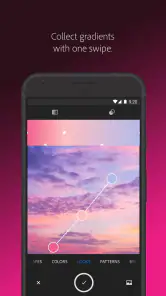
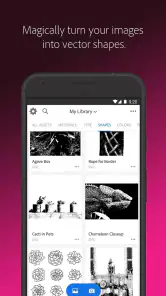
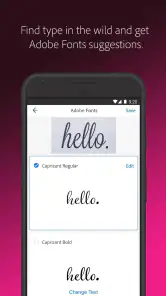
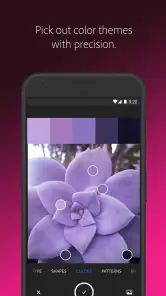
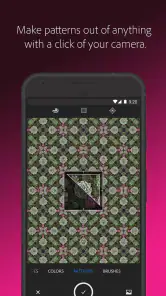
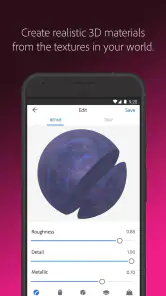
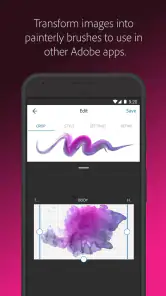
Have you ever looked at a pattern on a leaf and thought, "Wow, this would make a killer background for my project"? Adobe Capture lets you do just that. The app is designed to let users transform photos into color themes, patterns, vector shapes, 3D materials, and even custom brushes. It's a designer's dream come true, allowing you to capture elements in the real world and convert them into digital resources for your projects.
Features That Inspire Creativity
One of the standout features of Adobe Capture is its ability to create vector shapes. By using your phone’s camera, you can snap a picture of a sketch or an object, and the app will convert it into a crisp, scalable vector graphic. This feature is particularly handy for illustrators and graphic designers who want to bring their sketches to life in a digital format.
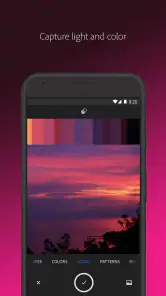
Let’s not forget about the color theme generation. Point your camera at any object, and Adobe Capture will extract the color palette for you. It’s like having a personal color theorist in your pocket, ensuring your designs always have the perfect hue.
Seamless Integration with Adobe Ecosystem
What makes Adobe Capture a must-have tool is its seamless integration with other Adobe tools like Illustrator and Photoshop. You can easily export your creations from Adobe Capture to these platforms and continue refining your designs. This integration ensures a smooth workflow, from inspiration to creation, without missing a beat.
Easy to Use, Even for Beginners
Now, you might think all these features sound a bit overwhelming, especially if you're new to design. Fear not! Adobe Capture is designed with an intuitive interface that even beginners can navigate with ease. The app provides tutorials and guided steps to help you get the most out of its features, making it accessible for everyone, from newbies to seasoned pros.
To wrap it up, Adobe Capture is a powerful tool that bridges the gap between the physical and digital worlds. Whether you're a professional designer or someone who just loves to dabble in creativity, this app offers a treasure trove of features that can help bring your ideas to life. So why not give it a shot? You might just find it to be the missing piece in your creative toolkit.
Pros
- High-quality vector conversion.
- Seamless integration with Adobe Cloud.
- Comprehensive toolset for designers.
- User-friendly interface.
- Frequent updates with new features.
Cons
- Requires Adobe account to use.
- Can be resource-intensive.
- Limited free features available.
- Steep learning curve for beginners.
- Occasional app crashes.

- Category
- Art & Design
- Version
- 9.1.1 (3594)











