Real Piano
- 2.43K
- 3.7
- Installs
- 100.00M
- Price
- Free
Screenshots
Analysis by Reviewed
I often reach for a phone piano when I want to try out a melody without setting up an instrument, and Real Piano is aimed squarely at that casual, hands-on kind of music-making. It’s a free music game from Bilkon, available on Android, with an Everyone age rating. For a quick break, a first look at piano keys, or a way to explore musical ideas away from home, that low barrier to entry is its clearest appeal.
What free access means here
The game is free to download, so you can try it without making an upfront purchase. That makes it easy to decide whether playing on a touchscreen suits you before spending money on a physical keyboard or a more structured learning option. Its average rating is 3.7 from around 256,000 ratings, and it has passed 100 million installs, suggesting that many people have tried it, though popularity alone does not tell me whether it will fit your playing style.
Getting Started with Real Piano
First things first, downloading the Real Piano app is a breeze. Whether you’re on Android or iOS, just head over to your app store, and you’ll find it waiting for you. It’s lightweight, so you won’t have to worry about it hogging your phone’s memory. Once installed, you’ll be greeted with an intuitive interface that feels like you’re sitting in front of a real piano.
Reads About Real Piano
Features Galore
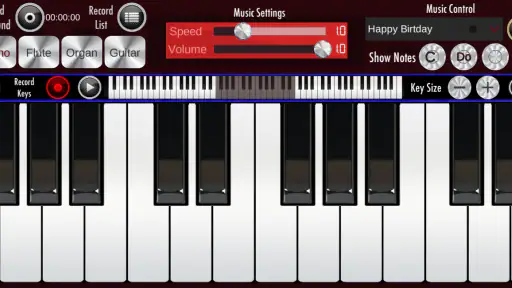
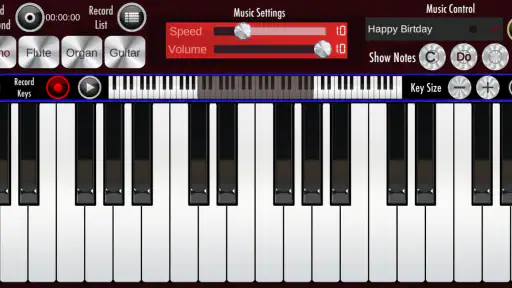
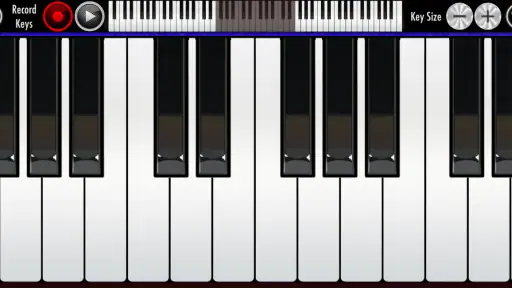
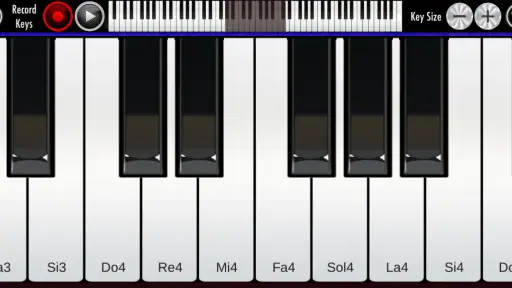
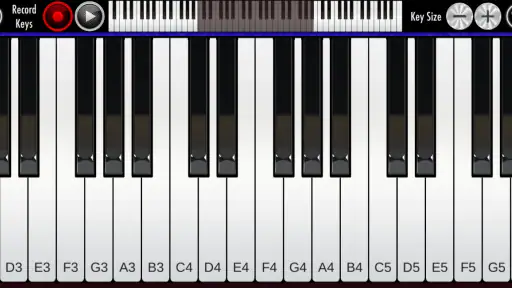
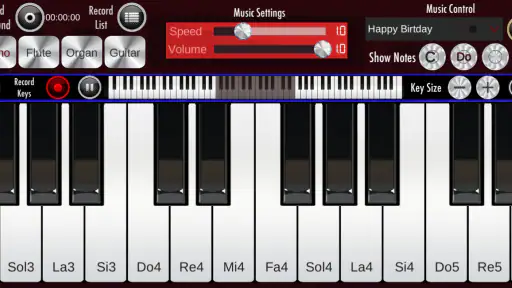
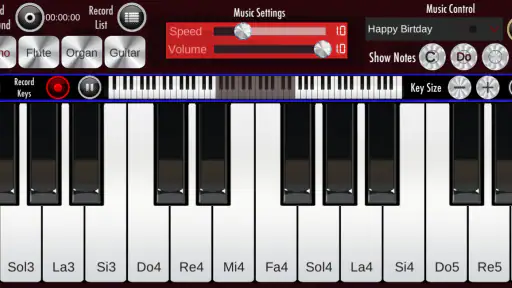
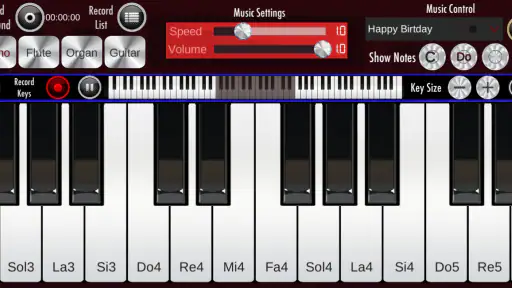
The app boasts a variety of features that cater to both beginners and seasoned pianists. You’ve got a full 88-key piano keyboard at your fingertips, along with multi-touch support, which is crucial for those complex pieces. The sound quality is surprisingly good, with the app delivering rich and clear notes that mimic a real piano remarkably well.
One of the coolest features is the recording option. You can easily record your sessions and play them back, which is perfect for practicing or just showing off to your friends. Plus, the app includes a good range of instruments and sound effects, so you can switch things up and experiment with different sounds.
Turning a quick session into useful practice
A phone screen is a very different instrument from a full-size keyboard, so I’d treat this as a sketchpad rather than a substitute for proper piano practice. A practical routine is to use a short session to work out the notes of a melody, then listen back to a recording and notice where the timing feels uneven. That playback can help you catch a phrase you want to revisit, but it won’t replace learning hand position, touch, or technique on physical keys.
It also helps to keep expectations realistic about playing with both hands. A touchscreen can be convenient for tapping out a simple tune, but fitting several fingers onto a small display can feel cramped, especially on a phone. If you want to test chords, slow down and try them one at a time before attempting a faster passage. A larger screen may make the layout easier to work with, while a real keyboard is the better choice when spacing and finger movement matter.
More From Our News Desk

Android Auto Makes the Case for Quieter Car Software

MobiOffice: Transforming Mobile Productivity with Seamless Integration

How Microsoft OneDrive Became a Mobile Productivity Giant

How Google Translate Breaks Language Barriers Effortlessly

Why Google Sheets Is the Ultimate Mobile Productivity Tool

Unveiling the Dynamic World of My Talking Tom Friends
Learning and Fun
If you’re new to the piano world, Real Piano has got your back. The app includes several tutorials and sheet music that you can follow along with. It’s like having a piano teacher in your pocket. The app’s user-friendly nature makes learning a fun and engaging experience. As you progress, you can take on more challenging pieces and truly see your skills develop over time.
For those who are already familiar with the piano, the app serves as a convenient tool for practice and creativity on-the-go. Whether you’re composing new music or just noodling around, having a portable piano is incredibly handy.
Where it fits among music apps
Compared with a dedicated piano-learning app, this is a more immediate place to tap notes and experiment, rather than something I’d rely on for a complete, guided course. Compared with a physical keyboard, it wins on portability and free entry, but loses the feel and spacing that make sustained practice comfortable. I’d use it to test a tune while waiting for a friend or to let a curious child explore piano sounds; I wouldn’t choose it as my main tool for preparing a performance or building reliable technique.
The game was released on June 2, 2017, and its current version is 1.24; it supports Android 5.1 and later. It has around 2,400 written reviews, another useful sign that people have shared reactions over time, but I’d still judge it by whether its on-screen keys feel manageable on your own device. If your priority is structured progress, look for an option built around lessons; if your priority is spontaneous access to a keyboard, this format makes more sense.
Choosing it for a real day-to-day routine
The most convincing everyday use I can see is capturing an idea before it disappears. Imagine hearing a short tune while walking home, then having a few quiet minutes on a bench or during a wait. Rather than trying to remember the notes until you reach an instrument, you can tap out the phrase and use the recording to check whether the shape sounds right. That is a modest job, but it is exactly where a phone piano can be more useful than a full instrument: it is already with you and takes little commitment to open.
For a beginner, I’d make the first session deliberately small. Pick a melody you already know, find its notes at an unhurried pace, and resist the temptation to treat a successful run-through as proof that you have learned piano technique. The exercise can build familiarity with note sequences and give you a reason to return, while a teacher, lesson-based app, or keyboard remains more suitable for correcting posture and fingering. In other words, it can help you explore whether you enjoy the activity before investing in a fuller learning setup.
There is also a useful family use case: letting a child try notes and sounds in a casual setting. The Everyone age rating makes the intended audience broad, and the low-pressure format can invite experimentation. I would still sit with a young child at first, not because the game needs to be treated as a lesson, but because showing how to tap gently and take turns makes the activity more engaging. If the aim is a formal music education, though, this alone is not a substitute for a planned course or an instrument sized for regular practice.
Making the touchscreen work for you
One practical choice is where you play. On a phone, the compact keyboard is handy for one-finger melodies and quick note checks, but it can become awkward when a phrase asks for several notes close together. If you have access to a larger Android screen, try the same passage there before deciding the layout is unusable; extra display space can make keys easier to target. That does not change the feel of the controls, but it may reduce accidental taps and make simple chords less fiddly.
When using the recording option, I’d treat playback as a listening check, not just a way to save a performance. Listen for one thing at a time: whether a note is missing, whether the rhythm rushes, or whether the ending lands where you intended. This keeps a short session focused and gives you a concrete reason to repeat a phrase. It is a more useful workflow than playing aimlessly for several minutes and hoping that the next attempt will somehow be better.
The range of instrument sounds also has a practical role beyond novelty. Trying a different sound can help you hear a melody with fresh ears, or make a casual session more fun when you are playing with someone else. I would not use sound changes as a replacement for learning the notes, but they can be a simple way to keep exploration lively. If your goal is to judge how a passage will sound on an acoustic piano, return to the piano voice for that check rather than assuming every sound will translate the same way.
What to expect from learning tools
The tutorials and sheet music give newcomers a starting point, but I’d approach them as introductory guidance rather than a promise of a complete curriculum. A useful question is whether you want help finding something to play or detailed feedback on how you play it. The former suits a collection of guided material; the latter calls for instruction that can address timing, fingering, and technique. That distinction matters because a screen can show notes, but it cannot make your hands adopt good habits by itself.
If you already read music, sheet material can give a session more direction than randomly tapping keys. If you do not, it may take patience to connect written notes with the on-screen keyboard. I’d start with a short passage and identify a few notes at a time rather than trying to sight-read a whole piece immediately. This makes the app more approachable without pretending that reading music becomes effortless just because the keyboard is digital.
For experienced players, the appeal is different. I’d use it to check a melodic contour, test a chord idea, or pass a few idle minutes, not to maintain a demanding repertoire. Familiarity with a real piano may make the touchscreen’s limits more noticeable, particularly when you expect accurate spacing and a consistent physical response. The app is most helpful when you deliberately choose tasks that do not depend on those qualities.
Tradeoffs behind the convenience
Free access is the clearest financial advantage: there is no upfront purchase to weigh against a physical keyboard or a paid learning tool. That makes experimentation easy, especially if you are uncertain whether you will enjoy playing on a screen. I would frame the value as a no-cost way to try a particular style of interaction, not as evidence that it replaces equipment or instruction. If the format becomes a regular hobby, a real keyboard may be a more satisfying next step for the parts this app cannot reproduce.
The broad audience and large number of installs make it easy to understand why a simple piano game attracts attention, but the average rating of 3.7 is a reminder that reach and personal fit are different things. Some people may want a quick, accessible set of keys; others may expect a polished learning experience or a more convincing substitute for an instrument. I’d make my decision based on the actual task I want to do, rather than treating popularity as a guarantee of quality for every use.
There is a small but important tradeoff between convenience and focus. A phone is portable, but it is also a device full of other distractions, and a short musical session can easily turn into something else. If you want to use the game for a few minutes of practice, decide on a tiny goal before opening it: find a tune, test a chord, or listen back to one recording. That boundary helps the app serve the musical purpose you chose instead of becoming an unfocused time-filler.
Who is likely to get the most from it
I’d recommend trying it if you are curious about piano, want to experiment with melodies, or need a portable way to make a quick musical sketch. It also makes sense for someone who wants to see whether tapping notes feels enjoyable before committing money to a keyboard. Casual players who value immediate access more than physical realism are the clearest match. The free download keeps that trial straightforward, while the tutorials, sheet music, recording, and alternate sounds offer several ways to give a session a little direction.
I’d point a serious learner elsewhere if their main need is structured coaching, reliable two-handed practice, or feedback that develops technique. A dedicated learning app may guide a planned course more clearly, and a physical keyboard is better for building comfort with key spacing and hand movement. Someone preparing for a performance should also use the instrument they expect to play, because a touchscreen sketch cannot confirm how a piece will feel under the fingers on full-size keys.
For a person who has never touched a piano, the decision can be especially simple: try a familiar tune and notice whether searching for notes is interesting or frustrating. Enjoying that small discovery is a good reason to explore further; finding the screen cramped is a fair reason to choose another route. Neither result means the person is or is not musical. It only tells them whether this particular way of playing suits them.
Final Thoughts
In conclusion, Real Piano is an excellent app for anyone interested in music, from beginners to experts. It brings the joy of playing the piano right to your fingertips, anytime, anywhere. The combination of quality sound, intuitive interface, and educational tools make it a standout choice for music enthusiasts. So, whether you’re looking to start learning or just want to have some fun, give Real Piano a try. You might just discover a hidden passion for playing the piano!
My buy-or-skip verdict
Because it costs nothing to download, I see it as an easy trial for casual players who want a piano-like interface on a phone. I’d skip it if you need a dependable replacement for a real keyboard, focused technique coaching, or room for comfortable two-handed playing. For everyone else, my simple test would be to open it during a quiet moment, try a familiar melody, and decide whether tapping keys on your screen feels inviting or frustrating. The right value here is convenience, not a promise that a phone can teach every part of piano playing.
Real Piano Frequently Asked Questions
What kind of app is Real Piano?
Real Piano is a music game by Bilkon that centers on playing piano on a mobile device. Its short description is simply “Real Piano,” while its store summary invites players to enjoy the fun of a piano app. It may appeal to people who want a casual music-focused game, whether they are curious about virtual piano playing or looking for a simple way to spend time making music.
What should I check before downloading Real Piano on Android?
Real Piano is available for Android devices running Android 5.1 or later. Checking your device’s operating system before downloading can help you avoid compatibility problems. The app is listed as a game in the Music category, so it is best approached as a mobile piano-playing experience rather than assuming it will replace a dedicated instrument or music-production setup.
Who developed Real Piano, and how established is the game?
Real Piano is developed by Bilkon and has been available since June 2, 2017. It has passed 100 million installs, with an average rating of 3.7 from around 256,000 ratings and about 2,400 written reviews. Those figures suggest that many Android users have tried it, while individual experiences may still differ depending on what they expect from a mobile piano game.
Is Real Piano free to download, and what does it offer at no cost?
Real Piano is a free music game from Bilkon, described as a piano app for enjoying the fun of playing. It can be a straightforward option if you want to explore virtual piano playing without paying to download it. Before installing, keep in mind that the app’s main appeal is playing on your device; whether it suits your needs will depend on the features and playing experience you want.
What features does Real Piano offer for beginners?
Real Piano is designed with beginners in mind, offering features like a built-in learning mode, tutorials, and practice exercises. The app provides interactive lessons that guide users through the basics of piano playing, making it an ideal tool for those just starting out. Additionally, it includes visual aids to help users understand notes and chords better.
Pros
- Realistic sound quality
- Wide range of musical instruments
- User-friendly interface
- Customizable keyboard settings
- Interactive learning modes
Cons
- Occasional app crashes
- Contains ads
- Limited free content
- Requires internet for some features
- In-app purchases can be pricey
- Category
- Music
- Version
- 1.24