Kids Multiplication Math Games
- 242.00
- 4.5
- Installs
- 10.00M
- Price
- Free
Screenshots

Analysis by Reviewed
When I choose a multiplication game for a child, I look for more than bright screens: it should make short practice feel approachable, keep the focus on times tables, and suit the child’s current level. Kids Multiplication Math Games is a free educational game from RV AppStudios, aimed at preschoolers and rated for Everyone. It has a 4.5 average from around 19,000 ratings and over 10 million installs, so it has found a sizeable audience, though popularity alone cannot tell me whether it fits a particular learner.
Decide what kind of practice the child needs
Before choosing this game, I would ask whether the child needs to understand multiplication, remember facts they have already learned, or simply feel more willing to practise. Those are different jobs. A game can make repetition more inviting, but it is not automatically the right first step for a child who is still trying to understand what multiplication represents. The best starting point is the child’s actual sticking point, not the most colourful option on a screen.
For instance, if a child can make equal groups with toys but pauses when asked a times-table fact, a short game session may offer useful recall practice. If they cannot explain why three groups of four make twelve, I would use objects or a drawing first, then turn to a game once the idea feels clearer. This distinction helps prevent a child from learning to guess at answers quickly without knowing what the numbers mean.
Start with the child’s learning stage
This game is most useful when a child is ready to meet multiplication or needs low-pressure practice alongside schoolwork. It is not a replacement for a teacher explaining what multiplication means. If a child is still unsure why groups of objects can be represented by a times-table fact, I would first work through examples with counters, drawings, or everyday objects, then use a game for repetition. That order helps practice reinforce understanding rather than turn unfamiliar facts into guesses.
A realistic routine might be a few minutes after a homework break: sit with your child, let them choose a round, and ask them to explain one answer aloud afterward. That small conversation can show whether they worked it out or simply tapped quickly. I would keep sessions brief if a child starts rushing or losing interest; the point is steady recall, not winning every round or extending screen time.
Getting Started with Fun
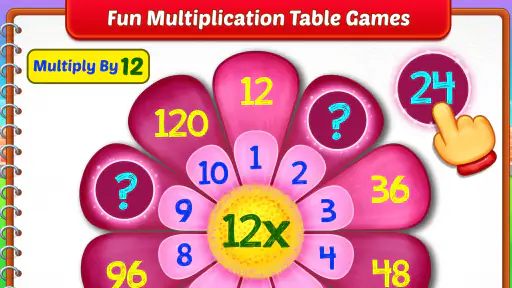
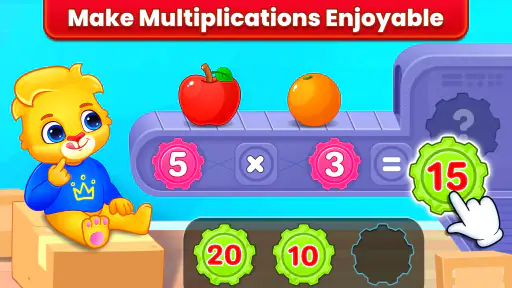
Right off the bat, Kids Multiplication Math Games welcomes you with its vibrant interface. It's like stepping into a digital playground where numbers are the main attraction. Kids can easily navigate through the menu, thanks to its intuitive design. The app offers a variety of games that are cleverly designed to make learning multiplication feel more like playtime rather than homework. And let's be honest, anything that makes math fun is a win in my book!
The Game Modes
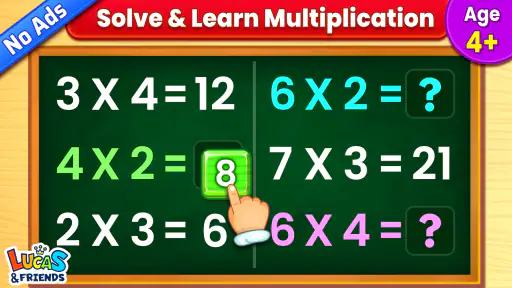
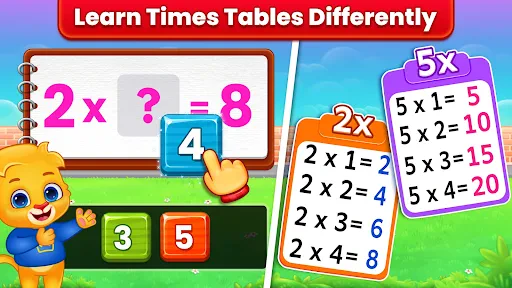
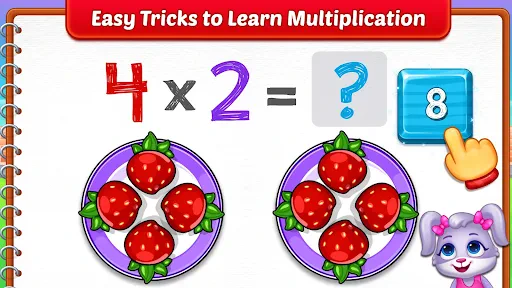
The app features multiple modes that cater to different learning styles. Whether your child is a visual learner or prefers hands-on activities, there’s something here for everyone. From timed quizzes that challenge speed and accuracy to puzzle games that emphasize problem-solving skills, this app has it all. I particularly enjoyed the "Space Adventure" mode where kids help an astronaut solve multiplication problems to fuel his spaceship. It’s a creative way to keep kids engaged while they practice their times tables.
More From Our News Desk

Weather by Xiaomi Review: Clear at a Glance, Less Clear Up Close

X Under Pressure: Can It Recover When Posting Goes Wrong?

Clash of Clans Is Won Between the Battles

Android Auto Makes the Case for Quieter Car Software

MobiOffice: Transforming Mobile Productivity with Seamless Integration

EA SPORTS FC™ Mobile Soccer: Redefining Mobile Sports Gaming
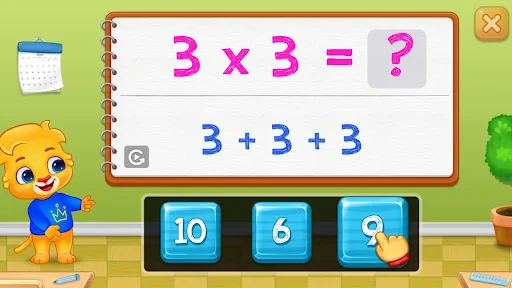
For a parent, a useful way to approach the different activities is to treat them as practice choices rather than assume every mode teaches in the same way. A timed challenge can suit a child who already knows some facts and enjoys working quickly; a puzzle-style activity may be a calmer entry point for someone who needs to think through each answer. I’d let the child try a mode, then notice whether they are reasoning or simply reacting. Switching activities when attention dips can make a short session more productive than insisting on one format.
One practical detail is to agree on the purpose of a round before it begins. A child who is building confidence can focus on attempting each problem thoughtfully, while a child who already knows the facts might use a faster activity as a quick retrieval check. I would not treat speed as proof of mastery: a quick correct answer is encouraging, but asking the child to explain one fact gives a better sense of whether the learning is sticking.
Progress Tracking
One of the standout features of this app is its progress tracking. As a parent, you can easily monitor your child’s improvement through detailed reports. It breaks down performance by each multiplication table, so you can see where your little one excels and where they might need a bit more practice. This feature is a great tool for personalized learning, allowing you to focus on specific areas that need attention.
Those reports are most helpful when they guide the next step rather than become a scorecard. If one table seems less secure, I would revisit it in a later session and ask the child to explain a couple of answers in their own words. If the same difficulty persists, pencil-and-paper examples or a teacher’s explanation may be more useful than repeating game rounds. A progress display can point out a practice target, but an adult still needs to judge whether the child understands the underlying idea.
Moreover, the app rewards players with points and badges, which adds a competitive edge that motivates kids to keep playing and improving. Who knew learning math could feel like leveling up in a video game?
I would use those rewards as a little nudge, not as the goal of practice. If a child becomes focused on collecting points, bring the conversation back to the maths: ask which fact felt easier today, or invite them to show one answer with objects. If rewards do not interest a particular child, there is no need to make them the centre of the routine. The useful outcome is a more confident grasp of multiplication, not a particular badge.
User Experience and Design
The design of Kids Multiplication Math Games is colorful and engaging without being overwhelming. The animations are smooth, and the graphics are appealing to young eyes. The developers have done a fantastic job of balancing educational content with entertainment, ensuring that kids remain interested without feeling frustrated or bored.
For a child who is easily drawn into screens, I’d make the stopping point clear before opening the game: finish one chosen activity, then take a break or explain a tricky answer. That keeps the rewards from quietly turning practice into an open-ended session. Parents should also judge the atmosphere for their own child: cheerful visuals can help sustain interest, but a child who finds animation distracting may learn better with printed flashcards or a quiet workbook.
Additionally, the sound effects and background music are cheerful but not distracting, creating a fun atmosphere that encourages learning. The app also runs seamlessly on both Android and iOS devices, ensuring a smooth experience regardless of the platform.
Since it is free, trying a short session is a low-commitment way to see whether the format suits your household. I would still check how the child responds rather than assume that a free game will work for every learner. A useful first try is to sit nearby, let the child handle the choices, and see whether they can stay focused on the multiplication without needing constant adult help. That tells you more than an enthusiastic first reaction to the visuals.
When another kind of practice makes more sense
Compared with flashcards, this game offers a more playful setting and can make a reluctant learner more willing to return to multiplication. Flashcards, in contrast, are easier to use away from a device and let an adult pause after every question to discuss a strategy. A workbook is often the better choice when a child needs to show working or practice written methods, while a teacher or guided lesson is preferable when the child needs a concept explained from scratch. I see the game as a useful practice option, not a complete maths curriculum.
There is also a trade-off in how much control an adult wants over each question. With cards or a workbook, I can choose exactly which facts to revisit and stop after any answer to talk through a mistake. A game is more appealing for independent turns, but that independence can make it easier to miss the reasoning behind an answer. I would choose the format according to the task: the game for a little practice and engagement, paper or adult-guided work for careful explanation.
It may also be a poor fit for a child who already knows the times tables confidently and wants broader maths challenges, or for one who becomes anxious when practice feels timed or competitive. In those cases, choose a slower activity, paper practice, or a different learning tool focused on the skill they actually need. Before making it part of a regular routine, try a short session together and see whether the child can navigate it comfortably and stay focused on the multiplication.
Families deciding between this and another multiplication app should look past general claims about being educational and check the learning need they want to address. This one is specifically centred on multiplication practice, so it makes sense when times tables are the target. If the child needs help with a wider range of maths topics, a broader learning resource may be a better fit; if they need a calm explanation of one difficult concept, a person, drawing, or workbook may do more. The right alternative depends on the gap, not simply on which option has more activities.
Making practice stick
To get more value from each session, connect a game answer to something outside the screen. If a child solves a multiplication fact, ask them to make a quick example with groups of toys, snacks, or building blocks. This is a simple check that the fact means more than a button press. Another useful habit is to revisit a difficult table on a different day instead of drilling it repeatedly in one sitting; spacing practice gives you a better sense of what the child remembers without immediate prompting.
A small routine can make that transfer easier: let the child play a brief round, choose one answer to explain, then put the device away and make a matching group with objects. If the child can connect the fact to the objects, that is a stronger sign of understanding than a score alone. If they cannot, there is no need to turn the moment into a test; use the objects to talk through the groups and try again another day.
The game is free, which makes it easy to try as a supplementary resource without committing to a purchase. I would still set expectations: playing can encourage repetition, but it cannot guarantee mastery, and a reward is not the same as understanding. Its Everyone content rating makes it suitable for a broad audience, while younger children may still benefit from an adult nearby to help choose activities and keep sessions purposeful.
For a parent wondering whether it can replace homework support, my answer is no: I would use it alongside whatever teaching the child already receives, not instead of it. It can be a handy option for a short practice window at home, while waiting, or after school, provided the child is ready for multiplication and enjoys the format. If the child resists, gets upset by challenges, or needs a wider lesson, switching to a calmer or more direct approach is a sensible choice rather than a failure.
Who I would recommend it to
I would recommend giving it a try if your child is beginning to practise multiplication, benefits from playful repetition, and can manage a short session without turning it into a long screen-time negotiation. The broad Everyone rating and free access make it approachable for families who want to test the fit before building it into a routine. A parent who checks in occasionally can get more from it by noticing which facts need another look and asking the child to explain an answer.
I would skip it, or keep it as only one small part of practice, if the learner needs a thorough introduction to what multiplication means, dislikes game-like pressure, or has already moved on to more advanced maths. In those cases, direct teaching, a workbook, or a resource aimed at the current topic will likely be more useful. The main question is not whether a child enjoys the first round, but whether the game supports the skill they are working on without creating extra frustration.
In conclusion, Kids Multiplication Math Games is a fantastic tool for parents looking to support their child’s math education. It's engaging, educational, and most importantly, it makes learning multiplication a fun experience. Whether your child is just starting out with multiplication or needs some extra practice, this app is a great addition to your educational toolkit. So why not give it a try and see those multiplication skills soar?
Kids Multiplication Math Games Frequently Asked Questions
Can a child use Kids Multiplication Math Games without help from an adult?
The game is focused on fun multiplication practice for preschoolers, so its subject is easy for families to understand before a child starts playing. Whether a child can use it independently depends on their familiarity with mobile games and their comfort with multiplication. A parent or caregiver can introduce the activity and then decide how much guidance is useful.
Is Kids Multiplication Math Games a general learning app or mainly for multiplication?
Kids Multiplication Math Games has a specific educational focus: helping children learn and practice multiplication through fun math games. It may suit families looking for a playful way to introduce or reinforce that topic, rather than an app covering many different school subjects. The game is developed by RV AppStudios.
What kind of math practice does Kids Multiplication Math Games offer?
Kids Multiplication Math Games is an educational game focused on helping children learn and practice multiplication through fun math activities. Its preschool-friendly approach makes it a playful way to introduce multiplication or reinforce skills children are already learning. The game is developed by RV AppStudios, and its simple focus can make it a useful option for families looking for multiplication practice rather than a broad collection of school subjects.
Is Kids Multiplication Math Games free to download?
Yes, Kids Multiplication Math Games is free to download. That makes it easy to try as a learning game before deciding whether it suits your child’s needs. The game has a 4.5 average rating from around 19,000 ratings, and it has been installed over 10 million times. Those figures show that many families have tried it, though a child’s experience will depend on their interests and learning level.
What age group is Kids Multiplication Math Games suitable for?
Kids Multiplication Math Games is designed for children aged 6 to 12 years old. The app provides a fun and interactive way for kids to learn multiplication, helping them to develop their math skills at an early age. It's equipped with various levels to cater to different skill sets, ensuring it remains challenging and educational as your child grows. Its Everyone content rating also makes it suitable for a general audience.
Pros
- Engaging visuals keep kids entertained.
- Adaptive difficulty levels boost learning.
- Includes timed challenges for quick thinking.
- No ads for uninterrupted learning.
- Supports offline play for convenience.
Cons
- Limited free content without purchase.
- Some levels may be too easy for older kids.
- Repetitive tasks might bore some children.
- Lacks a multiplayer mode for interaction.
- In-app purchases can be distracting.
- Category
- Educational
- Version
- Varies with device













