ABC Kids - Tracing & Phonics
- 3.93K
- 4.5
- Installs
- 50.00M
- Price
- Free
Screenshots
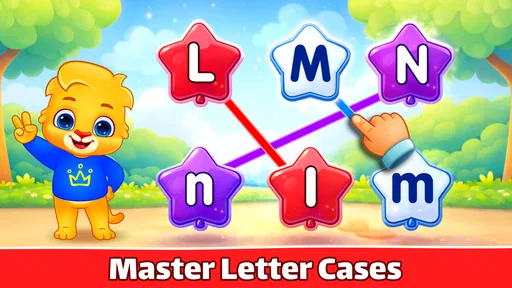
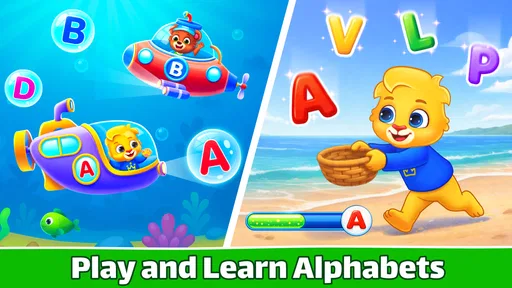
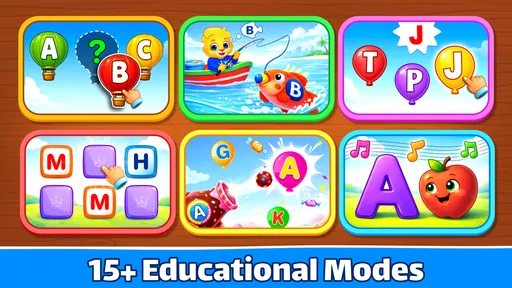
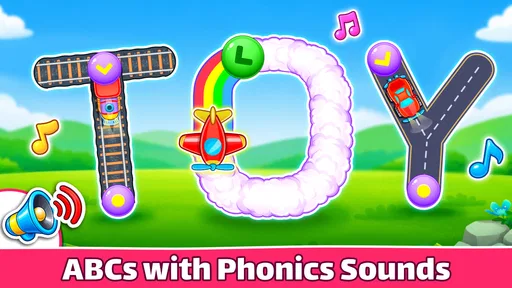
Analysis by Reviewed
When I’m choosing a learning game for a young child, I look for something that has a clear purpose and is simple to use without turning a short break into a long screen session. ABC Kids - Tracing & Phonics is an educational game from RV AppStudios built around early letter practice. It is free, rated for everyone, and has an average rating of 4.6 from around 86,000 ratings, which gives parents a useful sense of its broad appeal without telling them whether it will suit their own child.
What free access means in practice
The price makes it easy to try as a low-commitment learning option: there is no purchase cost to weigh against a child’s interest. I would still treat free access as a reason to test the app together rather than assume it replaces books, handwriting practice, or adult guidance. Its value depends on whether the child enjoys returning to the letter activities and can use them comfortably.
Learning value, with realistic expectations
The game focuses on foundational skills rather than a broad preschool curriculum. That makes it most useful as a small part of a routine: a child can work on recognizing letters, hearing their sounds, and tracing forms, while an adult connects those activities to words on a page or objects around the room. For example, after a short session, you might ask your child to spot a letter on a cereal box or find it in a favorite book. That simple follow-up helps make screen practice feel connected to everyday learning.
Engaging and Educational
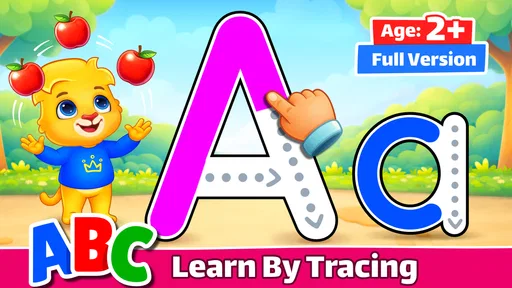
First off, let's talk about what makes ABC Kids - Tracing & Phonics stand out from the crowd. It's not just another alphabet app; it's a delightful blend of play and learning. The app is designed to help kids learn the alphabet through tracing letters and associating them with sounds. This interactive approach ensures that kids stay engaged while learning the basics of phonics. It's like having a mini classroom right in your pocket!
Intuitive Design and Kid-Friendly Interface
One of the things I love about this app is its intuitive design. The developers have clearly put a lot of thought into making it user-friendly for kids. The interface is bright, colorful, and inviting, which naturally attracts children's attention. Plus, the app is super easy to navigate so that even the youngest users can explore it without any hassle.
Fun Learning Activities
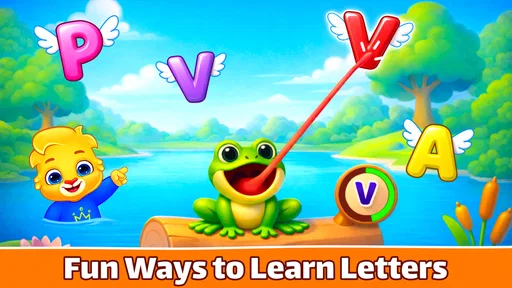
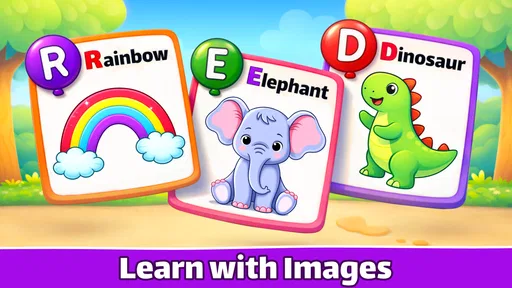
Now, onto the fun part—activities! The app offers a variety of games that focus on letter recognition, phonics, and tracing. Kids can practice writing both uppercase and lowercase letters, and the app provides immediate feedback, which is crucial for learning. There's also a cute little elephant character that guides kids through each activity, making learning feel like an adventure.
How I’d use it alongside other learning tools
Compared with alphabet videos, this game gives a child something active to do: tracing and responding to letter prompts rather than only watching. Compared with paper worksheets, it can feel more inviting and offer immediate feedback, but it cannot replace the feel of a pencil on paper or an adult noticing how a child holds it. I’d use it as a bridge into hands-on practice, not as a substitute for it.
More From Our News Desk

Weather by Xiaomi Review: Clear at a Glance, Less Clear Up Close

X Under Pressure: Can It Recover When Posting Goes Wrong?

Clash of Clans Is Won Between the Battles

Android Auto Makes the Case for Quieter Car Software

MobiOffice: Transforming Mobile Productivity with Seamless Integration

EA SPORTS FC™ Mobile Soccer: Redefining Mobile Sports Gaming
A practical approach is to sit nearby for the first session and notice which letters are easy or frustrating. If tracing becomes repetitive, pause and switch to naming objects that begin with a sound the child has just heard. This keeps the session purposeful and lets you decide when to stop instead of relying on the game to provide a complete lesson. It is also a better fit for short practice moments than for a child who needs sustained, structured teaching.
Making a short session work
I would avoid handing over the device with the vague instruction to “learn your letters.” A more useful prompt is to choose one small goal together: listen for a sound, trace a letter, or find that letter in a familiar word afterward. That gives the child a clear stopping point and makes it easier for you to tell whether the activity is helping. If the child is tired or impatient, stopping early is more useful than pushing through another round just to finish.
There is also a practical difference between a child who already knows some letter names and one who is meeting them for the first time. For the first child, the tracing and sound association can add a bit of practice; for the second, an adult may need to name the letter and connect it to a spoken word before the on-screen activity makes sense. I would treat the game as a prompt for conversation, not as a teacher that can read a child’s mood or explain a confusing sound.
Parental Controls and Safe Environment
As a parent or teacher, safety is always a top concern when it comes to kids and technology. The app developers have taken this into account by including parental controls that allow you to manage what your child can access. The app is ad-free, which means no unwanted distractions or accidental clicks on ads—just pure learning fun!
Where it may fall short
Its narrow alphabet focus is also its main limitation. A child who is ready for stories, broader vocabulary, number work, or a more formal phonics sequence may need a different resource alongside it. Likewise, if a child is not interested in tracing on a screen, encouragement alone may not make this the right tool; crayons, magnetic letters, or shared reading could be a better starting point. I would not judge progress by time spent in the game. Watch whether the child can recognize or form a letter away from the screen, and adjust the routine if frustration appears.
For a typical everyday use, I can see it fitting into a calm moment before dinner or while a caregiver is preparing something nearby: the child practices a few letters, then the adult follows up with a quick real-world example. That works best when the device is already set up and an adult can step in if navigation or tracing becomes confusing. The game can support practice, but a young learner still benefits from encouragement and conversation.
When another learning option is a better fit
The usual alternatives each solve a different problem. A read-aloud book is better when a child needs language, stories, and shared attention; paper and pencil are better when the goal is building comfort with real writing tools; magnetic letters are useful for arranging and rearranging shapes without requiring accurate finger tracing. This game has a narrower job: it makes early letter interaction available in a guided, touch-based format. I would choose it when that format helps a child engage, and choose something else when the learning goal calls for richer conversation or physical practice.
One useful way to keep the activity from becoming a passive reward is to connect one on-screen letter to something the child can handle or see. After tracing, invite them to point to that letter in a book or make its sound while looking for an object nearby. Keep the follow-up light; it should feel like a quick link between play and the world, not a test. If the child cannot yet make that connection, return to naming and noticing rather than treating the mismatch as failure.
Who is likely to get the most from it?
I’d recommend trying it with toddlers, preschoolers, and kindergarten-age children who are beginning to explore letters and enjoy guided activities. It may also suit a teacher looking for a brief alphabet practice option, though classroom use still calls for supervision and a plan for taking turns. The game was released on March 3, 2016, and has reached over 50 million installs, while its roughly 3,800 written reviews offer another indication that many people have tried it. Those figures show reach, not a guarantee of fit for every learner.
A sensible way to decide
If you are unsure whether it will suit your child, I would make the first try a shared one rather than treating it as independent screen time from the outset. Watch whether the child understands the tracing prompt, stays relaxed when a movement does not go as expected, and wants to engage with the sounds. Those reactions tell you more than popularity figures do. A child who enjoys repeating a letter activity may find it a handy part of the week; a child who quickly resists touch-screen tracing is giving you a good reason to try blocks, books, or paper instead.
Parents may also wonder whether a free game is enough to serve as a full learning plan. I would not use it that way. Its value is in offering accessible practice around letters, while progress still benefits from varied experiences and a grown-up who can adapt the activity. The Everyone age rating makes it suitable for a broad audience, but it does not mean every child of every age will find the same level of challenge or need the same kind of help.
My verdict on the value
Because access is free, there is no purchase decision to justify before trying it; the real cost to weigh is the time and attention a young child spends with a screen. I think the strongest case for using it is modest and specific: a child who likes guided digital activities can get another way to revisit letters and sounds. The weaker case is expecting it to teach handwriting technique, cover a whole early-years curriculum, or keep a child learning without adult involvement. Set that boundary and the app is easier to judge fairly.
In conclusion, ABC Kids - Tracing & Phonics is a fantastic tool for early childhood education. It combines fun and learning in a way that keeps kids entertained while they master their ABCs. Whether you're a parent looking for an educational app for your child or a teacher seeking resources for your classroom, this app is definitely worth checking out. So, why not give it a try and watch your little ones embark on a phonics adventure?
ABC Kids - Tracing & Phonics Frequently Asked Questions
Does ABC Kids - Tracing & Phonics have a child-friendly design?
The game is made for toddlers, preschoolers, and kindergarten children, with alphabet tracing and phonics at its center. Its straightforward learning activities are intended to make early practice approachable for young learners. Parents can introduce it as a playful way to spend time with letters and sounds, especially alongside conversation and other reading or writing activities.
What is the age rating for ABC Kids - Tracing & Phonics?
ABC Kids - Tracing & Phonics has an Everyone content rating and is aimed at young children learning early literacy skills. Its activities focus on the alphabet, tracing, and phonics rather than advanced lessons. Parents should still consider their child’s individual interests and needs when choosing an educational game, and can join in to help make practice a shared activity.
Is ABC Kids - Tracing & Phonics free to download?
ABC Kids - Tracing & Phonics is a free educational game for young learners. It focuses on alphabet tracing and phonics activities, so families can try it as an early-learning option without paying to download the app. Its simple, child-oriented format is intended to make practicing letters feel like play rather than a formal lesson.
What is ABC Kids - Tracing & Phonics and how does it help children learn?
ABC Kids - Tracing & Phonics is an educational app designed to teach young children the basics of the alphabet and phonics in a fun and interactive way. It uses colorful graphics, engaging activities, and simple tracing exercises to help kids recognize letters and sounds, making it an excellent tool for early childhood education.
Is ABC Kids - Tracing & Phonics suitable for all age groups?
ABC Kids - Tracing & Phonics is primarily targeted towards preschoolers and kindergarteners, typically children aged 2 to 5 years old. The app is designed with age-appropriate content and activities, ensuring that young learners can easily understand and interact with the app without needing assistance.
Pros
- User-friendly interface for children
- Supports multiple languages
- Interactive and engaging activities
- Helps improve phonics skills
- No in-app purchases
Cons
- Limited content for older kids
- Requires internet for updates
- Some ads may appear
- Graphics could be more vibrant
- Limited parental controls













