 About YouTube Kids
YouTube Kids Works Best When Parents Set the Rules
Children do not need help finding another video. They need a place where discovery has some guardrails, and parents need those guardrails to be visible rather than buried in a lecture about screen time. That is the case for YouTube Kids: not a miniature version of the whole internet, and certainly not a substitute for supervision, but a more manageable front door to video when a child is ready to tap around on their own.
Its best idea is also its most practical one. The app treats the child’s viewing experience and the adult’s controls as two connected jobs. Kids get bright, legible paths into cartoons, music, learning clips, and other videos; adults get settings that can narrow what appears, set a viewing timer, and review watch history. That arrangement does not make every video perfect. It does make the choice of where to begin feel more intentional.
Why this app deserves the spotlight
Video is unusually easy to hand over and unusually hard to curate. A child can move from one clip to the next with almost no effort, while a parent may have only a few minutes to decide whether the screen is a reasonable distraction during dinner preparation, a long car ride, or a quiet stretch at home. YouTube Kids is built around that everyday tension, not around the fantasy that an app can parent for you.
The distinction matters. This is not just YouTube with larger buttons. Its interface is designed for young viewers, with prominent visual categories and simple navigation, while parental settings sit behind an adult-facing gate. Depending on the child’s age and the family’s preferences, adults can choose among content settings, search options, and other controls. The result is a product that invites a parent to make a decision before the child starts browsing, rather than relying on a child to make one after an endless stream has begun.


That is a modest ambition, but a worthwhile one. Plenty of entertainment apps compete to keep attention moving. YouTube Kids earns a different kind of recommendation: it gives families a usable structure for a type of media they are likely to encounter anyway. Its value is not that it removes every concern. Its value is that it makes a few important decisions easier to see and manage.
What feels exceptional from the first session
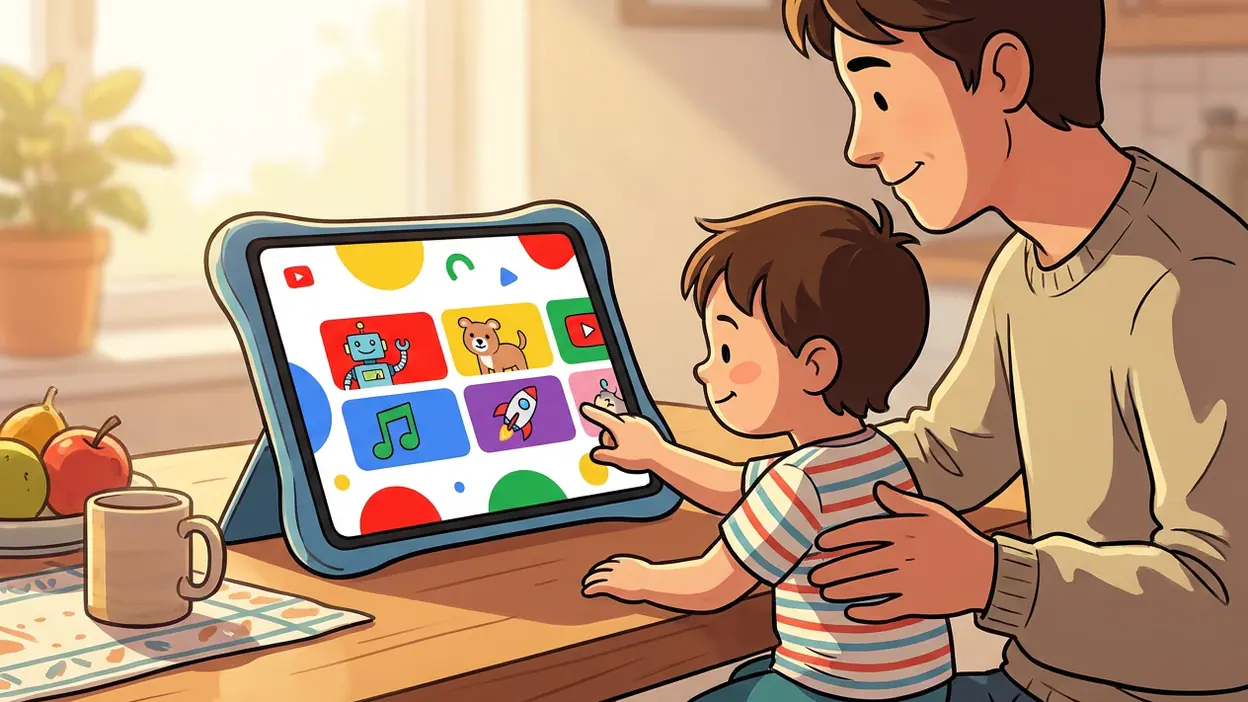
The interface gets the basic hierarchy right. A child should not need to read a dense menu to find a favorite show or a song, and an adult should not have to hunt through the child’s screen to reach controls. Big images, familiar visual cues, and a limited number of obvious routes keep the opening experience approachable. The app feels like it knows who is holding the device, even though the adult remains responsible for setting the boundaries.
There is also a useful difference between easy to explore and easy to supervise. The child-facing side is playful without demanding that every moment become a game. The adult side, by contrast, is functional: profiles and preferences help families tailor the experience, while timers can bring a session to a planned close. These are not dazzling features. They are the sort that matter when a child has asked for one more video and a parent has to decide what “one more” means.
Latest News



Search deserves a special mention because it changes the character of the experience. Leaving it available gives a child more independence, but it also opens a wider route through the catalog. Turning it off can make the app more bounded, though it also limits a child’s ability to find specific interests. Neither choice is universally right. YouTube Kids is strongest when it makes that trade-off a family decision, rather than pretending that a single setting fits every household.
The app’s recommendation system is the less transparent part of the bargain. Suggested videos can help a child move from a known favorite to another appealing clip, but any recommendation system can misread what a viewer wants or serve up something an adult would rather review first. Parents should treat the home screen as a curated starting point, not a guarantee that every next choice will suit their child.
How it earns attention over time
A children’s video app lives or dies by the ordinary repeat visit. The first session may be guided by a parent; the tenth often happens while the adult is busy elsewhere. That is where profiles, viewing settings, and a history of what has played become more than setup chores. They give a family a way to revisit its choices and adjust them as a child’s interests change.
There is no need to turn the app into a complicated household project. A quick check of the available settings, followed by occasional attention to watch history and the child’s actual viewing, goes further than assuming the default experience will always be the right one. A five-year-old fascinated by nursery songs and an older child searching for science experiments do not need identical boundaries. The app can accommodate some of that difference, although it cannot make the judgment on a parent’s behalf.
That limitation is part of what makes the product credible. YouTube Kids does not turn family media choices into a neat checklist with a permanent answer. It provides controls that can reduce friction and make a session more predictable, then leaves adults to notice whether those choices are working. Its long-term usefulness comes from being adjustable, not from claiming to be self-policing.
The best moments in real use
The app is easiest to appreciate in small, unglamorous situations. A child wants a familiar song while a parent prepares breakfast. A family needs a short stretch of calm during travel. A young viewer has a favorite show and can find it without scrolling through an adult’s general-purpose feed. In those moments, a clear child-facing interface can turn a phone or tablet into a tool with a purpose instead of a portal to whatever happens to autoplay next.
It can also be useful when a parent wants to make viewing more deliberate. Choosing a video together, then letting the child navigate within a chosen setup, strikes a better balance than either constant hovering or complete handoff. The app does not dictate that routine, but it supports it. A timer can help signal the end of a session, and a visible history can make it easier to ask what the child has been watching without turning the conversation into an interrogation.
Those moments are not proof that every child should have independent access. They are examples of a narrower, more defensible use: a family has agreed on the settings, the child knows the limits, and the device is being used for a specific stretch of entertainment. That is a far better fit for YouTube Kids than treating it as an unattended babysitter.
Its edge over louder rivals
The app’s advantage is restraint. My Talking Tom makes its appeal through a character who asks for care and attention; 8 Ball Pool builds a repeat loop around competition and quick matches. Those are clear entertainment propositions. YouTube Kids has a less theatrical job: help a child find videos while giving adults more say over the surrounding experience. It does not need to manufacture a streak or a challenge to justify the next visit.
That restraint feels relevant in a media landscape where many products are designed to stretch a session. YouTube Kids can still keep a child watching, and its recommendations are not magically free of the incentives or imperfections of a large video platform. But its parental controls give families more ways to shape the session than a standard entertainment feed typically does. That practical difference is more meaningful than a bright palette or an extra layer of animation.
Compared with Google Play Books & Audiobooks, it serves a different kind of attention: video is visual, immediate, and easier to consume passively, while a book or audiobook can invite a more sustained story. Neither format wins every occasion. The useful point is that YouTube Kids works best as one option in a family’s mix, not as the default answer to every request for entertainment.
Where it still needs polish
Parental controls can create confidence, but they can also create a false sense of certainty. Settings reduce exposure; they do not guarantee that every recommendation, search result, or individual clip will be appropriate. Adults still need to check how the app behaves for their child and make changes when something feels off. That is a real burden, especially for parents who hoped that a children’s app would require no ongoing attention.
The catalog’s breadth is both its strength and its complication. There is a great deal to discover, but abundance can mean uneven quality and an experience that keeps offering another choice. A child who is easily drawn into one video after another may need a clear household stopping point, even if the app’s timer is available. No setting can resolve disagreements about how much screen time is enough.
Nor does the child-friendly presentation erase the fact that this is a video platform. The app is still built around watching, and it cannot replace conversation, play, reading, or sleep. Parents should also check current features and settings on their device, because controls and availability may change over time. The best version of the experience is an actively chosen one, not an assumption that the label “Kids” settles every question.
Who should care most
YouTube Kids is most useful to parents and caregivers who already expect to allow some video viewing and want a more deliberate way to manage it. It suits families with younger children who benefit from a simple interface, as well as households that want separate preferences for different viewers. It can also help grandparents or other caregivers follow a family’s established rules without navigating the full YouTube experience.
It is a weaker fit for families seeking a completely offline activity, a tightly scripted educational curriculum, or a platform that requires no supervision. Parents who prefer not to use recommendation-led video at all will not find a settings menu persuasive enough to change that position. The app is worth considering because it offers useful choices, not because every family ought to make the same choice.
For a household deciding between a familiar video app and a less controlled general feed, the case is straightforward: set up the child’s experience together, make a clear rule about time, and check in on what appears. That combination gets closer to responsible use than relying on a product name to do the work.
Why it belongs in this moment
Children now meet digital media early, often through devices that adults also use for work, navigation, and communication. The practical question is less whether a family will ever use video than how to make that use legible and bounded. YouTube Kids addresses that question with tools families can actually reach: a child-oriented interface, parental settings, search choices, and session limits.
It is not a grand solution to children’s relationship with screens. In fact, its most useful lesson is that no app should be asked to provide one. Families need clear expectations, adults need room to make choices, and children need experiences that fit their age and interests. A product that supports those habits without pretending to replace them deserves attention.
The editorial verdict is positive, with one firm condition: use it as a managed viewing space, not as a hands-off guarantee. YouTube Kids makes children’s video easier to navigate and gives parents meaningful points of control, while leaving the hard questions of content and time where they belong. For families who want a thoughtful middle ground between unrestricted browsing and banning video outright, YouTube Kids earns its place on the device.