Zangi Private Messenger
- 9.42K
- 4.2
- Installs
- 10.00M
- Price
- Free

Screenshots


Analysis by Reviewed
I usually judge a private messenger by what happens when something goes wrong: a contact cannot reach me, a call stutters, or setup takes longer than expected. Zangi Private Messenger is aimed at people who want a focused way to communicate, and it can feel refreshingly uncluttered. Still, privacy claims deserve a careful read, and this app works best when the people you want to contact are willing to use it too.
Where people can get stuck
The first practical hurdle is coordination. A messenger is only useful if your friends, family, or colleagues are available on it, so I would not switch everyone over before checking who is likely to join. Keep your usual messaging option for contacts who do not want another app; Zangi is easier to judge as an additional channel than as an instant replacement for every conversation.
It also helps to separate a connection problem from an app problem. If a message or call does not go through, I would first check whether the phone has a working internet connection, then try again somewhere with a steadier signal. A low-data approach can help when connectivity is limited, but it cannot make a weak or unavailable connection reliable in every situation.
Small setup checks that save time
Before relying on Zangi for an important call, I would install it, complete the setup, and test a message with someone who is already using it. That simple check confirms that both people can reach each other and gives you a chance to get comfortable with the interface before you need it in a hurry. The app is free to install, though it offers in-app purchases; I would review any purchase prompt before deciding whether it is relevant to how I use the app.
For a smoother first day, make sure you know how to find the conversation you need and where to adjust the notification sound. Personalizing a tone can help distinguish a Zangi message from other alerts, but it is worth keeping notifications noticeable if you expect time-sensitive replies. If you are conserving mobile data, try the low-data setting before a trip rather than changing settings midway through a call.
Recovering a conversation or call
If an exchange seems interrupted, I would avoid sending the same message repeatedly straight away. Check the conversation, wait briefly, and then send one clear follow-up if needed. For a call that breaks up, switching to a stronger connection and trying again is a more useful first step than repeatedly redialing from the same weak spot. These habits reduce confusion without assuming that every interruption has the same cause.
A realistic use is keeping in touch with one close contact while traveling: you can arrange a quick call when Wi-Fi or mobile service is available, and use the lower-data option when conserving a plan matters. I would still agree on a backup method for urgent plans. No messenger can help much if either person is offline, has a depleted phone, or cannot receive notifications at that moment.
Getting Started with Zangi Private Messenger
Downloading and setting up Zangi Private Messenger was a breeze. Available on both Android and iOS, it took me just a few minutes to install and verify my number. The app’s interface is clean and intuitive, which is something I always appreciate. I didn’t have to wade through unnecessary features or complicated settings to get started.
Privacy First
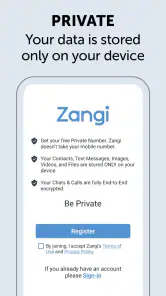
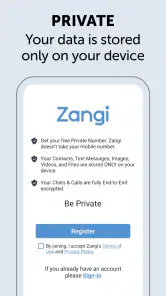
One of the stand-out features of Zangi is its commitment to keeping your data safe. Unlike other messaging platforms that store your data on their servers, Zangi keeps your information solely on your device. This means zero data stored in the cloud, significantly reducing the risk of data breaches. As someone who values privacy, this feature was a major selling point for me.
Smooth Communication
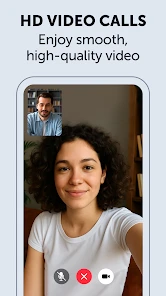
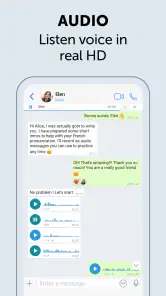
When it comes to messaging, Zangi doesn’t disappoint. I found the voice and video call quality to be excellent, even with a less-than-stellar internet connection. The app uses a unique low-bandwidth architecture to ensure that your calls remain uninterrupted. Plus, the text messaging feature is straightforward, allowing for quick and easy communication.
Customization and Usability
One thing I loved about Zangi is the level of customization it offers. From chat backgrounds to notification tones, you can personalize your experience to suit your style. The user-friendly interface is another highlight. It’s not overloaded with features that you’ll never use, which makes navigation a piece of cake.
Moreover, Zangi doesn’t just focus on privacy; it also aims to save your data. Its "low data usage" mode is perfect for anyone looking to conserve their mobile data without sacrificing communication quality. I found this particularly useful when traveling or when my data plan was running low.
When the app may not be the cause
If setup or calls behave differently from what you expect, I would check the basics before changing several settings at once: confirm the internet connection, make sure the other person is using Zangi, and check that notifications are enabled in the way you prefer. Updating to the current version, 6.3.7, is another sensible maintenance step; the app requires Android 6.0 or later. These checks do not guarantee a fix, but they make it easier to narrow down where the friction is.
Zangi suits someone who values a simpler, privacy-minded communication app and has a few willing contacts. It is less compelling if your whole social circle already relies on another messenger, or if you need one app that everyone will use without discussion. Compared with familiar mainstream alternatives, its appeal is the more focused experience and emphasis on privacy and lower data use; the trade-off is that your experience depends on building a useful contact circle there. It is developed by Secret Phone, Inc, has an average rating of 4.2 from around 211,000 ratings, and has been installed over 10 million times. It is rated for Everyone, so it is broadly accessible, though families should still use their own judgement about communication apps.
Practical verdict
Overall, Zangi Private Messenger impressed me with its robust privacy measures and smooth performance. It’s a superb choice for anyone who values their privacy and wants a reliable messaging app. While it may not have all the bells and whistles of other apps, its focus on security and efficiency makes it a standout option. If privacy is a priority for you, I’d highly recommend giving Zangi a try. It’s a breath of fresh air in the crowded world of messaging apps.
I would approach the privacy angle as a reason to explore Zangi, not as a substitute for checking whether its protections match your personal needs. The app’s stated on-device approach may appeal to people who want to limit cloud storage, but anyone handling highly sensitive work should review the app’s current privacy details and decide whether its safeguards fit their situation. The same caution applies to backups and changing phones: keep important information somewhere you can access safely, and do not assume a new device will automatically bring every conversation along.
The app has been available since November 18, 2014, and its free entry point makes a low-commitment trial possible. I would start with ordinary chats rather than making it the only route for urgent communication. At a glance, the rating and broad adoption suggest many people have tried it, but neither popularity nor a positive average can tell you whether your particular contacts will use it consistently. That is the most important test for a messenger.
My practical recommendation is to try it with one or two people, check how messages and calls fit your routine, and then decide whether it deserves a regular place on your phone. The balance is straightforward: a clean, privacy-focused option with useful data-conscious behavior, alongside the everyday friction of asking others to join and relying on a working connection. If those trade-offs suit you, Zangi is worth considering; if convenience with an already-established group matters more, sticking with the messenger they all use may be the better choice.
Making it useful beyond a one-to-one test
Once a first message and call work, I would give Zangi a small, defined job rather than expecting it to replace every communication habit overnight. For example, a family member who travels often could use it for occasional check-ins with one relative, while a small group could keep it as a quieter channel for conversations they prefer not to mix with work or public social feeds. This makes the adoption question manageable: you are testing whether a particular relationship benefits, not asking an entire contact list to migrate.
That narrow start also helps reveal the trade-off between a clean interface and a broad feature set. If you mainly want straightforward conversations and calls, the focused layout is a plus. If you depend on a larger ecosystem of integrations, group tools, or established work routines in another messenger, switching may create more friction than value. I would compare the app against the habits you already have, not against a checklist of features you may never use.
A practical routine for travel and busy days
For travel, I would agree on the communication plan before leaving: which person will use Zangi with me, when we expect to check in, and what we will use if data or notifications fail. The low-data option can be useful when conserving a mobile plan matters, but it is not a substitute for planning around poor coverage. A message sent during a dead zone may have to wait, and a call can still be affected by the quality of the connection at both ends.
On a busy day, the notification tone can help distinguish incoming messages from other alerts, but customization is most useful when it supports a routine rather than simply adding novelty. I would choose a sound I can recognize without making every notification intrusive, then test it with a contact. If I miss messages, I would check the phone’s notification settings as well as the app’s, since a preference inside the messenger cannot necessarily override how the device handles alerts.
Choosing the right people and expectations
Zangi is a more natural fit for people who can invite a few trusted contacts and keep expectations realistic. It may suit relatives who want a direct way to call, or friends who are comfortable keeping a second communication app for a specific purpose. It is a weaker match for someone who needs every colleague, customer, or casual acquaintance to be reachable immediately, because the value of any messenger depends on whether those people are there and checking it.
I would also avoid treating a privacy-oriented design as a complete answer to every security question. Someone choosing a messenger for ordinary personal chats may find the approach appealing; someone discussing sensitive professional or personal matters should take time to assess the current privacy details and their own device practices. A private-feeling interface is not the same thing as a guarantee that every possible risk has disappeared.
What the free start does—and does not—settle
The free starting point makes it easier to test whether the app fits your routine without committing to a paid download. In-app purchases range from $1.49 to $59.99 per item, so I would pause at a purchase prompt and consider whether the item addresses something I actually need. A messenger’s basic usefulness should be clear from trying a normal conversation with someone; I would not buy anything simply because a prompt appears during setup.
For someone comparing options, Zangi’s strongest case is a focused communication experience with an emphasis on privacy and conserving data. A mainstream messenger your contacts already use may be more convenient for everyday coordination, while a tool with more collaboration features may be preferable for organized work. I would choose based on the people I need to reach and the tasks I expect to do, rather than assuming one app must cover every situation.
My final recommendation
My recommendation is to treat Zangi as a purposeful addition, not an automatic replacement. Start with one willing contact, test a normal message and call, adjust notifications, and try the data-conscious setting before a moment when you genuinely need it. If that small trial feels natural and the app’s privacy approach suits your expectations, it can earn a place on your phone. If the people you need are already settled elsewhere, or if you need a highly connected group workflow, the familiar alternative may simply serve you better.
Zangi Private Messenger Frequently Asked Questions
Can I use Zangi Private Messenger without paying?
Zangi Private Messenger is free to download, so you can try it without an upfront purchase. The app also offers in-app purchases, with prices ranging from $1.49 to $59.99 per item. If you are considering a paid option, review its details and price in the app store before confirming. That lets you decide whether the free experience meets your needs or an optional purchase is worthwhile.
Will Zangi Private Messenger work on my Android device?
Zangi Private Messenger requires Android 6.0 or later. Before downloading, check your device’s Android version in its settings and compare it with that minimum requirement. If your device meets it, you can proceed to the app store and check compatibility there as well. The app is free to download, though optional in-app purchases are available if you choose to buy something.
Who makes Zangi Private Messenger, and what kind of app is it?
Zangi Private Messenger is a communication app developed by Secret Phone, Inc. Its store summary emphasizes privacy, anonymity, and fast communication, so it may appeal to people looking for an alternative to more familiar messaging services. The app is free to download, and its content rating is Everyone. As with any messenger, consider whether its features and approach suit the people you want to contact before installing it.
What is Zangi Private Messenger and how does it ensure privacy?
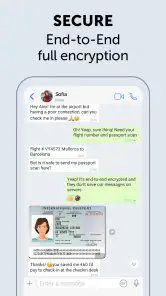
Zangi Private Messenger is a secure messaging app designed to provide users with a private communication experience. It ensures privacy by employing end-to-end encryption, meaning only the sender and receiver can read the messages. Additionally, Zangi doesn't store your communication history on its servers, reducing the risk of data breaches. Users can enjoy private chats, voice calls, and video calls without worrying about unwanted surveillance.
Is Zangi Private Messenger free to use?
Yes, Zangi Private Messenger is free to download and use. While the app offers its core messaging, voice, and video calling features for free, users can choose to purchase additional features or services if needed. The app does not display ads, ensuring a clean and uninterrupted user experience. This makes it an attractive choice for users looking for a cost-effective and private communication solution. In-app purchases are available, so check the purchase details in your app store before buying anything.
Pros
- Excellent privacy features.
- No phone number needed.
- Fast message delivery.
- Low data consumption.
- User-friendly interface.
Cons
- Limited user base.
- Occasional connection issues.
- No desktop version.
- Less known than competitors.
- Fewer features than some apps.

- Category
- Communication
- Version
- 6.3.7











