Yango: taxi, food, delivery
- 2.08K
- 4.8
- Installs
- 50.00M
- Price
- Free

Screenshots


Analysis by Reviewed
For a first trip with Yango: taxi, food, delivery, I’d keep the goal simple: enter a destination, choose a clear pickup point, and see whether the ride option shown fits the journey. That first low-pressure booking is a better test than relying on any cab app for a tight connection or an important appointment. Yango is a free Maps & Navigation app from Y Hub Zaf, rated for Everyone, and its 4.8 average across around 2.8 million ratings suggests it has found a large audience. Still, the experience that matters to me is whether it makes my particular trip easier.
What to expect from a ride-booking app
I would approach Yango as a practical booking tool, not a promise that a car will always be immediately available or that every trip will cost less than other options. A request still depends on local driver availability, traffic, and the pickup point you choose. Compared with waving down a taxi, booking in an app can make the pickup easier to coordinate; compared with public transport, it offers a more direct trip but may be less suitable when cost is the main concern. I find it most useful as one option in a travel routine, alongside walking, transit, or a traditional cab.
That distinction helps set expectations: installing the app does not settle whether it is the best transport choice for every outing. I use it when door-to-door convenience has real value, such as when I’m carrying something awkward or travelling somewhere I don’t know well. If my destination is close and easy to reach on foot, I’d probably skip booking and walk. For a regular route with dependable transit, I’d compare the time and cost before choosing a car.
Getting Started with Yango
Downloading and setting up the app was a breeze. Within minutes, I was ready to explore the city with just a few taps on my phone. The user interface is incredibly intuitive, making it super easy for anyone to navigate. I appreciated how the app quickly linked to my payment methods, ensuring I was all set for my first ride without any hiccups.
Before the first booking
My practical advice for a newcomer is to install and look through the booking flow before a journey becomes urgent. Check that the destination is written correctly, consider where a car can safely stop, and review the payment choices presented for that trip. A familiar, non-time-critical journey is a useful first test because it lets you learn the basic steps without a meeting or connection depending on everything going perfectly.
It is also worth thinking about the phone itself. A booking is most helpful when you can see updates and reach the driver if coordination is needed, so I would start with enough battery and keep the device accessible while waiting. That is not a special trick; it is a small habit that prevents the avoidable stress of searching through a bag at the curb.
Make the first request count
For a first booking, I’d choose a familiar destination and take a moment to check the pickup point before confirming. The pin matters: a car sent to the wrong entrance can turn a simple ride into a round of calls and messages. If I’m leaving a large building, I pick a clear curb or main entrance rather than a vague spot inside the complex. I also keep my phone accessible after booking so I can notice updates and find the driver without rushing.
More From Our News Desk

Weather by Xiaomi Review: Clear at a Glance, Less Clear Up Close

X Under Pressure: Can It Recover When Posting Goes Wrong?

Clash of Clans Is Won Between the Battles

Android Auto Makes the Case for Quieter Car Software

MobiOffice: Transforming Mobile Productivity with Seamless Integration

EA SPORTS FC™ Mobile Soccer: Redefining Mobile Sports Gaming
Once the car is assigned, I treat the pickup as a meeting between two people, not just a moving dot on a map. If the entrance is crowded, I stay somewhere visible and safe, then use the available trip updates to coordinate. I also check that the arriving vehicle matches the booking details before getting in. Tracking can help narrow down where to look, but attention at the pickup still matters.
Features That Stand Out
One of the features that really caught my eye was the real-time tracking. As someone who values punctuality, knowing exactly where my ride is at any given moment is a massive plus. The app provides detailed updates, making it simple to plan your day around your commute. Plus, the fare estimator is a lifesaver, giving you an accurate idea of your trip cost before you even step foot in the car.
I find the estimate most useful as a decision point rather than a promise that removes every uncertainty. I look at it alongside the route, the time of day, and how much flexibility I have. If the trip is optional, an estimate that does not suit my budget is a good reason to compare alternatives before confirming. If it is essential, I still leave room for traffic or a change in plans rather than assuming the displayed figure settles the whole journey.
Another standout feature is the variety of ride options. Whether you need a quick solo ride or a larger vehicle for group travel, Yango has you covered. I found this particularly useful during the weekend when I wanted to hang out with friends without worrying about parking or designated drivers.
Small habits that make pickups smoother
For an everyday example, imagine leaving work in the rain with a laptop bag and a fixed appointment across town. I’d enter the destination before walking outside, check the displayed trip estimate, then wait at a recognizable pickup point instead of trying to intercept the car on a busy road. That simple sequence reduces guesswork. If the route or estimate looks unsuitable, I can pause before confirming and compare with a bus, train, or another taxi option rather than treating the first quote as the only choice.
For a group outing, I’d agree on one pickup location with friends before ordering. A nearby side street can be easier for a driver to reach than a crowded venue entrance, and it avoids several people trying to describe different corners. On the other hand, if everyone is travelling in opposite directions or needs a different arrival time, splitting into separate plans may be less awkward than assuming one car will solve the whole evening.
A less obvious trade-off with group travel is that choosing a larger vehicle, if one is offered for the trip, does not automatically make a shared booking the simplest plan. Everyone needs to reach the same pickup point and be ready around the same time. I would agree on those details first, then check the available option and its estimate. If people are scattered across a venue or need to leave at different times, separate rides or transit may be easier to coordinate.
Common points of confusion
A displayed estimate is a planning aid, not a reason to ignore the route or pickup details. I check that the destination is the right branch or entrance, especially for places with several locations, and I avoid placing the pin where a vehicle cannot reasonably stop. If a pickup feels unclear, moving to a safer, more visible meeting point can be better than waiting at the original spot. Tracking helps me coordinate, but it does not remove the need to stay alert and confirm I’m getting into the intended car.
Another decision is whether to pay through the app or use whatever payment arrangement is available for the trip. I would review the choices shown during booking instead of assuming every method works in every situation. Anyone who prefers cash-only trips, dislikes handling bookings on a phone, or needs a guaranteed vehicle at a precise time may be happier arranging transport another way. For an airport run or an important appointment, I’d leave a buffer rather than build my schedule around an optimistic pickup.
First-time users may also wonder whether every service suggested by the app’s name will be available where they are. I would check the choices visible in my own location rather than planning around a service I have not confirmed in the app. The same cautious approach applies to payment and ride types: make the decision from the options presented for the actual trip, not from assumptions carried over from another city or another booking.
Why Choose Yango?
The real question is, why not? With its competitive pricing, exceptional service, and user-friendly interface, Yango is a no-brainer for anyone looking to elevate their commuting experience. From the courteous drivers to the top-notch customer service, every aspect of the app is designed with the user in mind.
Yango also takes safety very seriously, which is always a big concern for me. The app includes safety features such as driver profiles and ride-sharing options, allowing you to share your trip details with friends and family. This not only adds an extra layer of security but also peace of mind.
I’d use those tools as part of ordinary travel awareness, not as a substitute for it. Sharing trip details can be reassuring when someone is expecting me, and seeing a driver profile can help me check that I have the right ride. I still choose a sensible pickup place and verify the car before entering. That balance feels more useful than treating any app feature as a guarantee that every situation will go smoothly.
Who it suits, and when I’d choose something else
I see Yango working best for people who want an on-demand cab for routine city trips, occasional late departures, or journeys where carrying shopping makes transit inconvenient. It can also help visitors who are more comfortable entering a destination than negotiating directions aloud. Its over 50 million installs and more than 1,800 reviews point to a widely used service, but popularity cannot guarantee the same choice of rides or experience in every place.
If I’m travelling a short distance in a walkable area, walking may be simpler. For a predictable commute on a well-served route, public transport can be easier to budget and avoid traffic. If I need a vehicle arranged well ahead or have a special accessibility requirement, I would check that the specific need can be met before relying on an app booking. The sensible comparison is not “which service is always best?” but “which option fits this trip, at this time, from this pickup point?”
Against the usual alternatives, Yango’s advantage is the convenience of arranging a cab from a phone and following the pickup, while a street taxi may be more direct when one is already waiting nearby. Transit is often the better fit when a route is predictable and keeping the journey inexpensive matters more than a door-to-door ride. I would keep more than one option in mind: an app booking is most useful when its convenience outweighs waiting, traffic, and the estimated fare.
I would also be cautious about recommending it as the only plan for anyone whose journey depends on a precise arrival time. Driver availability and road conditions are part of the equation, so a time-critical trip deserves a backup and a realistic buffer. For a traveler who needs a particular vehicle arrangement, has an accessibility need, or strongly prefers not to use a phone while arranging transport, checking another option in advance is the more considerate advice.
Version, expectations, and next steps
The current version is 5.57.0, and the app supports Android 9 or later. I’d check compatibility before installing on an older device, then make one low-pressure trip to learn the booking flow before depending on it for a time-sensitive journey. Yango is free, but that does not mean rides themselves are free; I review the trip details shown before placing an order and decide whether the quoted option suits my budget.
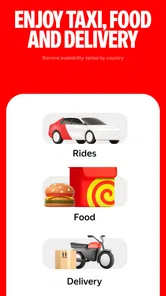
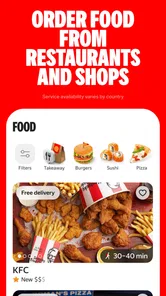
The app’s name includes food and delivery, but my recommendation here is based on its role as a taxi-booking app; I would look at the options actually shown in my location before counting on other services. That is a useful first-time check, since availability and choices can vary with where I am. Once I know how the pickup pin, estimate, and driver updates work, I can make a more informed choice on later trips rather than learning the basics while standing in a hurry.
After a successful first ride, I would keep the same routine for a while: check the destination, inspect the pickup point, review the trip estimate, and leave time for the car to reach me. That gives me a grounded sense of whether the app suits my own routes. A smooth booking on one familiar journey is a useful start, but I would still reassess for a different neighborhood, a busy event, or a trip with a stricter schedule.
Yango was released on October 4, 2018, and its current version is 5.57.0. Those details are less important to a ride than whether the app runs on my phone and shows a suitable option, but they can help someone check compatibility before installing. On Android, the minimum supported operating system is 9. The app costs nothing to install, while each ride is a separate decision whose displayed details I review before placing an order.
Final Thoughts
In a world where convenience is key, Yango hits the mark perfectly. It's more than just a ride; it's a reliable, enjoyable experience that I can trust every time I need to get somewhere. Whether you're a daily commuter or just need a ride occasionally, I highly recommend giving Yango a try. Who knew commuting could be this easy and enjoyable?
Yango: taxi, food, delivery Frequently Asked Questions
Does Yango require an account, and what information should I have ready before using it?
To book a ride through Yango, you’ll need to download the app and create an account. It also helps to have your pickup and destination details ready so you can enter them when requesting a ride. The app uses your location as part of arranging a trip, and the available services and booking options can vary depending on where you are.
Can I use Yango if I am traveling or visiting a new city?
Yango may be useful when you are away from home, but whether you can book a ride depends on whether the service operates in your location. Open the app and enter your location to see if ride-hailing is available there. This is a practical check to make before relying on Yango for transportation during a trip, since coverage is not the same everywhere.
Can I use Yango for anything besides booking a taxi?
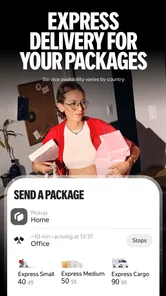
Yango is presented as an app for taxi rides, food, and delivery, so it may be useful for more than getting from one place to another. The exact options you see depend on the service available where you are. Its store summary focuses on ordering a cab online, while the app’s broader name also points to food and delivery services.
What is Yango and how does it differ from a traditional taxi service?
Yango is a ride-hailing app that connects users with private drivers, offering a convenient and efficient alternative to traditional taxi services. Unlike conventional taxis, Yango allows users to book rides through its app, track their driver’s location, and pay electronically. It often provides more competitive pricing, an intuitive app interface, and additional features such as ride history and driver ratings.
How do I book a ride using the Yango app?
Booking a ride with Yango is simple and user-friendly. First, download the app and create an account. Then, enter your pickup and drop-off locations in the app, and Yango will display an estimated fare. Confirm your ride request, and the app will connect you with a nearby driver. You can track the driver's arrival and receive real-time updates about your ride.
Pros
- Affordable pricing compared to traditional taxis.
- User-friendly interface and easy navigation.
- Multiple payment options available.
- Offers ride-tracking for safety.
- Wide availability in various cities.
Cons
- Limited availability in rural areas.
- Occasional surge pricing during peak hours.
- No option for luxury vehicles.
- Limited customer support channels.
- App may crash on older devices.











