XBrowser - Mini & Super fast
- 1.44K
- 4.5
- Installs
- 10.00M
- Price
- Free

Screenshots

Analysis by Reviewed
Have you ever found yourself staring at your phone, waiting for a webpage to load, and all you can think is, "There has to be a better way?" Well, let me introduce you to XBrowser - Mini & Super fast. As the name suggests, this little powerhouse is all about speed and efficiency, but it also packs a punch in terms of features and usability.
Lightning-fast Browsing
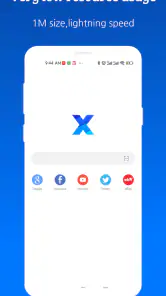
When I first downloaded XBrowser, I was skeptical. I mean, how much faster can it really be compared to the big names out there? But boy, was I in for a surprise. The moment I launched the app, I was greeted with a minimalist interface that was refreshingly uncluttered. No unnecessary frills, just pure speed. Pages loaded almost instantaneously, and I found myself zipping through my favorite websites like never before. It’s like they’ve somehow managed to stick a turbocharger into this app!
Privacy and Security
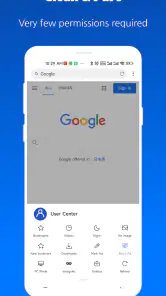
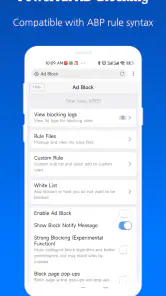
Another standout feature for me was its focus on privacy and security. In today's world, it feels like our every move online is being tracked. However, XBrowser offers a slew of privacy options that are usually reserved for premium browsers. With features like ad-blocking, anti-tracking, and even incognito mode, it's like having a personal bodyguard while you surf the web. You can browse with peace of mind, knowing your data isn't being hawked to the highest bidder.
Customization Galore
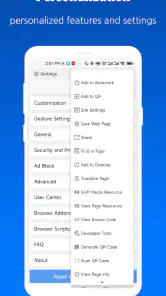
Okay, so it’s fast and secure, but what about personalization? XBrowser has this covered too. From customizable themes to gesture controls, you can tweak and tune the browser to fit your personal style. I had a blast experimenting with different themes, and the gesture controls make navigation feel intuitive and seamless. It’s like the app just gets me, you know?
Lightweight Champion
Despite being packed with features, XBrowser manages to keep a low profile in terms of size. It's incredibly lightweight, which means it won’t hog your device's resources. This is a huge plus for those of us with older phones or limited storage space. You get all the benefits of a top-tier browser without the bloat. It’s like having your cake and eating it too!
In conclusion, if you’re in the market for a browser that’s fast, secure, and customizable, XBrowser - Mini & Super fast might just be the app you’ve been searching for. It’s a breath of fresh air in the crowded world of mobile browsers, offering a smooth and efficient experience that’s hard to beat. So, why not give it a whirl? You might just find yourself wondering how you ever browsed without it.
Pros
- Super lightweight
- consuming minimal storage.
- Blazing fast loading speed for web pages.
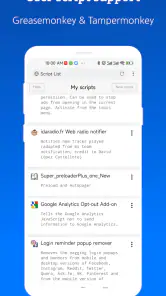
- Supports various extensions for customization.
- Ad-blocking feature enhances browsing experience.
- Privacy-focused with no background processes.
Cons
- Limited user interface customization options.
- Lacks certain advanced browser features.
- Occasional issues with page rendering.
- Doesn't support all popular web extensions.
- No built-in password manager feature.

- Category
- Communication
- Version
- 5.5.1











