Weather Radar: Forecast & Maps
- 7.43K
- 4.4
- Installs
- 5.00M
- Price
- Free
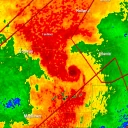
Screenshots
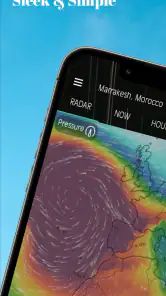
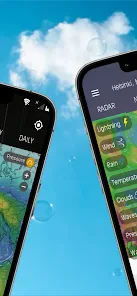
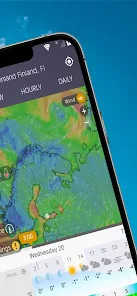
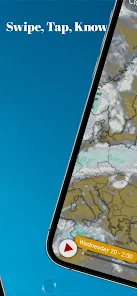
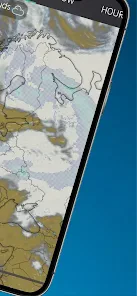
Analysis by Reviewed
I judge a weather app by whether it helps me make a better decision, not by how many layers it puts on a map. Weather Radar: Forecast & Maps is built for people who want to look beyond a temperature and see how conditions are developing around them. Its radar-first approach can make a rainy commute or an uncertain afternoon easier to plan, though it asks for a little more attention than a stripped-down forecast. I find that trade-off worthwhile when the weather is likely to change my plans.
A Useful Routine for Uncertain Days
My most practical use is checking the map before I commit to a plan, then looking again closer to the time I leave. If I have a walk, a school pickup, or errands on foot, I can use the broader pattern to decide whether to go now or wait. For a drive, I would check the destination as well as home: a clear sky where I am does not tell me what conditions may be like farther along the route.
On a day when showers are passing through, I would not treat a single snapshot as a promise that the next hour will stay dry. I would compare the map with the hourly forecast and check again before setting off. That habit is especially useful when rain is patchy: the map gives visual context, while the forecast helps me think about timing. Neither view removes uncertainty, but together they make the decision less of a guess.
What the Map Can and Cannot Tell Me
A radar view is most helpful when I want to understand the shape and movement of nearby weather, rather than just read a symbol. I start zoomed out to see whether a wider area is affected, then zoom closer if I need to judge what is happening near my neighborhood. Looking at the pattern before focusing on one spot is a simple way to avoid mistaking a small gap for a reliable all-clear.
For plans much later in the day, I use future radar as a broad guide rather than a precise appointment calendar. It can help me consider whether a weather system may be relevant to an outing, but I would revisit the outlook as the time approaches. The more important the decision, the less I would want to rely on one early glance. That restraint makes the visual forecast more useful, not less.
First Impressions: A User-Friendly Experience
From the moment I downloaded Weather Radar: Forecast & Maps, I was struck by its sleek and intuitive design. The interface is clean, which makes navigating through the app a breeze. You don’t have to be a meteorologist to understand what’s going on. The real-time radar is super responsive, and you can zoom in and out to check out weather patterns in your area or even halfway across the globe. It’s like having a personal weather station right in your pocket!
Features That Stand Out
Let’s talk features, because this app is packed with them. The radar maps are detailed and updated frequently, so you’re always in the know. I love the hourly and daily forecasts, which help in planning my day or week. The app also offers severe weather alerts, ensuring that you’re never caught off guard by an unexpected storm.
More From Our News Desk

Weather by Xiaomi Review: Clear at a Glance, Less Clear Up Close

X Under Pressure: Can It Recover When Posting Goes Wrong?

Clash of Clans Is Won Between the Battles

Android Auto Makes the Case for Quieter Car Software

MobiOffice: Transforming Mobile Productivity with Seamless Integration

EA SPORTS FC™ Mobile Soccer: Redefining Mobile Sports Gaming
One of the coolest features, in my opinion, is the future radar. It’s like peering into a crystal ball that shows you weather patterns up to a few days in advance. Talk about planning ahead! Whether you’re checking for rain on your morning commute or planning a weekend getaway, this feature is a game-changer.
Turning Forecasts Into Practical Decisions
One workflow I find particularly useful is to set a decision point instead of repeatedly checking the app without a purpose. For example, if I am deciding whether to take a coat on an evening walk, I can check the hourly outlook before leaving, then use the radar to see whether precipitation is already nearby. If conditions are unsettled, I can check once more before heading out. This avoids treating every map refresh as new certainty while still making the app useful in the moment.
For a weekend outing, I would check both the route and the destination, then focus on the period when I expect to be outdoors rather than letting a broad daily icon make the decision for me. If the plan is flexible, the forecast can help me choose between an earlier and later start. If it is not flexible, the alert feature becomes more relevant as a heads-up, but I would still use official warnings for serious weather. That distinction matters: an app can help me notice a change without replacing safety guidance.
The same approach works for people coordinating with others. If I am meeting someone outside, I can use the forecast to choose a time and share a clear plan, rather than relying on a vague “it might rain” impression. The app is most valuable when I use its different views to answer a specific question: what is happening nearby, when might conditions matter, and should I adjust what I am doing?
Reading the Map With a Little Caution
One useful way to get more from the map is to zoom out before zooming in. A wider view can show whether a band of precipitation is moving toward your area or whether the weather is scattered, while a closer look helps with immediate local decisions. I would use future radar to consider the broad direction of a system, not to treat a precise future position as certain. The further ahead I am planning, the more sensible it is to check again later.
That distinction matters because radar and forecasts answer different questions. A radar image is helpful for understanding the pattern around me now, but it cannot make a changing forecast exact. If the decision is important—such as whether to postpone an outdoor event—I would compare the map with the hourly outlook and keep alerts available rather than making a call from one screen. This is a small extra step, but it keeps the app’s visual confidence from becoming overconfidence.
Where Its Strengths Matter Most
The strongest case for this app is a routine where weather has practical consequences. Someone who walks or cycles to work may care about a passing shower more than a broad daily summary suggests. A parent arranging time at a playground may want to check the likely timing before leaving. Someone planning a day trip can look at conditions beyond their immediate location. In each case, radar adds context to the forecast rather than merely decorating it.
There is also value in using the map to plan around uncertainty without pretending to eliminate it. If a morning looks unsettled, I might move an outdoor errand earlier, bring a waterproof layer, or choose a more flexible activity. Those are modest decisions, but they are exactly where a weather app earns its place. I would not expect the app to tell me with certainty which minute a shower will arrive; I would expect it to help me make a sensible plan and be ready to adjust it.
Why It’s Worth Your Time
Now, let’s get real. A lot of weather apps promise accuracy and reliability, but not all deliver. With Weather Radar: Forecast & Maps, I’ve found the forecasts to be spot on. The app sources its data from trusted meteorological services, which means you can count on it when you need it most.
Another thing I appreciate is how the app doesn’t bombard you with ads. Sure, there are a few here and there, but they’re not intrusive. It’s refreshing to have an app that respects your browsing experience.
How It Fits Beside Other Weather Apps
Compared with the weather app that comes with a phone, this one makes radar the centre of the experience rather than leaving it as a secondary extra. That suits someone who wants to inspect changing conditions, not just read a temperature and a short summary. A simpler forecast app may still be quicker for a one-second check, and people who prefer a highly minimal screen may find a map-focused layout more than they need. I see this as a useful companion when weather affects a decision, rather than a reason to abandon every other source.
Its position between a basic forecast and a specialist weather tool is a useful way to think about it. The built-in app is often enough when I only want to know whether it will be warm or wet; a map-focused option makes more sense when I want to follow a developing pattern. People who need professional-level interpretation or rely on weather for safety-critical work should use appropriate authoritative sources as well. For everyday planning, this app’s combination of maps, forecasts, and alerts is a more informative middle ground than a single daily icon.
The app is free to install, though in-app purchases are available, listed from $0.99 to $19.99 per item. I would start with the free experience and decide whether any paid option is worthwhile only after seeing how often I actually use the extra tools. Weather Radar: Forecast & Maps is made by SmarTeam, is rated for Everyone, and has an average rating of 4.4 from around 154,000 ratings. Its 5 million-plus installs suggest it has found a sizable audience, but popularity alone would not settle whether its map-first approach fits your routine.
What to Consider Before Relying on Alerts
Alerts are most useful when they serve as a prompt, not as the entire plan. I would enable the kinds of warnings that matter to my routine and pay attention when one arrives, while continuing to check official sources if severe conditions are possible. A notification can be easy to miss or arrive when I am busy, so I would not assume that having the app installed means I am automatically prepared.
There is a trade-off in keeping alerts active: they can bring important changes to my attention, but frequent notifications can become noise if I do not need them. I would take a moment to decide how much weather interruption is genuinely useful, then keep the app available for deliberate checks. That balance is better than either ignoring alerts altogether or letting every notification dictate a change of plans.
Who Will Get the Most From It
I would recommend it most to people who regularly plan around outdoor conditions: commuters on foot or by bike, parents arranging time outside, and anyone who wants to watch a storm’s broad approach. It is also handy for a weekend outing where checking the destination and the route matters more than seeing a single local summary. The app’s current version is 11.1.3, and it supports devices running Android 7.1 or later, so the minimum system requirement is worth checking before installing.
It may also suit people who enjoy understanding how weather is changing, even when they do not have a major trip to plan. Looking at a wider map can make it easier to see why conditions in one place differ from those nearby. But I would skip it if I rarely open weather apps, dislike map-heavy screens, or want only a glanceable temperature. In those cases, the extra detail may add friction rather than value, and a phone’s basic weather display is likely the more convenient choice.
A common question is whether I would use it for a day when the forecast matters but plans are not fixed. Yes: I would use the hourly view to choose a likely window, then check the radar shortly before leaving and keep an alternative in mind. For a major event or potentially dangerous conditions, I would not let one app make the call. Its role is to make everyday decisions better informed, not to promise certainty.
Another practical consideration is whether the paid options are necessary. I would not assume they are: the app is free to install, and the sensible approach is to try the tools I actually use before spending on anything extra. If the standard experience already covers my routine, there is no reason to buy more simply because an option is available. That makes the app easier to evaluate on its real usefulness rather than on a list of possible extras.
The age rating is Everyone, and the app has been available since May 5, 2020. Those details make it straightforward to assess basic suitability and how long it has been on the market, while the more important question for me remains whether I will use its maps and forecasts regularly. A long feature list matters less than whether the app answers the questions I actually ask before going outside.
Final Thoughts
So, is Weather Radar: Forecast & Maps worth the download? Absolutely! Whether you’re a weather enthusiast or just someone looking to stay dry, this app has got you covered. It’s user-friendly, packed with features, and most importantly, it’s reliable. Next time you’re wondering if you need an umbrella, just check the app and you’ll be good to go.
In a world where weather can be unpredictable, having Weather Radar: Forecast & Maps is like having a little superpower in your pocket. Go ahead, give it a try, and never let the weather take you by surprise again!
My recommendation is strongest for anyone whose day involves walking, cycling, outdoor plans, or changing conditions along a route. I would start with the free version, make a habit of checking the forecast alongside the radar, and decide after a few real outings whether the map-first style suits me. If all I need is a quick temperature check, I would keep using a simpler option. If I want context before committing to plans, this is a useful weather app to have on hand.
Weather Radar: Forecast & Maps Frequently Asked Questions
Is Weather Radar: Forecast & Maps available for iOS as well as Android?
Before downloading, check that you are choosing the version intended for your device. The app is listed for Android devices running version 7.1 or later, and its weather tools are presented as a mobile app for checking forecasts, maps, radar, and alerts. If you use an iPhone or iPad, confirm availability in the relevant app store before proceeding.
What does Weather Radar: Forecast & Maps focus on?
Weather Radar: Forecast & Maps is a weather app from SmarTeam built around live hyperlocal forecasts, weather maps, a storm tracker, alerts, and radar. That combination may suit people who want more than a simple temperature check, particularly when they want to inspect changing conditions visually. Its short description is simply “Weather Radar,” which reflects the app’s central purpose.
Is Weather Radar: Forecast & Maps suitable for everyday use?
Yes. Weather Radar: Forecast & Maps is a weather app designed to bring forecasts, radar imagery, maps, and alerts together, so it can help with everyday planning as well as keeping an eye on changing conditions. Its audience is rated Everyone, making it suitable for general use. Whether you want a quick forecast or a closer look at weather patterns, the app offers several ways to check.
What features does Weather Radar: Forecast & Maps offer?
Weather Radar: Forecast & Maps provides real-time radar images, detailed weather forecasts, and interactive maps. Users can get hourly, daily, and weekly forecasts, along with severe weather alerts. The app also offers customizable layers for radar maps, including precipitation, temperature, wind speed, and more, making it a comprehensive tool for weather tracking.
Is Weather Radar: Forecast & Maps free to use?
Weather Radar: Forecast & Maps is available as a free download with basic features, but it also offers in-app purchases ranging from $0.99 to $19.99 per item. Check the options shown in the app before purchasing so you can decide whether any paid extras suit your needs. The free download makes it possible to try the app before deciding whether to spend money.
Pros
- Accurate weather forecasts.
- Interactive radar maps.
- Customizable alerts.
- User-friendly interface.
- Detailed weather insights.
Cons
- Ads can be intrusive.
- Requires internet connection.
- Premium features are paid.
- Occasional loading delays.
- Limited offline functionality.
- Category
- Weather
- Version
- 11.1.3











