VSee Clinic for Patient
- 469.00
- 4.6
- Installs
- 500.00K
- Price
- Free

Screenshots


Analysis by Reviewed
Have you ever found yourself in a situation where you need to see a doctor, but getting to the clinic seems like an impossible task? Well, that’s where VSee Clinic for Patient swoops in to save the day! This app is like having a mini medical center right in your pocket. Let me take you through my experience using this super handy app.
Your Virtual Doctor’s Office
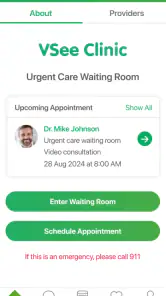
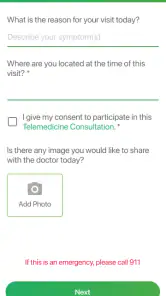
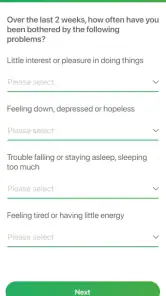
When I first downloaded VSee Clinic for Patient, I was immediately impressed by how user-friendly it is. The interface is clean and intuitive, which is a huge plus because, let's be honest, nobody wants to deal with a complicated app when they’re not feeling their best. With just a few taps, I was able to set up an account and find a healthcare provider that suited my needs. Whether you need a quick consultation or a more in-depth discussion about your health, this app has got you covered.
Booking Appointments Made Easy
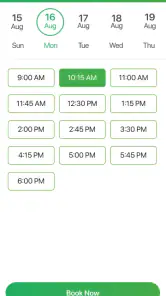
One of the standout features is how simple it is to book appointments. Forget about waiting on hold or navigating through clunky websites. With VSee, you select your doctor, choose a time slot, and bam! You're all set. I really appreciated the flexibility of being able to schedule appointments outside of traditional office hours. It's perfect for those of us with busy lifestyles.
Video Consultations
The video consultation feature is the real showstopper here. It’s just as if you’re sitting across from your doctor in their office, minus the awkward waiting room small talk. The video quality is top-notch, and I found that there was minimal lag or connection issues. This feature is especially beneficial during times when in-person visits aren’t an option.
Secure and Confidential
Of course, when dealing with medical information, security is a major concern. VSee Clinic doesn’t mess around when it comes to protecting your data. They use end-to-end encryption to ensure that your consultations and information remain private. Knowing that my health information is secure gives me peace of mind.
In conclusion, VSee Clinic for Patient is a game-changer in the world of telemedicine. It’s an incredibly convenient tool for anyone who needs accessible healthcare without the hassle of traditional appointments. Whether you're tech-savvy or a bit of a novice, this app is designed to make your life easier. So next time you're feeling under the weather but can't make it to the doctor, give VSee a try. Trust me, you’ll be glad you did!
Pros
- Easy-to-use interface for all ages.
- Secure video calls with doctors.
- Connects to a wide network of specialists.
- Allows sharing of medical documents easily.
- Supports high-quality video streaming.
Cons
- Requires stable internet connection.
- Limited functionality in free version.
- Some users report occasional app crashes.
- Appointment availability may vary.
- Limited customer support options.

- Category
- Medical
- Version
- 1.31.1-2151218-56061c7