Voices: Change Your Voice
- 1.32K
- 4.1
- Installs
- 5.00M
- Price
- Free

Screenshots
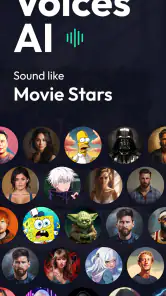
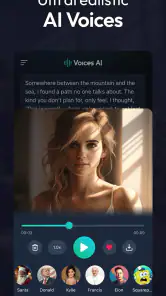
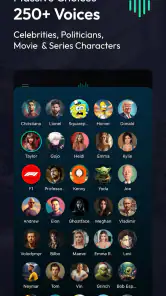


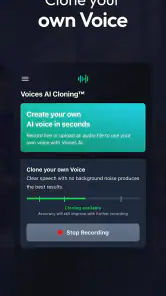
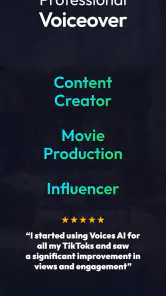
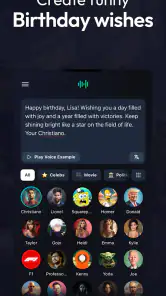
Analysis by Reviewed
I tend to reach for a voice-changing app when I already have a small idea in mind: a silly message for a friend, a character voice for a short clip, or a quick audio experiment. Voices: Change Your Voice is built for that kind of playful starting point. It gives you effects to try without requiring audio-editing experience, though the fun comes from testing and choosing rather than expecting every result to sound convincing.
Pick a moment that suits a short clip
The app makes the most sense when the audio has one clear purpose and does not need much editing afterward. A greeting, a brief character line, or a playful response can all benefit from a change in tone without turning into a larger production. I would not begin by planning a long monologue; short material is easier to test, easier to share, and less likely to become tiring if an effect makes the words hard to follow.
That also helps answer who will enjoy it most. If you like experimenting with sound, making casual social clips, or adding a little surprise to a message, the low-pressure format is appealing. If you need dependable dialogue for a lesson, a work presentation, or a polished series, I would start with a conventional recorder or a dedicated audio editor instead. The important distinction is whether you want a quick creative treatment or a repeatable production process.
Start with a short recording, not a whole project
My most useful approach is to record one brief line first, then audition effects on that same bit of speech. A short sample makes it easier to compare tones and notice whether the words remain understandable. It also saves time: if an effect makes your voice muddy or difficult to recognize, you can move on before recording a longer passage.
That workflow suits a quick everyday scenario. I might record a birthday greeting, try a couple of character-like treatments, and keep the version that still makes the message clear. If I want to share it, I can save the clip to my device or send it onward through social media. The app is therefore more useful as a fast idea-to-audio tool than as a place to manage a large library of finished work.
Make the effect serve the message
A useful test is to play the same line in a quiet room and at ordinary phone-speaker volume. If the joke or greeting only works when listened to closely with headphones, I would pick a clearer treatment. That small check is more valuable than trying every option: it helps me decide whether the effect is adding character or simply obscuring the words.
For a group chat, I would also keep the clip self-contained. A short spoken setup can make a strange voice sound intentional, while an unexplained altered sentence may confuse people who did not see the recording being made. This is a practical creative choice, not just a matter of clarity: the listener needs enough context to understand the joke without needing a separate explanation.
More From Our News Desk

Weather by Xiaomi Review: Clear at a Glance, Less Clear Up Close

X Under Pressure: Can It Recover When Posting Goes Wrong?

Clash of Clans Is Won Between the Battles

Android Auto Makes the Case for Quieter Car Software

MobiOffice: Transforming Mobile Productivity with Seamless Integration

EA SPORTS FC™ Mobile Soccer: Redefining Mobile Sports Gaming
Choose effects for the job, not just the novelty
The available voice styles, from robot-like sounds to more atmospheric options, invite experimentation. I get better results when I decide what the listener should feel before choosing an effect: funny, eerie, or simply different. Background audio can reinforce that intention, but it can also compete with speech. I would keep rain or city noise subtle when the words matter, and use a more dramatic pairing when the clip is meant to be a joke rather than a clear announcement.
A small but helpful habit is to listen back before sharing. A voice that sounds amusing while you are making it may become hard to understand on a phone speaker, especially once another sound effect is layered in. I also treat pitch correction as a creative aid rather than a substitute for singing practice; it can change the feel of a take, but it does not make every recording sound polished.
Unleashing Your Inner Voice Actor
When I first opened Voices: Change Your Voice, I was greeted with a clean and intuitive interface. It's super easy to navigate, which is always a plus for someone like me who isn't exactly a tech wizard. The main screen offers a variety of voice options ranging from "Alien" to "Deep Cave" effects. I was like a kid in a candy store, not knowing which one to try first!
Features That Stand Out
This app isn't just about having a laugh (although there's plenty of that). It offers a selection of voice modulation features that can be quite handy. For those who enjoy creating content, the app allows you to record audio clips and apply different effects. You can then save these clips directly to your device or share them instantly with friends via social media. The possibilities are endless!
One feature that particularly caught my attention was the "Background Sounds" option. You can add effects like rain or bustling city noises to your voice recordings. It’s like having your own personal sound studio in your pocket. And for those who love a bit of karaoke, there's a pitch correction feature. Let's just say it helped me hit those high notes a little better!
Keep the recording process simple
For a more deliberate result, I would separate the creative decision from the recording itself. First I would decide what the clip is meant to do; then I would record a clean line and try one effect at a time. Changing the voice and adding atmosphere together can be entertaining, but it makes it harder to tell which choice is helping and which is muddying the sound. Building up gradually gives me a better chance of keeping the useful parts.
This approach also makes the app easier to use for a small content workflow. I could make several short takes of the same line, compare them, and keep the one that best fits the intended mood. That is different from treating the app as a full editing suite: the value is in quick variation, not in fine-grained control over a complicated mix. If a clip needs precise timing, many layers, or a consistent sound across a series, I would move the work to a dedicated editor.
Getting Creative
What’s really cool about the app is how it encourages creativity. Whether you're using it for fun, for a prank, or even for professional purposes, there’s something for everyone. I spent a good hour just experimenting with different combinations of voices and background sounds. Mixing "Ghost" with "Thunderstorm" turned out to be a spooky yet hilarious combo.
That kind of play is best when the audience understands the recording is altered. I would use a theatrical voice for an obvious joke or fictional character, not to make someone believe a real person said something they did not. The app is at its most enjoyable when the effect is part of the performance, rather than an attempt to pass edited audio off as genuine.
Where it fits—and where it doesn’t
I see this as a casual audio-creation app, not a replacement for a full recording or editing setup. Compared with a basic recorder, it gives you more room to play with character and atmosphere in one place. Compared with dedicated audio editors, it is better suited to quick experiments than precise control over a finished production. If you need detailed mixing or dependable, natural-sounding voice work, I would use a more specialized tool instead.
It is a good fit for people making short social clips, sending a playful voice message, or trying out a voice idea before recording elsewhere. I would skip it if your main goal is a clean, consistent podcast track or realistic impersonation: effects can make speech less clear, and a novelty filter is not the same as a controlled studio performance. For a harmless joke, I would also keep the context obvious so nobody mistakes an altered recording for a real statement.
There is a practical difference between this and a live voice changer, too. I would choose a live tool only if changing my voice during a call or stream were the central requirement. Here, the more comfortable use is preparing a recording, listening back, and then deciding whether it is ready to share. That extra review step is useful for a joke or character clip, but it is not ideal when I need an immediate, real-time effect.
The app is free to install, with optional in-app purchases ranging from $0.99 to $199.99 per item, so I would check the purchase screen carefully before choosing anything. It is rated for Everyone and works on devices running Android 7.0 or later. Those details make it accessible to a broad audience, but the purchase range is worth keeping in mind if you are downloading it for a child or simply want to avoid an accidental spend.
From first try to finished clip
My practical routine is simple: settle on the line, record it plainly, test a voice treatment, add background sound only if it helps, then play the saved result once before sharing. That last check is the handoff point between making a sound for yourself and sending something another person can actually understand. If the clip is too noisy, I would remove the extra atmosphere or choose a clearer effect rather than trying to rescue it with more layers.
When I share a clip, I think about the destination as part of the workflow. A saved file gives me a chance to listen again and choose where it goes; sharing directly is quicker but leaves less time for that last quality check. For a casual message, speed may matter more than a perfect mix. For a public post or a clip that carries important words, I would save first, replay it, and only then send it on.
The app is made by Fiedler Tech LLC. It has an average rating of 4.1 from around 105,000 ratings, and has passed 5 million installs. It was released on August 17, 2023, and version 1.14.22 is the current version. I take that audience as a sign that the idea has broad appeal, while remembering that popularity does not guarantee every effect will suit my taste or recording style.
For questions about sharing, the useful distinction is between making a clip and deciding where it goes: saved audio gives me a chance to review it before I send it, while sharing directly is quicker but leaves less room for a final listen. If I am unsure whether an effect works, I would save first and compare before posting. And if I want to know whether this is a live voice changer or a tool for prepared clips, I would approach it as the latter based on the recording-and-effect workflow described here, rather than relying on it for an in-call transformation.
Who will get the most from it
I would recommend it to someone who enjoys trying out character voices without wanting to learn a complex editing program. It can also be a useful sketchpad for a creator who wants to test whether a voice concept is funny or atmospheric before building a more polished recording elsewhere. For a family or a group of friends, the appeal is the quick shared reaction: one short line can be enough to create a memorable bit, provided everyone knows it is an effect.
On the other hand, I would not pick it as my main tool for narration that needs to sound natural and consistent from one recording to the next. If your priority is clean speech, reliable room tone, detailed editing, or a controlled final mix, a standard recording setup gives you more useful control. The same goes for anyone who needs to transform speech in real time; a prepared-clip workflow is a poor substitute for that specific job.
A modest tool with a clear purpose
For podcasting or voice-over work, I see a narrower role than the broadest claims might suggest. It can be handy for a playful segment, a temporary character idea, or a sound experiment, but I would not rely on it to deliver a finished professional track by itself. The easy interface lowers the barrier to trying an idea; the trade-off is that serious production still calls for more control and careful listening outside the app.
Wrapping It Up
All in all, Voices: Change Your Voice is a fun and versatile app that offers a plethora of features for anyone looking to play around with their voice. Whether you're aiming for laughs or professional-quality recordings, this app has you covered. So, if you're in the market for a voice-changing app, give it a whirl. You might just find yourself lost in a world of endless vocal possibilities!
My honest recommendation is to treat it as a playful recorder with effects, not as a shortcut to studio-quality audio. If you have a short idea and are willing to audition a few treatments, it can turn an ordinary line into something more entertaining with little setup. If your needs are exacting, naturalistic, or time-sensitive, a conventional recorder or specialist tool is the better choice. That is the boundary that makes this app easiest to enjoy: use it for quick creative moments, listen before sharing, and let the effect support the message rather than overwhelm it.
Voices: Change Your Voice Frequently Asked Questions
Can I try the app’s voice effects before deciding whether to keep it?
If you are curious about changing voices, Voices: Change Your Voice is presented as an AI voice generator, text-to-speech tool, and source of funny voice effects. It may be a useful way to explore the general idea and see whether creative audio is something you enjoy. Keep in mind that some options may involve in-app purchases, so review the choices shown in the app before buying.
Does Voices: Change Your Voice let me create speech from text?
Yes, text-to-speech is part of the app’s stated focus, alongside AI voice generation and funny voice effects. That makes it relevant if you want to turn written words into spoken audio as well as experiment with voice transformations. The precise voices and creation options can depend on what is available in the app, so browse its features to see whether they fit the kind of audio you want to make.
What does Voices: Change Your Voice do with audio I create?
Before downloading a voice-changing app, it is worth considering what you want to do with the finished audio. Voices: Change Your Voice is presented as an AI voice generator and text-to-speech tool, as well as a way to create funny voice effects. It may suit people looking to make entertaining audio or experiment creatively with voice transformations.
What is Voices: Change Your Voice app about?
Voices: Change Your Voice is an innovative application designed to transform your voice in various creative ways. Whether you want to sound like a robot, a monster, or even someone of the opposite gender, this app offers a plethora of voice modulation options. It's perfect for adding fun to your phone calls or creating unique audio content.
Is Voices: Change Your Voice free to use?
While Voices: Change Your Voice offers a free version with basic features, it also provides premium options that unlock additional voice effects and advanced functionalities. Users can choose to subscribe or make in-app purchases to access these premium features, ensuring a more enhanced voice-changing experience. The app is free to download, and in-app purchases range from $0.99 to $199.99 per item, so check the available options before buying.
Pros
- Wide variety of voice effects.
- Easy to use and intuitive interface.
- Quick processing of voice changes.
- High-quality audio output.
- Frequent updates with new features.
Cons
- Limited free voice options.
- In-app purchases can be pricey.
- Ads can be intrusive at times.
- Requires internet for some features.
- Some effects may sound similar.
- Category
- Productivity
- Version
- 1.14.22











