Vivino: Drink the Right Wine
- 5.82K
- 4.7
- Installs
- 10.00M
- Price
- Free

Screenshots
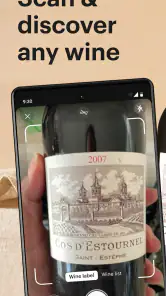
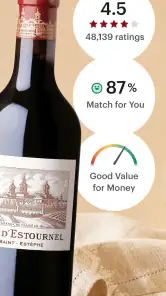
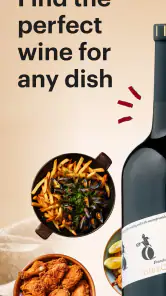
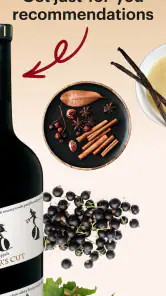
Analysis by Reviewed
Wine decisions are easy when I know exactly what I want; they get harder when a shelf is crowded with unfamiliar labels. That first-week curiosity is where Vivino: Drink the Right Wine makes a strong impression: I can use a bottle label as a starting point for learning what I’m looking at instead of guessing from the front design alone. The appeal is practical, but the real test is whether the app remains useful after that novelty wears off.
A quick helper for the first bottle
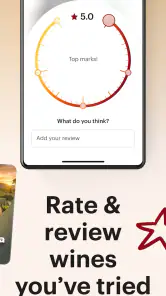
When I’m choosing wine for dinner or trying to remember a bottle I liked, Vivino gives me a place to look up labels, browse ratings and reviews, and keep track of wines I’ve tried. That combination is more useful than a standalone rating search: a quick scan can lead to more context, while a saved history helps me connect a recommendation to my own experience. I’d treat crowd opinions as clues rather than instructions, especially when tastes and expectations differ.
In an everyday situation, imagine I’m at a shop with a friend who wants something for a meal, but neither of us recognizes the bottles. I can check a label, compare what other drinkers say, and use the information to narrow the choice. That is a welcome nudge, not a guarantee that the bottle will suit our food or preferences. If I already have a trusted shopkeeper or know the style I want, asking a person may be faster and more tailored than browsing a screen.
The Wine Wonderland
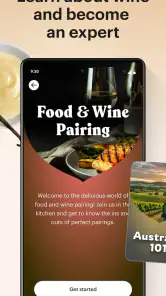
First things first, Vivino isn’t just any app; it’s a whole community of wine enthusiasts. From newbies to sommeliers, everyone’s here sharing their experiences. The app boasts a massive database with millions of wines. No kidding! You can snap a picture of any wine label, and bam! You get detailed information about it, including ratings, reviews, and even food pairing suggestions. It’s like having a sommelier in your pocket!
Getting to Know Your Wine
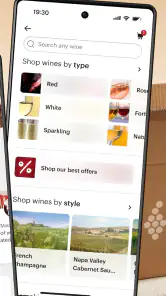
What I love the most about Vivino is its user-friendly interface. I mean, even if you’re a tech dinosaur, you’ll find it easy to navigate. The app lets you explore wines by region, price, or rating. And if you’re like me, who loves a good deal, the price comparison feature is a lifesaver. You can see where to snag your favorite bottle at the best price! Plus, the app keeps a record of all the wines you’ve tried. So, no more forgetting that delightful Merlot from last summer!
Making the information work for you
The trick to getting more than a one-off recommendation is to build a useful personal record. When I try a bottle, I’d note what I actually liked about it—perhaps its style or how it worked with a meal—rather than relying on a number alone. Later, that context makes it easier to judge whether a suggested wine is a sensible next step. A rating can help me compare bottles, but my own notes and remembered preferences are more relevant than chasing the highest score.
Price comparisons can also be a prompt to pause, not an automatic reason to buy. Availability and prices can vary between sellers, so I’d check the details before making a decision and compare like with like. If I’m shopping for a particular occasion, I’d use the app to shortlist options, then decide based on budget, food, and who will be drinking. That keeps the app in a supporting role instead of letting a popularity signal make the whole choice.
More From Our News Desk

Weather by Xiaomi Review: Clear at a Glance, Less Clear Up Close

X Under Pressure: Can It Recover When Posting Goes Wrong?

Clash of Clans Is Won Between the Battles

Android Auto Makes the Case for Quieter Car Software

MobiOffice: Transforming Mobile Productivity with Seamless Integration

EA SPORTS FC™ Mobile Soccer: Redefining Mobile Sports Gaming
Join the Vivino Community
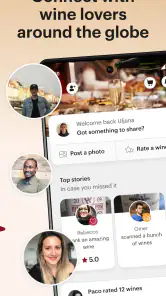
One of the coolest aspects of Vivino is the vibrant community. You can follow other wine lovers, check out their reviews, and even share your own. It’s like Instagram but for wine! And let’s be honest, who doesn’t love a bit of wine bragging? You can also earn badges and climb the ranks as you review more wines. It’s all about sharing the love and learning from others.
That social layer is most valuable when I use it to find opinions from people whose tastes seem close to mine. A large crowd can expose me to bottles I would have overlooked, but popular enthusiasm is not the same as a personal match. I’d rather read a few comments for useful descriptions than treat a badge or a high rating as proof that a wine is right for me. Anyone who dislikes feeds, public reviewing, or gamified participation can simply focus on looking up bottles and keeping a private-minded tasting record.
Personalized Wine Recommendations
Now, let's talk about the magic of personalized recommendations. The more you use Vivino, the better it gets at understanding your palate. It’s like it reads your wine-loving mind! You get wine suggestions tailored to your taste, helping you discover new favorites. It’s perfect if you’re adventurous and love trying new things.
Recommendations are only as useful as the trail of choices behind them. If I scan or rate bottles inconsistently, I shouldn’t expect suggestions to reflect a clear pattern; recording a range of wines I genuinely enjoy gives the app more to work with. I’d also keep room for moods and occasions: a bottle I like with a relaxed meal may not be what I want to bring to a celebration. For someone who prefers to choose by grape, region, or advice from a specialist, browsing recommendations may feel less direct than using those familiar criteria.
Shopping without letting scores decide
Shopping is where the app can feel different from a general search engine or a retailer’s own catalogue. A store search is usually strongest at showing what that seller has; Vivino is more useful when I want to identify a bottle and see how drinkers describe it before I decide whether to buy. That distinction matters. I wouldn’t treat a search result or a displayed comparison as proof that a bottle is available nearby or that the price will remain the same at checkout. I use it to create a shortlist, then confirm the seller’s details before spending.
For a dinner with unfamiliar guests, I’d start with the food and budget, then check a few plausible bottles rather than searching for the single highest-rated option. Reviews can reveal whether people describe a wine as light, rich, or suited to a certain kind of meal, but those descriptions are still personal impressions. If the occasion calls for a very specific style, a wine shop employee may ask better follow-up questions than an app can. Vivino is most helpful when I need a fast second opinion, not when I expect it to replace the judgement of someone who knows the local selection.
A useful routine, not another chore
The lasting value depends on the habit I build around it. I don’t need to document every bottle to get something from the app: saving the wines I would genuinely buy again, and perhaps one or two that surprised me, creates a more useful record than a long trail of rushed ratings. The practical trick is to add a note while the bottle is still in front of me. A quick reminder about the meal or the quality I noticed can later distinguish two wines that otherwise blur together in memory.
That modest approach also protects the app from becoming a task. If I’m hosting or sharing a relaxed meal, stopping to photograph and review every bottle would interrupt the occasion. I’d rather make a note afterward, or simply save the label when I’m deciding whether to buy it again. The app rewards participation through its community features, but I don’t see those as necessary for someone whose main aim is remembering wines and making more confident choices.
What stays useful after the novelty
Developed by Vivino ApS, this free food-and-drink app has a 4.7 average from around 222,000 ratings and more than 10 million installs. Its current version is 2025.47.2, and it is rated Teen. Optional in-app purchases range from $4.99 to $57.00 per item. Those details make it easy to see that the basic app has a broad audience, but they don’t answer whether it deserves a permanent place on my phone. For me, that depends on whether I regularly buy unfamiliar wines or want a searchable record of what I’ve tasted.
The maintenance burden is modest if I use it in the moment: scan a bottle when I’m curious, save a wine I want to remember, and leave the rest alone. It becomes less appealing if I feel obliged to review every glass, follow people, or keep up with badges. I’d skip it if I rarely buy wine, already rely on a knowledgeable retailer, or want a purely offline cellar inventory; a focused personal list or direct expert advice may suit those needs better. The app was released on Nov 29, 2010, and its longevity fits the role of a familiar reference, though a reference is only useful when I remember to consult it.
Who will keep reaching for it?
I think Vivino fits best for people who buy wine without having a fixed shortlist: curious beginners, casual hosts, and regular shoppers who want to remember which bottles worked for them. It can also help someone who is learning how regions and styles relate to their own preferences, provided they treat crowd ratings as one source of guidance rather than a personal guarantee. The app is less compelling for a person who already knows exactly what they like and buys the same bottle repeatedly, or for someone who wants a meticulous cellar system rather than a record of tasted wines.
One question I’d ask before installing it is whether I need to create an account or share activity to use the basic lookup. The app’s social features are visible, but they needn’t define the way I use it: I can approach it as a reference and tasting record instead of a social network. Another practical question is whether label recognition will work for every bottle. I wouldn’t plan a purchase around a scan alone; if a label is hard to read or the result seems mismatched, I’d check the name and details manually and compare them with the bottle in my hand.
It is also worth deciding how much weight to give the app’s shopping side. If I’m browsing online, comparisons can save time, but they are not a substitute for checking delivery, seller, and bottle details directly. If I’m standing in a small shop, a quick lookup may help me compare unfamiliar choices, while a conversation with the person behind the counter may be better for questions about stock, serving, or a particular meal. That makes Vivino a flexible companion, not a universal answer to every wine-shopping situation.
Where the app can lose its appeal
The biggest source of fatigue is the gap between an easy rating and a useful recommendation. A score looks precise, yet it cannot account for whether I want something crisp for a warm evening or a fuller wine for a particular dinner. Reviews can add texture, but reading too many of them may turn a simple purchase into an over-researched one. I try to set a limit: use the app to rule out poor fits or find a few candidates, then make the decision based on my own preferences and the occasion.
There is a similar trade-off with logging. A long history can make future choices more personal, but only if I enter information that I will actually use. If I rate bottles quickly just to keep a streak or build a profile, the record may say more about my habits on a busy night than my palate. I’d rather have a small, honest collection of remembered bottles than an impressive-looking catalogue that doesn’t help me choose. That is where the app’s recurring value comes from: not from constant attention, but from occasional, deliberate use.
A lasting place for a practical wine guide
In conclusion, Vivino: Drink the Right Wine is your go-to app for all things wine. Whether you’re a seasoned connoisseur or just getting started, this app makes choosing and enjoying wine a breeze. So, next time you’re staring at rows of bottles, remember you’ve got Vivino in your pocket, ready to guide you to the perfect pour. Cheers to that!
Vivino: Drink the Right Wine Frequently Asked Questions
What does Vivino help me do when I am choosing a wine?
Vivino brings wine discovery, bottle tracking, and shopping options together in one app. You can look up wines, explore ratings and community opinions, and keep a record of bottles you enjoy. That makes it useful when you are deciding what to try, comparing options, or trying to remember a wine you liked. Its focus is helping make wine information easier to browse.
What kind of app is Vivino, and who develops it?
Vivino is a Food & Drink app developed by Vivino ApS. It is centered on finding and learning about wine, with tools for browsing wine information, tracking bottles, and exploring online shopping options. Whether you are new to wine or already have favorite styles, the app offers a place to gather ideas and keep useful details about wines you have discovered.
How popular is Vivino, and what do users think of it?
Vivino has an average rating of 4.7 from around 222,000 ratings, with about 5,800 written reviews. It has also passed 10 million installs, reflecting broad interest in its wine discovery and tracking tools. Ratings and reviews can help you get a sense of how other users view the app, though your own experience will depend on what features you want to use.
Who is Vivino designed for, and what can I use it for?
Vivino is aimed at anyone who wants help exploring wine, from curious beginners to people who already know their preferred styles. You can use it to look up wines, read community opinions, keep track of bottles you enjoy, and explore shopping options. Its focus is making wine information easier to browse, whether you are choosing something familiar or considering a new bottle.
Is Vivino free to download, and are there optional in-app purchases?
Vivino is free to download, so you can try the app without paying for the initial installation. It also offers optional in-app purchases, with listed items ranging from $4.99 to $57.00 each. Those purchases are separate from downloading the app, so check the purchase details shown in the app before confirming anything and decide whether the available paid options suit your needs.
Pros
- Extensive wine database.
- User-friendly interface.
- Barcode scanner for quick info.
- Personalized wine recommendations.
- Integration with wine merchants.
Cons
- Requires internet connection.
- Limited offline features.
- Occasional app crashes.
- In-app purchases for premium features.
- Data-heavy for mobile usage.
- Category
- Food & Drink
- Version
- 2025.47.2











