Vivaldi Browser - Fast & Safe
- 4.90K
- 4.6
- Installs
- 5.00M
- Price
- Free

Screenshots

Analysis by Reviewed
Hey there! Have you ever stumbled upon a browser that feels like it was tailor-made just for you? Well, let me introduce you to the Vivaldi Browser - it's fast, safe, and packed with features that might just win your heart over. If you’re tired of the usual browsers and looking for something a bit more personalized, this might be your next favorite app.
Why Choose Vivaldi?
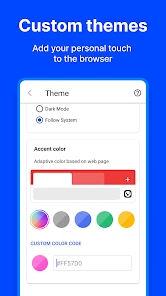
First things first, the Vivaldi Browser is all about customization. Unlike other browsers that force you into a set way of browsing, Vivaldi lets you tweak almost everything to suit your style. Whether it’s changing the theme to match your mood or rearranging the toolbars, you’ve got the freedom to make it truly yours. And let’s be honest, who doesn’t love a bit of personalization?
Speed and Performance
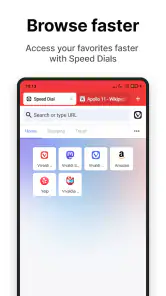
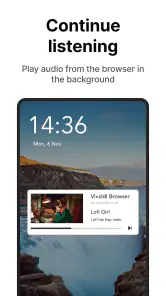
When it comes to speed, Vivaldi doesn’t disappoint. I’ve tried it on both Android and iOS, and the experience has been consistently smooth. Pages load quickly, and even with multiple tabs open, it doesn’t seem to break a sweat. It’s like having a turbo engine under the hood, always ready to go the extra mile without compromising on performance.
Security Features
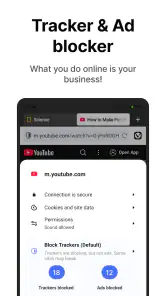
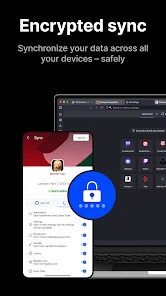
Now, let’s talk about security - because what’s the point of speed if you’re not safe, right? Vivaldi offers robust security features that keep your data protected. It blocks trackers and ads by default, which not only keeps your browsing experience clutter-free but also ensures that your personal information isn’t being shared without your consent. Plus, the built-in end-to-end encryption for syncing data between devices is a sweet cherry on top.
User Interface and Experience
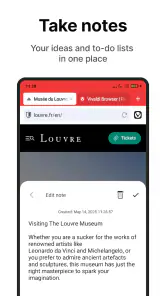
The user interface is another area where Vivaldi shines. It’s sleek, intuitive, and incredibly user-friendly. Whether you’re a tech newbie or a seasoned pro, navigating through the various features is a breeze. I particularly love the side panel which lets you access bookmarks, downloads, and notes with just a tap. It’s like having a little assistant by your side, making multitasking so much easier.
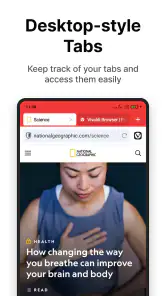
Another cool feature is the tab management system. If you’re like me and often find yourself drowning in open tabs, Vivaldi’s tab stacking and tiling features are a lifesaver. They help keep your workspace organized, so you can focus on what matters most without feeling overwhelmed.
The Verdict
So, is the Vivaldi Browser worth the switch? In my opinion, absolutely! It’s fast, secure, and offers a level of customization that’s hard to find elsewhere. Whether you’re a casual browser or someone who needs a powerful tool for work, Vivaldi adapts to your needs seamlessly.
In a world where digital privacy is becoming increasingly important, having a browser that respects your data while delivering top-notch performance is a game-changer. Plus, with its vast array of features and user-friendly design, it’s hard not to fall in love with Vivaldi.
So why not give it a spin? You might just find it’s the browser you’ve been waiting for all along.
Pros
- Highly customizable interface options.
- Built-in ad and tracker blocker.
- Integrated notes and screen capture.
- Syncs seamlessly across devices.
- Fast browsing speed.
Cons
- Overwhelming for new users initially.
- Not as lightweight as competitors.
- Limited extension support.
- Occasional syncing issues.
- Resource-heavy on older devices.

- Category
- Communication
- Version
- 7.7.3862.80











