TV Remote Control for Smart TV
- 68.00
- 4.5
- Installs
- 500.00K
- Price
- Free
Screenshots

Analysis by Reviewed
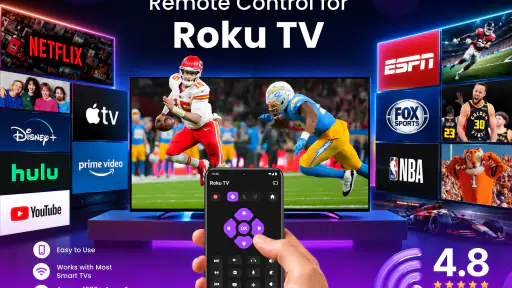
I tested TV Remote Control as a practical replacement for the remote that tends to disappear between sofa cushions. It is a free tools app from iKame Applications - Begamob Global, built around controlling televisions and other compatible devices from a phone. The idea is simple: keep volume and basic navigation close at hand, then use a touchpad-style control when a traditional button layout feels awkward.
That simplicity is the main appeal. I did not approach it as a complete smart-home platform or a universal solution for every device in a house. I looked at it as an everyday utility: something you open when the physical remote is missing, the batteries are flat, or you want a more convenient way to manage a screen. In that role, it can be useful, but the experience depends heavily on whether your television and phone can communicate in the way the app expects.
How the current version feels in everyday use
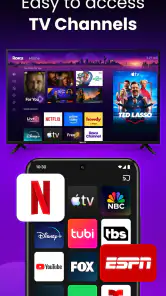
The current release is version 1.1.2, and the app presents itself as a focused remote rather than an overloaded control center. The main controls are aimed at familiar actions such as adjusting volume, moving through menus, and interacting with a television through the phone. The touchpad approach is especially relevant for smart-TV interfaces, where directional buttons can feel slow when you are moving through long rows of applications or settings.
I found the concept most convincing in situations where the phone is already in my hand. If I am watching something while checking a message, changing the volume from the same device is more convenient than searching for a second object. It also makes sense when several people use the same room and the remote is regularly left somewhere unexpected.
The app is free to install and is rated for Everyone, which makes it approachable for a household utility. Its average rating is 4.5 from around 6,100 ratings, and it has passed 500,000 installs. Those figures suggest that the basic idea is finding an audience, although they should not be treated as a guarantee that every television will behave identically.
One important point is that “universal” should be read as an intended range of use, not as a promise that every screen will connect instantly. Remote-control apps often depend on the television being compatible, available on the same local network, or able to receive commands through a supported method. Before relying on it for a presentation, hotel room, or important family event, I would test the connection at home and keep the original remote nearby.
The best everyday scenario is less glamorous than it sounds
My favorite use case is not replacing a remote permanently. It is handling the small interruptions that make watching television irritating. Imagine starting a film late at night and discovering that the volume is too high. If the physical remote is under a blanket or in another room, opening the app and using the volume control is quicker than getting up. The same applies when a child has changed the input or when a guest cannot find the navigation buttons.
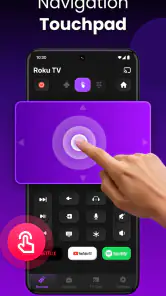
The touchpad can also be helpful when a smart-TV interface requires more movement than a standard channel changer. A finger gesture may feel more natural for browsing menus than repeatedly tapping directional keys. However, I would not assume that every gesture will behave exactly like a laptop touchpad. Television interfaces differ, and a control that feels smooth in one environment may feel imprecise in another.
A less obvious advantage is using the phone as a temporary backup during remote replacement. Buying a new physical remote can take time, and a phone-based controller gives you a way to keep using the television while you wait. The trade-off is that your phone becomes part of the viewing setup, so battery level, notifications, and accidental screen touches matter more than they would with a dedicated remote.
Connection setup deserves patience
The first connection is the part I would approach methodically. I would place the phone and television on the same home network when that is required, make sure the television is awake, and avoid testing from a weak corner of the house. If the app shows more than one possible device, selecting the correct screen matters; a neighbor’s television or an older device can make the process confusing in a crowded network.
If the television does not respond, repeatedly tapping the same control is unlikely to solve the underlying problem. I would first check the network, wake the screen manually, close and reopen the app, and then try again. This is a practical tip that saves time because remote apps can appear unresponsive when the real issue is discovery rather than the button itself.
Another useful habit is to test a low-impact command first. Volume changes are safer than switching inputs or navigating into settings. Once I know the app is communicating correctly, I can try more involved controls. This matters in shared homes, where changing the input during someone else’s program is more disruptive than briefly adjusting the sound.
What the touchpad changes compared with a normal remote
A physical remote has a clear advantage: each button has a fixed location, and I can operate it without looking. A phone touchpad offers a different kind of convenience. It reduces the number of visible controls and can make broad navigation easier, but it also removes the tactile landmarks that help me find a button by feel.
For people who mainly adjust volume, pause content, or move through a small number of menus, the phone layout can be perfectly adequate. For heavy television users who enter settings frequently, type searches, or switch between several sources, a dedicated remote may remain faster. The choice is not simply old technology versus new technology; it is tactile certainty versus flexible access.
I also noticed a behavioral trade-off. With a physical remote, I tend to leave it beside the television. With a phone app, I may put the phone down, lock the screen, or open another application. That makes the controller more powerful but less dedicated. If the goal is to give a child or guest a straightforward controller, a traditional remote may create fewer questions.
Who will get the most value from it
This app is a good fit for someone who watches television in a room where the remote is often misplaced, owns a compatible smart television, and already keeps a phone nearby. It is also useful for people who prefer touch navigation, want a backup controller, or need a quick way to manage volume without searching for batteries.
It may be particularly practical in a home with more than one screen, provided each television can be identified clearly during setup. In that situation, a phone can be easier to carry from room to room than several similar-looking remotes. I would still label or remember the devices carefully, because choosing the wrong screen defeats the convenience immediately.
People who should skip it are those who need guaranteed control without network troubleshooting, those who dislike using a phone while watching television, and anyone whose main requirement is a physical keypad with instant tactile feedback. It is also not my first choice for a formal event where a connection failure would be costly. For those situations, the original remote or a tested dedicated replacement is the safer tool.
What has changed and what that means for current users
The app’s release date is March 17, 2026, so version 1.1.2 represents a relatively early stage in its product life. I would interpret that as a sign to judge the current experience on what is available now rather than on a long history of updates. The version is usable as a focused remote utility, but I would not assume that every future improvement has already arrived.
For someone installing it for the first time, the current version provides a straightforward starting point: connect the television, test the essential controls, and decide whether the touchpad suits your habits. Existing users should pay attention to how reliably their preferred television remains available after the phone or screen has been idle. A remote that works during initial setup but requires frequent reconnecting will feel very different from one that is ready whenever the app opens.
The developer, iKame Applications - Begamob Global, has positioned the product around broad television control rather than a narrow single-brand accessory. That direction is useful for households with mixed equipment, but it also makes compatibility behavior more important. A brand-specific remote may offer deeper integration for one television family, while this app’s broader purpose is convenience across possible devices.
I would also keep the app’s payment model in mind. The download is free, while in-app purchases range from $3.99 to $59.99 per item. That does not automatically make the free experience poor, but it means I would explore the basic controls and connection process before paying for anything. A purchase is worthwhile only if it solves a need I actually have, such as a control limitation that appears during regular use.
Small workflow improvements that make it less frustrating
My first recommendation is to create a simple routine for opening it: wake the television, open the app, connect to the intended screen, and test volume before trying navigation. This sounds basic, but it prevents the common mistake of assuming that a visible remote interface means the television is already connected.
Second, keep the phone’s battery in mind. A physical remote can remain useful for weeks or months without attention, while a phone controller competes with calls, messages, games, and other daily tasks. If I am using the app during a long viewing session, I would avoid starting with a nearly empty battery. The convenience disappears if the phone powers down halfway through a program.
Third, use the touchpad for broad movement and reserve precise selection for moments when I can see the television clearly. A swipe is efficient when moving across a menu, but a quick gesture can overshoot a small icon. Slowing down near the final selection is more reliable than trying to correct several accidental movements.
Fourth, I would avoid handing the phone to someone who only needs one button unless the interface is already prepared. A guest may not know whether a gesture changes focus, scrolls a list, or controls another device. In those moments, the dedicated remote wins because its purpose is immediately visible.
Where the app still has friction
The biggest limitation is inherent to phone-based control: the app cannot make an incompatible television compatible by itself. Connection requirements, device discovery, and network conditions can all affect the result. That is not a flaw unique to this product, but it is a real part of ownership and should be considered before replacing a physical remote entirely.
The second limitation is precision. A touchpad is flexible, but it is not always as predictable as buttons. Smart-TV menus vary in sensitivity, and a gesture that is comfortable for browsing may be too broad for selecting a small control. I would call the touchpad a useful complement rather than a universal improvement.
The third is the phone’s divided attention. Notifications can interrupt the moment, and unlocking a phone is an extra step that a physical remote does not require. People who watch television primarily through a phone may not mind this, but viewers who want a dedicated, distraction-free controller may find it tiresome.
There is also a financial question. Since optional purchases can reach $59.99 per item, I would compare the cost of any desired upgrade with a replacement physical remote before committing. A paid feature may be sensible if it adds meaningful convenience over time, but it is harder to justify if I only need occasional volume changes.
How it compares with the usual alternatives
The original television remote remains the benchmark for reliability and tactile control. It normally requires no phone battery, no app opening, and no touchpad learning. Its weakness is availability: it can be misplaced, damaged, or difficult to replace. TV Remote Control is strongest precisely where the original accessory is absent or inconvenient.
Brand-specific remote apps can be a better choice when someone owns one television brand and wants the deepest possible integration. They may feel more predictable for that ecosystem. This app is more attractive when I want one general-purpose tool and do not want to manage a separate application for every screen.
Universal physical remotes occupy the middle ground. They offer buttons and a dedicated form, but they may require programming and can be awkward when moving between different devices. A phone app avoids another object on the table and can provide touch navigation, yet it introduces connection and battery dependencies.
Voice control is convenient for simple commands when supported by the television, but it is not always suitable in a quiet room, a shared home, or situations where exact menu navigation matters. The touchpad gives me more direct control than a spoken command, while the physical remote remains better for silent, precise, repeatable input.
What I would watch as the app develops
Because the current version is 1.1.2 and the release is recent, I would watch for improvements that make reconnection more dependable and device selection clearer. Those changes would matter more to me than adding decorative options. A remote app earns trust when it opens quickly, finds the right television, and responds consistently.
I would also look for evidence that the touchpad experience is being refined for different television interfaces. Better handling of scrolling, focus movement, and precise selection would make the app more useful for everyday smart-TV browsing rather than only emergency volume adjustments.
Another area worth watching is the balance between the free tool and optional purchases. The free installation gives people a chance to test compatibility, which is important. Any paid addition should feel clearly connected to a real control need rather than making basic remote behavior feel unnecessarily restricted.
My practical advice is to evaluate it in your actual living room, with your actual television, before building your routine around it. Test connection after the screen has been idle, try volume and navigation separately, and see whether the touchpad feels natural from your usual seating position. That short trial tells you more than the word “universal” ever could.
Overall, I see TV Remote Control as a useful backup and a convenient everyday controller for compatible televisions, especially when the physical remote is missing or touch navigation feels easier. Its free entry point makes testing straightforward, and the combination of volume control with a touchpad gives it more flexibility than a simple button-only replacement.
I would not discard the original remote immediately, and I would not recommend it blindly to someone who needs guaranteed compatibility or tactile precision. For the right household, though, it solves a familiar problem with very little equipment: the phone already in your hand becomes a practical television controller. My recommendation is to try the free version first, verify the connection in your own setup, and pay only if the added control is genuinely worth the cost.
Pros
- Works with many popular Smart TV brands and models.
- Quick pairing over the same Wi-Fi network.
- Convenient volume
- channel
- and playback controls.
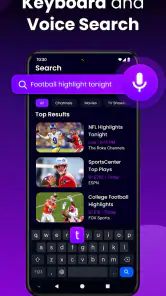
- Keyboard input makes searching faster than using the TV remote.
- Useful replacement when the physical remote is lost or damaged.
Cons
- Usually requires the phone and TV to share the same Wi-Fi network.
- Some older TVs may not support all remote functions.
- Free versions may include frequent advertisements.
- Advanced features may require an in-app purchase or subscription.
- The phone screen must stay active while controlling the TV.
- Category
- Tools
- Version
- 1.1.2











