Go Translate All Languages
- 1.12K
- 4.6
- Installs
- 10.00M
- Price
- Free

Screenshots

Analysis by Reviewed
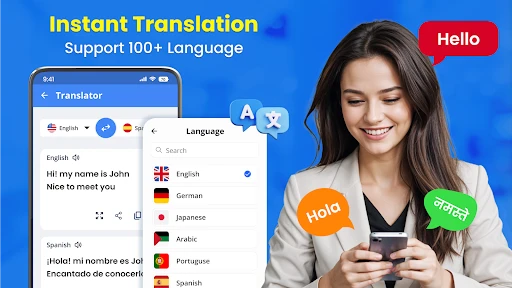
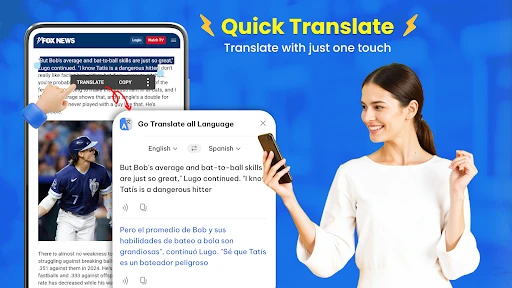
Language trouble rarely arrives when I have time to deal with it. It is a sign I need to understand before moving on, a message I want to answer, or a spoken question in the middle of an ordinary task. The nuisance is not only finding a translation; it is stopping to switch tools and figure out which kind of input will help. Go Translate All Languages brings text, camera, photo, voice, and offline translation together, which makes it handy when the same small language problem keeps cropping up in different forms.
Choosing a useful first step
I’d begin by trying a short typed phrase and then checking how the app handles the kind of input I expect to use most. A printed notice calls for the camera; a saved picture is better suited to photo translation; a spoken exchange points toward voice. Choosing the right route first can save more time than hunting for a single all-purpose button. For trips, I’d also prepare any offline language packs before leaving dependable internet behind, rather than waiting until I need them.
This is a free tools app from iKame Applications - Begamob Global, with optional in-app purchases ranging from $0.99 to $29.99 per item. It is rated for Everyone, and its 4.6 average from around 84,000 ratings suggests that many users find it useful. The app has passed 10 million installs, but popularity is not a guarantee that every translation will fit the situation: I’d still check important wording, especially where tone or context matters.
Where it can save a few awkward minutes
Picture a familiar travel moment: I reach a station, find a notice I can’t read, and need to decide whether it affects my route. A camera-based translation can give me a quick starting point; if the image is unclear, I can try a closer photo or type a key phrase instead. Later, if I need to ask someone a simple question, voice translation offers a different way to bridge the gap. Having these routes in one app reduces the need to jump between separate tools.
That flexibility is most valuable for casual, practical needs: understanding a menu, checking a short sign, or getting the gist of a message. It is less suited to high-stakes documents, nuanced negotiations, or language learning that depends on detailed grammar explanations. For those jobs, I’d use a qualified human translator or a dedicated learning resource rather than treating a quick translation as authoritative.
Making camera and voice input work better
Camera translation is most useful when I treat it as a reading aid, not as a magic fix for every image. I’d hold the phone steady, frame only the relevant lines, and move closer if glare, a fold, or crowded text makes the words hard to distinguish. If the result looks strange, I’d compare it with a typed version of one short phrase. That small check helps separate a translation issue from a recognition problem.
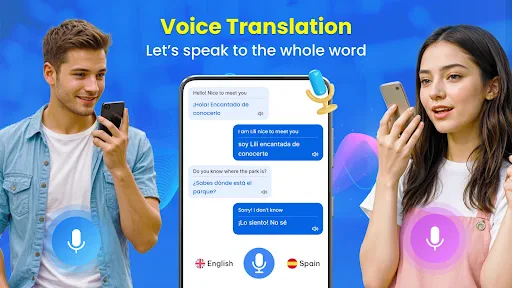
Voice is convenient when my hands are occupied or typing would slow down a simple exchange, but it works best when each person takes a clear turn. I’d keep questions short and avoid speaking over background noise. For an address, appointment time, or other detail that matters, I’d show the translated text or repeat it back for confirmation rather than relying on a quick spoken result alone.
More From Our News Desk

Weather by Xiaomi Review: Clear at a Glance, Less Clear Up Close

X Under Pressure: Can It Recover When Posting Goes Wrong?

Clash of Clans Is Won Between the Battles

Android Auto Makes the Case for Quieter Car Software

MobiOffice: Transforming Mobile Productivity with Seamless Integration

EA SPORTS FC™ Mobile Soccer: Redefining Mobile Sports Gaming
Where convenience meets its limits
Offline use is a welcome option, but it takes a little planning: download the language packs you need while connected, then try a sample before relying on them away from a network. I wouldn’t assume every language or translation method behaves identically offline. If a result seems odd, comparing a typed version with a camera or voice attempt can help reveal whether the problem came from the source text or the recognition step.
How it compares with other ways to translate
Compared with using a basic text-only translator, this app’s appeal is having several input methods and offline access gathered in one place. That matters when I’m moving between printed words, a photo, and spoken questions. On the other hand, someone who mainly needs polished writing or careful interpretation may prefer a service focused on editing or professional translation. I see this as a practical pocket utility, not a substitute for a fluent speaker.
Its all-in-one approach is also a trade-off. Instead of keeping separate tools for camera text, speech, and typed phrases, I can reach for one app when the source changes. But a specialist tool may be a better fit if I already know that I only need one job, such as translating a long document or refining a paragraph for publication. I’d choose based on the task I repeat most, rather than assuming that more input options automatically mean better results.
A sensible routine for travel and everyday errands
Before leaving home, I’d identify the languages I’m likely to encounter, prepare the relevant offline packs, and test a few ordinary phrases. That gives me a better sense of what works without a connection and avoids discovering a setup step while standing in a queue. I’d keep a short typed version of a key question ready as well: it can be easier to show someone a sentence than to manage a spoken exchange in a noisy place.
For a realistic day out, imagine I’m looking for a bus stop, find a notice with unfamiliar wording, and then need to ask whether I’m waiting on the right side of the road. I can use the camera for the notice, switch to voice for the question, and fall back to typing if speech is awkward. The benefit is not perfect fluency; it is having a few practical ways to keep moving without opening a new service at each step.
For students, a useful boundary is to use a translation as a first pass and then work through the original sentence. It can help with the gist of a short passage, but it is not a replacement for learning why a phrase is structured a certain way. I’d write down unfamiliar wording and check it in a learning resource when the goal is study, rather than treating a translated answer as the lesson itself.
Who is likely to get the most from it
I’d recommend it to travelers who need quick help with signs and simple conversations, and to people who occasionally receive a short message in another language. It is also a practical choice for anyone who prefers having text, camera, photo, voice, and offline options close together instead of remembering which separate app handles each task. The appeal is strongest when language problems are occasional but varied.
It is less compelling for someone who translates professionally, needs a carefully edited final document, or must make decisions based on precise legal, medical, or financial wording. In those situations, a human expert or a service designed for that work is the safer choice. I’d also skip it as a primary language-learning tool if detailed lessons, grammar feedback, or structured practice are what I’m looking for.
Version, access, and expectations
The app was released on Dec 25, 2023, and version 15.8 requires Android 8.0 or later. I’d recommend it to travelers, students checking short passages, and anyone who occasionally needs quick help across languages. If translation is a daily professional responsibility, or mistakes could have serious consequences, I’d choose a more specialized option and verify the result independently.
There is no charge to get started, while optional purchases are available inside the app. I’d try the everyday tasks I actually expect to use before deciding whether any paid option is worthwhile. Its Everyone content rating makes the audience broad, but it does not change the basic judgment I’d apply to any translator: convenience is valuable, while the person using the result remains responsible for checking consequential details.
Breaking Down Language Barriers
Let's dive into the magic of Go Translate All Languages. It's like having a language wizard in your pocket. This app supports translations for a whopping number of languages. Yes, you read that right! From popular languages like Spanish and French to those less commonly spoken, this app has got you covered. It’s perfect for travelers, students, or anyone who finds themselves needing to translate on the fly.
Features That Make It a Must-Have
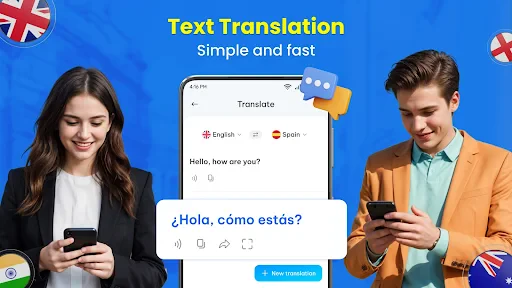
What really sets this app apart is its versatility and user-friendly interface. You can translate text by typing it in, or simply use the camera feature to snap a photo of a text. It's as easy as pie! Moreover, the real-time voice translation feature is a game-changer. Just speak into your phone, and voila, instant translation.
Another cool feature that I personally love is the offline translation mode. No internet? No problem! You can download language packs and use them anytime, anywhere. It’s like having a dictionary that fits right in your pocket without the extra weight.
Smooth Sailing with User Experience
The interface is intuitive, sleek, and easy to navigate. You won't find yourself lost in a maze of buttons and options. Plus, it doesn’t bombard you with ads every five seconds, which is a relief. The app runs smoothly without lagging, even when switching between different functions. Trust me, you’ll appreciate this when you're in a pinch and need a quick translation.
I also appreciate the customization options. You can adjust the font size, switch between dark and light modes, and even choose your preferred voice for audio translations. It’s like the app is saying, "Hey, make me work for you!"
Final Thoughts
All in all, Go Translate All Languages is a powerhouse app that’s both reliable and efficient. Whether you’re exploring new cultures or just trying to impress your friends with your multilingual skills, this app is a must-have in your digital toolkit. It’s more than just a translation app; it’s your gateway to understanding the world a little better. So go ahead, download it, and start your journey of linguistic discovery!
Go Translate All Languages Frequently Asked Questions
Does Go Translate All Languages support camera and photo translation?
Yes. Go Translate All Languages is described as offering camera and photo translation alongside text and voice translation. These options can be useful when you want to understand written language in an image or use the camera as part of a translation task. The app also includes offline translation, giving it several different ways to help with language needs.
Can I use Go Translate All Languages to translate spoken conversations?
The app is presented as a live translator for voice as well as text, camera, and photo translation. That makes voice translation a feature to consider if you want help communicating aloud rather than typing everything. As with any translation tool, it is sensible to review the result in context, especially when a conversation involves details that need to be understood precisely.
Is Go Translate All Languages suitable for first-time users?
Go Translate All Languages is presented as a language translator for voice, camera, photo, and text, with offline translation also included. Its range of translation options makes it useful to explore whether you need to understand written words or communicate through speech. The app is free to download, and it is rated for Everyone.
What is Go Translate All Languages and what does it offer?
Go Translate All Languages is a versatile translation app designed to help users communicate across different languages effortlessly. It offers real-time translation for text, voice, and even images through its camera feature. With support for over 100 languages, it's ideal for travelers, students, and anyone needing quick and accurate translations.
How accurate are the translations provided by Go Translate All Languages?
The app utilizes advanced machine learning algorithms to ensure high accuracy in translations. While it excels in common phrases and day-to-day language, users should be aware that highly technical or idiomatic expressions may not always translate perfectly. Updates continually improve its accuracy, making it a reliable tool for most translation needs.
Pros
- Supports over 100 languages for translation.
- Easy-to-use interface with intuitive design.
- Voice translation feature enhances practicality.
- Offline mode available for certain languages.
- Real-time camera translation for text on images.
Cons
- Limited offline language options.
- Some translations can be inaccurate.
- Text limit for free version users.
- Occasional app crashes reported.
- Voice recognition might struggle with accents.
- Category
- Tools
- Version
- 15.8









