Translate: AI, Camera & Voice
- 924.00
- 4.7
- Installs
- 10.00M
- Price
- Free

Screenshots

Analysis by Reviewed
I often reach for a translator when a small language gap slows down something ordinary: choosing food, understanding a notice, or replying to a short message. Translate: AI, Camera & Voice is built around that quick handoff between looking, speaking, and typing. I like the idea of having those routes together, because the useful question in the moment is not which translation tool is most impressive, but which one gets me unstuck with the least fuss.
When a small language gap becomes a delay
The problem is usually not translating a whole document; it is getting through the next minute. I may need to check whether a menu item contains something I avoid, understand where a queue starts, or make a short request without turning a simple errand into a long exchange. In those moments, moving between a camera tool, a speech tool, and a keyboard can cost more time than the phrase itself.
This app’s useful idea is that those input choices sit under one roof. I can start by looking at printed text, switch to speaking for a quick question, or type when I want more control over the wording. That does not make every result dependable, but it can reduce the small bits of friction that make a language barrier feel larger than it is.
A practical way to get started
On first use, I’d begin with a simple typed phrase rather than relying on the camera in a busy setting. That gives me a feel for how the app handles the languages I need and helps me spot whether a phrase is being interpreted as intended. Then I’d try the camera on a short, clearly printed label and use voice translation for a basic exchange. This small check is worthwhile: translation quality can depend on wording, pronunciation, image clarity, and context, so I wouldn’t treat a first result as automatically definitive.
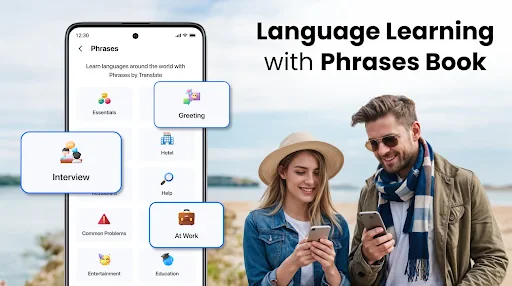
For a trip, I’d also prepare a few essential phrases in advance and keep the app easy to reach. A translator is most helpful when I can open the right mode quickly, not when I’m trying to learn the interface while someone waits. If the message matters—such as a medical instruction or a contract—I’d verify it with a qualified person rather than relying on an automated translation alone.
The Magic of Translation at Your Fingertips
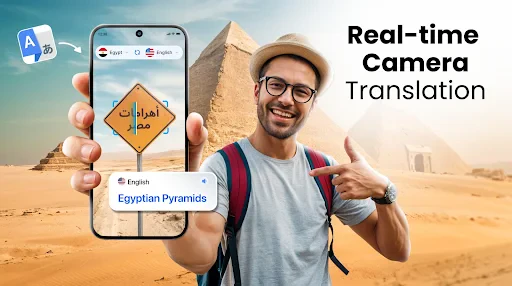
So, imagine this: you’re wandering through the bustling streets of Tokyo, and everything looks like a scene out of a movie. But wait, you can’t read a thing! Here’s where Translate: AI, Camera & Voice comes to the rescue. Just whip out your phone, point your camera, and bam! The app magically translates the text in real-time. It’s like having Google Translate on steroids, but way more intuitive and user-friendly.
Camera Translation: Snap and Translate
The camera feature is probably my favorite part. You simply open the app, hover your camera over the text you need translating, and voila! Instantly, you can understand what’s in front of you. It’s super handy for street signs, menus, or even random graffiti that you’re curious about. Just a quick snap, and you’re good to go!
More From Our News Desk

Weather by Xiaomi Review: Clear at a Glance, Less Clear Up Close

X Under Pressure: Can It Recover When Posting Goes Wrong?

Clash of Clans Is Won Between the Battles

Android Auto Makes the Case for Quieter Car Software

MobiOffice: Transforming Mobile Productivity with Seamless Integration

EA SPORTS FC™ Mobile Soccer: Redefining Mobile Sports Gaming
In practice, I’d use the camera differently for a menu than for a sign. With a menu, I’d frame one item or a short section at a time, especially if the page has decorative fonts or several columns. For a sign, I’d hold the phone steady, move closer until the text is legible, and compare the translation with any nearby symbols or familiar place names. That makes the result easier to judge than pointing at a whole wall of text and assuming every line has been captured correctly.
Voice Translation: Speak and Understand
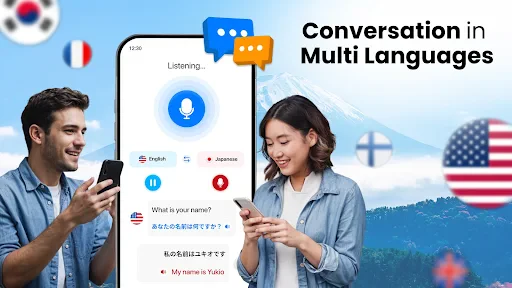
But wait, there’s more! Say you’re in a conversation with someone who doesn’t speak your language, and you’re both gesturing wildly trying to understand each other. Just fire up the voice translation feature. You speak into your phone, and it translates what you’re saying into the other person’s language in real-time. It’s like having a personal interpreter, minus the awkward ‘lost in translation’ moments.
For a real everyday exchange, I’d use voice mode to ask a shop worker where a product is, then pause and let the other person respond before speaking again. Short turns are easier to follow than a long explanation, and they give both people a chance to correct misunderstandings. In a noisy café, on a windy street, or in a room where speaking aloud feels intrusive, typing may be the more considerate and reliable choice. Voice translation is convenient, but it still depends on being heard clearly.
Text Translation: Type it Out
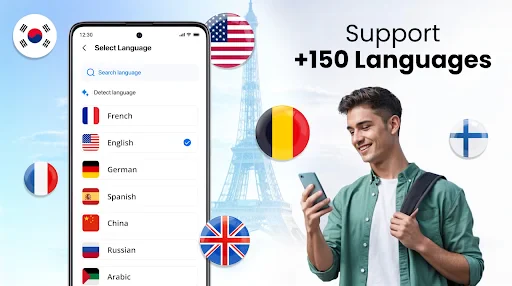
For those moments when you’re not in a rush, the text translation feature is a lifesaver. Type in whatever you need translating, and the app does the rest. It’s perfect for translating emails, messages, or just random words you come across. Plus, it supports a ton of languages, so you’re pretty much covered no matter where you are.
Text is also my fallback when a camera struggles with small print or a voice exchange is awkward. I’d paste or type a short message, read the result, and—if the wording is important—rewrite it in simpler language before translating. That extra step can reduce ambiguity: plain sentences are usually easier to interpret than slang, jokes, idioms, or several requests bundled together. For a long email, I’d review the translation paragraph by paragraph instead of sending it without checking the tone.
Small workflow choices that save time
For a busy day of errands, I would treat the three modes as alternatives rather than trying to use them all for every phrase. A printed notice is a camera job; a quick spoken question is a voice job; a message I want to phrase carefully belongs in text. Choosing the input before opening the app helps me avoid fiddling with modes while someone is waiting.
There is also a useful distinction between understanding something and composing a reply. When I only need the gist of a sign, a quick camera result may be enough to point me in the right direction. When I am sending a message, I would read the translated wording back and check names, numbers, and requests before sharing it. The same translation can be adequate for orientation but too uncertain for a promise or an important instruction.
Where it fits among translator apps
Compared with keeping separate camera, speech, and dictionary tools on hand, having several translation methods in one app can make quick changes of approach feel less disruptive. A dedicated dictionary may be better when I want detailed definitions or examples of usage, while a human interpreter is the right choice for sensitive conversations. For everyday travel and short exchanges, the appeal here is the ability to choose between a lens, a voice, and a keyboard without turning a simple question into a search for another tool.
The app is a practical fit for travelers, international students, and anyone who occasionally needs help reading or composing a short message in another language. It may be less suitable for people who need highly reliable professional translation, detailed language lessons, or a tool that works in a particular offline situation; I’d check that the way I plan to use it is available before depending on it somewhere with limited connectivity. Translation apps can also smooth over tone or context, so I wouldn’t use a quick result as the final word in a high-stakes decision.
A realistic day with the app
Imagine arriving at a station, finding a notice you cannot read, then heading to a nearby shop to ask where a particular item is. I would use the camera for the notice, taking time to frame a short section rather than trying to capture everything at once. At the shop, I would ask one clear question through voice mode and leave room for the reply. If I needed to explain a longer request, I would switch to text and simplify the sentence first.
That sequence shows where the convenience matters: one app can handle different kinds of input as the situation changes. It also shows where I would slow down. A place name, platform direction, or quantity deserves a second look, and a confusing response is a cue to rephrase rather than assume the first translation settled it. I would still keep gestures, signs, and common sense in the loop.
What to expect before relying on it
Translate: AI, Camera & Voice is a free tools app from iKame Applications - Begamob Global, with optional in-app purchases ranging from $1.99 to $39.99 per item. It is rated for Everyone and has a 4.7 average from around 144,000 ratings, alongside over 10 million installs. It was released on October 9, 2024; version 2.2.4 requires Android 8.0 or later. Those details make it easy to see that the app is widely used, but popularity does not tell me whether a particular phrase is correct, so I’d still review important translations carefully.
Because the app is free to start, I can see the appeal of trying it for occasional travel or everyday reading without making translation a major commitment. Optional purchases are there, but I would decide whether anything beyond basic use is useful to me before spending. Someone who only needs a phrase now and then may be satisfied with a free translator, while frequent or specialist work calls for comparing the actual workflow and accuracy needs rather than assuming a paid option automatically solves them.
One useful habit is to keep the original wording visible while checking the translated result, especially when names, quantities, directions, or dates matter. If a result looks odd, I’d try a shorter sentence or switch from voice to text rather than repeating the same input and hoping for a different answer. That is a small trade-off: the app can reduce the effort of getting a first understanding, but a little human checking remains part of using it well.
One thing I love about this app is how it seamlessly integrates all these features. Switching between camera, voice, and text translation is smooth and hassle-free. And the design? It’s sleek, intuitive, and doesn’t overwhelm you with unnecessary options. It’s all about getting the job done efficiently.
Who will get the most from it
I’d point a casual traveler toward this app if the main need is handling short, varied tasks: reading a label, asking a basic question, or making sense of a message. It is also a sensible backup for someone who encounters another language occasionally and does not want to maintain separate tools for each kind of translation. The all-in-one approach is most valuable when switching methods saves more effort than it takes to check the result.
I would steer away from relying on it as the sole tool for legal paperwork, medical decisions, financial agreements, or nuanced professional communication. A dictionary or language-learning resource is a better companion when the goal is to understand grammar and usage in depth; a qualified human is preferable when ambiguity could have serious consequences. And if I know I will be without a connection, I would first confirm that my intended workflow will function there rather than discovering a limitation at the point of need.
My take after weighing the trade-offs
In a nutshell, if you’re a travel enthusiast or just someone who loves exploring different cultures, Translate: AI, Camera & Voice is an absolute must-have. It’s not just an app; it’s your gateway to understanding the world around you. So, next time you’re packing for a trip or even just heading to a local international market, make sure you’ve got this little gem ready to go. You never know when you might need a quick translation, and with this app, you’re always prepared.
I’d recommend it as a handy first stop, not as a substitute for careful interpretation. Its strongest practical advantage is having camera, voice, and typed translation together for everyday situations where speed matters more than perfect nuance. If that matches your needs, it is worth trying; if accuracy has legal, medical, or financial consequences, I’d choose a specialist or a human translator instead.
Translate: AI, Camera & Voice Frequently Asked Questions
Can I use Translate: AI, Camera & Voice to translate signs or menus while traveling?
The app includes camera and photo translation, which can be useful when you encounter printed text such as a sign or menu in another language. You can also use text or voice translation for other situations. For the clearest results, make sure the text is visible and well lit, then review the translation in context before relying on it.
Does Translate: AI, Camera & Voice support spoken conversations?
Voice translation is one of the app’s advertised tools, and the existing feature description also notes voice recognition for spoken translations. This can help when you need to understand or express a spoken phrase without typing it. For important conversations, check the translated wording before acting on it, since phrasing and context can affect how well a translation communicates your meaning.
Is Translate: AI, Camera & Voice free to download, and are there any costs inside the app?
The app is free to download, so you can try its translation tools without paying upfront. It also offers in-app purchases, with items ranging from $1.99 to $39.99. If you plan to use it regularly, check the purchase options in the app before buying so you can decide whether any paid features suit your needs.
What is Translate: AI, Camera & Voice, and who makes it?
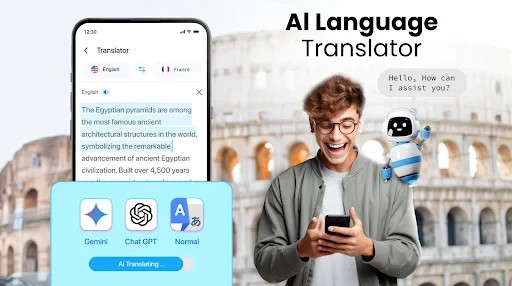
Translate: AI, Camera & Voice is a translation app in the Tools category, developed by iKame Applications - Begamob Global. Its store description highlights AI, photo, camera, text, and voice translation in one app. The app is rated for Everyone, making it suitable for a broad audience interested in translating written or spoken language.
What features does Translate: AI, Camera & Voice offer?
Translate: AI, Camera & Voice is a versatile translation app that provides multiple features for users. It supports text translations across numerous languages, voice recognition for spoken translations, and camera functionality to translate text directly from images. This makes it highly useful for travelers, students, and professionals who need quick and accurate translations.
Pros
- Accurate translations in real-time.
- User-friendly interface enhances experience.
- Supports multiple languages efficiently.
- Camera translation for quick text capture.
- Voice translation for hands-free use.
Cons
- Requires internet for real-time translation.
- Some languages may have errors.
- Camera translation needs good lighting.
- Voice recognition can be inconsistent.
- Limited features in free version.
- Category
- Tools
- Version
- 2.2.4









