TV Remote Control for RokuTV
- 1.69K
- 4.4
- Installs
- 1.00M
- Price
- Free
Screenshots
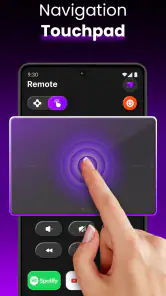
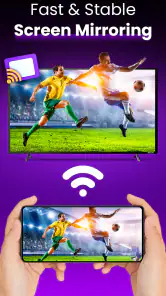
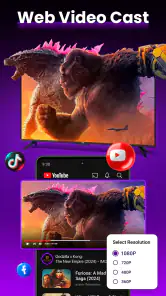
Analysis by Reviewed
Have you ever found yourself frantically searching for the TV remote, only to realize it’s buried between the couch cushions? Well, fret no more because the TV Remote Control for RokuTV app is here to rescue you from those moments of despair. Let me tell you, this app has been a total game-changer in my living room experience, and I’m excited to share my thoughts on it with you.
Seamless Connectivity with Roku Devices
First things first, the ease of connecting the app to my Roku device was a pleasant surprise. It was literally a matter of seconds! All I had to do was ensure that both my smartphone and Roku device were on the same Wi-Fi network, and voila! The app detected my device automatically. No more fumbling around with pairing codes or endless settings menus. This smooth setup means you can start using it almost immediately after downloading, and trust me, that’s a huge plus.
Intuitive User Interface
The user interface of the TV Remote Control for RokuTV is clean, intuitive, and user-friendly. I’m not the most tech-savvy person out there, but navigating through this app was a breeze. The buttons are well-organized, and everything is just where you’d expect it to be. It also offers a sleek design that feels modern without being overly complicated, which is something I really appreciate in a remote control app.
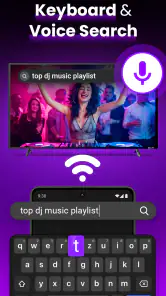
One of my favorite features is the voice command function. Sometimes, I’m just too comfy on the couch to even lift a finger, and being able to just speak my commands is incredibly convenient. Whether it’s changing channels, adjusting the volume, or searching for my favorite shows, the voice functionality works like a charm.
Customizable Experience
An app that allows customization gets major points in my book, and this one does not disappoint. You can easily personalize the remote layout according to your preferences, which makes the experience even more enjoyable. For instance, I’ve set my most-watched channels for quick access, so no more channel surfing for ages to find what I want to watch.
Moreover, I love how the app sends notifications for new updates or features available for your Roku device. This keeps you in the loop and ensures that you’re always making the most of your entertainment setup.
Ending Thoughts
All in all, the TV Remote Control for RokuTV app is a fantastic tool that has made my TV viewing experience so much more enjoyable and hassle-free. From its easy setup and intuitive interface to the customizable options and voice command feature, it truly stands out as a must-have app for any Roku user. If you’re looking to simplify your life and elevate your home entertainment, give this app a try. You won’t regret it!
Pros
- Easy to set up and connect.
- Compatible with all Roku TV models.
- Smooth and responsive interface.
- Includes voice search option.
- Customizable remote layout.
Cons
- Requires stable Wi-Fi connection.
- Contains ads in free version.
- No haptic feedback on controls.
- Limited features without subscription.
- Battery drain on prolonged use.
- Category
- Tools
- Version
- 18.6.2











