TV Cast Pro for Fire TV
- 413.00
- 4.4
- Installs
- 100.00K
- Price
- $6.99

Screenshots
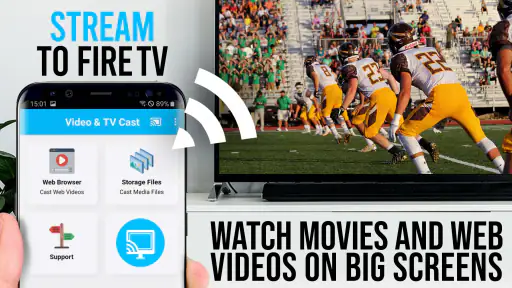
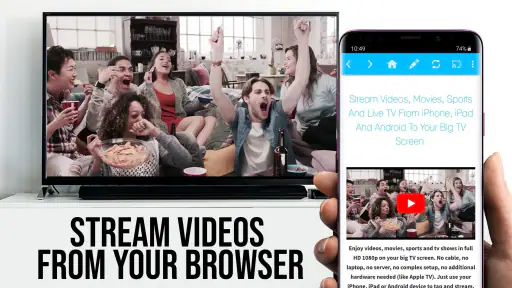
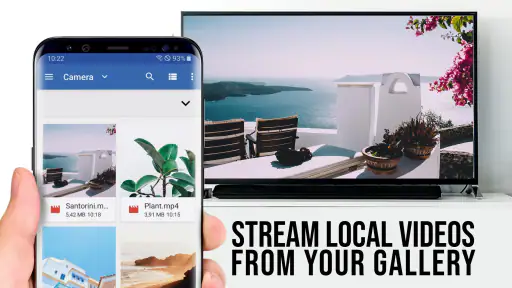
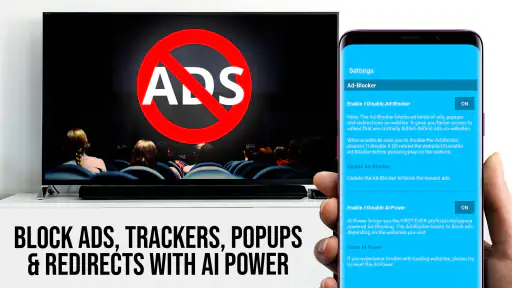
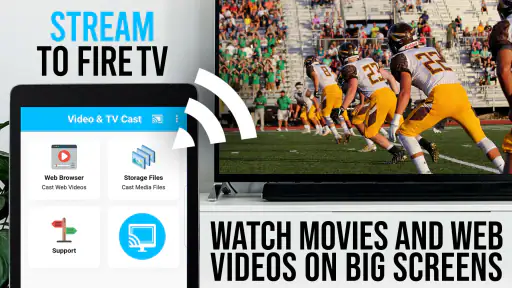
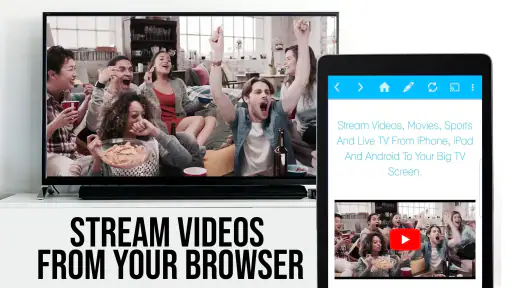
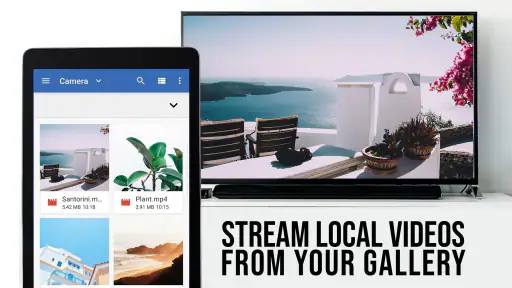
Analysis by Reviewed
I first reach for TV Cast Pro for Fire TV when I find a video on my phone that I’d rather watch on a television. It’s a paid video-casting and browsing app from 2kit consulting, aimed at people who want to send web video to a Fire TV without making the phone the main viewing screen. Its 4.4 average from around 1.7K ratings suggests it has found an audience, but the key question is whether its browser-based approach fits the way you watch.
What to expect from the browser-based approach
This isn’t a replacement for every streaming app already installed on your Fire TV. The useful distinction is that it gives you a way to find and cast web videos, online movies, and livestreams, rather than asking you to rely only on a service’s dedicated television app. That can help when a video is available in a browser but the route to watching it on the big screen is less obvious.
That flexibility also comes with a trade-off: playback depends on the website and the video itself. A page may change, require an interaction, or behave differently from a polished streaming service. I’d treat casting as a convenient option for compatible web content, not a guarantee that every page or player will work equally well.
Where this fits in a Fire TV routine
I find the clearest use for this kind of browser-and-cast workflow when I already know what I want to watch, but the video is awkward to reach through the television’s normal apps. It can also be handy when someone sends me a web link and I want to see whether it can play on the bigger screen without searching for a separate television service. The key is to think of the app as a route to particular web content, rather than a replacement for the whole Fire TV interface.
That distinction helps set expectations before spending time troubleshooting. If a publisher offers a dedicated Fire TV app, I’d normally try that first for regular viewing: its menus and playback are designed for the television. If a video lives on a web page with no convenient TV option, casting may be the more practical experiment. Choosing between those routes based on the source of the video is more useful than expecting one method to handle every kind of content.
Seamless Streaming Experience
One of the standout features of the TV Cast Pro for Fire TV is its seamless streaming capability. With just a few taps, I can cast not just YouTube videos, but also my favorite movies and shows from various platforms directly to my TV. The app supports a wide range of formats, which means no more worrying about compatibility issues. Trust me, it’s a real game changer!
First setup: make the connection simple
For a first attempt, I’d start with both devices connected to the same Wi-Fi network, then open the app and follow its prompts to find the Fire TV. If the television doesn’t appear, checking that network connection is a more useful first step than repeatedly tapping through menus. Getting the phone and TV onto the same network is the basic condition that makes the initial casting workflow straightforward.
More From Our News Desk

Clash of Clans Is Won Between the Battles

Android Auto Makes the Case for Quieter Car Software

MobiOffice: Transforming Mobile Productivity with Seamless Integration

EA SPORTS FC™ Mobile Soccer: Redefining Mobile Sports Gaming

How Microsoft OneDrive Became a Mobile Productivity Giant

How Google Translate Breaks Language Barriers Effortlessly
The setup process is as smooth as butter. All I needed was to ensure my phone and the Fire TV were on the same Wi-Fi network, and boom, I was ready to cast. The user interface is intuitive and user-friendly, even for someone like me who isn’t particularly tech-savvy. The app guides you through every step, making it almost impossible to mess up.
A first successful cast, then a sensible test
For a reassuring first win, I’d choose a short video from a familiar site before settling in for a long film or livestream. That quickly shows whether the television is found and whether that particular page’s player can be handed off successfully. If it works, try the kind of web video you actually want to watch; success with one site doesn’t necessarily mean every site behaves the same way.
This is especially handy in an everyday situation: I might find a cooking demonstration on my phone while preparing dinner, then send it to the Fire TV so I can follow along from across the room. For a longer viewing session, I’d check that the video continues on the television as expected before putting my phone aside. That small test can save the annoyance of discovering a page-specific issue halfway through.
Make the first test answer a real question
Rather than testing a random clip, I’d use the first session to check the exact sort of material that prompted me to look for a casting app. If the goal is a weekly exercise video, try one from the relevant site; if it’s a live event, test a stream when there is no pressure to catch the beginning. This makes the test meaningful, because page layouts and embedded players can differ even when the videos look similar.
I’d also separate two questions that are easy to mix up: can the phone find the Fire TV, and can the video page hand its playback over successfully? A visible television answers only the connection question. A short test on the intended site helps establish whether that specific content is suitable, without turning one successful connection into an assumption about every website.
Performance and the limits of web playback
When it comes to performance, this app does not disappoint. The streaming is consistent, without the dreaded buffering that usually ruins the viewing experience. I’ve tested it with various firewalls and network conditions, and it holds up remarkably well. The app's reliability is something I’ve come to appreciate, especially during those long binge-watching sessions.
In practice, I wouldn’t assume that every interruption is caused by the app. A weak or busy Wi-Fi connection, or a website’s own video player, can affect the result too. If a stream stutters, I’d first try another video on a familiar site and check the network before deciding that casting itself is unreliable. For a service I watch every day, its dedicated Fire TV app may still be the more predictable choice.
When the source, not the connection, is the obstacle
There is a useful difference between trouble finding the television and trouble playing a particular video. If the Fire TV is available but one page refuses to play, I would not keep restarting the whole setup as though the devices had lost contact. I’d try a different video from the same site, then a familiar page, to narrow down whether the issue follows one player or affects casting more broadly.
This is also why I wouldn’t plan an important watch around an untested web page. A livestream can be more time-sensitive than a saved video, and a page-specific hurdle is more frustrating when the event has already started. Testing in advance is a simple trade-off: it takes a little time, but gives me a better idea of whether the browser route is suitable for that source.
Useful extras and a small workflow tip
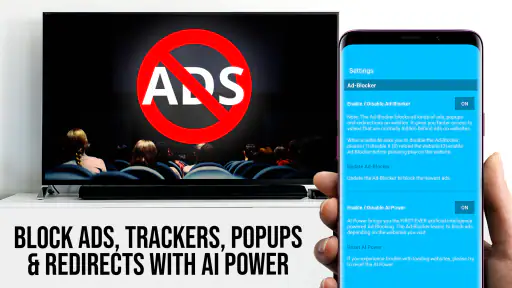
Besides its primary function, TV Cast Pro for Fire TV offers some nifty features like bookmarks for your favorite websites and an ad-blocker for uninterrupted viewing. These little bonuses make the app all the more appealing. It’s like the developers thought of everything to enhance our streaming experience.
Bookmarks are most useful when I already know which web pages I return to: saving those destinations can make repeat viewing quicker than searching for them from scratch. I’d still keep expectations realistic about the ad-blocker. It may improve the experience on some pages, but it shouldn’t be treated as a promise that every site will be free of ads or that every embedded player will behave identically.
Use bookmarks to reduce repeat work
A practical way to use bookmarks is to save a small set of pages that I have already tested, rather than treating them as a general collection of everything I might watch. That turns them into a personal shortcut list: familiar destinations are quicker to revisit, and I know which ones have worked for the content I care about. I would still check a page again if its layout or player has changed, since a bookmark preserves the destination, not a guarantee that playback will always be the same.
The ad-blocking option is best thought of as a possible improvement to browsing, not the main reason to buy the app. Websites can present ads in different ways, and a video player may have its own behavior. If an advert or page element interferes with a particular stream, I’d judge that site on its actual results rather than assume the same outcome across all web video.
Who will appreciate it, and who may prefer another route
I’d recommend it to a Fire TV owner who often discovers video in a browser and wants a straightforward way to try watching it on a larger screen. It is less compelling if nearly all your viewing already happens inside dedicated television apps, or if you want a service that guarantees every website will cast perfectly. Compared with switching between individual streaming apps, a browser-and-cast workflow can cover more kinds of web content; compared with a service’s native app, it can be less consistent from page to page.
The app is listed at $6.99, so I’d consider how often I actually watch web videos before buying. It’s rated Everyone, has reached over 100K installs, and runs from version 2.44 on Android 7.0 or later. Those details make it easier to judge whether it suits your device and habits, but the real value comes down to whether casting browser content solves a recurring problem for you.
Who should skip it, and what to compare first
I’d skip it if I almost always watch through services that already have Fire TV apps, since opening the native app is usually the simpler habit. I’d also be cautious if my expectation is that any web page will work like a purpose-built television player. The browser route adds flexibility, but it also makes the experience depend on the individual page and its embedded video.
For someone deciding between this and a phone’s built-in screen-mirroring option, the trade-off is about the viewing workflow. Mirroring is aimed at showing the phone’s screen, while this app is centered on finding web video and sending it toward Fire TV. If I want to keep using the phone independently while a video plays, a casting workflow is more appealing in principle; if I need to show an app or screen that is not a web video, mirroring may be the more natural alternative.
Before paying, I’d make a short list of the sites I actually use and ask whether having them on the TV would solve a recurring annoyance. A one-off link may not justify a paid app for everyone. Regular access to a handful of useful web pages makes a stronger case, especially when those pages are not comfortably available through the television’s own apps.
My next step after the first cast
Once a familiar video plays successfully, I’d save a frequently used site as a bookmark and try a second type of content, such as a livestream, before relying on it for a planned viewing session. That gives a more useful sense of how it fits into your routine than testing only one clip. If your main priority is dependable playback from a particular service, I’d compare the experience with that service’s own Fire TV app first.
After that, I’d keep the routine simple: use the app for web sources that are genuinely easier to reach this way, and use the native TV app when it offers a smoother path. That avoids turning casting into an extra step for content that already works well on the television. It also makes the app’s role clearer: a useful bridge for selected web videos, rather than the place I need to start every viewing session.
A realistic way to decide after trying it
Imagine you regularly find a tutorial on your phone, want to follow it from the kitchen, and don’t want to keep the handset in your hands. A short trial with that sort of video tells you more than a long tour of menus: can you locate the Fire TV, does the page play, and is the result comfortable enough to use again? If those answers are yes for the sources you care about, the app has a practical place in your routine.
If the first attempt fails, I’d avoid judging the entire app from one unfamiliar page. Check the shared network, test a known video, and then return to the specific source. But if the sites I rely on repeatedly remain awkward while the usual television apps already cover my viewing, I would stop troubleshooting and use the simpler option. Knowing when not to cast is part of getting value from it.
In conclusion, if you’re looking for a reliable and efficient way to stream content from your phone to your Fire TV, TV Cast Pro for Fire TV is definitely worth checking out. It’s easy to use, works flawlessly, and makes your viewing experience a whole lot better. Give it a try, and you might just find yourself wondering how you ever managed without it!
TV Cast Pro for Fire TV Frequently Asked Questions
What does TV Cast Pro for Fire TV let me do?
TV Cast Pro for Fire TV is a browser for Fire TV that lets you stream web videos, online movies, and livestreams in HD. It is designed for watching web-based video on a larger screen, rather than relying only on media stored on your phone. The app is in the Video Players & Editors category and is developed by 2kit consulting.
What is TV Cast Pro for Fire TV?
TV Cast Pro for Fire TV is an app that allows users to stream videos, movies, and other media content from their mobile devices directly to their Amazon Fire TV. The app supports a wide range of video formats, providing a seamless streaming experience without any cables. It enhances your Fire TV's capabilities by allowing you to watch content from your smartphone or tablet on the big screen.
How do I connect my mobile device to Fire TV using TV Cast Pro?
To connect your mobile device to Fire TV using TV Cast Pro, first ensure both devices are connected to the same Wi-Fi network. Open the app on your mobile device, and it should automatically detect your Fire TV. Once detected, select your Fire TV from the list and follow the on-screen instructions to establish a connection. You can then start casting your preferred media files directly to your TV.
Can I stream any type of video format using TV Cast Pro?
TV Cast Pro supports a wide range of video formats, but not all. It is designed to handle popular formats such as MP4, MOV, M4V, and more. However, some specific or less common video formats might not be supported. It's recommended to check the format compatibility before attempting to stream your media files to ensure a smooth viewing experience.
Is there a subscription fee for using TV Cast Pro?
TV Cast Pro is a paid app, which means there is a one-time purchase cost to download and use the app. However, once purchased, there are no additional subscription fees or hidden charges. This makes it a cost-effective solution for streaming content from your mobile device to your Fire TV.
Pros
- Seamless casting from phone to TV
- Supports various video formats
- High-quality streaming experience
- User-friendly interface
- No ads in pro version
Cons
- Requires stable Wi-Fi connection
- Paid app
- no free version
- Limited to Fire TV compatibility
- Occasional lag in streaming
- No remote control integration
- Category
- Video Players & Editors
- Version
- 2.44













