TV Cast Pro for Android TV
- 122.00
- 4.4
- Installs
- 100.00K
- Price
- $6.99

Screenshots
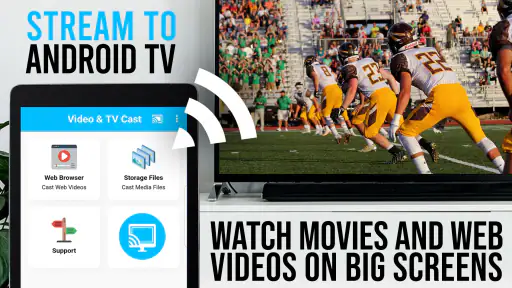

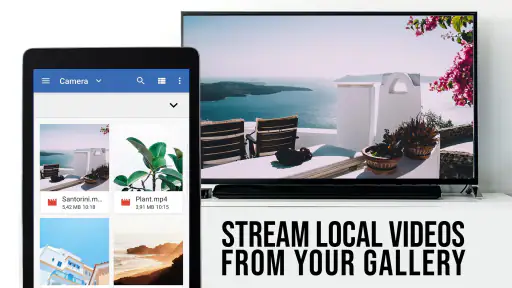
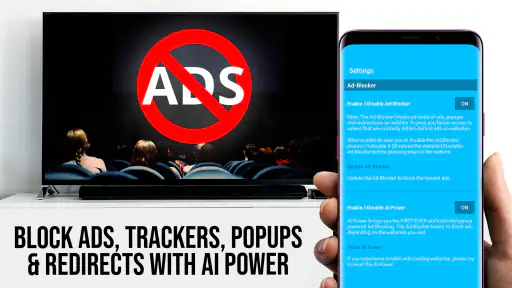
Analysis by Reviewed
In a shared home, casting often starts with a small negotiation: whose phone has the clip, which screen is free, and whether everyone wants to watch together. TV Cast Pro for Android TV is aimed at that simple handoff from browsing on a personal device to watching on a television. I see its value less as a replacement for every streaming app and more as a way to bring suitable web video into a shared room when the usual TV app is not the route you want to use.
A useful shared-screen routine
Picture a relaxed evening when one person finds a music video or online film on a phone and the rest of the household would rather watch from the sofa. A browser-based casting app can make that transition more convenient than passing the phone around or crowding around a small display. It is particularly appealing when the content is already being viewed on the web and you want the television to become the focus of the room.
That workflow has a trade-off: the person who finds the video is still the one operating the phone. I would agree on who is handling playback before starting, especially when several people share a device. It avoids the familiar interruption of someone opening another page or taking the phone away while everyone is watching. This is a practical coordination habit, not a household feature I would expect the app to provide.
Keep browsing and viewing boundaries clear
Because this is a web-browsing route to video, I would treat the phone as the control point and the TV as the shared display. Before casting in a common room, check what is open on the phone and make sure the intended video is the one being sent to the television. That small pause matters more in a household than it does when watching alone: a personal browsing session can become visible to everyone nearby once the big screen is involved.
I would also separate a shared viewing session from someone else’s browsing time. If family members take turns with one phone or tablet, handing over the device deliberately is more sensible than assuming the next person will know which page or playback state is active. The app can help put web video on the TV, but it does not remove the need for ordinary device-sharing boundaries.
Plan around the person holding the phone
A practical arrangement is to choose the video together, then let one person keep the phone as the session’s remote. That avoids competing taps and makes it clear who can pause or change playback. If someone else wants to show another clip, I would finish the current one before switching pages rather than relying on everyone to remember where the video came from.
This matters most when the phone is also needed for everyday tasks. A call, message, or low battery can interrupt the person managing playback even if the TV itself is ready. For a short clip, that is a minor inconvenience; for a longer watch, it is worth choosing a device that can remain available and nearby. Casting is convenient, but it does not make the controlling device irrelevant.
More From Our News Desk

Clash of Clans Is Won Between the Battles

Android Auto Makes the Case for Quieter Car Software

MobiOffice: Transforming Mobile Productivity with Seamless Integration

EA SPORTS FC™ Mobile Soccer: Redefining Mobile Sports Gaming

How Microsoft OneDrive Became a Mobile Productivity Giant

How Google Translate Breaks Language Barriers Effortlessly
What to check before a shared viewing session
When a video is found on a web page, I would test the exact page before inviting everyone to settle in. Start with a short section and confirm that the television is showing the intended content. This simple trial catches the most frustrating mismatch: a page that plays on the phone but does not transfer as expected to the larger screen.
I would also think about the room before casting. If the TV is visible from a kitchen or shared living space, everyone nearby may see what is playing, not only the person who picked it. That makes this workflow useful for deliberately shared viewing, but less suitable when the content or browsing session is personal. The distinction is not a special control in the app; it is a sensible way to use a phone-to-TV setup.
Seamless Streaming with TV Cast Pro
Imagine this: you’re comfortably settled on your couch, popcorn in hand, ready for a movie marathon, but fumbling with your smartphone or tablet to stream to your big screen. This is where TV Cast Pro for Android TV steps in. With this nifty app, you can effortlessly cast your favorite videos, photos, and even music straight from your phone to your Android TV. It's like having a personal media butler at your beck and call!
Easy Setup and User-Friendly Interface
The first thing I loved about this app is how easy it is to set up. After downloading it from the Play Store, you simply connect your devices to the same Wi-Fi network, and you’re good to go. The interface is clean and intuitive, making it a breeze to navigate even for those who aren’t tech-savvy. No more fiddling with complicated settings; just straightforward streaming.
Versatile Compatibility
One of the standout features of TV Cast Pro is its compatibility. Whether you're casting from a smartphone, tablet, or even a laptop, this app has got you covered. It supports a wide range of media formats, so you can stream almost anything without worrying about conversion issues. Plus, it works seamlessly with popular streaming sites, giving you access to a vast world of content.
Choose casting for the right kind of video
I would use this approach when I have found a web video that is awkward to search for on the TV itself, or when I want to share a clip without asking everyone to install or sign into the same service. Compared with opening a dedicated streaming app directly on the television, browser-based casting can be a handy detour for web content, but it adds a phone and a network connection to the chain. For a service I watch every week, the TV app is usually the simpler, more dependable choice.
For a one-off clip, I would first check whether the page actually offers video that can be cast, then start playback and keep the phone nearby in case I need to adjust or resume it. That is a more reliable expectation than assuming every embedded player behaves alike. Web video can vary from site to site, so a page that looks fine on a small screen may not behave as smoothly when sent to a television.
Make the first cast a quick test
My preferred workflow is to open the page and locate the actual video before trying to cast. A page can contain menus, previews, and several embedded elements, so identifying the intended player first reduces guesswork once the television is involved. I would start playback briefly, check the TV, and only then settle in. It is a small step, but it is more useful than assuming every page offers the same casting experience.
If the web video is a regular part of your routine, keep track of which sites work well for your own viewing habits. That personal shortlist is more dependable than treating all web content as interchangeable. It also helps when several people share the television: you can pick a known, suitable page rather than troubleshoot an unfamiliar one while everyone waits.
Reliable Performance
Now, let's talk about performance, because what’s the point of a casting app if it stutters during your favorite scenes, right? Thankfully, TV Cast Pro delivers a smooth streaming experience with minimal lag. The app adjusts the video quality based on your internet speed, ensuring you get the best possible viewing experience without annoying buffering interruptions. It’s like magic!
However, like with any app, there might be occasional hiccups depending on your Wi-Fi strength and device compatibility. But overall, it does a fantastic job of keeping the stream running smoothly.
When children are part of the room
The app is rated for Everyone, which makes its age context straightforward, but that rating is not a substitute for choosing suitable websites and videos. I would stay present when younger viewers are using a shared phone to browse, and I would select the page before putting it on the television. A big screen turns a private choice into a group experience, so previewing content is a useful everyday safeguard.
One less obvious point is that the browsing device remains part of the viewing setup. If someone else needs it for a message or another task, playback may become a coordination issue even when the TV is working properly. For longer viewing, I would keep the phone with the person managing the session rather than treating casting as a completely hands-off replacement for the television’s own player.
Age rating is not a content filter
I would read the Everyone rating as an indication of the app’s age context, not as a promise that every website reached through a browser is appropriate for every viewer. The content comes from the page being viewed, so a parent or caregiver still needs to make the selection. For a family movie night, choosing and checking the page before casting is a more reliable safeguard than relying on the app’s rating alone.
That distinction also affects who should operate the shared device. Younger viewers may be perfectly comfortable watching a selected clip, while browsing independently on a phone is a different activity. I would keep those roles clear, particularly if the screen is in a common room where a mistaken tap could change what everyone sees.
Worth the Investment?
Now, you might be wondering, is TV Cast Pro worth the investment? In my opinion, absolutely! For anyone who enjoys streaming content on a larger screen without the hassle of cables, this app is a game-changer. The convenience it offers, combined with its user-friendly interface and reliable performance, makes it a must-have for any Android TV owner.
There is a real difference between a paid casting tool and the options people already have: many TVs and streaming services offer built-in ways to play content, while a web browser on a phone may be more convenient for finding certain videos. I would choose this app when that browser-to-TV path solves a recurring problem, not simply because casting sounds useful. If you mostly watch through dedicated TV apps, the extra step may not earn its place on your device.
When another option makes more sense
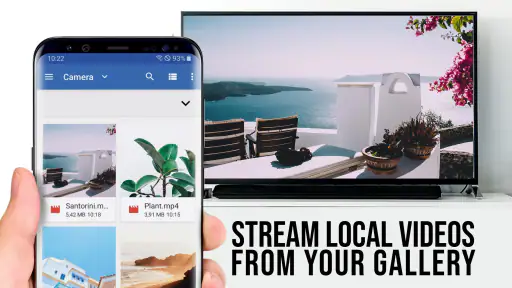
For a channel or service with a solid app on the television, I would start there. It removes the phone from the playback chain and is usually a better fit for repeat viewing. If I have a locally stored video, the device’s existing sharing options may be enough. The distinct case for this app is web video that is easier to find on a handheld browser than through the TV’s own menus.
I would also think twice if my household expects every person to control the TV independently. This workflow naturally gives the browsing device’s user a central role, so it suits a shared session better than a hands-off, remote-controlled setup. The paid price makes most sense when that specific convenience comes up regularly; for rare use, a free built-in route or the TV’s own apps may be preferable.
Who I would recommend it to
The app is from 2kit consulting and sits in the video player and editor category. Its average is 4.4 from around 1.7 thousand ratings, with over 100 thousand installs, so it has found an audience among people looking for this kind of casting workflow. At $6.99, I would think about how often I actually send web video to the TV before buying: frequent use makes the convenience easier to justify, while occasional use may not. It is available to everyone by age rating, and version 2.48 requires Android 7.0 or later.
I would recommend it to someone who regularly discovers videos in a browser and wants a practical way to share them on an Android TV, especially in a household where people take turns choosing what to watch. I would skip it if I mainly use native TV apps, expect every web player to cast perfectly, or want the television experience to work without keeping a phone involved. Those are not flaws so much as limits of this particular approach.
A sensible household verdict
In a home where one person often finds web clips and others want to watch together, this can be a useful bridge between the phone and the TV. I would make the most of it by agreeing who is in charge of playback, checking the page before sharing it, and keeping the controlling device available during the session. Those habits address the practical friction that matters most in shared use.
For a household built around TV apps, however, this is more of a specialist tool than a new centre for entertainment. It does not replace the convenience of opening a familiar service directly on the television, and it asks someone to manage playback from a phone. I would buy it when web-to-TV casting solves a repeated annoyance, not simply because it sounds like a feature every home needs.
In conclusion, TV Cast Pro for Android TV is a solid choice for enhancing your home entertainment setup. Whether you’re hosting a movie night or just want to unwind with some music videos, this app has got your back. So go ahead, give it a try, and elevate your streaming experience. Happy casting!
TV Cast Pro for Android TV Frequently Asked Questions
Can TV Cast Pro stream videos from a web browser to my TV?
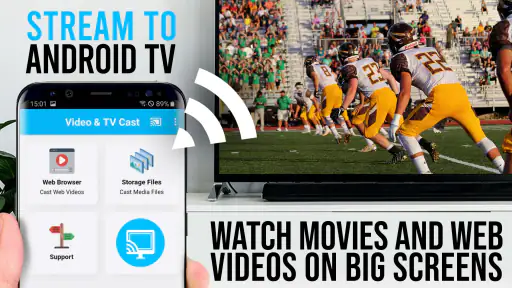
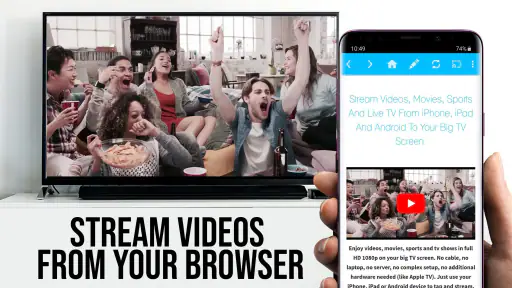
Yes. TV Cast Pro is a web browser designed to stream videos, online movies, and livestreams to Google Cast TVs. You can browse for content on your mobile device and send compatible video to the TV, then watch it on the larger screen. Both devices need a suitable connection for casting, and playback can depend on the source website and the TV.
What is TV Cast Pro for Android TV and how does it work?
TV Cast Pro for Android TV is an advanced application that allows users to stream content from their mobile devices directly to their Android TV. It works by connecting both the device and the TV to the same Wi-Fi network, enabling seamless casting of videos, photos, and other media files. This app supports a variety of formats and offers a user-friendly interface to enhance your viewing experience.
Does TV Cast Pro support all video formats?
TV Cast Pro for Android TV supports a wide range of video formats, making it highly versatile for streaming needs. However, it's important to note that not every format may be supported due to device limitations or specific codec requirements. Users should check the app's specifications or contact support for detailed compatibility information to ensure the best performance.
Is TV Cast Pro compatible with all Android TVs?
TV Cast Pro is designed to be compatible with most Android TVs available in the market. However, compatibility can vary depending on the model and the operating system version of your TV. It's recommended to check the app's compatibility list or consult with the app's customer support to verify if your specific Android TV model is supported before purchasing or downloading the app.
What are the main features of TV Cast Pro?
TV Cast Pro offers a variety of features that enhance the streaming experience. Key features include the ability to cast videos, photos, and music from your mobile device, support for HD quality streaming, and no limitations on the duration of casting. Additionally, users can enjoy an ad-free experience, making it a preferred choice for uninterrupted viewing on Android TVs.
Pros
- Seamless streaming from phone to TV
- Supports multiple video formats
- User-friendly interface
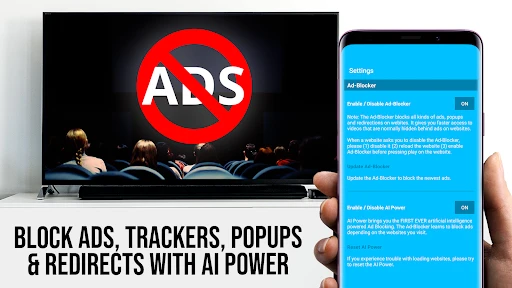
- No ads in the pro version
- High-quality video playback
Cons
- Requires stable Wi-Fi connection
- Limited support for some TV brands
- Initial setup can be tricky
- Pro version is paid
- Occasional lag in casting
- Category
- Video Players & Editors
- Version
- 2.48













