Screen Mirroring + for Fire TV
- 426.00
- 4.4
- Installs
- 50.00K
- Price
- $4.99
Screenshots
Analysis by Reviewed
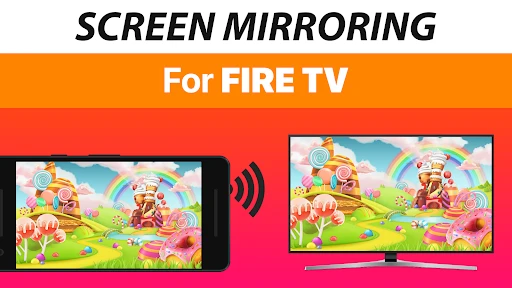
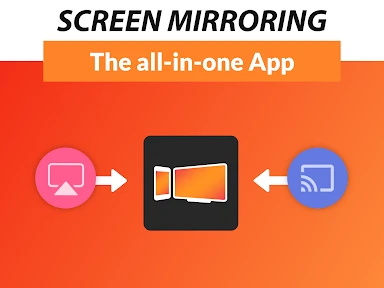
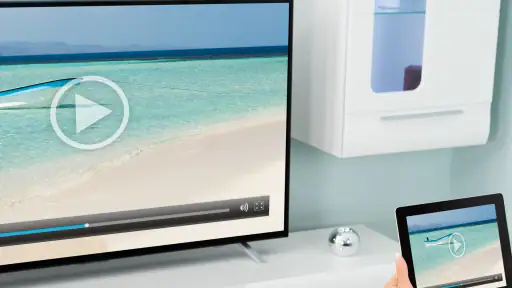
I judge a screen-mirroring tool by how quickly it gets a phone’s picture onto a TV, because that is the moment when a useful idea either feels effortless or turns into a troubleshooting session. Screen Mirroring + for Fire TV is a paid utility from 2kit consulting, built around sending a mobile screen to a Fire TV. I find that focused purpose appealing: it is most useful when I want to show something that is already on my phone, rather than search for it again with a TV remote.
What mirroring changes
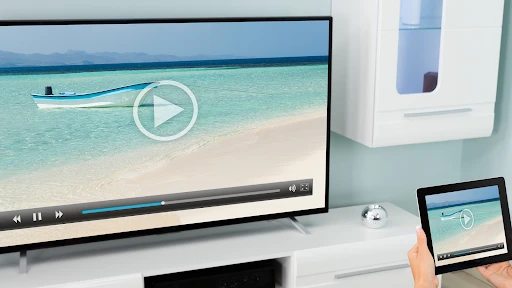
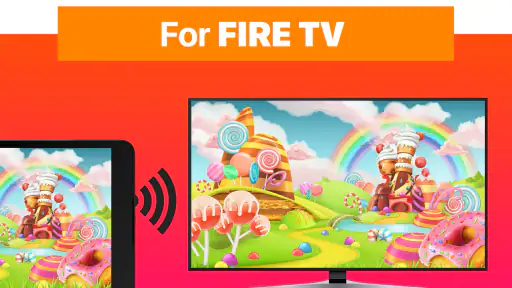
Mirroring is different from opening a streaming app directly on the television. The TV becomes a larger view of what is on the phone, so it can be handy for personal photos, a page you are reading, or an app that has no convenient TV version. The trade-off is that the phone remains part of the setup: what appears on its screen is what other people can see, and you may need to keep it awake and nearby while sharing.
That distinction also helps set expectations. This is a screen-sharing tool, not a replacement for every TV app or a promise that every video service will behave identically when mirrored. When a service already has a Fire TV app, using that directly is usually the simpler route for a long film session. I reach for mirroring when the thing I want to show is on the phone and there is no better living-room shortcut.
Easy Setup and User-Friendly Interface
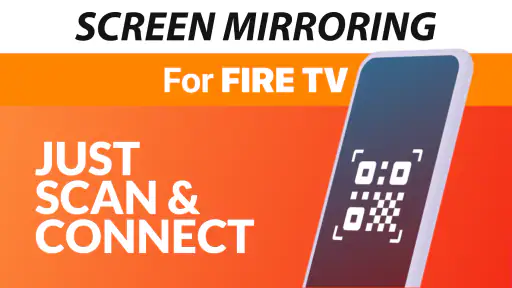
First things first, setting up Screen Mirroring + for Fire TV was a breeze. You don’t need to be a tech guru to get started. The app guides you through the process with clear on-screen instructions. The interface is super intuitive, which means even my grandma could navigate through it without any hiccups.
How I make a session smoother
The practical first check is the network: the phone and Fire TV need to be on the same Wi-Fi network, as the app itself advises. If the TV does not appear, I would check that both devices are connected to the intended household network before repeatedly restarting the app. Homes with separate guest and main networks can make this easy to overlook. For a planned presentation, I would test the connection before people are waiting, then close private messages or anything else I would not want appearing on the television.
A small but useful habit is to prepare the phone before connecting: open the photo album, document, or page you intend to show, and set the screen orientation you want. This reduces fumbling once the TV is displaying the phone. It also makes the tool more comfortable for casual sharing, such as showing several holiday pictures without passing a small handset around the sofa.
Streaming quality that shapes the experience
One of the standout features of this app is its streaming quality. I was pleasantly surprised by how seamlessly it mirrored my phone's screen onto the TV. Whether it’s watching high-definition videos or playing graphics-heavy games, the app handles it all without any noticeable lag. The audio quality is just as impressive, providing a crisp and clear sound that enhances the viewing experience.
More From Our News Desk

Clash of Clans Is Won Between the Battles

Android Auto Makes the Case for Quieter Car Software

MobiOffice: Transforming Mobile Productivity with Seamless Integration

EA SPORTS FC™ Mobile Soccer: Redefining Mobile Sports Gaming

How Microsoft OneDrive Became a Mobile Productivity Giant

How Google Translate Breaks Language Barriers Effortlessly
Even so, I would not treat mirroring as the best option for every kind of viewing. A weak or busy Wi-Fi connection can affect a wireless session, and a fast-moving game is less forgiving of delay than a slideshow or a shared web page. If a video stutters, I would first check the network and try moving closer to the router before deciding the app is at fault. For a film I can play natively on Fire TV, the native app is still my preference; mirroring earns its place when the source is only on the phone.
Compatibility and versatility
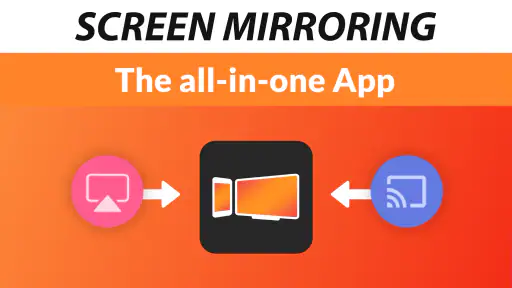
Another aspect worth mentioning is its compatibility. The app supports a wide range of devices, so you aren’t limited to a specific brand or model. Whether you're using an Android or iOS device, Screen Mirroring + for Fire TV has got you covered. Plus, it works with various Fire TV models, which is a huge plus if you're like me and own multiple Fire TV devices around the house.
On top of that, it offers a versatile range of uses. From personal use like streaming videos and photos to professional settings, where presentations and meetings can be elevated by projecting them onto a larger screen, this app does it all. It’s like having a Swiss Army knife for your media needs.
A living-room use that makes sense
My most convincing everyday case is not a formal presentation but an ordinary family visit: someone has a photo or short clip on their phone, and everyone wants to see it without crowding around the handset. Mirroring turns that into a shared moment with little preparation. It can also help when a relative needs to follow along with a page or app on a larger display, though I would keep the phone in hand so I can control what is shown and stop sharing promptly.
For work, I see it as a convenient backup rather than a full meeting-room system. A quick slide, chart, or reference page can be easier to discuss on a TV than passed around on a phone. For a long presentation, though, I would test the exact material beforehand and keep another way to present available; wireless screen sharing depends on the home or venue network, and a phone notification can interrupt the view.
Small choices that prevent awkward moments
Mirroring makes the phone the control surface, which is useful but easy to forget once the image fills a TV. Before sharing in a group, I would switch on a focus or do-not-disturb setting if available on the phone, and avoid opening personal apps while the session is active. A quick lock-screen check also matters: notifications can reveal names or message previews to everyone in the room. These are not complicated precautions, but they make the difference between a relaxed photo show and an accidental privacy lapse.
I would also choose content with the screen shape in mind. A portrait photo or a tall page will still appear as a phone-shaped view rather than magically becoming a widescreen TV layout. That is perfectly fine for a quick reference or a picture, but it may leave unused space and make small text harder to read from across the room. For a document, zoom in before connecting and move through it slowly; for a group, a landscape photo album or a few prepared slides is usually easier to follow.
There is a practical distinction between showing and watching. A short clip or a page is forgiving if the connection needs a moment to settle, while a long video asks the phone and wireless link to remain dependable for longer. I would use this app to share a clip that is already on my phone, but if the same film is available in a Fire TV app, I would start it there and leave the phone free. That keeps the TV in control of playback and avoids turning a casual watch into a session that needs monitoring.
Price, fit, and practical limits
The app costs $4.99, so I would buy it for a recurring need, not just because screen mirroring sounds interesting. If I regularly show phone-only content on a Fire TV, the convenience can justify a one-time purchase. If I already watch everything through TV-native services and rarely share photos or documents, the built-in options I already use may be enough. The app is rated for Everyone, which makes its basic household use approachable, but adults should still consider what personal information could appear during a mirrored session.
It sits between built-in casting or mirroring tools and a wired connection. Built-in options can be more convenient when they already work with the devices at hand; a cable can be more dependable in some situations but is less flexible and requires the right connection. This app’s appeal is the direct phone-to-Fire-TV workflow. Its limitation is the same as that of wireless mirroring generally: network conditions and the behavior of the content on the phone matter, so it is not a universal substitute for native playback.
What to try when the TV does not show up
If the Fire TV is missing from the app, I would troubleshoot in a calm order rather than reinstalling immediately. First confirm both devices are on the same Wi-Fi network, then check whether the phone has switched to mobile data or a guest network. If the household has more than one access point, connecting both devices to the same named network is a sensible first test. After that, reopening the app or checking the TV’s network connection is more useful than repeatedly tapping the device list.
For a session that connects but feels choppy, I would simplify the conditions before judging the result: move the phone nearer to the router, pause other heavy network activity if practical, and try a still image or web page. That separates a network issue from a problem specific to one video or game. If smooth control is essential, especially for a game, I would choose a native TV version or another connection method instead of expecting wireless mirroring to feel identical to playing directly on the phone.
Compatibility and value in context
Developed by 2kit consulting, this Tools app has a 4.4 average from around 3,000 ratings, with more than 50,000 installs. It was released on August 6, 2020, and version 1.61 is listed for devices running Android 7.0 or later. Those figures give a sense of its established audience, but I would still make the purchase decision based on my own setup: the key question is whether I often need to show phone content on a Fire TV, not whether I need another general media player.
For someone comparing options, I would start with the simplest test: can the phone and television already share the content through a built-in feature or a TV app? If yes, that route may require less effort. If not, this app offers a dedicated way to put the phone’s current view on the larger screen. The same-network check is especially worth doing before buying if the Fire TV and phone are routinely connected to different Wi-Fi networks in your home.
The choice also depends on what “sharing” means in your household. If one person wants to play a film while using the phone for something else, mirroring is an awkward fit because the TV is following the phone’s display. If the goal is to let several people see a recipe, travel photo, reference page, or short clip, that directness is exactly the point. I would think of the app as a bridge for occasional phone-only material, rather than as a new home for all of my TV viewing.
Someone deciding whether the purchase is worthwhile can make the call with a simple inventory: how often do guests ask to see something on a phone, and how often is that content unavailable on the Fire TV itself? A person who answers “often” to both may appreciate having the option ready. Someone who already relies on a TV app for nearly everything may get little use from a dedicated mirror, even if the setup is easy.
Who gets the most from it
I see the clearest fit for people who use a Fire TV regularly and keep useful content on a phone: families sharing photos, travelers showing a booking or itinerary to companions, and anyone who occasionally needs a larger view of an app or web page. It is also a handy fallback when a particular item has no comfortable TV interface. The central benefit is not replacing the phone; it is letting other people see what the phone is already showing.
I would be more cautious about recommending it to someone who expects a completely hands-off streaming experience, needs dependable timing for a formal presentation, or mainly wants to play competitive games on a TV. Those jobs reward a direct TV app, a tested presentation setup, or a lower-latency connection more than casual screen sharing does. The app makes most sense when convenience matters more than having a dedicated remote-controlled playback system.
My personal take
After using Screen Mirroring + for Fire TV for a few weeks, I can honestly say it has exceeded my expectations. It’s rare to find an app that delivers on all fronts—ease of use, quality, and versatility. If you're someone who enjoys sharing content from your phone to a TV screen, this app is definitely worth giving a shot.
Just a little heads up from my experience: make sure your devices are on the same Wi-Fi network to avoid any connectivity issues. Once you’ve got that sorted, you’re all set for an immersive screen mirroring experience.
All in all, Screen Mirroring + for Fire TV is a reliable companion for anyone looking to enhance their media sharing capabilities. It's practical, efficient, and most importantly, it works just as advertised. Give it a try, and you might just find it becoming an indispensable part of your digital toolkit.
Screen Mirroring + for Fire TV Frequently Asked Questions
Can I use Screen Mirroring + for Fire TV to show photos and videos on my television?
Yes. The app is designed to mirror your device’s screen to Fire TV, so photos, videos, presentations, and other content displayed on your device can be viewed on the larger screen. The experience is described as fast and simple, making it useful when you want to share what is on your screen rather than view it only on your phone or tablet.
Does Screen Mirroring + for Fire TV work without Wi-Fi?
Mirroring setup relies on your device and Fire TV being connected to the same Wi-Fi network. That shared connection lets the app find the television as an available device and start mirroring. Before downloading, consider whether both devices can use the same network where you plan to watch or present content, since this is part of the setup process.
What is Screen Mirroring + for Fire TV?
Screen Mirroring + for Fire TV is an app that allows you to mirror your smartphone, tablet, or computer screen to your Amazon Fire TV. This enables you to view content from your device on a larger screen, improving your viewing experience for videos, photos, presentations, and more.
How do I set up Screen Mirroring + for Fire TV?
To set up Screen Mirroring +, first ensure that both your device and Fire TV are connected to the same Wi-Fi network. Open the app on your device, and select your Fire TV from the list of available devices. Follow the on-screen instructions to complete the mirroring setup process.
Is there a cost associated with using Screen Mirroring + for Fire TV?
Screen Mirroring + for Fire TV costs $4.99. It is a Tools app developed by 2kit consulting, and its straightforward screen-mirroring purpose may suit people who regularly want to show content from a device on Fire TV. Check that the app’s main function matches what you need before purchasing.
Pros
- Easy setup and connection process.
- Supports high-quality video streaming.
- Compatible with most devices.
- User-friendly interface design.
- Low latency for real-time mirroring.
Cons
- May experience occasional connectivity drops.
- Some features require in-app purchases.
- Limited support for older devices.
- Ads can be intrusive at times.
- Requires stable Wi-Fi for best performance.
- Category
- Tools
- Version
- 1.61









