Trinity Health MyChart
- 1.79K
- 4.3
- Installs
- 100.00K
- Price
- Free

Screenshots
Analysis by Reviewed
Have you ever found yourself juggling multiple health records, trying to keep track of appointments, test results, and medications? Enter Trinity Health MyChart, a handy app that's here to simplify your healthcare management. Let me take you through my personal journey with this app, which might just be the game changer you've been looking for.
Getting Started with Ease
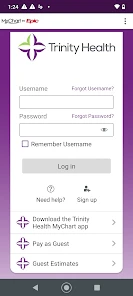
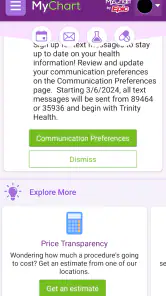
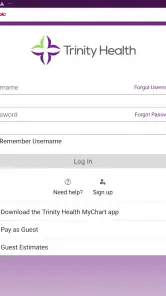
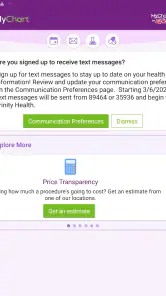
The first thing you'll notice about Trinity Health MyChart is its user-friendly interface. Signing up was a breeze; all I needed was an activation code from my healthcare provider. Once you're in, the app greets you with a neat dashboard that displays your upcoming appointments, recent test results, and any health reminders. It’s like having a personal health assistant right in your pocket.
Keeping Track of Your Health
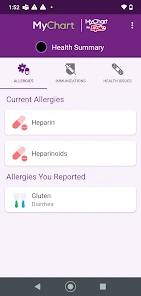
One of the standout features of this app is how it consolidates all your health information in one place. No more rifling through papers or trying to remember when your last tetanus shot was. With just a few taps, you can access your medical history, allergy information, and even your current medications. It’s all organized so intuitively that even my tech-phobic aunt could navigate it with ease!
Appointment Scheduling Made Simple
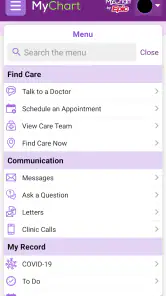
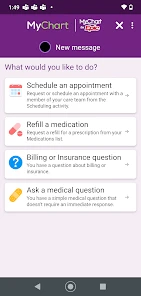
Gone are the days of being on hold forever just to schedule a doctor's appointment. With this app, you can view available slots and book appointments at your convenience. Plus, it sends you reminders so you won’t miss out on any important visits. This feature alone has saved me countless hours and headaches.
Stay Connected with Your Healthcare Providers
Communication is key in healthcare, and Trinity Health MyChart ensures you’re always in the loop. The app allows for secure messaging with your doctors, which means you can ask questions or request prescription refills without needing to make a call. During my review, I found this feature incredibly useful for minor inquiries that didn’t warrant a full appointment.
Managing Test Results
Waiting for test results is often a nerve-wracking experience. Thankfully, the app provides access to your lab results as soon as they’re available. You’ll receive a notification, and with a quick glance, you can see your results, complete with detailed explanations and historical comparisons. This transparency is a huge relief for anyone who’s ever been left in the dark by traditional methods.
In conclusion, if you’re looking for a way to streamline your healthcare experience, Trinity Health MyChart is a solid choice. It brings all aspects of your medical care into a single, accessible app, making it easier than ever to stay on top of your health. Give it a try, and you might just find it’s the healthcare partner you never knew you needed. After all, who doesn’t want a little extra peace of mind?
Pros
- Easy-to-use interface for all users.
- Secure and private medical data access.
- Real-time updates on appointments.
- Access to lab results and prescriptions.
- 24/7 access anywhere
- anytime.
Cons
- Limited customization options.
- Occasional login issues.
- Not all features available offline.
- Some lag with real-time updates.
- Only supports Trinity Health network.

- Category
- Medical
- Version
- 11.5.2