Translate: Language Translator
- 94.00
- 4.7
- Installs
- 1.00M
- Price
- Free

Screenshots
Analysis by Reviewed
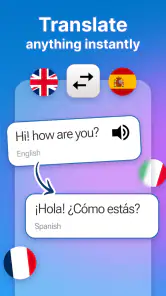
I spent time with Translate: Language Translator as a practical language tool, and my first impression is that it aims to solve one clear problem without pretending to be a full language course. Developed by o16i Apps, it sits in the Tools category and is available free of charge. The app’s straightforward purpose is translating between languages, which makes it most useful when I need a quick meaning, a short reply, or help understanding text while moving through a multilingual day.
That simplicity is important. I would not choose it expecting structured lessons, pronunciation coaching, or a complete replacement for a professional interpreter. I see it instead as a pocket utility: open it when a phrase, message, sign, or small piece of writing creates friction, then use the result as a starting point for understanding or communication. For casual translation needs, that focused approach can be more convenient than opening a browser and searching for a translation service every time.
How Translate: Language Translator fits into everyday use
A free starting point with optional paid value
The basic cost is easy to understand: the app is free to install and use as an entry point. There are also in-app purchases ranging from $0.99 to $99.99 per item. That wide range means I would pay attention to the purchase screen before confirming anything, especially if I only need occasional translations. The free access is the main reason to try it, while the paid side should be judged by whether it removes a real inconvenience for the way I personally use the app.
I appreciate that this creates a low-risk first step. Someone who needs help translating a sentence during travel, checking a message from a friend, or understanding a short instruction can test the app without committing money immediately. At the same time, free does not automatically mean unlimited value. If a person needs translation for work every day, they should compare the app’s paid options with established alternatives and consider accuracy, speed, language coverage, and any workflow features that matter to them.
The app is rated for Everyone, so its intended audience is broad. That makes sense for a general translation tool, although younger users should still treat generated translations as assistance rather than unquestionable authority. A translation can sound natural while missing context, tone, or cultural meaning. I would especially avoid relying on any machine translation alone for medical instructions, legal documents, immigration paperwork, or safety-critical communication.
What I found useful in real situations
My favorite use case is the small, immediate problem. Imagine receiving a message from a host while traveling. Instead of copying the text into a browser, switching between tabs, and losing the original message, I can use a dedicated translation app as the first place to interpret it. The same applies to a menu, a short notice, or a question from someone who does not share my strongest language.
Another useful workflow is drafting before sending. I can write what I want to say in familiar wording, translate it, and then inspect the result before sharing it. That extra pause matters because literal translations can be awkward. If the translated sentence looks too formal, too blunt, or strangely ordered, I can shorten the original and try again. In my experience, giving the translator simple sentences produces a more dependable result than feeding it a long paragraph full of jokes, slang, or several ideas at once.
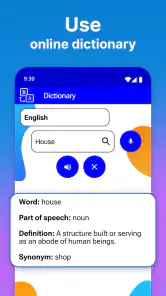
A less obvious advantage is that a dedicated tool encourages me to separate translation from other tasks. When I use a general search engine, I may end up reading unrelated pages or accepting a snippet without checking the full context. With a focused app, I can concentrate on the source and target language and then decide what to do with the result. That is particularly helpful for quick exchanges where I do not need research, definitions, or a long explanation.
Tips for getting more dependable translations
The quality of the result depends heavily on the input. I get better outcomes when I avoid abbreviations, write one thought at a time, and keep names or product terms clearly separated from the rest of the sentence. If a phrase has two possible meanings, I translate both versions or add a little context instead of assuming the first result is correct.
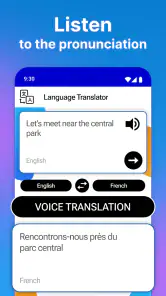
I also recommend keeping the original sentence visible while checking the translation. This makes it easier to spot a missing negation, a changed tense, or a word that has been interpreted too narrowly. A machine translation can be grammatically polished and still be wrong for the situation. The app is most valuable when I use it as a fast assistant, not as a final editor with perfect knowledge of intent.
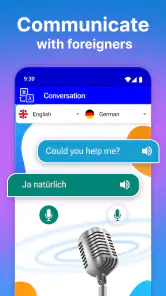
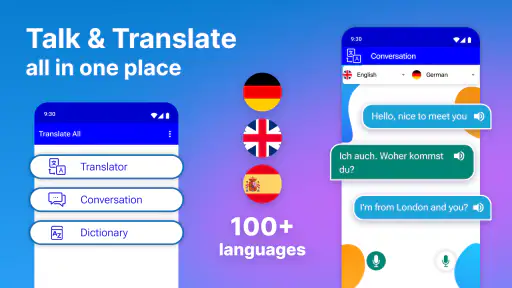
For conversations, short turns work better than trying to translate an entire discussion in one block. I would translate one message, confirm what it means, and then prepare a concise response. This reduces the chance that context from one subject will distort the next sentence. It also makes misunderstandings easier to catch before they grow.
Where it compares well with usual alternatives
The usual alternatives are browser-based translators, built-in translation tools, and larger language apps that combine translation with dictionaries, lessons, speech functions, or conversation modes. Translate: Language Translator makes the most sense when I want a dedicated, uncomplicated place for language conversion rather than a broad learning platform.
A browser can be better when I need to compare several sources, research a word deeply, or translate a long document while working on a larger screen. A built-in phone feature may be faster when it is already integrated into the exact app where I am reading. A full language-learning app is usually the better choice for someone who wants vocabulary practice, progress tracking, grammar exercises, and a long-term study plan.
The advantage here is focus. I do not need to turn a quick translation into a study session. The trade-off is that I should not expect the wider ecosystem of tools found in more specialized services. For a traveler checking short phrases, a casual user handling occasional messages, or someone who wants a separate translation utility, that balance can be sensible. For professional localization or serious language study, I would look elsewhere or use this only as a preliminary aid.
Practical limits I would keep in mind
Translation is not just word replacement. Tone, humor, regional expressions, politeness, and technical vocabulary can all change the correct answer. A short sentence may be easy to translate, while a phrase that depends on cultural context may require a human explanation. I would be cautious with sarcasm, idioms, poetry, and business wording where a small shift can change the relationship between the people involved.
There is also a difference between understanding a message and producing a message that sounds natural. The app may help me grasp the general meaning, but I would still reread anything important before sending it. If I am communicating with a customer, applying for something official, or explaining a sensitive issue, I would ask a fluent speaker to review the wording whenever possible.
Another trade-off is the purchase model. Because optional items span from a small amount to a much larger one, I would not describe every paid option as automatically good value. The right question is whether the features attached to a purchase solve a repeated problem for me. Someone who translates once a month may find the free experience sufficient, while a frequent user may consider a paid upgrade only after testing the everyday workflow.
Who is likely to get the most value
I think the app is a good fit for people who need quick language help without signing up for a formal learning routine. Travelers can use it for short exchanges and signs. Families with relatives who speak different languages can use it to draft simple messages. Students can use it to check a phrase, provided they still learn why the wording works instead of copying every answer blindly.
It can also help people who regularly receive short messages in another language. A separate translation tool keeps that task distinct from social media, email, or a browser, which may make repeated checking less distracting. The app’s broad age rating also makes it approachable for households, though adults should guide children when the translation involves unfamiliar or sensitive content.
I would be more hesitant to recommend it as the only tool for professional translators, international customer support, legal work, healthcare, or technical documentation. Those situations demand terminology control, consistent style, revision history, and a dependable review process. A general mobile translator can support those workflows, but it should not replace qualified human judgment.
Device compatibility and long-term practicality
The current version is 1.16.0, and it runs on Android devices using version 8.0 or later. That makes the app accessible to many users who do not have a recent phone, although anyone using an older system should check compatibility before planning around it. I like that the minimum requirement is not tied only to the newest hardware, because translation utilities are often most useful when they are available on the phone already in someone’s hand.
Its popularity also suggests that the app has reached a substantial audience: it has more than a million installs and a 4.7 average from around fourteen thousand ratings. I treat those figures as useful signals of interest and user satisfaction, not as proof that every language pair or every sentence will work perfectly. A high average can tell me that many people find the general experience worthwhile, but it cannot decide whether the app fits a specialized need.
That distinction is important when choosing between this app and a larger translation platform. If I only need a lightweight tool, a strong general reception is encouraging. If I need a particular language, a particular input method, or professional-grade consistency, I would test my actual examples rather than relying on popularity alone.
My buying decision after using it
My verdict is positive for the free starting experience. Translate: Language Translator is worth trying if I want a focused tool for short translations, everyday messages, and travel-related language obstacles. It does not need to become the center of my language life to be useful; its value comes from being available when a small communication problem appears.
I would skip the paid options until I had used the free experience enough to identify a repeated limitation. Paying simply because a translation app offers purchases would not make sense to me. I would first test the phrases I actually use, check whether the results are understandable, and decide whether the upgrade improves a task I perform often. That is the fairest way to judge the price rather than assuming every user needs the same package.
For casual translation, I can recommend it to a friend with one important warning: use the result as a helpful draft, not as unquestionable truth. Keep sentences clear, review important wording, and bring in a fluent person when accuracy carries real consequences. With those expectations, this free Tools app from o16i Apps offers a convenient way to reduce everyday language friction, while users seeking lessons, deep linguistic explanation, or professional document quality should choose a more specialized alternative.
Pros
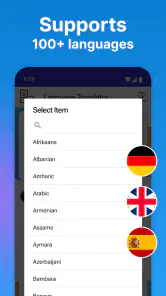
- Supports many languages for everyday translations.
- Simple interface makes common translations quick to access.
- Useful for travel
- study
- and basic conversations.
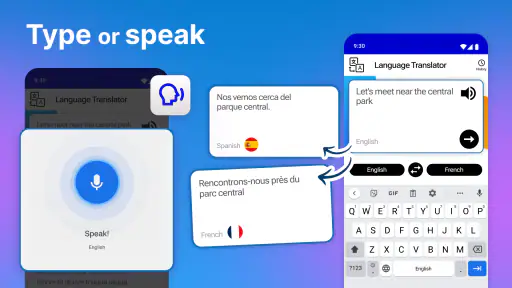
- Voice input can save time when typing is inconvenient.
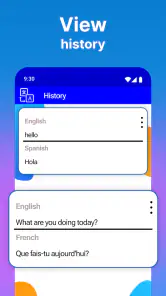
- Translation history helps users revisit recent phrases.
Cons
- Translation quality may vary depending on the language pair.
- Some features may require an internet connection.
- Voice translations can struggle with accents or background noise.
- Advanced tools may be limited behind in-app purchases.
- Privacy details should be checked before translating sensitive text.

- Category
- Tools
- Version
- 1.16.0











