Toonpics - Cartoon Photo Edit
- 317.00
- 4.6
- Installs
- 1.00M
- Price
- Free

Screenshots
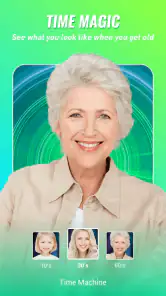


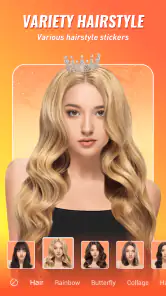
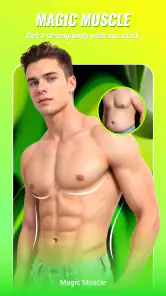
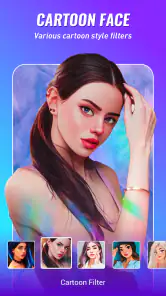
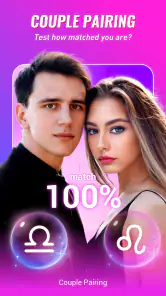
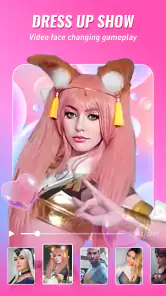
Analysis by Reviewed
I spent time with Toonpics - Cartoon Photo Edit as a photography app, and my first impression was that it is built for quick visual experiments rather than careful photo editing. Its appeal comes from turning an ordinary picture into something more playful, especially when you want an aging effect, an animal-style face treatment, or another AI-assisted transformation without opening a complicated desktop editor. I would describe it as a casual creative tool: easy to pick up, entertaining to share, and most useful when the goal is a striking result rather than precise control.
That distinction matters. Toonpics is not trying to replace a full photo editor with detailed curves, masks, layers, or professional retouching. Its strength is the shortcut between choosing an image and seeing a noticeably different version of it. I found that approach convenient for social posts, private jokes, profile-picture experiments, and small creative projects. The trade-off is that automated effects can be unpredictable, and the final image may reflect the app’s interpretation more than the exact look I had imagined.
How Toonpics feels in everyday use
The app comes from Hideaway Technology Limited and is free to install, with optional in-app purchases ranging from $0.99 to $99.99 per item. It is listed for Everyone, runs on Android starting with version 6.0, and its current version is 1.7.5. Those details make it accessible to a broad range of Android users, including people who are not using a recent flagship phone. Still, compatibility and real-world smoothness are not the same thing, so I would keep expectations sensible on older hardware.
The basic workflow is familiar: choose a photo, select an effect, wait for the processing to finish, and decide whether the result is worth saving or sharing. That simplicity is one of the reasons I can imagine recommending it to a friend who wants results quickly. You do not need to understand exposure, color grading, or facial retouching before trying it. The app is aimed at visual curiosity, and that makes the first few sessions feel more like browsing creative possibilities than learning software.
At the same time, automated photo effects are sensitive to the source image. A clear, front-facing portrait is usually a better starting point for an animal-face or age-related transformation than a dim group shot, a side profile, or a face partly hidden by hair and accessories. This is one of the most useful things to know before blaming the app for a strange result. If the input is difficult, the effect may look less convincing regardless of how powerful the phone is.
Speed expectations depend on the effect and the phone
I would not judge Toonpics by the instant response of a simple crop or filter. AI picture functions generally have more work to do than a basic color adjustment, and the waiting experience can vary with the selected transformation, the image resolution, and the Android device. The practical expectation is quick experimentation rather than guaranteed instant output. If I am testing several ideas, I prefer to prepare a small set of suitable photos first instead of repeatedly searching through my entire gallery between attempts.
That preparation changes the experience more than it may seem. I keep one or two well-lit portraits ready, with the face large enough in the frame and without distracting objects crossing it. This reduces wasted attempts and makes it easier to compare results. It also helps separate a genuinely interesting effect from a poor input image. For casual use, that is a better speed strategy than simply waiting for the app to process unsuitable photos again and again.
Toonpics is most comfortable when I treat each effect as a quick creative test. I choose a photo, start one transformation, and use the waiting time to decide whether the image is worth trying in another style. The app makes less sense as a high-volume production tool where I need dozens of consistent outputs in a single sitting. Its concept favors discovery and amusement, while larger editing suites are usually better for repeatable work.
What happens during heavier sessions
The heavier moments are likely to come when I process several images consecutively or use effects that substantially reinterpret a face. That is when resource demands become more noticeable on an older or less capable phone. I would avoid running a long batch while the device is already busy with navigation, video playback, large downloads, or many open apps. Even without a published performance measurement, that is a sensible way to reduce interruptions and keep the session manageable.
Image size is another practical consideration. A high-resolution camera photo gives an effect more visual information to work with, but it may also take longer to handle and occupy more storage when several edited copies are saved. For a social post, a normal phone photo is often enough. I would reserve the largest originals for cases where detail genuinely matters, rather than feeding every image through the app at maximum resolution.
One workflow I found more reliable is to make a copy of an important photo before experimenting. Automated effects are meant to be playful, but a funny transformation should never become the only version of a meaningful family picture or travel memory. Keeping the original separate also makes it easier to compare the result honestly. Sometimes the effect looks exciting at first glance but loses facial detail or makes the subject less recognizable when viewed again later.
Storage can also become a quiet source of friction. Trying many variations creates a collection of near-duplicates, particularly when I save several versions of the same portrait. I recommend reviewing the output folder after a creative session and deleting the attempts that do not work. This is not a special flaw unique to Toonpics; it is simply more important in an effect-driven app because experimentation encourages repetition.
Reliability is partly about recovering from a bad result
For me, reliability in this kind of app is not only whether an effect finishes. It is also whether I can recover gracefully when the output is awkward, the source image is unsuitable, or a session is interrupted. Toonpics is easiest to trust when I work in small steps: process one image, inspect it carefully, save only the versions I like, and then move on. That approach limits the cost of an unpredictable result.
When an effect does not look right, I would first change the source photo rather than immediately repeating the same action. A brighter portrait, a simpler background, and a more direct pose can make a bigger difference than trying the same transformation several times. This is a non-obvious advantage of understanding the workflow: the app becomes less frustrating when I treat image selection as part of the editing process instead of an afterthought.
I also prefer to keep the app open while comparing a few results rather than switching constantly between Toonpics and another editor. On a modest phone, frequent app switching can make any creative workflow feel less stable because the operating system may need to reload background apps. If I do need to leave, I save useful results first. That habit protects the work I actually want and makes recovery straightforward if the session has to be restarted.
The app’s broad audience is reflected in its Everyone age rating, but that should not be confused with every output being suitable for every situation. A playful face transformation may be fine for a private message and less appropriate for a professional profile. I would always review the finished image before sharing it, especially when an automated effect changes someone’s apparent age, identity, or facial proportions. The human check is essential because a technically completed image can still be socially awkward.
Older Android phones need realistic expectations
Because Toonpics supports Android from version 6.0, it is not restricted to the newest phones. That is useful for people who have an older device and only want occasional creative edits. However, an older operating system often comes with older processors, less memory, and slower storage. The app may be compatible while still feeling less comfortable during demanding transformations. I would consider it a good occasional download on such a phone, not necessarily a reason to expect modern flagship responsiveness.
On a device with limited free storage, I would begin by clearing space for the edited images rather than installing the app and immediately filling the gallery with every variation. I would also close demanding apps before starting a session and avoid processing a large collection in one go. These are simple steps, but they directly address the situations most likely to make a photography app feel slow or inconvenient.
Battery use is worth considering during extended experimentation. Image processing is more demanding than scrolling through a gallery, and repeated transformations can be tiring for a phone that is already low on charge. I would use Toonpics for a few deliberate edits when away from a charger, then continue later if I want to explore more styles. That is a better fit for the app’s casual nature than treating it like an all-day editing workstation.
The minimum operating-system requirement also gives Toonpics a practical advantage over tools that demand a much newer Android release. Someone with an older spare phone can try it without immediately needing an upgrade. Still, the experience will depend on more than the operating-system number. Camera quality, available memory, storage speed, and the condition of the device all influence how pleasant the editing session feels.
Where it fits beside ordinary photo editors
Compared with a standard gallery editor, Toonpics is more imaginative but less predictable. A gallery editor is the better choice when I simply need to straighten a picture, brighten a shadow, crop a subject, or make a clean adjustment. Those tools are usually faster for practical corrections and preserve a more natural look. Toonpics earns its place when the desired outcome is a transformation rather than a repair.
Compared with a full creative suite, the app is easier to approach but offers less control. A professional editor is preferable when I need exact skin retouching, selective color work, typography, layered compositions, or a consistent visual identity across many images. Toonpics is more appealing when I want to test an idea in seconds and accept that the algorithm will make some artistic decisions for me.
It also occupies a different space from a camera app. Camera apps help me capture a better original through manual controls, portrait settings, or shooting guidance. Toonpics begins after the photo already exists. If the source is badly exposed or poorly framed, an effect cannot always rescue it. My preferred combination is to take a reasonably clear photo first, use Toonpics for the playful transformation, and return to a conventional editor only if the final image needs a small crop or brightness adjustment.
That combination reveals an important trade-off: Toonpics is strongest as a finishing experiment, not as the entire photography workflow. I would not install it expecting a complete replacement for editing tools already on the phone. I would install it because it offers a different kind of result, particularly for faces and age-themed or animal-themed ideas that ordinary editors do not usually provide with the same directness.
Useful situations beyond simple entertainment
A realistic everyday example would be a family chat before a birthday. I might take a well-lit portrait of a willing relative, try an age-related effect, and send the funniest acceptable version alongside the original. The important part is consent and context: I would not surprise someone publicly with an unflattering transformation, and I would not treat an automated age effect as a serious prediction. Used lightly, it can turn a familiar photo into a personal joke without requiring design skills.
Another good use is testing a profile-picture concept before committing to a more polished edit. An animal-face treatment can show whether a playful visual identity suits a private account, gaming community, or casual social profile. I would not use the result for formal identification, work documents, or any situation where a person needs to look accurately recognizable. The app is better at expression and novelty than at presenting a faithful professional portrait.
For creators, I see value in using it as an idea generator. A transformed face can suggest a theme for a short post, invitation, greeting image, or small personal project. The result does not need to be the finished artwork; it can simply provide a visual direction. This is a more productive way to use automated effects than expecting every output to be publication-ready. If I need exact branding or repeatable character design, I would move to a tool with stronger manual control.
There is also a useful privacy habit here: I would choose images deliberately instead of granting the app a huge, disorganized gallery workflow. Selecting only the photos needed for the current experiment keeps the process clearer and reduces accidental sharing. Before posting, I would inspect the background for addresses, school details, vehicle plates, or other information that an effect does not remove. Creative editing should not replace ordinary care with personal photos.
Who should try it, and who should skip it
I think Toonpics is a good match for people who enjoy quick face transformations, want something more expressive than a normal filter, or like sending unusual images to friends. It is also approachable for beginners because the main attraction does not depend on learning a long list of editing tools. The free entry point makes it easy to test the concept before deciding whether optional purchases are worthwhile.
I would be more cautious about recommending it to photographers who demand exact control, consistent output, or a natural finish. It is also not my first choice for business portraits, product photography, documentary work, or a large collection that must share the same treatment. Those users will probably be happier with a conventional editor that exposes the decisions behind every adjustment instead of hiding them inside an automated effect.
The optional purchase model deserves attention before anyone spends money. Since individual items can range from $0.99 to $99.99, I would check what an offered purchase unlocks and whether it fits the way I plan to use the app. Someone who only wants an occasional joke may find the free experience sufficient, while a frequent experimenter may consider additional options differently. Either way, I would avoid buying impulsively just because one preview looks entertaining.
My performance verdict
Toonpics feels best when I use it in short, focused sessions on suitable photos. Its perceived speed is likely to be most comfortable with modest image sizes, a free phone, and one transformation at a time. Heavy experimentation can put more pressure on storage, memory, battery, and patience, particularly on older Android hardware. The solution is not complicated: prepare good source images, save selectively, close demanding background apps, and treat each result as an experiment rather than a guaranteed final.
Its reliability is also strongest when I build in human review. Automated face effects can produce a finished file without producing a convincing image, so I compare variations and keep the original untouched. That small discipline makes the app much more useful and prevents a novelty effect from becoming a disappointing permanent edit.
With an average rating of 4.6 from around 11K ratings and more than 1M installs, Toonpics has clearly attracted a substantial audience, and I can understand why. The concept is immediate, the category is familiar, and the results can be fun without demanding advanced editing knowledge. Those figures are encouraging, but they do not remove the central trade-off: convenience comes at the cost of precision and consistency.
My final recommendation is straightforward. Try it if you want a free, casual photography app for aging effects, animal-style faces, and other AI picture experiments. Keep your expectations grounded on older devices, use clear portraits, and review every result before sharing. If your priority is dependable professional editing, fast batch work, or exact control over every pixel, choose a conventional editor instead. For everyone else, Toonpics is most enjoyable when treated as a creative playground, not a replacement for the entire camera and editing toolkit.
Pros
- Fun cartoon effects can transform ordinary photos in just a few taps.
- Simple editing tools make the app approachable for beginners.
- Useful filters and styles suit profile pictures and social posts.
- Quick previews help compare different cartoon looks before saving.
- Creative effects can add personality to selfies and travel photos.
Cons
- Some premium styles may require a subscription or separate payment.
- Heavy effects can reduce facial detail and make images look less natural.
- Processing may take longer on older phones or with high-resolution photos.
- The best results often depend on clear
- well-lit original pictures.
- Frequent editing can consume storage when many images are saved locally.
- Category
- Photography
- Version
- 1.7.5











