ArtPlay - Cartoon Video editor
- 387.00
- 4.5
- Installs
- 1.00M
- Price
- Free
Screenshots
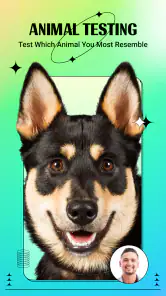
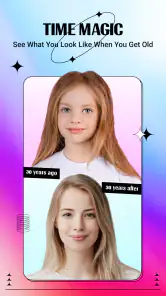

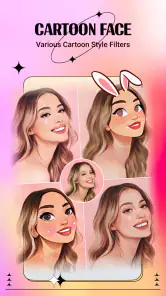
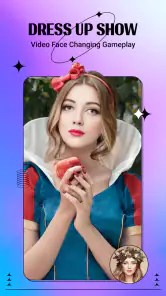

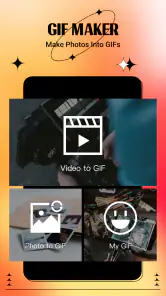
Analysis by Reviewed
Have you ever wanted to turn your mundane photos into vibrant cartoon artworks? Well, let me introduce you to ArtPlay - Cartoon Video Editor, a fantastic app that does just that! As someone who loves to dabble in digital art, I gave this app a whirl, and here’s the lowdown on how it went.
Unleashing Your Inner Artist
ArtPlay is not just another photo editing app; it’s your personal gateway to transforming photos into stunning cartoons. I was genuinely excited to try out the variety of filters it offers. From classic comic book styles to modern anime influences, the app is packed with options that cater to different tastes. You just snap a picture or upload one, and voila, your photo is reimagined in a matter of seconds!
Features That Stand Out
The first thing that struck me was the simplicity of the interface. It’s user-friendly, which means you don’t need to be a tech wizard to navigate through its features. Whether you’re a seasoned artist or someone just starting, the app has something for everyone. I particularly loved the batch processing feature; it allowed me to apply cartoon effects to multiple photos simultaneously, saving a ton of time.
Another cool feature is the video editing capability. Yes, you can actually convert your videos into animated sequences! Imagine turning your holiday clips into a cartoon montage. It’s a delightful way to relive memories.
The Creative Community
What’s a creative app without a community? ArtPlay has a thriving community of artists and hobbyists who share their creations on the platform. It’s inspiring to see what others are creating and to get feedback on your own work. The app even facilitates collaborations, which is a fantastic way to learn and grow your skills.
Moreover, the app regularly updates its filters and effects, so there’s always something new to try. It keeps the creative juices flowing and ensures that the content doesn’t become stale.
Final Thoughts
In conclusion, ArtPlay - Cartoon Video Editor is a gem of an app for anyone interested in digital art and photography. It’s easy to use, packed with features, and supported by a vibrant community. Whether you’re looking to spice up your social media posts or create a unique piece of art, this app is sure to bring out your creative side. So why not give it a shot and see what masterpieces you can create?
Remember, the only limit is your imagination. Dive into the world of cartoons with ArtPlay and unleash your artistic potential today!
Pros
- Easy-to-use interface for beginners.
- Wide range of cartoon effects available.
- Fast rendering and export options.
- Supports high-resolution video editing.
- Regular updates with new features.
Cons
- Limited free version features.
- Requires high storage space.
- Occasional ads in free version.
- Some effects need in-app purchases.
- No offline editing mode.
- Category
- Photography
- Version
- 1.8.1











