Toca Hair Salon 3
- 1.10K
- 3.9
- Installs
- 100.00K
- Price
- $3.99
Screenshots
Analysis by Reviewed
I like Toca Hair Salon 3 best as a small creative activity rather than a game with goals to chase. It gives you a character, a set of styling tools, and room to experiment; the fun comes from seeing how a look changes as you work. I’d reach for it when a child wants a quiet, imaginative activity or when I want a relaxed few minutes of playful design. It is an Education app from Toca Boca, though its appeal is hands-on creative play rather than lessons or drills.
Where a connection matters
The salon experience is centered on styling, so a network connection is not the point of the activity itself. I would still avoid promising that every part works without internet: connection needs can depend on installation, updates, and the device’s setup. For a parent planning a car ride or waiting-room distraction, the sensible move is to install and open the app beforehand, then check that it is ready on that device rather than assuming it will behave the same way in every network situation.
That small bit of preparation also helps separate the play experience from app-store tasks. If you are choosing it as a paid download, check that you have the right app and device before setting it up. It costs $3.99, and the Everyone age rating makes it suitable for a broad audience, though younger children may still benefit from an adult nearby when navigating a device or making purchase decisions.
Fits short sessions, not every mobile moment
A realistic use is a brief creative break after school: a child picks a character, tries a bold cut, changes the color, and adds an accessory before showing the result to someone nearby. The open-ended format makes it easy to stop when the child is satisfied, without needing to finish a level or remember a complicated objective. I find that more useful for casual play than an activity built around timed challenges.
The trade-off is that this is a screen activity requiring attention and touch input. It is less suitable when a child needs something that runs passively in the background, or when you want a structured learning app with clear lessons and progress. Adults looking for a detailed salon simulator may also find the playful, character-focused approach lighter than they want. For drawing, a general art app offers broader subject matter; for hair-themed creativity, this one keeps the tools and characters focused on styling.
Unleash Your Inner Stylist
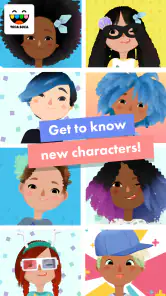
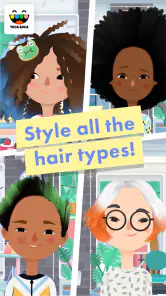
First things first, let me tell you how Toca Hair Salon 3 lets you become the stylist you always dreamed of being. Whether it’s giving someone a classic cut or going wild with colors and styles, this app has got your back. You start by choosing a character to work on, and with a wide range of tools at your disposal, from scissors to straighteners, the possibilities are endless.
The Tools of the Trade
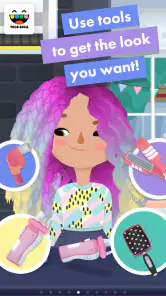
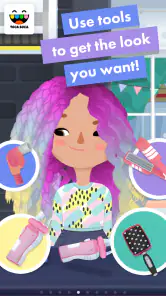
What makes this app stand out is its array of tools that mimic real-life salon equipment. You’ve got your trusty comb and scissors, of course, but also curling irons, hair dryers, and even a beard trimmer. The controls are intuitive, making it easy for anyone to jump in and start styling.
More From Our News Desk

Weather by Xiaomi Review: Clear at a Glance, Less Clear Up Close

X Under Pressure: Can It Recover When Posting Goes Wrong?

Clash of Clans Is Won Between the Battles

Android Auto Makes the Case for Quieter Car Software

MobiOffice: Transforming Mobile Productivity with Seamless Integration

EA SPORTS FC™ Mobile Soccer: Redefining Mobile Sports Gaming
One useful way to approach the tools is to make the big changes first and save fine adjustments for later. A cut or a strong texture choice can reshape the whole look, while accessories work better as a finishing touch. This order makes experimentation feel less fiddly: if the style becomes too wild, I can redirect the overall shape before spending time on details. It also gives children a simple creative process to follow without turning play into a set of strict instructions.
A Palette of Colors
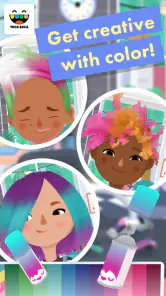
Now, let's talk about color. Toca Hair Salon 3 doesn’t just settle for the basics. It offers a vibrant palette that lets you mix and match to your heart’s content. Want to give your character rainbow locks or a pastel unicorn mane? Go for it! The color combinations are only limited by your imagination.
For a less predictable result, I’d treat color as a way to test a visual idea rather than simply choose the brightest option. Pairing a dramatic color with a restrained cut, or a simple style with an adventurous shade, can make the finished character feel more deliberate. That is a small but satisfying trade-off: the app encourages boldness, yet a little restraint can make the final look easier to read.
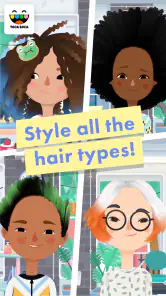
Oh, and did I mention the hair textures? They’re super realistic! Curly, straight, frizzy—you name it, you can do it. The app’s hair physics are spot on, making each styling session feel incredibly lifelike.
Beyond Hair: Accessories Galore
Once you’ve nailed down the perfect hairstyle, it’s time to accessorize. From hats to glasses and even quirky little extras like animal ears, Toca Hair Salon 3 keeps things interesting. It’s these little details that make each character look unique and give you a chance to showcase your stylistic flair.
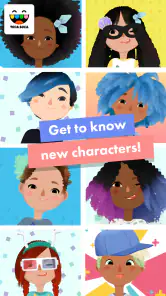
Character reactions add a useful cue during play: you can notice how the client responds as the look takes shape, then decide whether to keep going or change direction. I would not treat an expression as a score or a demand to make a particular style; it is part of the playful feedback, not a substitute for the child’s own choices. That distinction helps keep the activity creative rather than turning it into a hunt for one “correct” makeover.
If something seems unresponsive during a session, I’d first check the simple causes: whether the touch gesture is landing on the intended tool or hair area, and whether the app itself is still responding. If the issue appears tied to connectivity or app setup, returning to a stable connection and reopening the app is a practical first step. I would avoid troubleshooting by repeatedly tapping or making purchases; a calm restart is less likely to interrupt a child’s creative flow.
A practical choice for creative play
The app has an average rating of 3.9 from around 6,300 ratings, with about 1,100 written reviews and over 100,000 installs. It was released on December 7, 2016, and version 2.5-play is listed for devices running Android 5.1 or later. Those details make it worth checking your device compatibility before buying, especially if you are setting it up on an older phone or tablet.
For families, I’d introduce it by letting the child choose the character and set a small challenge—such as creating a look for a party or inventing a character with a particular mood. That gives the session a starting point without limiting the result. If the child prefers clear objectives, collections, or a story that advances, a more structured game will be a better fit. If they enjoy making visual choices and revising them freely, the salon format is more appealing.
Keeping the session smooth
For travel or places with unreliable reception, prepare while connected and test the app before you leave; that is more dependable than discovering a setup snag when you need a quick distraction. I would also keep the device charged and hand it over with the app already open if the child is young. These are ordinary mobile precautions, but they matter more for an activity that depends on direct, sustained interaction than for audio that can simply keep playing.
Data-conscious users can keep the activity itself simple: use the app for styling, and handle installation or updates when convenient on a trusted connection. I would not assume that changing a character or hair color requires ongoing network access, nor would I make a blanket promise about offline behavior. The practical distinction is between the creative session and any app-store or device-level tasks around it.
Choosing it for the right kind of play
The best fit is a child who enjoys making up characters and changing their appearance without being told what the finished result should be. It also works as a shared activity: an adult can suggest a theme, such as a stage performer or a character ready for a rainy-day adventure, then let the child make the styling decisions. That kind of prompt gives a hesitant player somewhere to begin while leaving the outcome open.
I would not choose it as a substitute for a drawing app if the goal is to make scenes, landscapes, or a wide range of original artwork. A drawing tool gives more freedom over the subject, while this salon keeps the creative choices around hair, accessories, and characters. Nor would I pick it for someone who wants a salon business simulation, detailed technique lessons, or a sequence of goals to complete. Its appeal is the immediate visual transformation, not mastering professional skills.
One practical way to keep a session engaging is to make the first look intentionally simple, then ask what single change would make it feel more distinctive. A child might add a different texture, choose a contrasting color, or finish with an accessory. This small constraint can prevent the tool selection from feeling overwhelming, especially for a player who tends to change everything at once. It also makes it easier to compare two ideas without needing a score or an imposed winner.
What to expect from a paid app
Because this is a paid download, I’d think about whether styling alone will hold the intended player’s interest. The focused subject is a strength for a child who repeatedly enjoys hair and character play, but it may feel narrow to someone who wants a new activity every time they open an app. The average rating of 3.9 reflects a generally positive reception, though it is not a guarantee that every child will connect with the same open-ended format.
Parents may reasonably wonder whether they need to stay beside a child throughout every session. I see it as an activity a child can explore independently once they are comfortable with the device and its touch controls, while younger children may need help getting started or managing the phone or tablet itself. The Everyone age rating is broad guidance, not a replacement for a parent’s judgment about screen time, device access, or a child’s ability to navigate apps.
Another useful expectation is that a finished look is something to enjoy in the moment, not necessarily a long-term project. I would invite the child to show the result to someone nearby or describe the character they have created before moving on. That gives the activity a natural ending, rather than leaving a young player searching for an achievement or a next level that is not the point of this salon.
Conclusion: A Cut Above the Rest
In a nutshell, Toca Hair Salon 3 is a delightful app that brings out the stylist in everyone. It’s perfect for all ages, offering a fun, creative outlet that’s both entertaining and relaxing. So if you're itching to try your hand at hairstyling without the mess, this app is definitely worth a download. Go ahead, unleash your creativity, and see where your styling journey takes you!
My recommendation is clearest for children who like open-ended make-believe and for adults who want a low-pressure creative activity to share. I’d skip it if you need lessons, a progression system, or a realistic professional salon workflow; its strength is playful experimentation, not technical training. Since it is a paid app, I’d decide based on whether that focused styling play suits the person using it, rather than expecting a broad collection of activities. With a little preparation before mobile use, its connection-related uncertainties are easy to manage without making connectivity the center of the experience.
Toca Hair Salon 3 Frequently Asked Questions
How much does Toca Hair Salon 3 cost, and what should I check before downloading?
Toca Hair Salon 3 costs $3.99. Before downloading, check that your device runs Android 5.1 or later and that you are choosing the version intended for your platform. It is an app in the Education category from Toca Boca, with an Everyone content rating. The game focuses on creative salon play, so it may appeal to children and to anyone who enjoys experimenting with hairstyles.
What is Toca Hair Salon 3?
Toca Hair Salon 3 is a creative and interactive mobile game designed for both Android and iOS platforms. It allows players to unleash their creativity by styling hair in a virtual salon setting. With a variety of tools and accessories, users can cut, color, and style hair, creating unique looks for different characters. The game is known for its kid-friendly interface and encourages imaginative play.
Is Toca Hair Salon 3 suitable for all ages?
Yes, Toca Hair Salon 3 is designed to be suitable for players of all ages, particularly focusing on children. The game features a simple and intuitive interface that is easy to navigate, making it accessible for younger players. Additionally, there are no in-app purchases or third-party ads, ensuring a safe and enjoyable experience for children.
What features does Toca Hair Salon 3 offer?
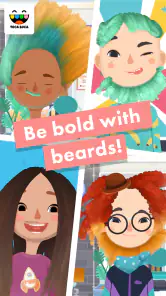
Toca Hair Salon 3 offers a wide range of features to enhance the gaming experience. Players can use various styling tools such as scissors, clippers, and curling irons to create different hairstyles. The game also includes a diverse selection of hair colors, accessories, and outfits to customize characters. Advanced features like beard styling and hair growth serums add depth to the gameplay.
Does Toca Hair Salon 3 require an internet connection to play?
No, Toca Hair Salon 3 does not require an internet connection to play. The game is fully functional offline, allowing users to enjoy the creative salon experience without the need for Wi-Fi or data. This makes it a convenient option for on-the-go entertainment, especially for family trips or when internet access is limited.
Pros
- Fun and creative gameplay for all ages.
- Wide range of hairstyles and accessories.
- User-friendly interface with intuitive controls.
- Regular updates with new content.
- Encourages creativity and artistic expression.
Cons
- In-app purchases can be expensive.
- Limited free content available.
- May not appeal to older audiences.
- Requires internet for additional features.
- Some hairstyles are hard to master.
- Category
- Education
- Version
- 2.5-play













