Toca Blocks
- 909.00
- 4.3
- Installs
- 100.00K
- Price
- $3.99
Screenshots
Analysis by Reviewed
I like creative games that let me start playing before I’ve had time to wonder whether I’m doing it “right.” Toca Blocks has that easygoing appeal: it invites you to build a place, change it as ideas come, and then explore what you’ve made. It’s an educational game from Toca Boca, but it feels more like open-ended play than a lesson with a set answer.
What the purchase gets you
This is a paid game, listed at $3.99, rather than a free download with a clearly established free-to-play path. That makes the decision refreshingly direct: you can judge whether a focused creative activity is worth that price for your household. I wouldn’t treat the cost as a promise of unlimited novelty, though. The value depends on whether the player enjoys returning to a world and reshaping it, rather than moving through a long sequence of goals.
That distinction matters when you are choosing between a one-time purchase and a game that offers a free starting point. Here, the choice is whether the creative play itself earns its place on a device, not whether a free sample turns into ongoing spending. I find that straightforward, but it also puts more pressure on the child’s interest in building: there is no sequence of missions in the experience described here to carry a reluctant player along.
Building Your Own World
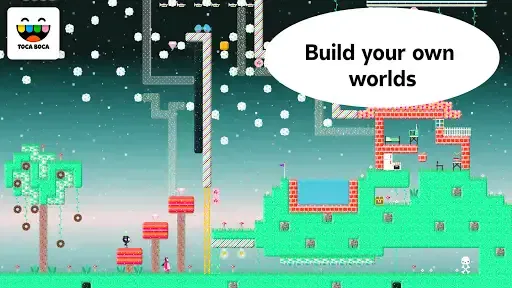
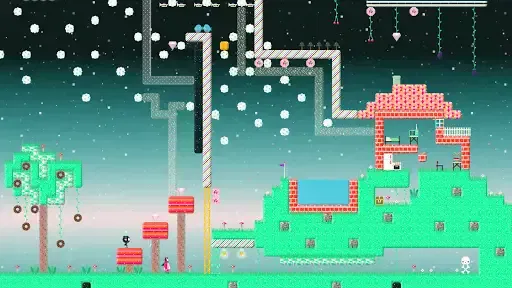
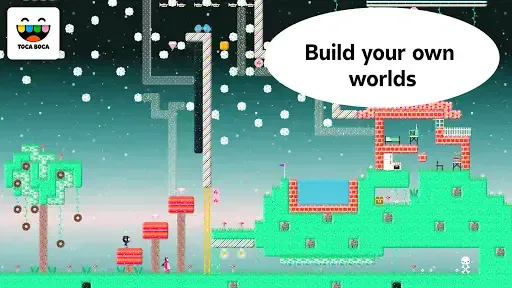
At its core, Toca Blocks is about building. You start with an open canvas, and from there, you can create just about anything your heart desires. Whether you're constructing towering castles, quirky villages, or mysterious mazes, the app provides an extensive range of blocks and features to let your creativity flow. And the best part? There’s no right or wrong way to play. It’s all about expressing yourself and seeing where your imagination takes you.
Turning a loose idea into a build
The open canvas is most useful when a child has a small prompt rather than an ambitious plan. I might suggest making a place with a clear entrance and a destination, then let the builder decide what belongs between them. That simple framing gives the first few minutes a direction without taking over the creative decisions. Once the space exists, exploring it can reveal what feels confusing or unfinished, giving the player a natural reason to make another change.
A practical tip is to treat each session as one design question: can a character get through this route, does this corner feel like a separate place, or what happens if I change one section? Focusing on a single question keeps the project manageable and makes experimentation visible. It also helps when siblings or a parent are playing alongside the builder: one person can propose a challenge, while the player remains the person who decides how to solve it.
Exploration and Adventure
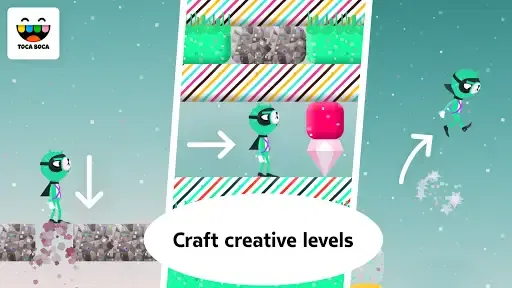
What I love most about this app is the exploration aspect. As you build, you also get to explore your creations. The characters in the game are quirky and adorable, adding a layer of fun as they interact with the environment you’ve crafted. It's a joy to watch these little beings navigate through the terrains, and sometimes, they even surprise you with their antics!
More From Our News Desk

Weather by Xiaomi Review: Clear at a Glance, Less Clear Up Close

X Under Pressure: Can It Recover When Posting Goes Wrong?

Clash of Clans Is Won Between the Battles

Android Auto Makes the Case for Quieter Car Software

MobiOffice: Transforming Mobile Productivity with Seamless Integration

EA SPORTS FC™ Mobile Soccer: Redefining Mobile Sports Gaming
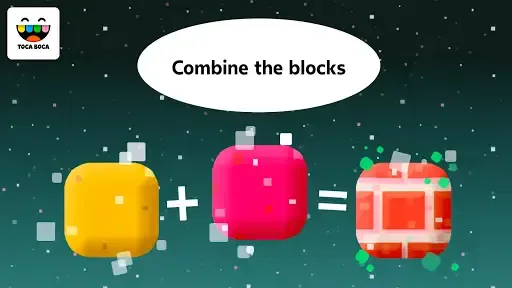
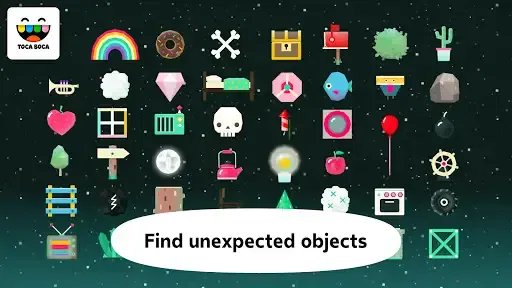
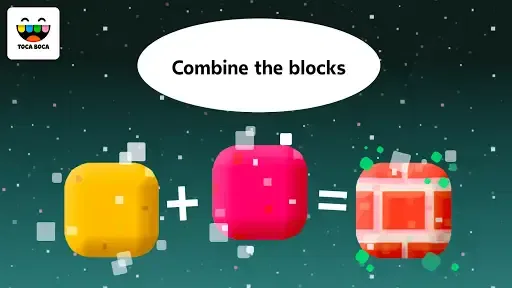
The app encourages you to think outside the box, literally and figuratively. You can combine different blocks to discover new materials and items, which adds an element of surprise and discovery every time you play. It's like a sandbox of endless possibilities!
That combination-and-discovery loop gives builders a reason to test rather than simply decorate. I’d encourage a child to make one deliberate change at a time and then explore again; if several parts are altered together, it can be harder to tell which change created an interesting result. This is a small but useful way to turn free play into observation and iteration, without making it feel like a lesson.
Intuitive and User-Friendly
One of the things that stand out about Toca Blocks is how user-friendly it is. The interface is intuitive, which means even the youngest builders can dive right in without feeling overwhelmed. The controls are straightforward, allowing you to effortlessly switch between building and exploring. This ease of use is something that Toca Boca, the developer, is renowned for, and they certainly deliver here.
Plus, the graphics are vibrant and engaging, drawing players into this colorful universe. The sound design complements the visuals perfectly, creating an immersive experience that keeps you coming back for more.
For a family deciding whether to hand over a device, simple controls are helpful, but the open format still asks for a different kind of confidence: a child needs to choose what to make. I’d sit nearby at first and offer a choice between two small ideas rather than demonstrate a “correct” build. That keeps the adult from becoming the designer and gives a hesitant player an easy way into the activity.
Playing in short bursts, or sticking with a project
A practical way to get more out of the open-ended format is to give each visit a small idea to work on: make a route from one side of a build to the other, then test it by exploring with a character. Another day, change a section and see how the new arrangement feels. That turns a blank canvas into a manageable creative prompt without imposing a rigid objective. It also makes the game easier to pick up during a quiet stretch at home, rather than expecting a child to sit down for a long session.
For example, on a rainy afternoon, a child could build a simple maze, guide a character through it, and then rebuild one part after noticing a dead end. The interesting bit is not just placing blocks; it’s seeing how a small design change affects the route. If a child gets frustrated by an ambitious build, I’d suggest starting with a compact area and adding one idea at a time. The freedom is a strength, but it can also leave a player unsure what to do next.
It can also make a useful shared activity during a short wait at home: a parent can ask the child to create a place with a beginning and an ending, then take turns suggesting what to inspect. I would keep the prompt open rather than turn it into a test. If the child would rather rebuild than explain a design, that is a perfectly good way to engage; the value is in the choices and revisions, not in producing a polished result for someone else.
Creative play versus goal-driven games
Compared with educational games built around quizzes, levels, or a clearly stated task, this one gives up that structure in favor of experimenting with a world. That’s a good fit for children who like making their own stories and testing ideas. It is less suitable for someone who wants the game to explain a lesson, track progress through challenges, or reward a correct answer. Parents looking for a more structured learning activity may prefer a title with explicit exercises; here, the learning comes indirectly through planning, trying, and revising.
There is a similar trade-off against construction games that focus on collecting resources or completing objectives. Toca Blocks keeps attention on the act of shaping and exploring, so the appeal is immediate, but a player who needs a steady stream of unlocks or missions may lose interest sooner. I’d think of it as a creative toy on a screen, not a substitute for a curriculum or a checklist of achievements.
Compared with drawing apps, it shifts the focus from making a single picture to arranging a place that can be explored and changed. Compared with physical building blocks, it avoids the need to clear a floor or gather pieces, but it cannot offer the same hands-on feel of stacking objects in a room. Those alternatives may suit a child better if they want a finished image or tactile play. This game makes more sense for someone who enjoys seeing a design respond to exploration and then adjusting it.
It is also worth separating creative play from a guaranteed educational outcome. A child can practice planning and revising while making a world, but that is not the same as learning a particular school topic or following a lesson plan. If you need a game to support a specific subject, I’d choose one built around that subject’s tasks. If you want an open space where a child can invent their own problem and try a solution, this is a stronger match.
Who is likely to enjoy it?
The game has an Everyone 10+ content rating, and I’d especially consider it for a child who likes drawing, arranging toys, building with blocks, or making up stories. It can also work for a parent and child who want to take turns suggesting changes to the same imaginary place. With a 4.3 average from around 6,600 ratings and over 100,000 installs, it has found an audience, though those figures alone can’t tell you whether its open-ended style suits a particular player. It was released in December 2015, and the current version is 2.5-play; it requires Android 4.4 or later.
The best sign of a likely fit is not age alone but what a child already does with unstructured toys. Someone who turns a few blocks into a whole story may happily return to a world and keep modifying it. A child who prefers a clear instruction, quick feedback, and a visible finish line may need more adult prompting here. The Everyone 10+ rating is useful context for families, but I’d still consider the individual child’s preferences and how they handle open-ended play.
It may be a poor match for a child who mainly wants fast action, clear stages, or a visible sense of completion. I’d also skip it if the main goal is direct instruction in a school subject: the creative process can encourage thought and experimentation, but it isn’t the same as guided teaching. The 909 reviews offer another point of context, but I’d still make the choice based on the player’s taste for sandbox play rather than on a rating alone.
What to expect from the commitment
Because the game asks the player to supply ideas, it helps to think of it as an activity that can be revisited rather than a title to finish in a weekend. Some children may return to one build and keep improving it; others may enjoy starting fresh more than maintaining a long project. Neither approach is a failure. I would avoid promising that every session will feel new, because the freshness comes from what the player decides to do, not from a fixed stream of challenges.
For a parent, a helpful way to judge the purchase is to notice whether the child naturally starts making variations: another path, a different arrangement, or a new way to explore the same place. If those changes lead to more play, the open format is doing its job. If the child repeatedly asks for levels or instructions, that is a clear sign that a more structured game would likely be a better use of the budget.
Endless Creativity
Overall, Toca Blocks is a fantastic tool for sparking creativity. It’s not just a game; it’s a platform for learning and growth, encouraging players to think critically and creatively. Whether you're a kid looking to explore a new world or an adult wanting to unwind by building your dream landscape, Toca Blocks offers something for everyone.
So, if you're looking to unleash your creativity and embark on endless adventures, give Toca Blocks a try. It's more than just a game; it's a doorway to a universe of your own making.
My buy-or-skip verdict
I’d buy it for a child who naturally invents places and enjoys changing a plan after seeing what happens. At $3.99, the decision is easiest when you value a calm, hands-on creative activity more than a sequence of levels or formal instruction. If the child tends to ask “What do I do now?” whenever a game stops giving directions, I’d choose a more guided alternative instead. My overall take is positive, with the main caveat being that the player—not the game—has to supply the next idea.
Toca Blocks Frequently Asked Questions
What devices and operating system does Toca Blocks support?
Toca Blocks is available for Android and iOS, so families can choose the platform that fits their device. On Android, the game requires version 4.4 or later. Before downloading, check that your device meets the operating-system requirement and has enough available storage for an app; this helps avoid installation problems and ensures children can get straight into building and exploring.
How much does Toca Blocks cost, and is it a one-time purchase?
Toca Blocks costs $3.99. It is a premium game, and the published app description says that it has no in-app purchases or third-party advertisements. That makes the purchase model straightforward for parents: the game is paid for upfront, with no advertised extra purchases interrupting play. Check the relevant app store for the price shown on your platform before downloading.
What is Toca Blocks and who is it suitable for?
Toca Blocks is a creative building game designed for children aged 6 to 12, allowing them to build, explore, and interact with unique worlds using various blocks. The game encourages creativity, problem-solving, and storytelling as players can combine blocks to form new items and environments. It's suitable for kids who love imaginative play and design.
What are the main features of Toca Blocks?
Toca Blocks offers a variety of features including endless possibilities for world-building, the ability to combine blocks to create new forms, and interactive characters that add life to your creations. The app also includes a simple interface that makes it easy for kids to navigate and explore their creativity without limitations.
Does Toca Blocks include any in-app purchases or advertisements?
Toca Blocks is a premium app that does not include any in-app purchases or third-party advertisements, ensuring a safe and uninterrupted play experience for children. Once purchased, all features are accessible, providing peace of mind for parents concerned about hidden costs or unwanted ads.
Pros
- Creative building encourages imagination
- Easy-to-use interface for young kids
- Vibrant and engaging visual design
- Stimulates problem-solving skills
- Regular updates with new content
Cons
- Limited character customization options
- No multiplayer mode available
- Lacks a storyline or narrative
- May become repetitive over time
- In-app purchases can be expensive













