Thunderbird: Free Your Inbox

Communication

459.00
3.8
Installs
1.00M
Version
14.0
Thunderbird: Free Your Inbox icon Thunderbird: Free Your Inbox icon
Advertisements

Screenshots

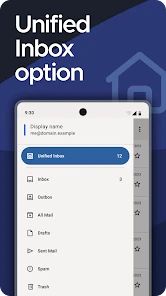
Thunderbird: Free Your Inbox screenshot
Advertisements

Ever felt like your inbox was holding you hostage? Well, it's time to break free with Thunderbird: Free Your Inbox. If you've been on the hunt for a comprehensive email client that’s not only packed with features but also respects your privacy, then let me tell you, Thunderbird is where it’s at!

Why Choose Thunderbird?

First off, let's talk about the sheer versatility of this app. Thunderbird isn't just another email client; it's a powerhouse of productivity. Developed by the folks at Mozilla, it lets you manage multiple email accounts effortlessly. Switching between accounts is as smooth as butter, and that’s a game-changer for those of us juggling work, personal, and other emails all at once.

Customization Galore

One of the things I absolutely love about Thunderbird is how customizable it is. Want to change the layout? Go for it. Prefer a dark theme? You got it. And the best part? You can enhance its functionality with a variety of add-ons. It's like having a wardrobe for your email interface where you can mix and match to fit your style!

Security and Privacy

In this day and age, who isn’t worried about privacy? With Thunderbird, you can breathe easy. The app offers robust security features, including support for various encryption methods, so your emails are always shielded from prying eyes. Plus, there's phishing protection, which means you can spot those shady emails a mile away.

Manage Your Inbox Like a Pro

Thunderbird makes organizing your inbox feel less like a chore and more like a breeze. It comes with advanced filtering options and tags that help you keep everything neat and tidy. You can even set up automatic filters to sort incoming mail into specific folders, ensuring that nothing important slips through the cracks.

If you're a fan of integrated chat, you're in luck. Thunderbird supports multiple chat protocols, making it easier to stay connected with friends and colleagues without switching apps. It's like having your email and instant messaging hub all rolled into one.

Final Thoughts

So, is Thunderbird: Free Your Inbox worth the download? Absolutely! It's a free, open-source solution that’s perfect for anyone looking to streamline their email experience. Whether you're a casual user or someone who runs their business via email, Thunderbird’s got the tools to make your life easier. So go ahead, give it a whirl, and free your inbox!

Pros

  • Open-source and free to use.
  • Highly customizable interface.
  • Supports multiple email accounts.
  • Integrated calendar and task functions.
  • Strong security and privacy features.

Cons

  • Setup can be complex for beginners.
  • Limited support for third-party plugins.
  • Occasional syncing issues.
  • Lacks advanced collaboration tools.
  • Mobile app version not as robust.
Advertisements

Download

Download From Google Play Download From App Store

Available worldwide

You May Like

Frequently Asked Questions

What features does Thunderbird offer to manage emails efficiently?

Thunderbird provides a comprehensive suite of features designed to streamline email management. It includes advanced filtering options, a robust search function, and support for multiple email accounts. Users can also benefit from its spam filtering capabilities, message archiving, and integration with various add-ons to enhance functionality. The app’s customizable interface allows users to tailor their inbox to suit their preferences, making email management both efficient and intuitive.

Is Thunderbird compatible with all email providers?

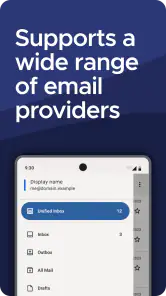
Yes, Thunderbird is compatible with a wide range of email providers. It supports popular services like Gmail, Yahoo, Outlook, and more, allowing users to consolidate their email accounts into one platform. The app’s IMAP and POP3 support ensures easy integration with most email services, providing seamless access to all your emails in one place. This compatibility makes it a versatile option for users with multiple email accounts across different providers.

How secure is Thunderbird in protecting my emails and personal information?

Thunderbird places a strong emphasis on user security and privacy. It utilizes state-of-the-art encryption methods to protect user data and emails from unauthorized access. The app supports end-to-end encryption and offers additional security features such as two-factor authentication, ensuring that users' personal information remains confidential and secure. Regular updates further enhance security, making Thunderbird a trustworthy option for managing sensitive information.

Does Thunderbird offer customization options for its interface?

Yes, Thunderbird offers extensive customization options to tailor the user interface according to personal preferences. Users can change themes, adjust layout settings, and install a variety of add-ons to enhance functionality. This flexibility allows users to create an email environment that suits their workflow, whether they prefer a minimalist design or a feature-rich interface. The ability to customize ensures an optimal user experience tailored to individual needs.

What kind of support and resources are available for Thunderbird users?

Thunderbird offers a wealth of support and resources to assist users. The official website provides comprehensive guides, FAQs, and a user forum where questions can be answered by the community. Additionally, there are numerous online tutorials and articles available for troubleshooting and maximizing the app’s potential. Thunderbird’s dedicated support ensures users can resolve issues quickly and make the most out of all its features.