Themes: Widgets & Icon Changer
- 540.00
- 4.6
- Installs
- 5.00M
- Price
- Free
Screenshots
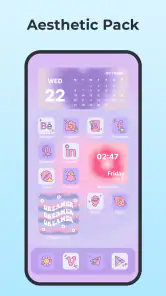
Analysis by Reviewed
When I choose a home-screen customization app, I care less about the size of its theme gallery than about whether I can make a change that suits my daily routine and still find my way around the phone. A new look should be pleasant, but it should not make familiar apps harder to spot or turn a quick glance at the screen into a hunt. That is the balance I kept in mind while trying Themes: Widgets & Icon Changer, a free personalization app from Maxlabs Personalization Tools.
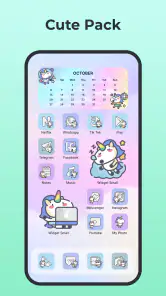
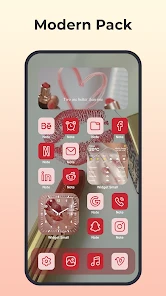
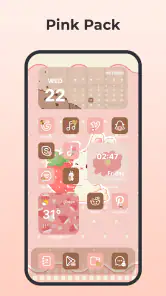
The practical question is whether you want to refresh several parts of your home screen in one place, or whether you only want one new wallpaper or a few replacement icons. This app is aimed at the broader kind of makeover: its library covers themes, icons, widgets, and wallpapers, so there is room to try a coordinated style rather than make isolated changes. That breadth is useful if you enjoy adjusting your phone’s appearance, though it may feel like more choice than you need if your current layout already works for you.
Start with a small, reversible change
My advice is to begin with one element, not to overhaul every screen at once. Try a wallpaper or a small group of icons, then use the phone normally for a day. This gives you a fair sense of whether the new colors remain readable in your usual settings and whether the icons are still easy to recognize at a glance. If the look works, build on it with a widget or a more coordinated theme.
That gradual approach matters because a home screen is a tool as well as a display. A striking design can look great in a screenshot but be less comfortable when you are opening a messaging app in a hurry or checking the time between tasks. I would prioritize contrast and clear visual differences over novelty. When several icons share a similar shape or color, keeping the most-used apps visually distinct can make the overall design feel more polished and practical.
What the app is best suited to
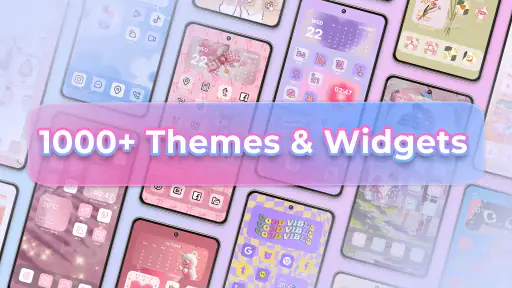
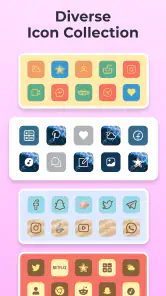
The main appeal is having multiple kinds of personalization available together. The app’s stated collection includes more than a thousand themes, icons, widgets, and wallpapers, which gives people who like to experiment plenty of directions to explore. I would especially consider it if you enjoy matching a background with a consistent icon style, or if you want your home screen to feel less like the default layout without having to design every element from scratch.
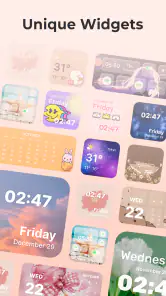
Widgets can make a layout useful as well as attractive. A clock, weather panel, or calendar-style element may put a quick glance within reach, while the surrounding icons provide the visual finish. The original experience of adjusting widget appearance is appealing, but I would still judge any setup by how it fits your screen and routine. A widget that takes up space without giving you information you check is decoration at the expense of convenience.
Making a home-screen change that lasts
I use this section to focus on what makes a home-screen refresh practical beyond its first impression: whether the arrangement stays readable, supports the shortcuts I reach for, and still feels comfortable after a few days. I would treat the initial setup as a trial, changing one element at a time so it is easy to tell which choices genuinely improve the experience.
More From Our News Desk

Weather by Xiaomi Review: Clear at a Glance, Less Clear Up Close

X Under Pressure: Can It Recover When Posting Goes Wrong?

Clash of Clans Is Won Between the Battles

Android Auto Makes the Case for Quieter Car Software

MobiOffice: Transforming Mobile Productivity with Seamless Integration

EA SPORTS FC™ Mobile Soccer: Redefining Mobile Sports Gaming
Where alternatives may be a better fit
If you only want a new background, a wallpaper-focused app or the phone’s built-in choices may be the simpler route. If you care most about fine control over a single widget, a dedicated widget tool may suit that narrower task better. And if you prefer a completely uniform interface controlled through your device’s own settings, the built-in personalization options can avoid the extra decisions involved in browsing a separate catalog.
The difference is one of scope, not an automatic win for one approach. I see this app as a convenient starting point for people who want to explore several visual elements together. A more specialized alternative may be preferable when you already know exactly what you want and do not need themes, icons, and wallpapers in the same place. Your phone’s launcher and operating-system behavior also shape how customization appears, so I would treat a proposed layout as something to test on your own device rather than assume every setup will behave identically.
Practical trade-offs before you commit
Changing icons can involve more than choosing artwork: you still need a layout that helps you identify apps quickly. Before replacing a large group, I would keep the original arrangement in mind and change a few familiar icons first. If the new images make two commonly used apps look alike, choose a different style or leave those icons untouched. Personalization works best when it improves the feeling of the screen without slowing down ordinary tasks.
There is also a difference between browsing options and settling on a finished design. A large catalog can inspire ideas, but comparing too many similar choices can make a simple refresh take longer than expected. I find it helpful to decide on a direction first—such as calm colors, a high-contrast look, or a playful style—and then browse with that goal. That small bit of planning can prevent a collection of attractive but mismatched elements.
Who should try it—and who might skip it
I would recommend giving it a look if you enjoy changing your phone’s appearance, want several customization categories in one app, or like testing different combinations before settling on a home-screen style. It is also a reasonable fit for someone who wants an easy starting point rather than building a design from individual assets. The app is rated for Everyone, and its current version is 1.6.1; it is listed for Android 7.0 and later.
I would skip it if you are happy with your current screen, want only one specific asset, or do not enjoy spending time comparing visual options. People who value a tightly controlled setup may prefer their phone’s built-in tools or a specialist app for the one feature they use most. I would also avoid changing every icon at once if quick recognition matters more to you than a coordinated appearance. A gradual refresh is easier to evaluate and undo in spirit, even when you decide the original look suited you better.
A realistic everyday test
Imagine checking your phone before leaving home: you want to see the time, glance at the day’s plans, and open a familiar app without pausing to decode its icon. I would use that routine as a test for any setup here. Place only the information you genuinely check on the home screen, then keep the icons for your most-used apps easy to distinguish. A theme should support those quick actions, not compete with them.
For a more considered refresh, I would take a screenshot of the existing layout before making changes. Then I would pick a wallpaper, adjust a small set of icons, and use the phone for a while before adding more. This gives you a clear point of comparison and helps you notice whether a color choice reduces legibility or whether a widget crowds out an app you need. It is a simple workflow, but it turns browsing into a practical decision rather than an endless hunt for the “perfect” screen.
Cost, compatibility, and the switching decision
The app is free to download, with optional in-app purchases ranging from $0.99 to $39.99 per item. I would explore the free experience and decide what you actually want before considering any purchase; the range makes it sensible to check the price attached to a specific item rather than assume every customization is included at no cost. Its average rating is 4.6 from around 43,000 ratings, and it has been installed over five million times, which suggests many people have tried it, though those figures cannot tell you whether its style matches yours.
Switching your look does not have to mean committing permanently. Keep your existing wallpaper or layout in mind, make one change at a time, and check the result in the places where you use the phone most. If you later prefer the old arrangement, you can return to the choices available through your device and rebuild from there. The useful question is not whether a new screen looks different, but whether you enjoy seeing and using it after the first impression wears off.
For me, Themes: Widgets & Icon Changer is most compelling as a broad, approachable place to experiment with a home-screen refresh. It is not automatically the best choice for someone seeking a single wallpaper or deep control over one specific feature, but it makes sense for people who want to explore themes, widgets, icons, and wallpapers in the same personalization app. I would start modestly, protect everyday readability, and spend only on options that clearly fit the look you want. If that sounds like your kind of phone project, it is worth trying; if you would rather set a screen once and never think about it again, your built-in tools may be enough.
Unleashing Your Creativity
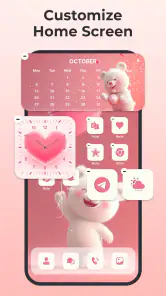
As soon as I launched Themes: Widgets & Icon Changer, I was greeted with a vibrant and intuitive interface. It's super user-friendly, even if you’re not a tech-savvy person. The app is packed with a plethora of themes and icons that cater to all tastes. Whether you’re into minimalistic designs or something more flamboyant, this app has got you covered.
Widgets Galore
One of the standout features is the wide range of widgets available. From clocks to weather widgets, and even calendar widgets, you can have it all. I was particularly impressed with the level of customization offered. You can tweak the size, color, and even the transparency of the widgets. It’s all about making your home screen truly yours.
Icon Changer Extravaganza
Now, let's talk about icons. Ever wanted to change those dull app icons into something more playful or elegant? This app allows you to do just that. With a simple tap, you can swap out your default icons with a myriad of options. Plus, if you’re feeling a bit artistic, you can even create your own icons. How cool is that?
There's something incredibly satisfying about seeing your home screen come to life with a fresh set of icons. It’s like giving your phone a brand-new outfit!
A Seamless Experience
What I really appreciate about this app is how seamlessly it integrates with your phone. There’s no lag or glitches, which is a huge plus for me. I found the app to be incredibly responsive, and the changes I made were instantaneous. It’s clear that a lot of thought has gone into the user experience.
Moreover, the app doesn’t bombard you with ads, which is a rarity these days. You can enjoy your customization journey without annoying interruptions.
In conclusion, this app is a fantastic app for anyone looking to breathe new life into their phone’s interface. It's not just about aesthetics; it's about expressing your personality through your device. So, if you’re ready to take your phone from drab to fab, this app is definitely worth a try. Happy customizing!
Themes: Widgets & Icon Changer Frequently Asked Questions
Can I preview themes and wallpapers before applying them?
Previewing a design before changing your home screen is a sensible way to decide whether its colors and overall look suit your phone. Themes: Widgets & Icon Changer offers themes, icons, widgets, and wallpapers for personalization, so you can explore different visual styles and consider how the pieces might work together before choosing a look. The available collection gives you room to compare options rather than settling on one fixed design.
Can I use the app to customize different parts of my home screen together?
Yes. Themes: Widgets & Icon Changer brings several kinds of visual customization into one app, including themes, icons, widgets, and wallpapers. That makes it possible to coordinate different elements of your home screen around a preferred style, whether you want a more unified appearance or simply want to update one part of the display. You can explore the available options and choose the combination that feels right for your phone.
Does the app offer enough variety for different personal styles?
The app’s collection includes themes, icons, widgets, and wallpapers, covering several of the main ways people personalize a home screen. Its range can suit different tastes, from users who want a coordinated theme to those who prefer to pick individual elements. Since visual preferences are personal, it is worth browsing the available designs to see whether the styles match what you have in mind.
What devices and operating systems can use Themes: Widgets & Icon Changer?
Themes: Widgets & Icon Changer is a personalization app for Android devices running version 7.0 or later. Before downloading, check your device’s Android version so you know it meets this requirement. The app is rated for Everyone, making it suitable for a broad audience interested in changing the look of a phone’s home screen.
What is Themes: Widgets & Icon Changer and what does it do?
Themes: Widgets & Icon Changer is an app designed to personalize your smartphone's appearance by allowing users to customize home screen icons, widgets, and wallpapers. With a wide array of themes, users can express their style and preferences, enhancing the overall user interface experience. Whether you prefer a minimalist design or a vibrant aesthetic, this app offers a variety of options to suit your taste.
Pros
- Highly customizable home screen.
- User-friendly interface design.
- Variety of themes available.
- Regular updates and new features.
- Compatible with most devices.
Cons
- Some features require in-app purchases.
- Occasional bugs with certain widgets.
- Limited free theme options.
- Requires iOS 14 or later.
- May drain battery faster.
- Category
- Personalization
- Version
- 1.6.1












