Sticker.ly - Sticker Maker

Communication

5.51K
4.5
Installs
100.00M
Version
3.25.1
Sticker.ly - Sticker Maker icon Sticker.ly - Sticker Maker icon
Advertisements

Screenshots

Sticker.ly - Sticker Maker screenshot
Advertisements

Let's dive into the world of fun and creativity with the Sticker.ly - Sticker Maker app. If you're someone who loves to spice up your conversations with personalized stickers, then this app is like hitting the jackpot.

Unleash Your Creativity

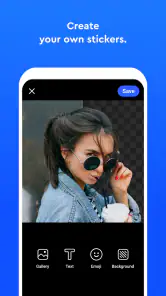
So, I decided to give Sticker.ly a whirl, and let me tell you, it's a blast! The app allows you to create your own stickers effortlessly. Whether it's a meme, a funny face, or just a quirky idea you have in mind, this app provides you with all the tools you need to bring that idea to life.

Features Galore

One of the standout features is the auto-cut technology. Gone are the days of manually cropping and trimming images to fit into a sticker format. With Sticker.ly, you just upload a photo, and bam! The app does the magic for you. It's almost like it reads your mind.

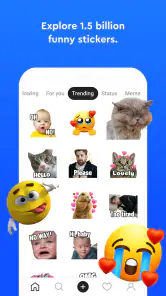
Another cool feature is the vast library of pre-made stickers. If you're not feeling particularly creative one day, you can just browse through the collection and find something that suits your mood. It's like having a sticker shop in your pocket.

Sharing is Caring

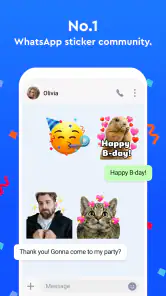
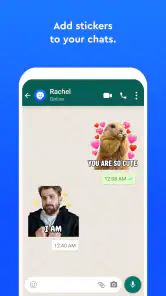
Once you've created your masterpiece, sharing it is a breeze. The app seamlessly integrates with WhatsApp, iMessage, and other social media platforms, allowing you to spread your sticker love far and wide. Imagine the fun of sending a personalized sticker to your friends and seeing their reactions!

User-Friendly Interface

The interface is sleek and easy to navigate. Even if you're not tech-savvy, you won't find yourself lost in a maze of confusing menus. Everything is laid out in a way that's intuitive and straightforward. Trust me, you'll be making stickers like a pro in no time.

One small thing I noticed, though, is the occasional ad pop-up. While it's not too intrusive, it can be a bit of a buzzkill when you're in the middle of creating something awesome. But hey, that's a small price to pay for a free app, right?

Final Thoughts

All in all, Sticker.ly - Sticker Maker is a fantastic app for anyone looking to add a personal touch to their messaging. It's fun, easy to use, and packed with features that make sticker creation a joy. So why not give it a shot? Who knows, you might just become the next Picasso of sticker art!

Pros

  • Easy to create custom stickers.
  • Large library of pre-made stickers.
  • User-friendly interface.
  • Supports GIFs and videos.
  • Regular updates with new features.

Cons

  • Ads can be intrusive.
  • Limited free features.
  • Requires internet access.
  • Occasional app crashes.
  • Some stickers low quality.
Advertisements

Download

Download From Google Play Download From App Store

Available worldwide

You May Like

Frequently Asked Questions

1. What is Sticker.ly and how does it work?

Sticker.ly is a versatile sticker maker app that allows users to create custom stickers for WhatsApp and other platforms. It offers a wide variety of features including an easy-to-use editor, a vast library of sticker templates, and the ability to share your creations. Users can simply select an image, customize it with text or decorations, and export it as a sticker pack to enhance their messaging experience.

2. Can I use my own images to create stickers in Sticker.ly?

Yes, Sticker.ly allows users to upload their own images to create personalized stickers. The app supports various image formats and provides editing tools to adjust the size, add text, and apply filters or effects to make the stickers more engaging and fun. This feature gives users the creative freedom to design stickers that reflect their personality or brand.

3. Is Sticker.ly free to use, or are there any in-app purchases?

Sticker.ly is free to download and use, offering a range of features without charge. However, the app includes optional in-app purchases that provide access to premium content, such as exclusive sticker packs and advanced editing tools. Users can enjoy the core functionalities without spending money but may opt for in-app purchases to enhance their sticker-making experience.

4. How can I share my created stickers with others using Sticker.ly?

Sharing stickers created on Sticker.ly is straightforward. Once you have designed your sticker pack, you can export it to WhatsApp or other supported messaging platforms directly from the app. The app provides a simple interface to manage and share your stickers, making it easy to impress friends and family with your custom designs. Additionally, you can share your creations by generating a link or QR code for others to download your sticker pack.

5. What platforms and devices are compatible with Sticker.ly?

Sticker.ly is compatible with both Android and iOS devices, making it accessible to a wide range of users. The app can be downloaded from the Google Play Store for Android devices and the Apple App Store for iOS devices. It is designed to work smoothly on most smartphones and tablets, ensuring a seamless user experience regardless of the platform. Regular updates help maintain compatibility and enhance functionality on various devices.