Solv: Find Quality Doctor Care
- 1.82K
- 4.7
- Installs
- 1.00M
- Price
- Free

Screenshots

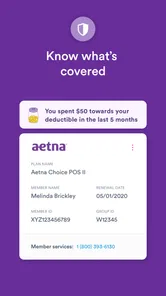
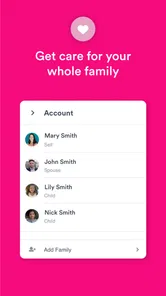
Analysis by Reviewed
For me, the most useful idea behind Solv: Find Quality Doctor Care is that it puts appointment-finding and urgent-care access in one place. When you feel unwell, the hard part is often not knowing whom to call or whether a clinic can see you soon. Solv, a free medical app from Solv Health, is designed to make that first step easier. It is best thought of as a way to find and arrange care, rather than a replacement for a clinician’s advice.
Discovering Solv
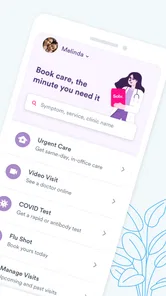
When I first heard about Solv: Find Quality Doctor Care, I was intrigued by the promise of easy access to local healthcare providers. The app's interface is clean and user-friendly, which is a big plus for someone like me who isn’t exactly tech-savvy. I appreciated how it organizes information, making it easy to browse through available doctors, read reviews, and check their availability.
Simplicity at Its Best
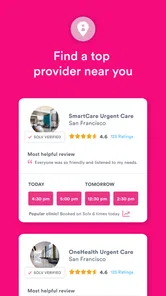
The beauty of Solv lies in its simplicity. From the moment you open the app, it guides you through the process of finding and booking appointments without any hiccups. The search feature allows you to filter doctors by specialty, location, and rating, ensuring you find the perfect match for your needs. Plus, seeing real-time availability means no more back-and-forth calls to clinics.
In practice, I’d use that availability to narrow down a short list, then compare the clinic details and patient feedback before choosing a time. A useful habit is to check the appointment information carefully before confirming; a convenient slot is only helpful if the provider and visit type suit what you need. If you’re arranging care for someone else, keeping their symptoms and basic details to hand can make the booking process less stop-and-start.
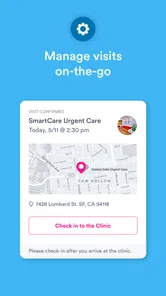
Another feature that stands out is the ability to check in online. This is a game-changer for anyone who dreads sitting in a waiting room filled with other patients. You can fill out your paperwork digitally and even receive updates on your appointment status, all from the comfort of your home.
When a Faster Appointment Matters
Imagine waking up with a minor problem that should be assessed soon, but you are unsure which nearby clinic has an opening. Instead of calling several offices one by one, you can use Solv to look for available care and decide whether one of the listed options fits your timing and needs. Online check-in can also help you handle forms before leaving home, which is especially handy when you are already feeling tired or are coordinating a visit around work or family responsibilities.
This is where Solv differs from the usual approach of searching the web and then calling each clinic. A search engine may help you locate a provider, but it can leave you to verify availability and arrange the visit yourself. Calling directly is still worthwhile if you have a complicated question or need to clarify something important before booking; the app’s convenience does not make a phone conversation unnecessary in every case.
More From Our News Desk

 Block Blast!
 Makes Every Clear Feel Like One More Turn
A clean little block puzzle becomes a study in space, risk, and self-control. Its best moments come from one satisfying clear; its toughest test is knowing when to stop.

 Super Stylist Fashion Makeover
Super Stylist Turns Dress-Up into a Runway Career
Its makeover-to-client loop turns quick outfit decisions into shareable style theater. The question is whether the closet keeps giving players a reason to return.

 Block Craft 3D:Building Game
Block Craft 3D Under Pressure: How Well Does It Recover When Building Goes Wrong?
A failure-focused look at Block Craft 3D’s forgiving building loop, its uncertain recovery edges, and the moments that demand more than a cheerful village.

 Woodturning
 Trades Creative Freedom for a Satisfying Carving Loop
If your usual creative game is about building, decorating, or styling, Woodturning trades open-ended projects for a tactile, tightly guided carving loop. Here is what that switch really costs.

 PUBG MOBILE
 Shows What Battle Royale Must Get Right
PUBG MOBILE shows how battle royale has matured: bigger systems matter less than meaningful choices, readable fights, and a reason to return after every loss.

 Braindom: Brain Games Test
Braindom’s Social Life Happens Between Puzzles
Braindom turns quick logic traps into a personal ritual, but its community value is more about comparing answers than building together.
Latest News



Quality and Trust
One thing that sets Solv apart is the emphasis on quality. The app provides detailed profiles for each healthcare provider, including qualifications, specialties, and patient reviews. This transparency builds trust and confidence, knowing that you're in good hands. I found it reassuring to read other patients' experiences before making my choice.
I would treat reviews as one part of the decision, not a guarantee of a particular outcome. They can help me spot practical details about people’s experiences, while qualifications and specialty are more important when the health concern calls for a particular kind of care. If the issue seems severe or urgent in a way that cannot wait for an appointment, I would seek emergency help rather than relying on an appointment-finding app.
The app also offers a feature to pay for your visit directly through the app, which is incredibly convenient. No more scrambling for your wallet or dealing with paperwork at the clinic. Just a few taps, and you're good to go.
Before relying on in-app payment, I would check the visit details and make sure I understand what I am paying for. Convenience at checkout is useful, but it should not replace asking the clinic about costs or coverage when those details matter to my decision. That small check can prevent an easy booking from becoming an unexpected expense.
Where the Convenience Has Limits
Solv is most helpful when the need is straightforward: finding a nearby provider, comparing options, and booking without a string of calls. It is less suited to people who want a full conversation about symptoms before choosing a type of care, or who need a clinician to decide what level of urgency is appropriate. In those situations, calling a medical professional directly—or using emergency services when warranted—is a better first step.
It also helps to remember that an appointment listing is a starting point, not a promise that every aspect of a visit will be handled in the app. Clinic procedures can differ, so I would still read the confirmation carefully and keep any instructions available for the day. Online check-in can reduce front-desk paperwork, but it does not mean there will be no waiting or that a clinician can see me at an exact minute.
Making a Booking Work for You
I would approach the search with a practical question in mind: what does this visit need to accomplish? If I want a prompt assessment for a manageable concern, location and an available time may matter most. If I already know I need a particular specialty, I would use that as the first filter rather than picking the earliest appointment and hoping it is appropriate. This keeps speed from becoming the only measure of a good choice.
There is also a useful distinction between finding an appointment and deciding whether the appointment is the right level of care. Solv can help with the first task, but I would not ask a booking screen to make the second decision for me. When symptoms are unclear, worsening, or worrying, I would contact a healthcare professional for guidance before choosing a routine visit. That boundary makes the app more useful, not less: it keeps the tool focused on arranging care once I know what kind of help I am seeking.
For a family visit, I would check who the appointment is for and review the confirmation before assuming the booking is complete. That sounds basic, but it is easy to mix up details when arranging care while juggling work, school, or someone else’s needs. Having the person’s relevant information ready can also make online check-in smoother. The app can cut down on repeated calls, but a few minutes of preparation still matter.
How It Fits Alongside Other Care Options
Compared with a clinic’s own website, Solv’s appeal is the ability to look across provider options in one place rather than starting over on each individual site. Compared with calling a clinic, it can make availability easier to scan and let me handle some steps on my own schedule. Those advantages are strongest when I already have a reasonable idea of the type of visit I need.
The trade-off is that a direct call can answer a specific question in a way a profile or listing may not. If I need to explain a complicated situation, ask about a clinic’s process, or confirm a detail that affects whether I can attend, I would call rather than infer the answer from an appointment slot. Solv is a useful route into care, not a reason to avoid contacting the provider when clarity matters.
It also is not the right substitute for emergency services or ongoing care that depends on a clinician who already knows my history. A fast appointment can be valuable, but continuity and urgency are separate issues. I would use the app to reduce the legwork around a suitable visit, while keeping my regular clinician or emergency care as the better choice when the situation calls for them.
Who Benefits Most
I can see Solv helping people who postpone making appointments because the process feels tedious, people trying to compare nearby options, and anyone coordinating a visit around a busy day. Online check-in is particularly practical for someone who would rather complete forms at home than begin the visit at a front desk. The app’s straightforward setup also makes it approachable for someone who is comfortable using a phone but does not want to learn a complicated health platform.
It may be less useful if you prefer to choose a clinician through a personal recommendation, already have a provider and booking routine that works well, or need advice before you know what appointment to request. People who are uncomfortable making health decisions from online profiles should not feel pressured to book just because a time appears available. They can use the information as a starting point, then call the clinic or seek guidance from a trusted medical professional.
Solv is a medical app from Solv Health, released on December 18, 2019. It is free to use, rated for Everyone, and its current version is 4.5.4, with support for Android 6.0 and later. Its 4.7 average comes from around 12,000 ratings, and it has over a million installs. Those figures suggest that many people have tried it, but I would still judge it by whether its appointment options fit my needs and whether I feel comfortable with the provider I choose.
Final Thoughts
Overall, my experience with Solv has been nothing short of excellent. It has transformed how I approach scheduling medical appointments, making it less of a chore and more of a quick and efficient task. Whether you're tech-savvy or not, this app is designed to cater to everyone, ensuring you find quality doctor care without the usual hassle.
For someone who puts off calling clinics, the ability to compare availability and complete check-in steps in one place can make arranging care feel more manageable. Solv has a 4.7 average from around 12,000 ratings, and it has been installed over a million times. It is free, rated for Everyone, and its current version is 4.5.4; the app supports Android 6.0 and later. Those details make it easy to try, though I would still choose a direct call or another care route when the situation needs personal guidance before booking.
If you haven’t tried Solv yet, I highly recommend giving it a shot. It’s more than just an app; it’s a gateway to convenient healthcare. In a world where time is of the essence, Solv ensures you’re not wasting any of it trying to get the care you need. So, next time you’re in need of medical attention, let Solv do the heavy lifting for you.
Solv: Find Quality Doctor Care Frequently Asked Questions
Can I use Solv for telehealth as well as in-person care?
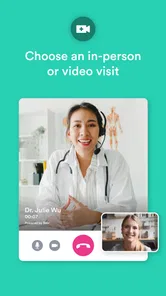
Solv’s summary highlights easy telehealth appointments and urgent care, so it can help users explore virtual care as well as nearby in-person options. The app is intended to make finding and booking care more straightforward. Availability depends on the provider and appointment options shown, so review the details for a service before booking.
What devices and age groups is Solv intended for?
Solv is a medical app for Android and iOS devices, and it is rated for Everyone. On Android, it requires version 6.0 or later. The age rating describes the app’s content suitability, not whether a particular healthcare provider can treat every age group; check the provider’s information when choosing care for yourself or someone else.
What is Solv and how does it work?
Solv is an app designed to simplify the process of finding and booking quality healthcare services. It connects users with top-rated doctors and urgent care facilities nearby, allowing them to schedule appointments with ease. Users can compare healthcare providers based on ratings, read reviews, and view available appointment slots in real-time. The app's user-friendly interface ensures a seamless experience from booking to visit.
Is Solv free to use, or are there any hidden costs?
Solv is free to download and use for booking appointments with healthcare providers. There are no hidden costs involved in using the app. However, users are responsible for any fees associated with the healthcare services they choose to book through Solv, which are payable to the respective healthcare provider.
How does Solv ensure the quality of the healthcare providers listed?
Solv ensures quality by partnering with top-rated healthcare providers and urgent care facilities. The app features verified reviews and ratings from real patients, helping users make informed decisions. Solv's team regularly updates the provider database to maintain high standards of care and ensure that users have access to the best available healthcare services.
Pros
- Easy to find and book doctors.
- Comprehensive doctor profiles.
- User-friendly interface.
- Timely appointment reminders.
- Wide network of healthcare providers.
Cons
- Limited to certain regions.
- Some features may require fees.
- Occasional app crashes.
- Appointment slots may fill quickly.
- Not all specialties covered.