Session - Private Messenger

Communication

733.00
4.6
Installs
1.00M
Version
1.30.1
Session - Private Messenger icon Session - Private Messenger icon
Advertisements

Screenshots

Session - Private Messenger screenshot
Advertisements

Hey there! Have you ever wondered how to keep your messages super private and away from prying eyes? Well, let me introduce you to Session - Private Messenger, a nifty app that’s all about keeping your chats secure. Sit back, relax, and let’s dive into what makes this app so special!

Why Choose Session?

First off, the main reason you’d want to get Session - Private Messenger is because it’s all about privacy. Unlike other messaging apps that might store your data or even sell it (yikes!), Session doesn’t keep any logs. It’s like having a private conversation in a soundproof room—no one else can hear a thing!

Features That Make It Stand Out

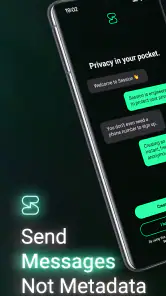
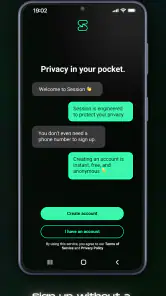
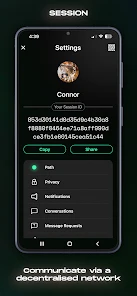
So, what exactly does Session offer that sets it apart? For starters, it doesn’t require a phone number or email to sign up. That’s right, you can go completely incognito. Plus, all messages are end-to-end encrypted, meaning only you and the person you’re chatting with can read them. Pretty cool, huh?

Another awesome feature is the decentralized network. Instead of relying on a central server, Session uses a distributed system to route your messages. This means there are no single points of failure or control, making it much harder for anyone to snoop on your chats. It’s like having a team of security guards watching over your messages 24/7.

Usability and Performance

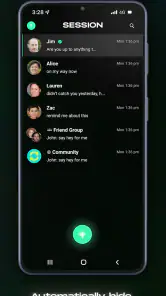
Now, you might be thinking, “All these features sound great, but is it easy to use?” Absolutely! The app has a clean and straightforward interface, making it super user-friendly. Whether you’re tech-savvy or a complete newbie, you’ll find it a breeze to navigate through the app.

Performance-wise, Session holds its own. Even with all the security layers, the app runs smoothly without any noticeable lag. You can send texts, images, and even make voice calls without a hitch. It’s like having a secure fortress in your pocket without compromising on speed.

Final Thoughts

In a world where privacy is becoming a rare commodity, Session - Private Messenger is a breath of fresh air. It offers top-notch security features without sacrificing usability or performance. So, if you’re looking for a messaging app that respects your privacy and keeps your conversations truly private, give Session a try. You might just find it’s exactly what you’ve been searching for!

Pros

  • End-to-end encryption ensures privacy.
  • No ads for a distraction-free experience.
  • Open-source for transparency and trust.
  • Cross-platform support increases accessibility.
  • Group chats with up to 100 people.

Cons

  • Limited media sharing options.
  • Some features require advanced setup.
  • Occasional connectivity issues.
  • Less popular
  • fewer user base.
  • No cloud backup for chat history.
Advertisements

Download

Download From Google Play Download From App Store

Available worldwide

You May Like

Frequently Asked Questions

What is Session - Private Messenger and how does it ensure privacy?

Session is a privacy-focused messaging app designed to keep your communications secure and anonymous. It uses end-to-end encryption to ensure that only you and the person you're communicating with can read your messages. Unlike traditional messaging apps, Session doesn't require a phone number or email address for registration, enhancing your privacy by minimizing data collection. The app routes messages through a decentralized network, making it difficult for anyone to track your activity or intercept your communications.

Does Session - Private Messenger support group chats and file sharing?

Yes, Session supports both group chats and file sharing. You can create group chats with multiple participants, allowing you to communicate with friends, family, or colleagues simultaneously. The app also allows you to share files securely, maintaining the same level of encryption and privacy as individual messages. This makes Session a versatile tool for both personal and professional communications, ensuring that all shared content remains private and secure.

Is Session - Private Messenger free to use, and are there any hidden costs?

Session is completely free to download and use. There are no hidden costs or in-app purchases, so you can enjoy all of its privacy features without worrying about unexpected charges. The app is open-source, which means the community can inspect its code for security and privacy issues, ensuring transparency and trustworthiness. You can confidently use Session knowing that there are no financial barriers to accessing its secure messaging services.

What platforms is Session - Private Messenger available on?

Session is available on multiple platforms, making it accessible to a wide range of users. You can download the app on Android and iOS devices from their respective app stores. Additionally, Session offers desktop versions for Windows, macOS, and Linux, allowing you to stay connected across all your devices. This cross-platform availability ensures that you can maintain secure communications whether you're on your phone, tablet, or computer.

How does Session - Private Messenger handle user data and metadata?

Session takes a strong stance on protecting user data and metadata. The app is designed to minimize data collection, meaning it doesn't store metadata like IP addresses or message timestamps that could be used to trace your activity. By using a decentralized network, Session further ensures that no single entity has access to your data. This commitment to privacy makes Session an excellent choice for users who are concerned about surveillance and data breaches, offering peace of mind when it comes to secure communications.