Security Camera App
- 169.00
- 3.8
- Installs
- 1.00M
- Price
- Free

Screenshots
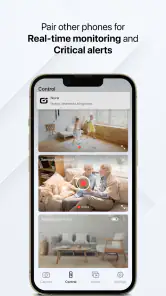
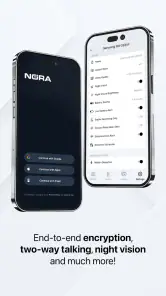
Analysis by Reviewed
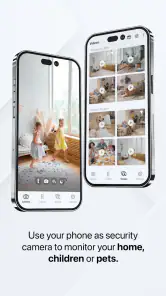
So, I decided to check out the Security Camera App because, let's face it, who doesn't want a little extra peace of mind? Setting it up was pretty straightforward, even for someone who's not exactly a tech whiz. I mean, if I can do it, anyone can!
First Impressions
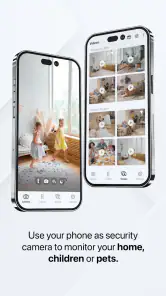
As soon as I launched the app, the clean and intuitive interface caught my eye. It didn't bombard me with unnecessary features or confusing menus. Instead, it felt like the app was holding my hand, guiding me through each step. The Security Camera App promises to turn your spare smartphone into a security camera, and I was intrigued to see if it lived up to the hype.
Setting Up
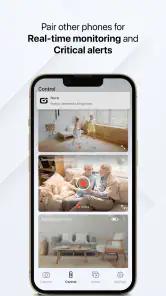
Setting up the app was surprisingly simple. I grabbed an old phone that was collecting dust in a drawer, installed the app, and voila! The app guided me through connecting to Wi-Fi and adjusting settings like motion detection sensitivity. It was a breeze! The cool part is that you can monitor the feed from your primary phone, which is super convenient if you're out and about.
Features Galore!
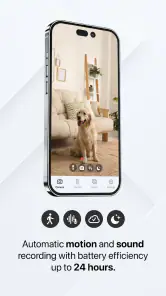
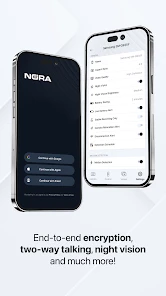
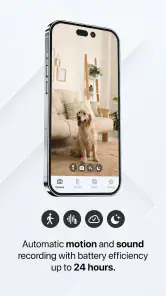
One of the standout features of this app is its motion detection capability. Anytime there's movement in the camera's field of view, I get an instant notification. The app even lets you tweak the sensitivity settings, so you're not constantly alerted by a passing cat or swaying tree. And the night vision quality? Surprisingly clear, even when it’s pitch dark.
Another neat feature is the two-way audio. It's like having a walkie-talkie with whoever's on the other end. I had a bit of fun with this, testing it out on unsuspecting family members. I can see it being really useful for scaring off potential intruders or even just checking in with the kids.
The Nitty-Gritty
However, nothing is perfect, right? While the Security Camera App does a lot right, it does require a stable internet connection to function properly. If your Wi-Fi is spotty, you might experience some lag or delays in receiving notifications. Also, keep in mind that running the app continuously can drain the battery quickly, so it's best to keep your device plugged in.
In terms of privacy, the app assures users that all video footage is securely stored and only accessible by you. Still, it’s always wise to read through the privacy policy, just to be sure your data is safe.
Final Thoughts
All in all, the Security Camera App is a solid choice for those looking to add an extra layer of security without breaking the bank. It's user-friendly, packed with useful features, and offers a great way to repurpose an old smartphone. If you're in the market for a DIY security solution, this app is definitely worth checking out. After all, who wouldn't want a little extra peace of mind?
Pros
- Easy to set up and configure.
- High-quality video streaming.
- Real-time alerts and notifications.
- Supports multiple camera connections.
- User-friendly interface.
Cons
- Requires stable internet connection.
- Subscription needed for cloud storage.
- Limited free features.
- Potential privacy concerns.
- Occasional app crashes.

- Category
- House & Home
- Version
- 1.0.0.56