Samsung Accessory Service
- 1.27K
- 3.7
- Installs
- 10.00M
- Price
- Free

Screenshots
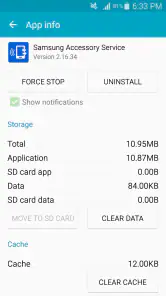
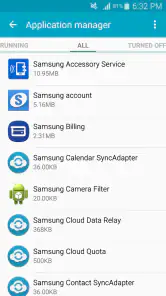
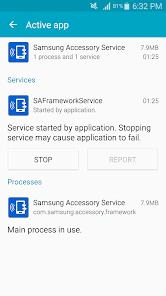
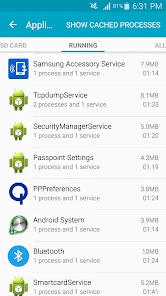
Analysis by Reviewed
What makes Samsung Accessory Service worth considering is not a feature you use by itself, but the way a compatible accessory fits into your phone routine. I see it as a supporting part of a Samsung setup: when the phone and accessory communicate as expected, small tasks can take less effort; when they do not, the benefit quickly fades. I would treat it as a practical companion for people who already use supported Samsung hardware, not as a new place to message or call.
When connection is part of the experience
The practical question is not whether the app has a long list of standalone tools, but whether your accessory behaves as expected once paired. A watch can make a notification easier to notice while your phone is tucked away, and earbuds can be more convenient when they are already connected for a call or audio. These moments rely on the accessory and phone communicating, so a connection problem can interrupt the convenience rather than simply make the app itself less pleasant.
That makes this service different from a typical messaging app, where the main activity is communicating with people. I would not install it expecting a new inbox, contact list, or general-purpose chat feature. Its role is tied to accessories, and that narrower purpose is a good fit for someone who wants their Samsung hardware to work together, but offers little reason for someone without a compatible accessory to seek it out.
For me, a useful way to assess any connection-dependent setup is to separate the job into two parts: first, whether the phone recognizes the accessory, and second, whether the particular action I want works reliably. A device appearing as paired does not automatically prove that every notification or audio routine is convenient. I would check the actual task rather than assume that successful setup means the experience is complete.
How it fits into an ordinary day
Picture leaving your phone in a bag while walking to an appointment. If a compatible watch is already set up, checking a notification on your wrist can save you from stopping to reach for the phone. Later, reconnecting earbuds for a call is another small convenience. The useful detail is to test those routines before depending on them: check that the accessory is paired and that the notification or audio behavior you need is actually available on your devices.
I’d also keep the setup simple. Connect one accessory at a time and confirm it behaves properly before adding another. If something is confusing, this makes it easier to tell whether the issue is with the phone, the accessory, or their connection. It is a modest troubleshooting habit, but it can save time when several devices are involved.
That one-at-a-time approach is especially handy when setting up a new phone or bringing an accessory back into regular use. I would start with the device I depend on most, test it in the place where I normally use it, and only then add other accessories. A successful test at home may not answer every question about a busy commute or a crowded room, so I’d give the routine a real-world try before making it part of a time-sensitive habit.
You May Like

Clash of Clans Is Won Between the Battles

Android Auto Makes the Case for Quieter Car Software

MobiOffice: Transforming Mobile Productivity with Seamless Integration

EA SPORTS FC™ Mobile Soccer: Redefining Mobile Sports Gaming

How Microsoft OneDrive Became a Mobile Productivity Giant

How Google Translate Breaks Language Barriers Effortlessly
There is also a simple decision to make about which alerts deserve a second screen. If I am expecting an important message while carrying groceries, a watch notification may be genuinely useful. If I am trying to focus, having the same alert reach both phone and accessory can create another interruption. I’d use the accessory selectively, rather than treating every available connection as automatically beneficial.
When things stop connecting
Accessory services are most noticeable when something fails. If a wearable or other device stops responding, I would first check that the accessory is powered on and still paired, then reopen the relevant Samsung device controls and try reconnecting. Restarting the phone or accessory can also be a sensible basic step. I would avoid removing a pairing immediately unless simpler checks fail, because setting it up again may take longer than restoring a temporary connection.
There is a trade-off here: the more you expect a phone and accessory to coordinate automatically, the more frustrating a quiet connection failure can be. If you need a dependable notification or call workflow at a particular moment, keep the phone accessible as a fallback. This service can support convenience, but I would not make an accessory the only route to something time-sensitive.
If the connection fails repeatedly, I would change one thing at a time instead of resetting everything at once. Check whether the accessory is still recognized, try the basic reconnect steps, and note whether the problem affects one accessory or more than one. That small distinction helps narrow down where to look and avoids turning a temporary hiccup into a full setup job without a clear reason.
It is also worth considering what “reliable enough” means for the task. A brief delay may be no big deal when checking a casual alert, but it matters more if I am counting on an accessory to notice something promptly. In the latter case, keeping the phone within reach is not a failure of the setup; it is a sensible backup for any workflow that depends on two devices staying connected.
Choosing the right setup
For someone already using Samsung accessories, the service makes more sense than relying on unrelated companion tools that may not handle the same device relationship. If you mainly use accessories from other brands, their own companion app may be the more relevant choice. And if all you want is basic phone communication, the phone’s built-in calling and messaging tools are a more direct option.
I would also think about how much you want connected devices involved in everyday routines. A wrist notification can be helpful when your hands are busy, but it can become another interruption if you do not need alerts in multiple places. Choosing which notifications matter, where that option is available, is a practical way to keep the accessory useful without letting every phone alert follow you around.
Compared with the usual alternatives, this is a narrow, hardware-focused tool rather than a broad communication platform. A manufacturer’s own companion app is generally the place I would look first for its accessory-specific controls; the phone’s standard calling and messaging tools are better when the goal is simply to communicate. The key trade-off is convenience within a compatible setup versus flexibility across brands. If your everyday accessories are mixed, a single Samsung-focused service may not be the whole answer.
That makes the decision fairly personal. Someone who already reaches for a Samsung watch or earbuds may appreciate having the connection side supported in the background. Someone choosing an accessory from another manufacturer should compare that device’s companion options before building a routine around this service. I would not switch hardware just to use a particular service; I would choose the accessory that suits my needs and then use the matching support tools.
One question I would settle before installing is whether my specific phone and accessory combination is supported. The service’s general purpose does not guarantee that every Samsung accessory works with every phone or that every function behaves identically across devices. Checking the exact models and then trying the feature I care about is more useful than relying on the brand name alone.
What the service does in a Samsung setup
At its core, Samsung Accessory Service helps a phone and compatible accessories work together. I think of it less as a control center for everything Samsung makes and more as a supporting link in an accessory setup. That distinction matters: its value is tied to the devices and routines you already have, so someone without suitable hardware may not notice a practical benefit.
What to expect from the connection
A connected watch or pair of earbuds can make a familiar phone task more convenient, but the result still depends on the particular accessory and what it supports. I would avoid assuming that the service itself adds every feature associated with a wearable or audio device. Instead, I’d start with the function I actually want—such as checking a notification or using earbuds for a call—and confirm how it works with my own setup.
This is a useful distinction when troubleshooting too. If an accessory has its own controls or companion experience, those may be where a particular setting lives; the service is not necessarily the place to manage every detail. I would check the relevant Samsung device controls and the accessory’s own setup path before concluding that a connection issue means the whole device is unusable.
For people who share a phone or regularly lend an accessory, I would be cautious about assuming that a pairing will behave the same way across different phones. A connection is a relationship between particular devices, not a universal handoff. If another person needs to use the accessory, it is better to test that arrangement in advance than discover a setup snag when you are already heading out.
Availability and everyday fit
Samsung Electronics Co., Ltd. offers this free communication app to everyone, and it has more than 10 million installs, a 3.7 average rating, around 32 thousand ratings, and about 1.3 thousand written reviews. It first appeared on September 16, 2015, and version 3.1.96.61111 lists Android 4.0.3 as its minimum operating-system requirement. The app is rated for Everyone. Those figures give useful context, but they do not tell me whether a particular accessory will work with a particular phone, so I’d check compatibility for the exact devices I plan to use.
The app is best suited to people who already own a supported Samsung accessory and want its connected functions to work as part of their phone routine. I’d skip it if I had no Samsung accessory to pair, or if I expected a general communication hub for devices from many brands. A specialist companion app from another manufacturer may be a better fit for that setup, while a phone’s built-in controls are simpler if I only need ordinary calls and messages.
One useful way to judge the setup is to try the task that matters most before relying on it: check a notification during a walk, confirm the accessory reconnects after you have put it away, or see whether its controls are easy to reach when you are in a hurry. That small test reveals more than a broad promise of seamless connection. I’d also keep the phone’s usual controls familiar, so a missed connection does not leave me without a practical alternative.
For a data-conscious routine, I would focus on using only the connected behavior I need and avoid leaving unnecessary alerts active across devices. This is less about chasing a complicated configuration and more about keeping the setup purposeful: fewer distractions, fewer reasons to check the accessory, and a clearer sense of whether the connection is genuinely helping. I would also make sure I understand which device is handling the task, rather than assuming that a notification on a wearable replaces the phone’s own role.
Because the service is free, the main cost to weigh is not a purchase price but the time spent setting up and maintaining a useful connection. If the accessory already solves a real problem, that effort may be worthwhile. If I have no regular use for the hardware, adding another service is unlikely to improve my day just because it is available. That is why I’d test a specific routine first and keep the arrangement only if it proves convenient.
My closing view on connectivity
So, is Samsung Accessory Service worth your time? If you're entrenched in the Samsung ecosystem, then absolutely! It's like having a personal assistant that keeps all your devices in sync. While it may not be the most glamorous app out there, it does its job brilliantly and without much fanfare.
In a world where connectivity is key, having an app that ties all your devices together is invaluable. So go ahead, give it a whirl and experience the convenience firsthand. You may just find it to be the missing puzzle piece in your Samsung journey.
My connectivity verdict
My recommendation is conditional rather than universal: if a Samsung accessory is already part of your day, this service may be a useful supporting piece; if not, there is little reason to add it just because it appears in the communication category. I’d keep expectations focused on accessory connections, test the exact routine I care about, and use the phone itself as a fallback whenever staying reachable matters. That is the clearest way to decide whether it earns a place in my setup.
Samsung Accessory Service Frequently Asked Questions
What Android version does Samsung Accessory Service require?
Samsung Accessory Service supports devices running Android 4.0.3 or later. Before downloading, check the Android version on the phone or tablet you plan to use, especially if it is an older device. The app is designed to help accessories connect with a mobile device, so having a supported operating system is one practical first step toward using it.
Is Samsung Accessory Service safe and suitable for everyone?
Samsung Accessory Service has an Everyone content rating, so it is suitable for a general audience. It is developed by Samsung Electronics Co., Ltd. and is intended as a service for connecting accessories with mobile devices. As with any app, download it from a trusted app store and review the permissions requested during installation so they make sense for the accessory functions you want to use.
Can I use Samsung Accessory Service without a Samsung accessory?
The app is focused on connecting accessories, so it is most useful when you own a compatible Samsung accessory that needs to work with a mobile device. Without one, there may be little reason to install it as a standalone utility. Its purpose is not to replace general communication apps; it supports accessory-related functions as part of using connected devices.
What devices and accessories are compatible with Samsung Accessory Service?
Samsung Accessory Service is intended to support connections between Samsung mobile devices and Samsung accessories. Its role is to help accessories work with a mobile device, rather than to serve as a general-purpose connection app for every accessory brand. If you use Samsung wearables or audio devices, it may be a useful part of getting them connected and using their functions.
What is Samsung Accessory Service and what does it do?
Samsung Accessory Service is an essential app designed to facilitate seamless connectivity between Samsung mobile devices and various Samsung accessories, such as smartwatches, fitness trackers, and audio devices. It ensures that all connected accessories function optimally with your device, providing quick updates, synchronization, and enhanced functionality. This app is crucial for users who frequently use Samsung accessories, as it bridges the gap between different devices, enhancing overall user experience.
Pros
- Seamless integration with Samsung devices
- Supports a wide range of Samsung accessories
- Easy to use interface
- Improves device connectivity
- Enhances accessory functionality
Cons
- Limited to Samsung ecosystem
- Occasional connectivity issues
- Consumes battery power
- May require frequent updates
- Not available on non-Samsung devices

- Category
- Communication
- Version
- 3.1.96.61111













