Remote Control for Roku TV
- 1.18K
- 4.6
- Installs
- 1.00M
- Price
- Free
Screenshots
Analysis by Reviewed
If you're anything like me, you've probably found yourself in a situation where the remote control for your TV has mysteriously vanished. Maybe it’s somewhere under the couch cushions or perhaps the dog decided it was a chew toy. Regardless, the Remote Control for Roku TV app is here to save the day.
Getting Started with Ease
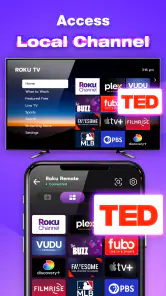
The first thing you'll notice about the Remote Control for Roku TV app is how straightforward it is to set up. As someone who isn’t exactly a tech wizard, I was worried it would be a hassle. But to my surprise, it was as simple as connecting my phone to the same Wi-Fi network as my Roku TV. Just a few taps, and voila! I was controlling my TV from my phone.
Sleek and User-Friendly Interface
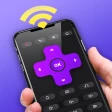
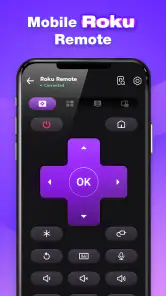
Let's talk about the user interface. It’s clean and intuitive, with all the buttons you’d expect from a traditional remote control. The app’s design is minimalistic but efficient, which means there’s no clutter to confuse you. Instead, you get a seamless experience that makes navigating your TV a breeze.
Features You'll Love
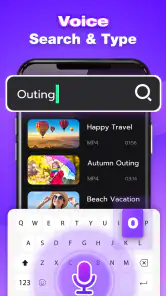
This app isn’t just a basic remote; it comes packed with features that enhance your viewing experience. For instance, the voice command feature is a game-changer. Just speak into your phone, and the app does the rest. It’s perfect for those moments when typing out the name of that obscure documentary you want to watch feels like a chore.
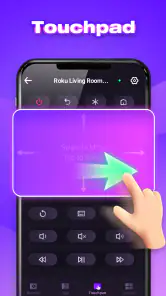
Another highlight is the keyboard functionality, which makes logging into various streaming platforms much easier. No more painstakingly typing with the remote—just tap away on your phone’s keyboard. Plus, there’s a touchpad feature that transforms your phone into a mini trackpad, making navigation smoother than ever.
Performance and Reliability
In terms of performance, the app is impressively reliable. It responds quickly without any noticeable lag, which is crucial when you’re trying to pause a show during an intense moment. The connection remains stable, and I haven’t experienced any drops during my time using it. It’s like having a trusty sidekick right in your pocket.
Final Thoughts
Overall, the Remote Control for Roku TV app is a fantastic solution for anyone who frequently misplaces their remote or simply wants the convenience of controlling the TV from their phone. It’s easy to use, packed with useful features, and performs reliably. If you’re a Roku TV owner, I’d say this app is a must-have in your digital toolkit. So, go ahead, give it a try, and let me know how it transforms your TV-watching experience!
Pros
- Easy setup process for quick use
- Compatible with all Roku TV models
- User-friendly interface design
- Supports voice commands for convenience
- Works seamlessly with Roku streaming sticks
Cons
- Limited functionality compared to physical remote
- Requires stable internet connection
- Ads can be intrusive during use
- No tactile feedback like physical buttons
- May drain phone battery quickly
- Category
- House & Home
- Version
- 4.9.1