QR & Barcode Scanner Launcher
- 8.63K
- 4.2
- Installs
- 5.00M
- Price
- Free
Screenshots

Analysis by Reviewed
In a world where scanning QR codes has become almost as common as texting, having a reliable QR code scanner app is essential. Enter the QR & Barcode Scanner Launcher, an app that promises to make scanning codes as easy as pie. So, naturally, I had to give it a whirl and see if it lives up to the hype.
Getting Started With the App
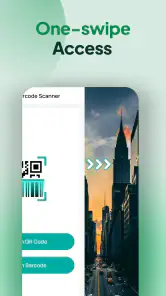
First things first, downloading and installing the QR & Barcode Scanner Launcher is a breeze. Available on both Android and iOS, it’s a lightweight app that doesn’t hog your phone’s memory. Once installed, the app opens to a simple, intuitive interface. You’ll find the scanner right on the main screen, ready to capture any QR or barcode you throw its way.
Scanning Made Simple
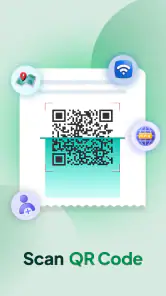
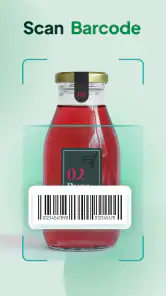
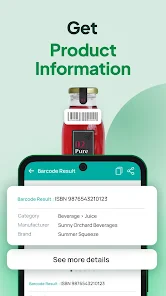
Using the app is as straightforward as it gets. Just point your camera at the QR code or barcode, and voilà, the app does its magic. It quickly deciphers the code and presents the information in an easy-to-read format. Whether it’s a website URL, contact information, or even a Wi-Fi password, this app handles it all like a pro.
One feature I particularly appreciate is the automatic focus. No more fumbling around trying to get the perfect angle or distance. The app automatically adjusts, ensuring you get a clear scan every time. Plus, it works in low-light conditions, thanks to the flashlight feature that you can toggle on with a simple tap.
Additional Features Worth Noting
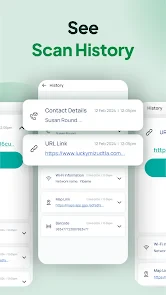
Beyond basic scanning, the app offers a few nifty extras. You can use it to generate your own QR codes, which is perfect for sharing your contact details or social media profiles. The history feature is also handy, keeping track of all your past scans for easy reference.
For those who are privacy-conscious, the app doesn’t disappoint. It doesn’t require unnecessary permissions, which is a huge plus in my book. It focuses on doing what it’s supposed to do without poking its nose into your personal data.
Final Thoughts
Overall, the QR & Barcode Scanner Launcher is a solid choice for anyone looking for a reliable scanning app. It’s fast, efficient, and user-friendly, with a few extra features that add to its utility without complicating things. Whether you’re scanning codes for work or play, this app has got you covered. Give it a try, and you might just find it becomes one of those indispensable apps you never knew you needed.
Pros
- Fast QR code scanning
- Supports multiple barcode formats
- User-friendly interface
- No internet connection required
- Small app size saves storage
Cons
- Contains ads in free version
- Limited features without upgrade
- Occasional scanning errors
- No option for bulk scanning
- Requires camera permissions
- Category
- Tools
- Version
- 3.10.1











