PulsePoint Respond
- 10.53K
- 4.6
- Installs
- 1.00M
- Price
- Free

Screenshots
Analysis by Reviewed
Ever been in a situation where you’re curious about what’s happening down the street when you hear sirens? Enter PulsePoint Respond, the app that’s like having a direct line to local emergency events. I stumbled upon this app while looking for ways to stay more connected to my community, and let me tell you, it’s been quite the eye-opener.
Stay in the Loop
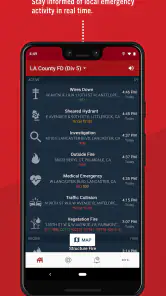
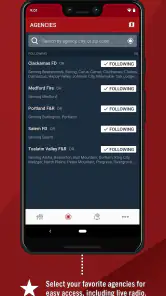
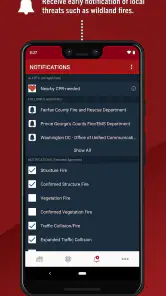
One of the coolest features of PulsePoint Respond is its ability to keep you informed about local emergencies in real time. Whether it's a fire, medical emergency, or even a traffic incident, this app has got you covered. It pulls data from emergency dispatch centers and sends it straight to your phone. It’s kind of like having a scanner, but way cooler and more user-friendly. Plus, you can even choose which types of alerts you want to receive, so you’re not overwhelmed with notifications.
How Does It Work?
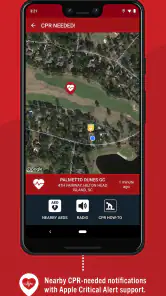
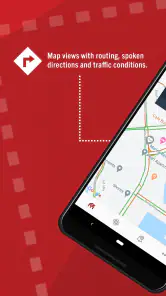
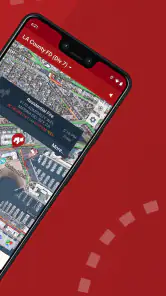
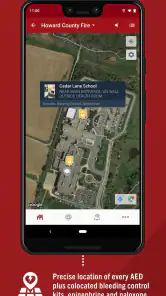
The app uses your location to provide you with updates on incidents happening near you. It’s like having a bird’s-eye view of your neighborhood’s safety status. You can also listen to live dispatch audio if you’re really keen on knowing the details. And for those who are CPR certified, there’s an option to be notified if someone nearby needs assistance. Talk about being a local hero!
Community Connection
What I love about this app is how it connects you to your community. It’s not just about being nosy; it’s about being aware and prepared. Having the pulse on local emergencies means you can avoid areas with incidents, help if you’re able, or just stay safe and informed. Plus, you get a sense of how first responders are working tirelessly to keep everyone safe, which is something we often take for granted.
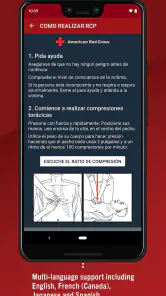
PulsePoint Respond also fosters a sense of community involvement. It encourages users to participate in CPR training and be ready to step in when needed. It’s like a digital neighborhood watch, but with more heart and purpose. The app also provides educational resources on emergency preparedness, which is a great way to arm yourself with knowledge.
Final Thoughts
In a world where we’re constantly bombarded with information, it’s refreshing to have an app that delivers relevant, local data that can make a difference. PulsePoint Respond not only keeps you informed but empowers you to be part of the solution. Whether you’re a curious bystander, an off-duty responder, or just someone who wants to be more in tune with their community, this app is a must-have.
So, the next time you hear sirens, you’ll know exactly what’s going on and how you might be able to help. Download it, explore its features, and become a part of your community’s safety network. You’ll be surprised at how much more connected you’ll feel. Who knew an app could make such a difference?
Pros
- Real-time emergency alerts
- User-friendly interface
- Community connection
- Customizable notifications
- Life-saving tool
Cons
- Requires location access
- Battery consumption
- Limited to certain areas
- Needs stable internet
- Potential alert overload

- Category
- Medical
- Version
- 4.26