Psiphon: Fast and Secure VPN
- 32.19K
- 4.5
- Installs
- 100.00M
- Price
- Free

Screenshots

Analysis by Reviewed
I often reach for a VPN-style connection when a website or service will not load on the network I’m using. Psiphon Pro is built around that access problem: it gives you another route to the internet when a local connection blocks or restricts a destination. That focus makes it different from a general-purpose privacy toolkit. Psiphon Pro is a communication app from Psiphon Inc., and I see its main value in helping people get online when ordinary browsing runs into a wall.
When a different route is the point
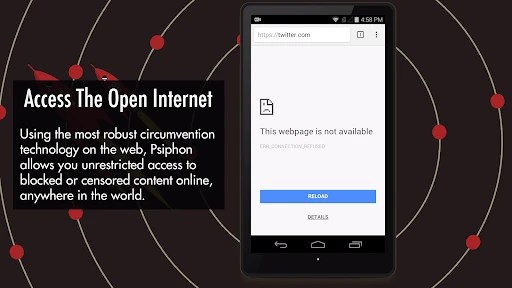
It helps to separate two reasons people install VPN apps: reaching a destination that is unavailable on the current network, and changing how they handle privacy across routine browsing. Psiphon’s clearest use is the first. If a site you need is blocked on a particular Wi-Fi network, the app gives you a way to test whether an alternate route solves the problem. That is a more practical expectation than treating any VPN as a magic switch that guarantees access everywhere.
I would also keep the intended task in mind before connecting. If I only need to read a page or check a service, a short test is enough to decide whether the route is useful. If I am about to submit a form, make a payment, or join an important call, I would first confirm that the connection stays stable for that kind of activity. Access is valuable, but a successful first page load does not prove that every later step will behave just as well.
What its access-first approach means
The important thing to understand is that Psiphon is designed to help users reach content that may otherwise be unavailable on their current network. That can be useful on a restrictive Wi-Fi connection or when a site is unreachable through your usual route. It is not a promise that every blocked page will open, or that every connection will feel equally quick; network conditions and the destination matter. I would treat it as a practical access tool rather than a guarantee of unrestricted browsing everywhere.
That distinction also helps set expectations around privacy. A VPN-style connection can change how your traffic reaches websites, but it should not be treated as a complete security plan. I still avoid entering sensitive details on unfamiliar pages, and I use account protections that do not depend on a VPN. If your main goal is simply to reach a page that your current network cannot load, Psiphon’s focus makes sense. If you need a broader privacy setup, compare its protections and controls carefully with services built specifically around that need.
Unlock the Web with Ease
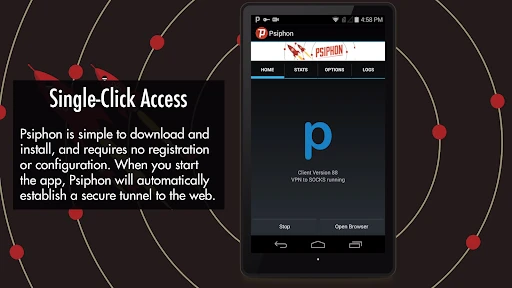
Psiphon Pro is your key to the open internet. It's like having a secret tunnel that lets you bypass restrictions and access content from all over the globe. I found it incredibly easy to install and set up. Just a few taps, and you're ready to go. The interface is straightforward, which is perfect for those who aren't tech-savvy. You don't have to fiddle with complicated settings or configurations. Just fire it up, and let it work its magic.
A useful routine for public Wi-Fi
A realistic use is arriving at a hotel, campus, or café, joining its Wi-Fi, and finding that a site you need will not open. I would try Psiphon for that specific task, then check whether the page works before relying on it for a time-sensitive job. If it does, I can continue browsing without changing the settings on every app or device. If the connection remains unreliable, switching back to the normal network route or using mobile data may be the more sensible choice.
More From Our News Desk

Weather by Xiaomi Review: Clear at a Glance, Less Clear Up Close

X Under Pressure: Can It Recover When Posting Goes Wrong?

Clash of Clans Is Won Between the Battles

Android Auto Makes the Case for Quieter Car Software

MobiOffice: Transforming Mobile Productivity with Seamless Integration

EA SPORTS FC™ Mobile Soccer: Redefining Mobile Sports Gaming
For smoother results, I recommend testing the connection with ordinary browsing first rather than starting with a large download or a live call. That gives you a quick feel for whether the route is responsive enough for what you actually need. A page that loads successfully is not proof that every service will behave the same way: video, calls, and account sign-ins can be more sensitive to delays or network changes. I would also avoid repeatedly switching connection modes while submitting a form or making a payment, since any interrupted session can leave you unsure whether the action completed.
Speed depends on the job and the network
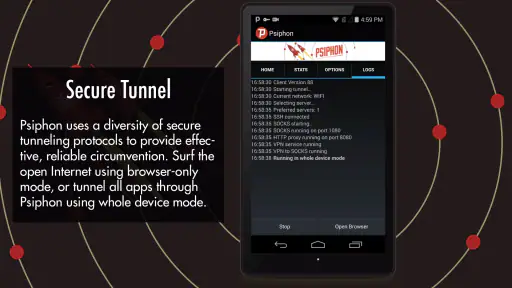
One of the highlights of using Psiphon Pro is its speed. I was pleasantly surprised at how fast and stable the connection was, even when accessing content that was previously out of reach. Whether you're streaming videos or browsing websites, the app delivers a seamless experience. And for those who are worried about security, Psiphon Pro has got you covered. It uses robust encryption to keep your online activities private and secure.
In practice, I would not assume that speed is constant. Routing traffic through an additional service can affect responsiveness, and a crowded or weak Wi-Fi signal can still be the real bottleneck. For reading, messaging, and checking a page, a small delay may not matter; for a video call or fast-paced online activity, it can. If something feels slow, first compare the same task on the regular connection. That simple check helps tell whether the issue is the VPN route or the underlying network.
Keep advanced choices tied to a clear need
What sets Psiphon Pro apart from other VPN apps is its level of customization. You can choose from a variety of protocols and server locations to optimize your connection. Plus, it offers a split-tunneling feature, allowing you to route only certain apps through the VPN while keeping others on your regular internet connection. This is super handy if you want to save bandwidth or access local content while still enjoying the benefits of a VPN.
Those controls can be useful, but they are not something I would change casually. If you route only selected apps through the connection, remember that the rest continue using the ordinary network. That can be a sensible arrangement when one app needs access through Psiphon while local services work better without it, but it also makes it easier to misunderstand which traffic is taking which route. I would keep the setup simple unless I had a clear reason to separate apps, and verify the result with the specific service I care about.
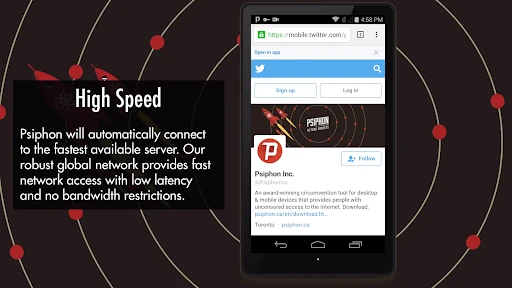
Another feature I appreciated is the app's ability to automatically connect to the best available server. This means you get the fastest connection possible without having to manually search for it. It’s like having a personal internet concierge that ensures you’re always online and connected.
Where it sits among VPN alternatives
Compared with the usual VPN alternatives, Psiphon’s appeal is its emphasis on helping users get around access barriers, rather than asking everyone to manage a detailed privacy configuration. That can make it approachable when the immediate problem is a blocked destination. A conventional VPN may be a better fit if you want a particular set of privacy controls or a predictable server choice for regular use. Neither approach removes the need to consider the network, the app you are using, and the sensitivity of the information involved.
That difference matters in ordinary decisions. Someone who wants a consistent location for routine browsing, or who is choosing a service mainly for a carefully defined privacy setup, should compare other VPN options on those specific terms instead of assuming Psiphon is interchangeable with them. Someone who only needs to see whether a restricted page can be reached has a narrower question, and Psiphon’s access-focused approach is easier to evaluate: connect, try the destination, and decide whether the result is dependable enough for that task.
There is also a useful trade-off in keeping the app for occasional situations rather than treating it as a default setting. When a particular network blocks a page, it can be worth trying another route. When everything already works, adding an extra connection may not improve the task and could make a slow network feel less responsive. I would choose based on what I need to do at that moment, not on the assumption that one connection mode is always better.
Cost, compatibility, and realistic expectations
Psiphon Pro is free to download, with optional in-app purchases ranging from under a dollar to just under seventy dollars per item. I would begin with the free option and decide whether the app solves my actual access problem before spending anything. The app has an Everyone age rating, an average rating of 4.5 from around 961,000 ratings, and more than 100 million installs, so it is clearly familiar to a large audience; those figures still cannot tell you how well it will work on your particular network. Version 440 requires Android 5.0 or later.
The app is most useful for people who encounter blocked or restricted destinations and want a straightforward way to try another route. It is less compelling if your connection already reaches everything you need, or if your priority is a specialized privacy service with controls you have personally checked. Psiphon Pro first appeared on November 2, 2015, and its established presence does not remove the need to make your own choices about sensitive browsing. I would use it selectively, rather than leave any VPN running by habit without considering what I am trying to do.
If you are deciding whether to pay for an option, I would first write down the problem you want solved and test the free experience against it. Does the specific site open? Does it remain usable for the whole task? Does the route work on the network where you actually need it? Those checks are more useful than buying based on a general hope of better browsing. The optional purchases may suit some users, but they are not a reason to assume that every connection issue can be fixed by spending more.
One practical question is whether it is suitable for everyday browsing: it can be, if access is the reason you need it and performance on your network is acceptable. Another is whether it replaces safe browsing habits; it does not. I would still check that a site is genuine, avoid sharing confidential information on a page I do not trust, and switch to a more suitable connection if an important task keeps failing. Those habits matter more than assuming that one app makes every online activity private or risk-free.
Who is likely to get the most from it
I would recommend trying Psiphon to someone who occasionally finds that a website or service is unavailable on a particular network, especially if they want an uncomplicated first step rather than a full privacy configuration project. It can also be useful for a traveler who needs to check a page while using unfamiliar Wi-Fi, provided they test the connection before relying on it for something urgent. The key is to judge it against a real destination and a real network, not against an abstract promise of unrestricted access.
I would tell a different user to look elsewhere: someone whose main requirement is a well-defined privacy package, consistent performance for calls or streaming, or detailed control over a regular VPN setup should compare services designed around those priorities. Likewise, if the ordinary connection already works and you have no access problem, there may be little reason to add another layer to the routine. Psiphon makes the most sense when its particular strength answers a problem you actually encounter.
In conclusion, Psiphon Pro is a powerful and user-friendly app that opens up a world of possibilities. Whether you're trying to access restricted content or just want to enhance your online privacy, this app has got you covered. It's reliable, fast, and easy to use, making it a must-have tool for anyone who values internet freedom. So why wait? Give it a try and see the world without borders!
My recommendation is more specific: try it when a real access restriction is getting in your way, and judge it by whether it solves that problem on your network. I would not call it essential for everyone, and I would not rely on it as a universal fix for privacy or speed. But for someone who wants a simple, focused way to test a different route to blocked content, it is a reasonable option to keep available.
Psiphon: Fast and Secure VPN Frequently Asked Questions
Can Psiphon Pro help me access websites that are blocked on my network?
Psiphon Pro is designed to connect users to the internet through a VPN proxy server and IP blocker, and its published description presents it as a way to browse with that service. It may be relevant if you are looking for an app to help reach online content through a proxy connection. Keep in mind that access can depend on your network and the websites you want to visit.
What should I consider before installing a VPN proxy app?
Before installing Psiphon Pro, consider whether routing your internet connection through a VPN proxy fits the way you browse and what you expect from an internet access tool. The app is free to download, and paid in-app options are also available. It is rated for Everyone, but each user should still decide whether the app’s purpose and purchasing options suit their needs.
Do I need an account to start using Psiphon Pro?
Psiphon Pro is intended to let you connect and browse through its VPN proxy service. Before downloading, it is worth considering whether you want an app for that kind of internet access and whether you are comfortable using a VPN. The app is free to download, while in-app purchases are available for users who want to consider paid options.
What is Psiphon Pro and how does it work?
Psiphon Pro is a VPN app designed to provide users with unrestricted access to the internet. It works by using a combination of VPN, SSH, and HTTP Proxy technologies to bypass censorship and geo-restrictions, allowing users to access blocked content safely and securely. This makes it ideal for users in countries with strict internet regulations or anyone looking to enhance their online privacy.
Is Psiphon Pro safe to use?
Yes, Psiphon Pro is generally considered safe to use. It employs multiple encryption protocols to protect your data from surveillance and cyber threats. However, like any VPN service, it’s important to download it from official sources and ensure that your device has up-to-date security software to maximize protection.
Pros
- Easy to set up and use.
- Offers global server access.
- Supports multiple platforms.
- Automatic updates for security.
- Unlimited bandwidth.
Cons
- May slow down internet speed.
- Limited free version features.
- Requires permission access.
- Ads in free version.
- Not all servers are fast.
- Category
- Communication
- Version
- 440











