PrinterShare Mobile Print
- 23.46K
- 4.1
- Installs
- 10.00M
- Price
- Free

Screenshots
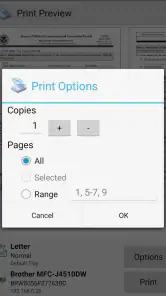
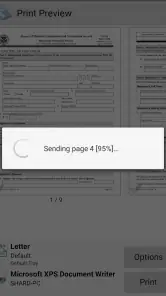
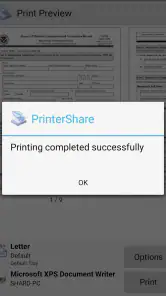
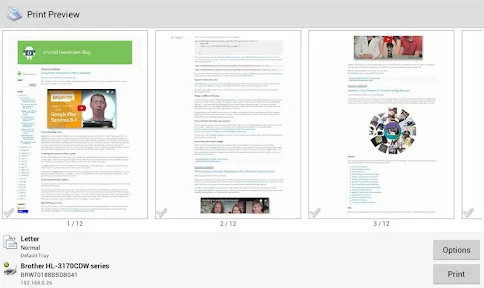
Analysis by Reviewed
Ever found yourself in desperate need to print a document while away from your home or office? Well, let me introduce you to PrinterShare Mobile Print, an app that's become quite the lifesaver for me and could be for you too! It's all about making printing as seamless as possible from your mobile device, whether you're on Android or iOS. Today, I'm diving into how this app works and why it might just be the perfect addition to your app collection.
Getting Started with PrinterShare Mobile Print
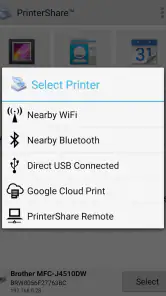
First things first, installing PrinterShare Mobile Print is a breeze. Available on both Android and iOS, you simply download it from the Google Play Store or Apple App Store, and you’re good to go. No need to fiddle with complex settings. Once installed, the app automatically detects available printers nearby, which is a huge plus if you’re in an office environment with multiple printers. It supports a range of printers, from HP to Canon, and even network printers, so compatibility isn’t an issue.
Features that Stand Out
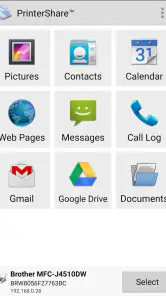
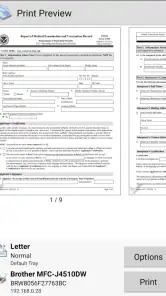
One of the features I absolutely love is the ability to print directly from my phone without needing to transfer files to a computer. You can print a variety of documents, from photos to PDFs, and even web pages. The app supports cloud services like Google Drive and Dropbox, allowing you to access and print documents stored online. This is especially handy if you’re working remotely or need to print something on the fly.
Another neat feature is its ability to print via Wi-Fi, Bluetooth, or even USB. Yes, you heard that right! If you’re old-school like me and sometimes prefer a USB connection, this app’s got you covered. Plus, it allows you to print text messages, call logs, and even contacts, which I found particularly useful for keeping a hard copy of important conversations.
Simplicity and User Experience
Let’s talk about the user interface. It's straightforward and intuitive, which means you don’t have to be tech-savvy to navigate through it. The app is designed to make the printing process as simple as possible. You select the document, choose the printer, and hit print. It’s that simple. The layout is clean, and the options are clearly labeled, so you know exactly what you’re doing. Plus, it doesn’t bombard you with ads, which is a refreshing change from many free apps these days.
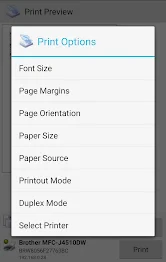
In terms of performance, the app runs smoothly without any noticeable lag. Whether you’re printing a high-resolution image or a simple text document, the quality remains top-notch. The app also allows you to customize print settings such as paper size, page orientation, and number of copies, giving you flexibility to print just how you like it.
Final Thoughts
So, is PrinterShare Mobile Print worth it? Absolutely! It’s a powerful tool that fits right into the fast-paced, mobile-centric world we live in today. Whether you're a student, a professional, or someone who just needs to print the occasional document, this app simplifies the process immensely. It's reliable, versatile, and incredibly easy to use. If you haven’t tried it yet, I’d definitely recommend giving it a go. Happy printing!
Pros
- Wide range of printer compatibility.
- Direct printing via Wi-Fi
- Bluetooth.
- Supports various file formats.
- User-friendly interface.
- Cloud service integration.
Cons
- Limited free version features.
- Occasional connectivity issues.
- Ads in the free version.
- Some printers require additional setup.
- Subscription required for premium features.

- Category
- Business
- Version
- 12.18.4











