Poster Maker - Flyer Maker
- 280.00
- 4.5
- Installs
- 5.00M
- Price
- Free
Screenshots


Analysis by Reviewed
Have you ever found yourself in need of a quick, yet professional-looking flyer or poster, but lacked the design skills to make it happen? Well, let me introduce you to Poster Maker - Flyer Maker, the app that might just save your day. This handy little tool is available on both Android and iOS, and it's designed to turn even the most design-challenged among us into graphic geniuses.
Unleashing Your Inner Designer
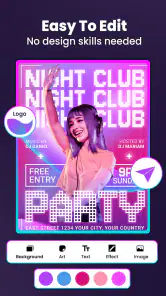
Let's dive right into what makes Poster Maker - Flyer Maker a standout in the crowded world of design apps. First off, the app is incredibly user-friendly. From the moment you open it, you're greeted with an intuitive interface that makes navigating through its features a breeze. You don't need a degree in graphic design to create something that looks like you do. Seriously, it’s that easy!
Features That Pack a Punch
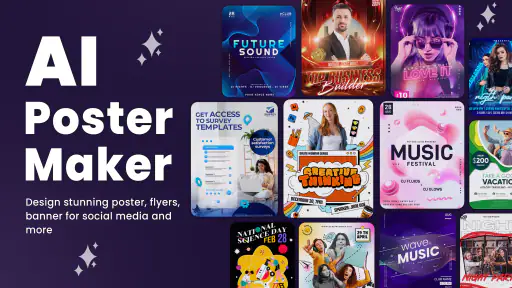
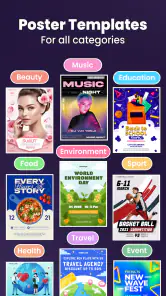
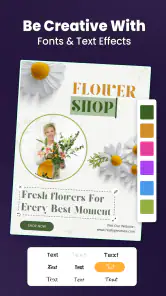
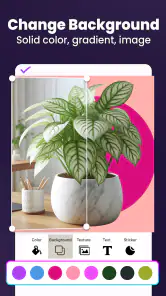
One of the features I absolutely love is the vast array of templates available. Whether you're creating a poster for a garage sale, a virtual event, or just something to spruce up your social media, Poster Maker - Flyer Maker has got you covered. The templates are not only stylish but also highly customizable. You can tweak colors, fonts, and layouts to suit your personal taste or brand aesthetic.
Another nifty feature is the extensive library of graphics and stickers. Need to add a little flair to your design? Just browse through the options and drag and drop to your heart’s content. Plus, with the text editing tools, you can play around with typography until it’s just right. The app even supports layers, allowing you to stack elements and create depth in your designs.
Performance and User Experience
Performance-wise, the app runs smoothly on both Android and iOS devices. I tested it on a mid-range Android phone, and I was impressed by how responsive it was. No lagging or crashing to disrupt my creative flow. It's clear that the developers have put a lot of effort into optimizing the app for various devices.
One thing that stood out to me was how quickly you can create something professional-looking. Within minutes, I was able to craft a sleek event poster that looked like it was done by a pro. The app’s ability to deliver quality results in such a short time is a testament to its design and functionality.
Final Thoughts
In conclusion, if you’re on the lookout for a reliable and efficient app to help you create stunning posters and flyers without breaking a sweat, Poster Maker - Flyer Maker is definitely worth a try. Its straightforward interface, coupled with a robust set of features, makes it a fantastic tool for both personal and professional projects.
So, next time you find yourself needing to whip up a quick design, remember to give this app a go. Who knows, it might just unleash your inner Picasso!
Pros
- User-friendly interface for quick designs
- Wide variety of templates available
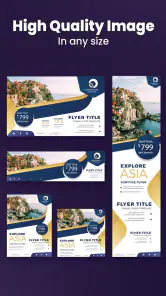
- High-resolution export options
- In-app tutorials for beginners
- Customizable fonts and colors
Cons
- Limited free features available
- Occasional ads disrupt workflow
- No offline mode available
- Limited stock images in free version
- Advanced features are paid only
- Category
- Art & Design
- Version
- 10.3.7











