Invitation Maker & Card Design
- 218.00
- 4.3
- Installs
- 10.00M
- Price
- Free
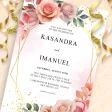
Screenshots


Analysis by Reviewed
Hey there, party planners and design enthusiasts! If you're anything like me, you've probably found yourself in a bind trying to create the perfect invitation for your upcoming events. Whether it's a birthday bash, a wedding, or just a casual get-together, making that first impression is crucial. That's where Invitation Maker & Card Design comes into play. Let me take you on a little journey through my experience with this nifty app.
First Impressions and Ease of Use
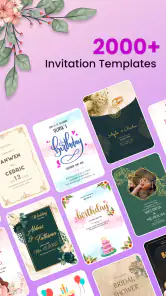
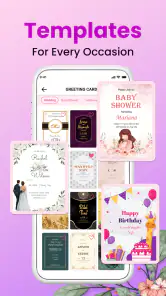
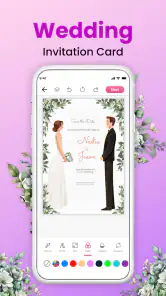
From the moment I opened the app, I was greeted with a user-friendly interface that felt welcoming and straightforward. No need to be a tech wizard here; everything is laid out in a way that just makes sense. You’ve got a plethora of templates at your fingertips, and I mean it—there's something for every occasion. Browsing through them is like flipping through a fashion magazine, but for invites. I found myself oohing and aahing at the variety, from minimalist chic to vibrant and playful.
Customization Galore
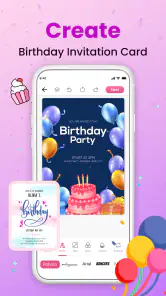
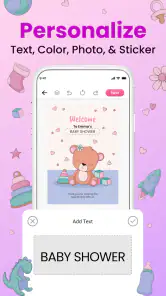
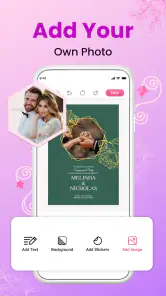
Now, I love personal touches, and Invitation Maker & Card Design doesn’t disappoint. Each template is fully customizable, allowing you to tweak colors, fonts, and even the layout itself. I spent a good amount of time experimenting with different styles, and the possibilities felt endless. It's like having a mini design studio in your pocket. Plus, the app offers a wide range of stickers and graphics to make your card truly unique. I was particularly fond of the floral and modern geometric options.
Sharing is Caring
Once you're satisfied with your masterpiece, sharing is a breeze. The app offers seamless integration with social media platforms and email, making it easy to get your invites out there. You can also download your creations in high resolution for printing, which is a huge plus for those who prefer a tangible touch. I tested it out for a friend's bridal shower and was blown away by how crisp and professional the printed invites looked.
Another cool feature is the ability to track RSVPs directly through the app. It's a lifesaver for those of us who don't want to juggle multiple spreadsheets or sticky notes. You get real-time updates on who's attending and who might need a little nudge.
Final Thoughts
Overall, Invitation Maker & Card Design is a gem for anyone looking to add a personal touch to their invitations without breaking the bank. It's intuitive, packed with features, and most importantly, fun to use. Whether you're planning a small gathering or a big event, this app has got you covered. So go ahead, give it a whirl, and let your creative juices flow. Trust me, your guests will be impressed.
Pros
- User-friendly interface with drag-and-drop features.
- Extensive template library for all occasions.
- Customizable fonts
- colors
- and graphics.
- High-quality export options for printing.
- Quick sharing to social media and email.
Cons
- Limited free features; premium subscription needed.
- Occasional crashes on lower-end devices.
- Advertisements interrupt free version users.
- No offline mode for design editing.
- Limited support for multi-language texts.
- Category
- Art & Design
- Version
- 1.9.8











