Pose: AI Video Maker, AI Photo
- 9.10K
- 4.5
- Installs
- 500.00K
- Price
- Free
Screenshots
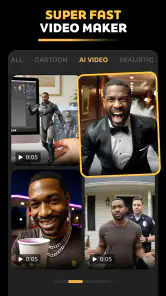


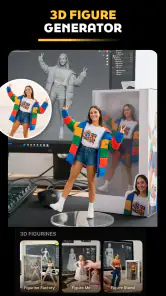

Analysis by Reviewed
Have you ever wished you could take your videos and photos to the next level with just a few taps? Well, that’s exactly what Pose: AI Video Maker, AI Photo promises to do. I recently got my hands on it, and let me tell you, it's like having a mini creative studio right in your pocket. Let’s dive into what makes this app tick.
Getting Started with Pose
First things first, installing the app was a breeze. Available on both Android and iOS, it’s a lightweight download, so it won’t hog your phone’s storage. Once you’re in, the interface is super intuitive. Everything is laid out in a way that even the most tech-challenged person could navigate with ease.
The Power of AI at Your Fingertips
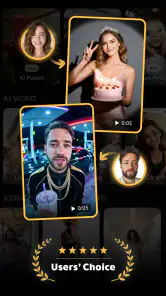
What sets Pose: AI Video Maker, AI Photo apart is its seamless integration of AI technology. The app automatically suggests enhancements for your videos and photos, which is perfect for someone like me who wants great results without fiddling around too much. It’s like having a personal editor who knows exactly what I want.
The AI is surprisingly smart. It can detect faces, optimize lighting, and even suggest filters and effects that complement the mood of your content. For all the TikTokers and Instagrammers out there, this is a game-changer.
Features That Stand Out
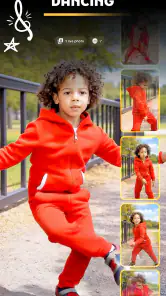
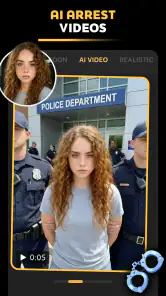
Let’s talk features. The app packs in a variety of editing tools from basic edits like cropping and trimming to more advanced features like background removal and color grading. But the real magic happens with the AI-driven effects. You can transform a simple video into a cinematic masterpiece with just a few taps.
- AI Filters: These are tailored to your content and change based on the detected scene, which makes every video feel unique.
- Smart Effects: Add dynamic elements like weather effects or fireworks that move realistically with your video.
- Portrait Enhancements: Perfect for selfies, the app smooths skin, brightens eyes, and even applies subtle makeup effects if you want to glam up.
Creating Content Like a Pro
One of my favorite parts about using this app is how it makes professional-quality editing accessible. Whether you're a seasoned content creator or just getting started, the tools are robust yet easy to use. The learning curve is practically non-existent, so you can start creating stunning content right off the bat.
There's also a community feature where you can share your creations and get inspired by others. It's a great way to see what’s possible with the app and pick up new tricks and tips.
Final Thoughts
All in all, Pose: AI Video Maker, AI Photo is a must-have for anyone looking to elevate their social media game. The blend of AI technology with user-friendly tools makes it a standout choice in a sea of editing apps. Whether you want to touch up a quick snapshot or create a video that wows your audience, this app has got you covered.
So, if you’re ready to unleash your inner creator, give it a try. You might just find yourself addicted to the endless possibilities it offers. And hey, who doesn’t love getting their creative juices flowing?
Pros
- User-friendly interface for easy navigation.
- High-quality AI-generated video outputs.
- Wide range of editing tools available.
- Integrates seamlessly with social media.
- Regular updates with new features.
Cons
- Occasional lag on older devices.
- Some features require in-app purchases.
- Limited export formats available.
- Can drain battery quickly during use.
- Ads can be intrusive at times.
- Category
- Photography
- Version
- 1.3.12











