Photo Lab Picture Editor & Art
- 104.40K
- 4.5
- Installs
- 100.00M
- Price
- Free

Screenshots
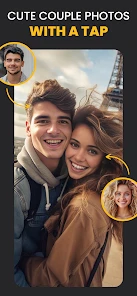
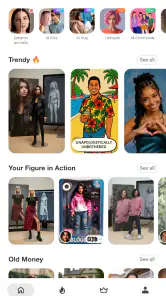
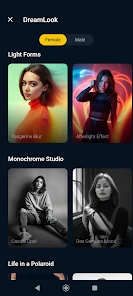
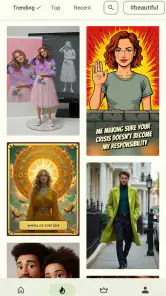
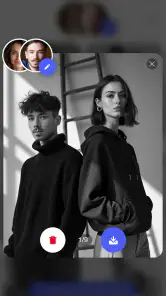
Analysis by Reviewed
When I want a playful edit rather than a careful correction, Photo Lab Picture Editor & Art is the sort of app I reach for. It turns photo editing into a quick experiment: I can try a visual treatment, see whether it suits the picture, and move on without needing to know professional editing techniques. That makes it especially appealing for casual portraits, greetings, and social posts, though it is not the tool I would choose when accuracy and fine control matter most.
Finding a comfortable route through the app
Photo Lab is a photography app from PHOTO LAB DMCC. It has been around since December 29, 2010, and its current version is 3.13.78. The app is free to install, with optional in-app purchases ranging from $0.99 to $99.99 per item. It is rated for teens, and its 4.5 average from around 6.5 million ratings, alongside over 100 million installs, suggests it has found a broad audience. Those figures tell me it is widely used, but they do not guarantee that every effect or workflow will suit every person.
The main appeal is the range of ways to give a photo a distinct mood: cartoon-like treatments, playful face effects, and more dramatic transformations. Rather than treating it as a complete photo studio, I think of it as a creative effects app. That distinction helps set expectations. If I need to straighten a horizon, make a precise color adjustment, or retouch a small detail, a conventional editor with direct controls is usually a better fit. If I want a quick visual idea that feels more expressive than a basic filter, Photo Lab is more enjoyable to explore.
Readable choices, but a lot to browse
The variety is a strength, yet it can also make choosing a starting point feel less straightforward. When an app presents many different looks, I find it useful to decide what the picture needs before browsing: a funny portrait, a stylized avatar, or a seasonal greeting. That small step keeps experimentation focused and makes it easier to compare options instead of tapping through effects at random.
For readability, I would judge the experience by whether the effect labels and previews make sense to you on your own device. People who prefer large text, strong contrast, or a very uncluttered screen may find a dense catalogue tiring, particularly during a long editing session. I would recommend trying a few options first rather than assuming the full range will be comfortable to browse. The app’s teen rating is also worth considering when choosing it for a younger family member.
Making edits work for different needs
Photo Lab’s visual transformations can be useful when the goal is expression rather than precision. A cartoon treatment, for instance, can make a profile picture feel more playful without requiring drawing skills. A face montage can also turn an ordinary portrait into a light-hearted greeting. These outcomes are easy to share, but they depend on a clear, well-framed source photo; if a face is small, partly covered, or poorly lit, the finished effect may be less useful than expected.
Motor comfort matters too. If tapping small controls or repeating several steps is difficult, I would keep the process simple: choose one image, try a small number of effects, and save only the version that works. That is less frustrating than treating the app as a place to make many tiny adjustments. For anyone sensitive to busy visual changes, rapidly switching between bold effects may also feel overwhelming, so previewing one treatment at a time is a sensible way to work.
You May Like

Clash of Clans Is Won Between the Battles

Android Auto Makes the Case for Quieter Car Software

MobiOffice: Transforming Mobile Productivity with Seamless Integration

EA SPORTS FC™ Mobile Soccer: Redefining Mobile Sports Gaming

How Microsoft OneDrive Became a Mobile Productivity Giant

How Google Translate Breaks Language Barriers Effortlessly
In everyday use, I can imagine taking a quick portrait before a birthday, choosing a playful treatment, and adding a short message for a family chat. That is a better match for Photo Lab than editing a batch of work photos that all need the same restrained, consistent look. For that second job, a simpler editor with repeatable adjustment controls would save time and keep the images more natural.
When an effect app is not the right editor
The biggest trade-off is that creative effects are not the same as detailed photo correction. Photo Lab is a good choice when I want an obvious transformation, but less suitable when I need to preserve realistic skin tones, make exact selections, or fine-tune exposure across several images. A standard editor is often better for those tasks; a design app may be more convenient when the main goal is arranging text and graphics into a polished layout.
There is also a practical question around cost. The app is free to start, but optional purchases can reach $99.99 per item. I would explore the free experience and decide whether the effects I actually want are available to me before paying for anything. That keeps the decision tied to a real use rather than the excitement of browsing a large collection. Availability of paid options can also make the experience feel less simple for someone who wants every tool included upfront.
Unleashing Creativity with Filters
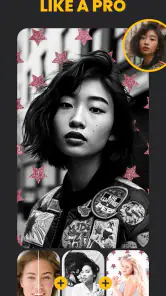
First things first, let's talk about the filters. Photo Lab boasts a massive collection of over 900 effects. Yes, you heard me right—900! From subtle color corrections to mind-blowing effects that transform your photo into a work of art, there's something here for everyone. I found myself spending hours just playing around with different options, each one giving a unique twist to my photos.
Easy Peasy Editing
What I love most about Photo Lab Picture Editor & Art is how user-friendly it is. Even if you're someone who thinks "cropping" is a farming technique, you'll find this app a breeze to navigate. The interface is intuitive, and the tools are clearly labeled, which means no fiddling around trying to figure out how to apply that awesome new effect you just discovered.
One of my favorite features is the ability to add text to photos. Whether it's a funny quote or a heartfelt message, adding text is straightforward, and you get plenty of fonts and styles to choose from. It's perfect for creating personalized greetings or social media posts that stand out.
Collages and Montages Galore
Feeling creative? The app also offers a variety of collage and montage options. You can mix several photos into beautifully designed templates that make your memories even more memorable. I found the seasonal templates particularly fun, as they add a thematic touch to my photos without any extra effort.
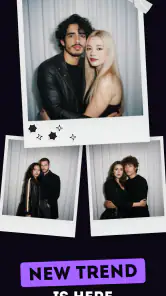
And for those of us who love a good laugh, the face photo montages are a hoot! Transforming into a pirate or queen with just a few taps can bring a smile to anyone's face.
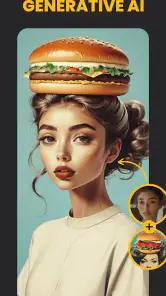
Photo Lab Picture Editor & Art also includes a variety of face filters. Want to see yourself as a cartoon character? Or maybe try out a virtual makeover? The possibilities are endless, and the results are often hilarious.
In-App Community and Sharing
Another fantastic aspect of this app is its community feature. You can see what other users are creating, get inspired by their work, and even share your own masterpieces. Plus, sharing your edited photos on social media is as easy as pie—just a few taps and you're good to go.
If you're someone who loves to get feedback on your work, the in-app community is a great place to showcase your creations and get some positive vibes from fellow photo enthusiasts.
Who will enjoy it most?
I would recommend Photo Lab to people who enjoy playful portraits, quick themed images, and creative experiments more than painstaking retouching. It can be a handy option when I want to make a familiar photo feel fresh without learning a complicated editing workflow. Someone who mainly needs a clean crop, accurate color correction, or consistent edits across a large set of pictures will probably be happier with a more control-focused photography editor.
For a shareable result, I would start with a photo that has one clear subject and leave enough room around the face if I plan to use a montage or add text. It is a small choice, but it gives the effect more space to read well and reduces the chance that the final composition feels cramped. I would also keep an unedited copy of any image I care about, so experimenting does not replace the original I may want later.
A playful choice with clear limits
If you're someone who loves to get feedback on your work, the in-app community is a great place to showcase your creations and get some positive vibes from fellow photo enthusiasts. I would still choose what to share thoughtfully: a light-hearted edit can be fun among friends, while a heavily transformed portrait may not suit a professional profile or a formal announcement. The right effect depends as much on the audience as on the photo itself.
In conclusion, if you're on the hunt for an app that can transform your photos from drab to fab, Photo Lab Picture Editor & Art is worth a download. It's packed with features, easy to use, and offers endless possibilities for creativity. Whether you're a seasoned photographer or just someone who likes to dabble in photo editing, this app has something for everyone. So go ahead, give it a try, and watch your photos come to life!
My inclusive verdict
I see Photo Lab as a welcoming place to experiment, not an editor that will suit every ability or every task equally well. Its playful effects and ready-made creative options can lower the effort needed to make a distinctive image, while a busy selection process or repeated tapping may be a barrier for some users. I would try it for a single portrait or greeting first, keep expectations realistic, and move to a precision editor when accessibility needs or detailed control make that the better choice.
Photo Lab Picture Editor & Art Frequently Asked Questions
Does Photo Lab Picture Editor & Art let me preview effects before applying them?
Previewing different treatments is a useful way to decide which creative look works best for a photo. Photo Lab Picture Editor & Art highlights cartoon effects and picture-generator styles such as PS2 and AI Clay filters. The final appearance depends on the image and effect you choose, so exploring several options can help you settle on a result before deciding whether the app suits your editing style.
Can I use Photo Lab Picture Editor & Art to make artistic edits rather than ordinary corrections?
Photo Lab Picture Editor & Art is oriented toward creative transformations, including cartoon effects and picture-generator styles such as PS2 and AI Clay filters. It may be appealing if you want an image to look more stylized or artistic rather than simply make conventional adjustments. Try the available treatments with a photo you like to see whether this creative approach matches what you want from an editor.
Is Photo Lab Picture Editor & Art available in more than one language?
If you prefer using photo-editing apps in a particular language, check the language options available for your device and app version before getting started. The main appeal of Photo Lab Picture Editor & Art is its creative editing approach, including cartoon effects and PS2 and AI Clay picture-generator styles. Your comfort with the app’s interface is an important part of deciding whether it will fit your workflow.
Can I edit a photo more than once with different effects?
You can explore different treatments by selecting a photo and trying the available effects, including cartoon styles and PS2 or AI Clay picture-generator filters. Comparing results can help you find a look that suits the image. The appearance will vary with the source picture and selected treatment, so experimenting with more than one option is a practical way to judge the app’s creative range.
Does Photo Lab Picture Editor & Art work with photos from my phone?
Photo Lab Picture Editor & Art is designed for editing photos, and its creative treatments can be explored with a selected image. The app highlights cartoon effects and picture-generator styles such as PS2 and AI Clay filters. Before beginning, make sure the picture you want to edit is available on your device, then compare treatments to see which one best fits that photo.
Pros
- Wide range of artistic effects available.
- Easy to use interface for beginners.
- Quick processing of images.
- Regular updates with new features.
- High-quality photo output.
Cons
- Contains in-app advertisements.
- Limited features in free version.
- Requires internet for full functionality.
- Some effects require payment.
- May drain battery quickly.

- Category
- Photography
- Version
- 3.13.78